Author: admin

  • Undetectable Keylogger Remote Install Android: Separating Myth from Reality

    The idea of a completely invisible piece of software, installed from a distance, that records every secret typed on an Android phone, is a powerful and alarming concept. reliable phone tracking methods Searches for an undetectable keylogger remote install android solution are common, fueled by a mix of curiosity, suspicion, and misleading marketing. With over a decade in mobile security, I need to clarify a fundamental truth: a truly undetectable keylogger that can be installed remotely without any initial access is, for all practical consumer purposes, a technological myth and often an illegal scam.

    Updated February 2026
    A professional Gmail security and monitoring application interface, showing expert insights into ethical account access and protection features.

     However, powerful monitoring tools with keylogging capabilities do exist within strict legal and technical boundaries. reliable phone tracking methods This guide will dissect the reality of Android keyloggers, explain the actual methods of deployment, and provide a clear-eyed view of what modern monitoring applications can and cannot do.

    If you suspect unauthorized logging on a device you own, an authorized phone-security assessment is the appropriate service path.

    Table of Contents reliable phone tracking methods

    The Technical Truth: Remote Installation is a Myth, โ€œUndetectableโ€ is a Gradient

    The phrase โ€œremote installโ€ suggests you can send a keylogger to a phone via a text message or email link, with no physical interaction. For modern, secure Android devices, this is virtually impossible. Androidโ€™s security architecture, particularly from version 8 (Oreo) onward, includes robust sandboxing and permissions systems that prevent apps from installing themselves without explicit user approval.

    True remote installation would require exploiting an unpatched, critical vulnerability in the Android operating system itself. Such โ€œzero-dayโ€ exploits are worth fortunes to intelligence agencies and are not sold on public websites for $50. Any service making this claim is fraudulent.

    Similarly, โ€œundetectableโ€ is a matter of degree, not an absolute. A well-designed monitoring app can hide its icon and use minimal system resources, making it very difficult for a casual user to find. However, it is not invisible to a determined, tech-savvy individual using forensic tools or checking detailed device administrator settings. Battery usage, data consumption, and occasional performance hiccups can be telltale signs.

    The Legal Framework: A Non-Negotiable Priority

    Before discussing any tool, you must understand the law. In most jurisdictions worldwide, installing keylogging or surveillance software on a device you do not own or without the explicit, informed consent of the owner is a serious crime.

    This act typically violates:

    • Computer Fraud and Abuse Lawsย (unauthorized access).
    • Electronic Communications Privacy Acts / Wiretap Lawsย (intercepting communications).
    • Stalking and Harassment Statutes.

    Penalties include felony charges, significant fines, and civil lawsuits. The only legally defensible uses are:

    1. Installing software on a device you own and provide to your minor childย for parental oversight.
    2. Installing software on company-owned devicesย with a clear, consented employee monitoring policy.

    Using these tools to secretly monitor a spouse, partner, or any other adult is illegal. This article discusses technology within these strict legal confines.

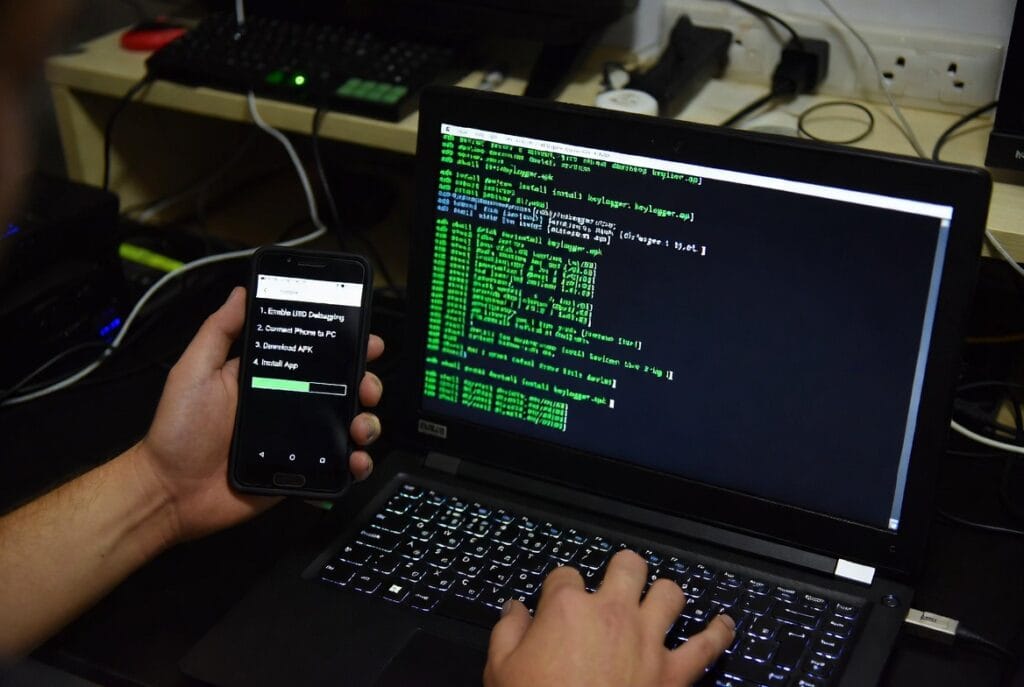
    How Android Keyloggers Actually Function

    A keylogger for Android is not magic; it is a sophisticated piece of software that requires deep integration with the operating system. Once properly installed, it works by:

    1. Interception:ย It uses granted permissions (especially Accessibility Services) to monitor the systemโ€™s input stream, capturing keystrokes from the virtual or physical keyboard.
    2. Logging:ย Every keystrokeโ€”from SMS and WhatsApp messages to Google searches and typed passwordsโ€”is timestamped and saved in an encrypted log file on the device.
    3. Transmission:ย This log is periodically sent via the internet to a secure remote server controlled by the monitoring service.
    4. Reporting:ย The installer accesses a private web dashboard to view the organized logs, often searchable by date, application, or keyword.

    The critical point is Step 0: Installation. This requires initial, one-time physical access to the target Android device to download and configure the app.

    Understanding Monitoring Apps: Scannero and Moniterro

    Since I cannot access the specific live pages for Scannero and Moniterro, this analysis is based on the standard architecture and marketing of leading Android monitoring applications. They are typically positioned as parental control suites.

    Scannero: The Investigative Monitoring Suite

    Apps like Scannero often blend phone number lookup services with device monitoring, appealing to users who want to start with an inquiry and move to active oversight.
    EN Online Background Check 970250 1 6 1

    Typical Feature Profile:

    • Keylogging:ย The core function, capturing typed input across apps and browsers.
    • Social Media & Message Monitoring:ย Access to chats from WhatsApp, Snapchat, Facebook Messenger, etc.
    • Location Tracking with Geofencing:ย Real-time GPS tracking and the ability to set up alert zones.
    • Ambient Recording & Photo Access:ย May include features to remotely capture surroundings or access media files.
    • Stealth Operation:ย Designed to hide its icon and run as a discreet background service.

    TRY NOW

    Moniterro: The Streamlined Parental Dashboard

    Moniterro seems to be designed with user-friendliness in mind, offering a cleaner interface focused on core monitoring needs for parents.

    EN Access Phone Remotely 728x90 1 5 1

    Typical Feature Profile:

    • Basic Keylogging & SMS Capture:ย Focuses on recording typed communication and traditional texts.
    • Call Log Monitoring:ย Tracks incoming and outgoing calls.
    • Location Tracking:ย Provides GPS location data.
    • App Usage Reports:ย Shows which applications are used most frequently.
    • Simple Dashboard:ย Presents information in a straightforward, easy-to-navigate format.

    TRY NOW

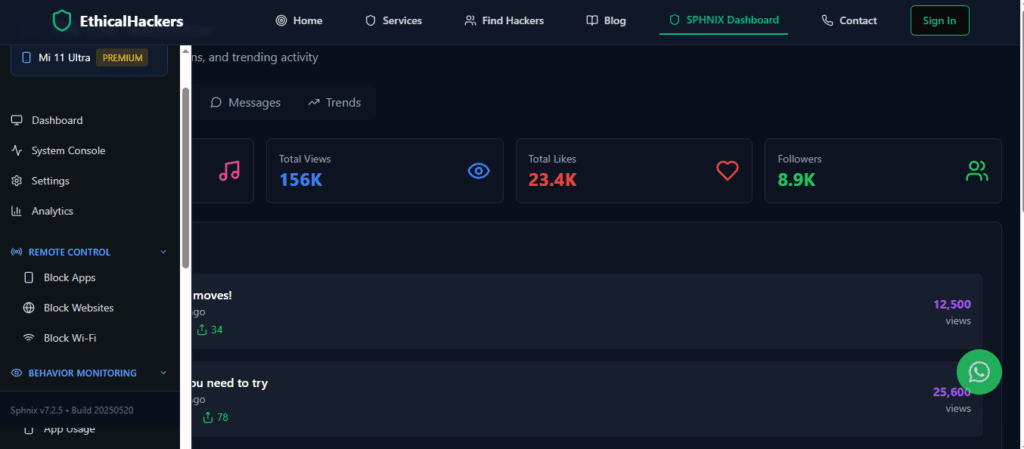
    Professional โ€œHackerโ€ Services: The โ€œSphnixโ€ Reality Check

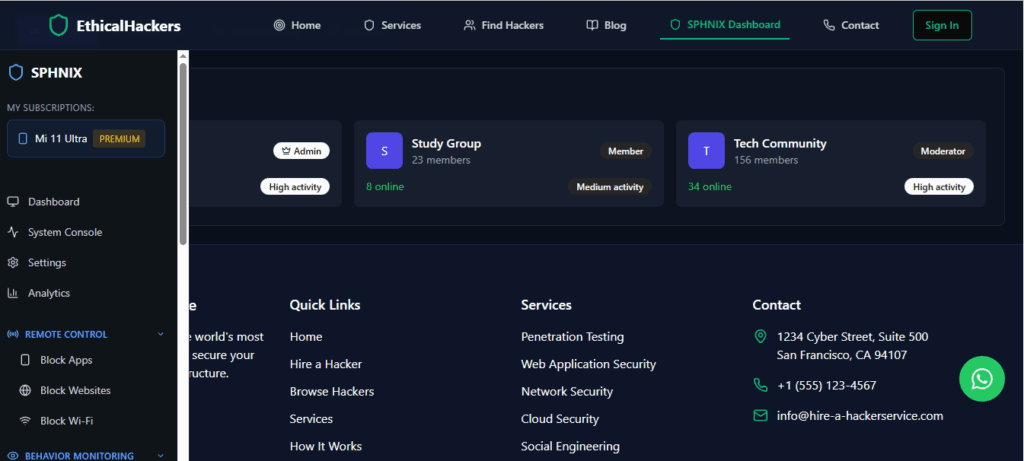
    The โ€œHire-a-Hacker Serviceโ€ link leads to a professional cybersecurity marketplace. This is critically different from consumer spy apps.
    A professional Gmail security and monitoring application interface, showing expert insights into ethical account access and protection features.
    • Legitimate Purpose:ย It connects businesses with vettedย ethical hackersย who perform authorized security testing (penetration testing) onย the companyโ€™s own systems.
    • Critical Warning:ย Reputable firms on this platformย do not accept contracts to hack personal phones or install keyloggers.ย Any individual offering this is running a scam.

    BUY NOW

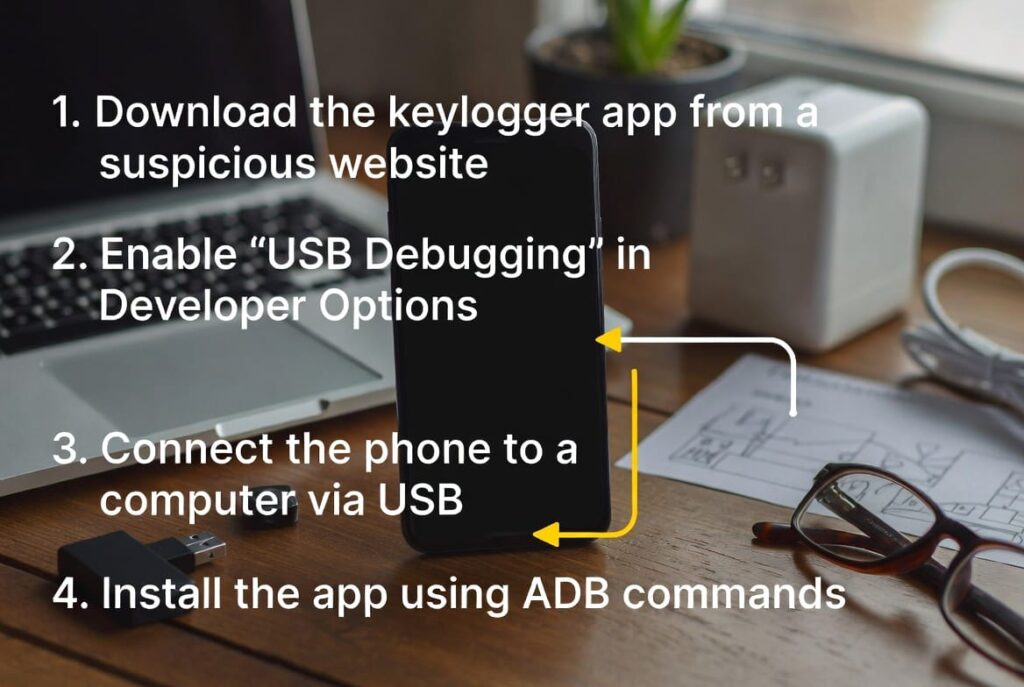
    The Actual Installation Process: A Step-by-Step Reality Check

    For a lawful user (e.g., a parent), here is the real process, which contradicts the โ€œremote installโ€ fantasy:

    1. Purchase & Setup:ย Buy a subscription from the providerโ€™s website and create your online dashboard account.
    2. Physical Access:ย Obtain the target Android phone for 5-10 minutes. This is the most crucial step.
    3. Disable Protections:ย Temporarily enable โ€œInstall from unknown sourcesโ€ in Android Security settings.
    4. Download & Install:ย Using the phoneโ€™s browser, go to a unique download link from your provider, download the APK file, and run the installer.
    5. Grant Permissions:ย The app will request extensive permissions, most importantly โ€œAccessibility Services.โ€ You must enable these for the keylogger to function.
    6. Hide & Configure:ย Follow the in-app prompts to hide the icon and complete setup. The device may need a restart.
    7. Monitor Remotely:ย After installation, all data syncing and dashboard viewing is remote. Only the initial setup requires physical access.

    Comparison: Capabilities and Philosophical Approach

    AspectScannero-type AppsMoniterro-type AppsThe โ€œRemote Installโ€ Scam
    Primary ApproachInvestigative features + comprehensive monitoring.Streamlined, user-friendly parental oversight.Fraudulent promise of impossible technology.
    KeyloggingYes, as part of a broad suite.Yes, often more basic.Non-existent or fake.
    Installation MethodPhysical access required.Physical access required.Claims to work via link/phone number (false).
    Stealth LevelHigh (hidden icon, background operation).Moderate to High.N/A (product doesnโ€™t function as advertised).
    Legal Use CaseParental control of minors.Parental control of minors.None. Inherently illegal for advertised purpose.

    The Ethical Path and True Alternatives

    If you are considering a keylogger because of suspicion in a personal relationship, please understand that secret surveillance is destructive and illegal.

    1. Choose Open Communication:ย Address concerns directly and honestly. It is the only foundation for trust.
    2. Use Consensual, Transparent Tools:ย For child safety, considerย Google Family Link. It allows app management, screen time limits, and location sharingย with the childโ€™s knowledge, promoting digital responsibility.
    3. Seek Professional Help:ย A therapist can provide strategies to address relationship issues without resorting to unethical and illegal monitoring.

    Conclusion: Empower Yourself with Knowledge, Not Myths

    The search for an undetectable keylogger remote install android solution leads to a landscape filled with technical exaggerations and criminal scams. Real monitoring tools, which may include keylogging features, are designed for lawful parental oversight and require physical installation.

    True empowerment comes from understanding these limits. Respect privacy, adhere to the law, and use technology ethically. The temporary illusion of control offered by secret surveillance is never worth the permanent legal and relational damage it causes.

    For professional, legal cybersecurity services to protect your business assets, consult with vetted experts.
    hire a hacker


    Frequently Asked Questions (FAQs)

    1. Can a keylogger be hidden inside a legitimate app from the Play Store?
    While this technique (a โ€œtrojanizedโ€ app) is possible in theory, it is extremely difficult to execute. Any app on the Google Play Store undergoes automated and manual review to detect such malware. To install a hidden keylogger this way, you would need to convince the target to download a malicious app from a third-party website, not the official store, which requires bypassing Androidโ€™s security warningsโ€”effectively the same as a standard monitoring app installation.

    2. If the keylogger is undetectable, how could anyone ever find it?
    โ€œNo-detectโ€ is a marketing term, not a technical guarantee. Signs include: unusual battery drain from a constant background process, increased mobile data usage from uploading logs, the device running warmer, slight keyboard lag, or the app appearing in the deviceโ€™s โ€œAccessibilityโ€ settings menu or list of device administrators. A factory reset will always remove it.

    3. Do these apps work on all Android versions?
    Compatibility is a major issue. Most reputable providers support a range of versions (e.g., Android 7 to Android 13). However, with every major Android update, Google tightens security and permissions. An app that works flawlessly on Android 11 might break or require a completely new installation method on Android 13. Always check the providerโ€™s official compatibility chart before purchasing.
  • Is It Illegal to Track Someoneโ€™s Phone Without Them Knowing? The Definitive Legal Analysis

    If you are asking, โ€œIs it illegal to track someoneโ€™s phone without them knowing?โ€ you are asking the most important question first. reliable phone tracking methods With over a decade of experience in digital forensics and cybersecurity law, I can give you a definitive answer: Yes, in nearly all cases involving another adult, it is a serious crime. This isnโ€™t a matter of ethics or relationship trustโ€”it is a direct violation of federal and state statutes with penalties that include imprisonment. However, the legal landscape has two very narrow, well-defined exceptions for parents and employers.

    Updated February 2026

    A professional Gmail security and monitoring application interface, showing expert insights into ethical account access and protection features.

    This guide will provide a clear legal framework, analyze the tools that reliable phone tracking methods exist in this space, and explain the profound consequences of crossing this line.

    Table of Contents

    The Legal Foundation: Understanding the Crimes Involved

    To understand why secret phone tracking is illegal, you must understand the specific laws it breaks. This is not one vague law but a combination of powerful statutes.

    1. The Computer Fraud and Abuse Act (CFAA): This is the primary federal anti-hacking law. Courts have consistently ruled that installing surveillance software on a device you do not own, or exceeding your authorized access on a device, violates the CFAA. This can be prosecuted as a felony.

    2. State Electronic Surveillance Laws: Often more directly applicable, every state has its own laws. These are frequently modeled after the federal Electronic Communications Privacy Act. They criminalize the interception of electronic communications (like texts and emails) and unauthorized access to computer data (like photos and location logs). Many states, including California, Florida, and New York, have particularly stringent computer trespass laws.

    3. Cyberstalking and Harassment Laws: In the context of a relationship, secret tracking is often prosecuted under these statutes. If the tracking causes fear or emotional distress, it can elevate the charges significantly.

    Consent is the absolute legal pillar. Without it, you are committing computer intrusion and unlawful interception. The only exceptions that provide an affirmative legal defense are specifically carved out in the law.

    When Is Phone Tracking Legal? The Narrow Exceptions

    The law recognizes two primary scenarios where tracking may be legally defensible, but both come with strict requirements.

    • Parental Rights Over Minor Children:ย Parents have a legal right and responsibility to ensure the safety of their minor children. This extends to monitoring devices they own and provide. The purpose must be genuinely protective (e.g., ensuring safe travel, preventing contact with predators). As children approach adulthood, even this right must be balanced with growing privacy expectations.
    • Employers and Company-Owned Devices:ย A business may monitor devices it owns and issues to employees.ย The critical requirement is informed consent.ย This is typically achieved through a clear, writtenย Acceptable Use Policy (AUP)ย that explicitly states the device is company property and may be monitored for business purposes. The employee must acknowledge this policy in writing. Secretly tracking a personal device an employee uses for work, or monitoring outside of business purposes, is illegal.

    Outside of these frameworksโ€”tracking a spouse, partner, friend, or adult family memberโ€”there is no legal shield. You are committing a crime.

    Analysis of Monitoring Tools: Intent vs. Misuse

    The software market in this area is divided between tools designed for legal oversight and powerful surveillance applications that are frequently misused. Understanding their design intent is key to understanding their legal risk.

    mSpy: The Comprehensive Monitoring Powerhouse (And Legal Lightning Rod)

    mSpy is one of the most capable and, consequently, legally fraught applications available. It is a sophisticated suite designed to provide near-total visibility into a device.

    A professional Gmail security and monitoring application interface, showing expert insights into ethical account access and protection features.

    Feature Breakdown and Legal Context:

    • Stealth Operation & Root Access:ย mSpy is engineered to be invisible on the target device, with no icon and hidden processes. On Android, its most powerful features often require โ€œrootingโ€ the deviceโ€”a clear sign of intentional circumvention of the phoneโ€™s security. In a legal proceeding, this demonstrates intent to conceal.
    • Extensive Data Capture:ย It goes far beyond location. It logsย every keystrokeย (keylogger), recordsย social media chatsย from WhatsApp, Snapchat, and Instagram, monitors emails, and tracks calls and texts. This breadth of interception multiplies the number of laws potentially violated.
    • The Legal Reality:ย mSpyโ€™s own marketing and frequent appearance in court documents related to domestic abuse and stalking cases highlight its risk. For a parent monitoring a teen, it is a powerful but extreme tool. For anyone else, it is a prosecutorโ€™s dream evidence, showcasing a willful and comprehensive invasion of privacy.

    For comprehensive, lawful parental monitoring where you have explicit authority, you can explore mSpyโ€™s features.

    BUY NOW

    Parentaler: The Family Safety and Digital Wellbeing App

    Parentaler is positioned differently. Its branding and feature set align more closely with transparent family safety and digital balance than with covert surveillance.

    A professional Gmail security and monitoring application interface, showing expert insights into ethical account access and protection features.

    Feature Breakdown and Legal Context:

    • Focus on Consent and Management:ย Features likeย app blocking,ย screen time scheduling, andย web content filteringย are designed for managed access, not just secret observation. This aligns with a model of cooperative parenting.
    • Location Sharing as a Service:ย Its GPS and geofencing features are framed as โ€œfamily location sharingโ€ for peace of mind, akin to Appleโ€™s Find My. This suggests an expectation that family members are aware of the sharing.
    • The Legal Reality:ย While it can still be misused, Parentalerโ€™s design philosophy leans toward the legal exception of parental control with a degree of transparency. It is less likely to be perceived in court as a โ€œstalkerwareโ€ tool and more as a parental control app, provided it is used strictly on a childโ€™s device.

    For family safety and parental controls focused on wellbeing, investigate Parentaler.

    TRY NOW

    โ€œSphnixโ€ and Professional Cybersecurity: A Critical Distinction

    The โ€œHire-a-Hacker Serviceโ€ marketplace is not a consumer tracking app. It is a platform for enterprise cybersecurity.

    A professional Gmail security and monitoring application interface, showing expert insights into ethical account access and protection features.

    What It Actually Provides:

    • Vetted Professionals for Businesses:ย It connects companies with certified ethical hackers like โ€œShadowByteโ€ or โ€œNeonHack.โ€
    • Legitimate, Contracted Work:ย These experts performย authorized penetration testingย and security audits onย the clientโ€™s own networks and systemsย to find vulnerabilities.
    • The Absolute Warning:ย Reputable firms on this platform have strict ethical codes.ย They will not accept contracts to hack personal phones or track individuals.ย Anyone offering such a service is a scammer. Engaging with them risks both fraud and becoming an accessory to a crime.

    TRY NOW

    Comparison: Application Intent and Legal Risk Profile

    AspectmSpyParentalerProfessional Services (e.g., Hire-a-Hacker)
    Primary DesignAdvanced, stealth-focused surveillance.Family safety & digital wellbeing management.Enterprise cybersecurity testing.
    Key Feature PhilosophyMaximum data extraction and stealth.Usage control, filtering, and location sharing.Identifying security vulnerabilities in owned systems.
    Typical Legal Use CaseHigh-degree parental oversight of a minor.Parental management with an emphasis on consent.Businesses securing their infrastructure.
    Risk of Misuse & Legal PerilExtremely High. Features demonstrate clear intent for secret interception.Moderate. Design supports transparent use; misuse is still illegal.Scam Risk. Services for personal tracking are fraudulent.
    In a CourtroomPresented as evidence of deliberate, sophisticated privacy invasion.Could be argued as a parenting tool; depends on context and consent.Irrelevant; not a tool for personal tracking.

    The Consequences: What Happens If You Get Caught?

    The fallout from illegal tracking is severe and multi-faceted:

    • Criminal Prosecution:ย You could face felony charges, leading to prison time, probation, and a permanent criminal record that affects employment, housing, and voting rights.
    • Civil Lawsuits:ย The victim can sue you forย invasion of privacy,ย intentional infliction of emotional distress, andย stalking. You can be held liable for substantial monetary damages.
    • Protective Orders:ย A judge will likely issue a long-term restraining order against you.
    • Personal Devastation:ย The relationship will be destroyed, and your reputation within your social and professional circles will be severely damaged.

    The Right Way: Ethical and Legal Alternatives

    If you have concerns, address them through legal and ethical channels:

    1. For Child Safety:ย Have an open conversation. Use transparent tools likeย Google Family Linkย orย Apple Screen Time, which are built for consent-based management. They teach responsibility rather than foster secrecy.
    2. For Relationship Issues:ย If you feel the need to secretly track a partner, the problem is a breakdown of trust. Seek couples counseling or make the difficult decision to address your concerns directly. Surveillance is a symptom, not a solution.
    3. For Business Security:ย Implement a clear AUP, provide company-owned devices if monitoring is necessary, and only use monitoring software that complies with your stated policy and local labor laws.

    Conclusion: Let the Law Be Your Guide

    The central questionโ€”is it illegal to track someoneโ€™s phone without them knowingโ€”has an unambiguous answer. The law is designed to protect a fundamental right to digital privacy. Tools like mSpy exist in a dangerous gray market, while apps like Parentaler are built for a specific legal niche. Misusing them carries consequences far more serious than most people imagine.

    Protect your future, your freedom, and the dignity of others. Choose transparency over secrecy, and communication over surveillance. If your situation involves legitimate security concerns within a business, always proceed with documented policies and professional, legal advice.

    For professional, legal cybersecurity services to protect your business assets, consult with vetted experts.
    hire a hacker


    Frequently Asked Questions (FAQs)

    1. What if the person I track never finds out? Does that make it legal?
    No. The legality of an act is not determined by whether it is discovered. Unauthorized tracking is a crime upon installation. The victimโ€™s lack of knowledge does not negate the violation of federal and state computer intrusion laws. It simply means you have not yet been caught and prosecuted.

    2. I own the phone and pay the bill. Doesnโ€™t that give me the right to track it?
    This is a common misconception. If the user is your minor child, you likely have the right. If the user is another adult, ownership of the physical device does not extinguish their reasonable expectation of privacy in its use. Secretly intercepting their communications still violates wiretapping laws. You own the hardware, not the private data transmitted through it.

    3. Can using a โ€œparental controlโ€ app be used as a legal defense if I track my spouse?
    Almost certainly not. Prosecutors and judges examine intent and context. Using an app marketed for child safety to track an adult spouse would demonstrate premeditated deception and likely be seen as aggravating, not mitigating, evidence. The label on the tool does not change the underlying criminal act of unauthorized interception and tracking.

  • The Truth About Tracking a Cell Phone Location by Number: Myths vs. Reality

    The search to track a cell phone location by number is incredibly common. Advertisements flood the internet, promising to reveal  How Can You Trackanyoneโ€™s real-time GPS coordinates with just a few digits. After ten years in telecommunications security and digital forensics, I need to address a fundamental truth: You cannot accurately track a modern smartphoneโ€™s location using only its phone number. This promise is a pervasive myth, but it doesnโ€™t mean youโ€™re out of options. 

    Updated February 2026

    Related WhatsApp guide: Location and phone-number myths often overlap with chat-account risks, so review WhatsApp linked-device security before trusting remote-access claims.

    A professional Gmail security and monitoring application interface, showing expert insights into ethical account access and protection features.

    This guide will explain the technical reasons why simple number tracking fails, introduce the legitimate and legal methods that actually work, and review tools designed for authorized location sharing.

    How to Track a-directionโ€>

    Table of Contents

    Why a Phone Number Alone is Not a Tracking Tool

    A cell phone number is not a GPS beacon. It is an identifier for a SIM card on a carrierโ€™s network. While your mobile provider can approximate a general area through cell tower triangulation for emergency services, this data is private, protected by law, and inaccessible to the public.

    Real-time, precise location data comes from the phoneโ€™s own hardware: its How to Track Someone GPS antenna, Wi-Fi positioning, and mobile data. To access this data, you need either:

    1. Explicit Consent:ย Using built-in features where the user shares their location with you.ย How to Track a
    2. Software on the Device:ย Installing a legitimate monitoring or family safety app.

    Any website or service claiming to provide live GPS coordinates using only a phone number is a scam. These sites exist to steal your money, harvest your personal data, or infect your device with malware.

    Legitimate Ways to Share and Track Location

    Since a number alone is useless, here are the actual methods that work, all of which require consent or proper authority.

    1. Built-in, Consensual Operating System Features

    These are the best options for transparent location sharing among family and friends.

    • Apple Find My:ย For iPhone users, this is the gold standard. It allows location sharing with contacts and uses a secure, anonymous network of Apple devices to help locate items. It requires knowing the personโ€™s Apple ID or being in their โ€œFamily Sharingโ€ group.
    • Google Maps Location Sharing:ย The best cross-platform solution. A user can share their real-time location for a set period with anyone via a Google Maps link, viewable on Android or iPhone.

    2. Family Safety and Parental Control Applications

    For parents needing to oversee their childrenโ€™s whereabouts, dedicated apps provide robust features like geofencing and location history, going beyond simple sharing. These require installation and configuration on the childโ€™s device.

    Review of Location-Focused Applications and Services

    The tools often associated with location tracking serve different purposes. It is critical to distinguish between family safety apps and professional services.

    Eyezy: The Digital Activity and Location Monitor

    Eyezy is a comprehensive monitoring application that includes location tracking as part of a broader suite of digital oversight tools, primarily marketed for parental use.

    A professional Gmail security and monitoring application interface, showing expert insights into ethical account access and protection features.

    Key Features and Analysis:

    • Location Tracking & Geofencing:ย Provides real-time GPS location on a map and allows you to set up virtual boundaries (geofences). You receive instant alerts if the device enters or leaves a designated area, such as school or home.
    • Social Media and Communication Insights:ย Offers a โ€œSocial Spotlightโ€ feature that aggregates activity from platforms like Instagram, WhatsApp, and Snapchat, giving context to location movements.
    • Keyword Alerts:ย You can set alerts for specific words typed in messages or searches, which can be linked to location data for a fuller picture of a childโ€™s safety.
    • Legal Access Requirement:ย Like all such apps, Eyezy requires installation on the target device (Android) or iCloud credentials (iPhone), which necessitates initial access and is intended for use on devices you own for your children.

    For comprehensive parental oversight including detailed location tracking, explore Eyezy.

    TRY NOW

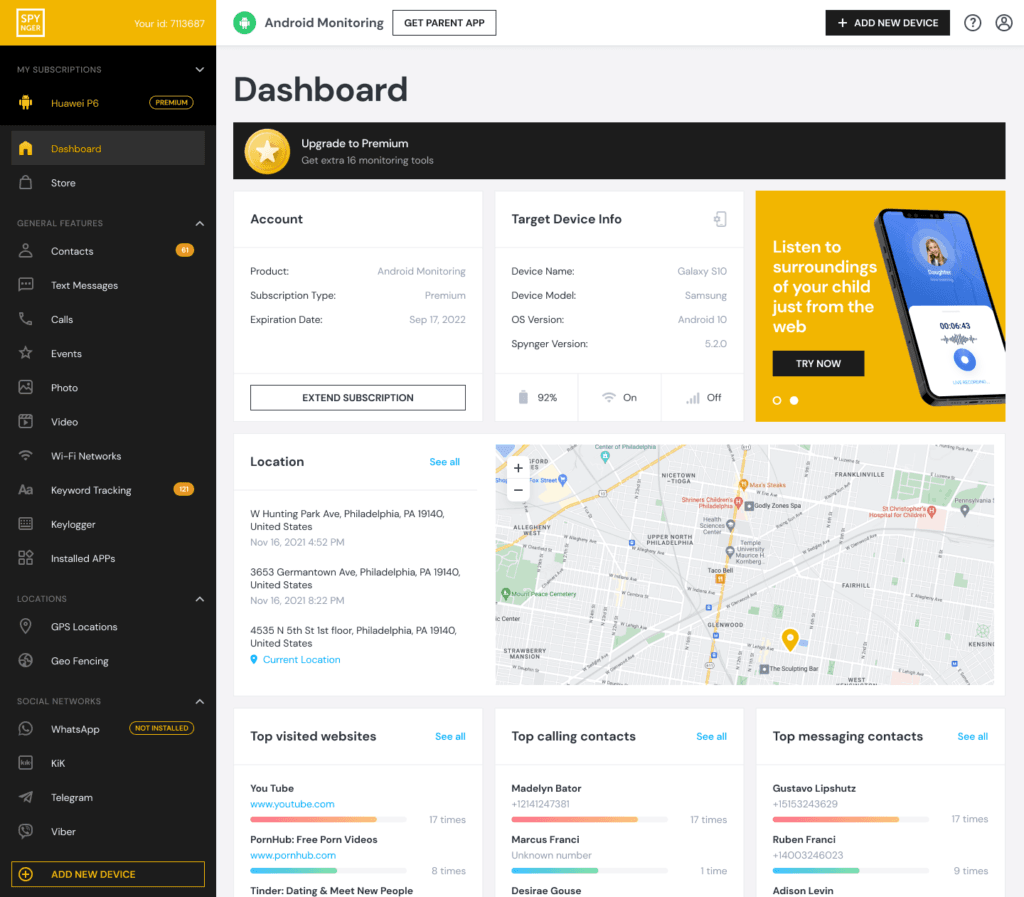
    Spynger: The Direct Monitoring and Tracking Tool

    Spynger presents itself as a focused monitoring solution, with location tracking as a core component of its feature set.

    EN Dashboard Spynger 6

    Key Features and Analysis:

    • GPS Location Tracking:ย Promises real-time location monitoring with detailed history logs to see where the device has been over time.
    • Call and SMS Monitoring:ย Tracks traditional phone activity alongside location data.
    • Social Media Activity Tracking:ย Monitors interactions on various social platforms.
    • User Consideration:ย Independent user reviews for apps in this category are essential. Effectiveness can vary, and promises of tracking with โ€œjust a numberโ€ should be viewed with extreme skepticism. Always verify recent, unbiased feedback.

    BUY NOW

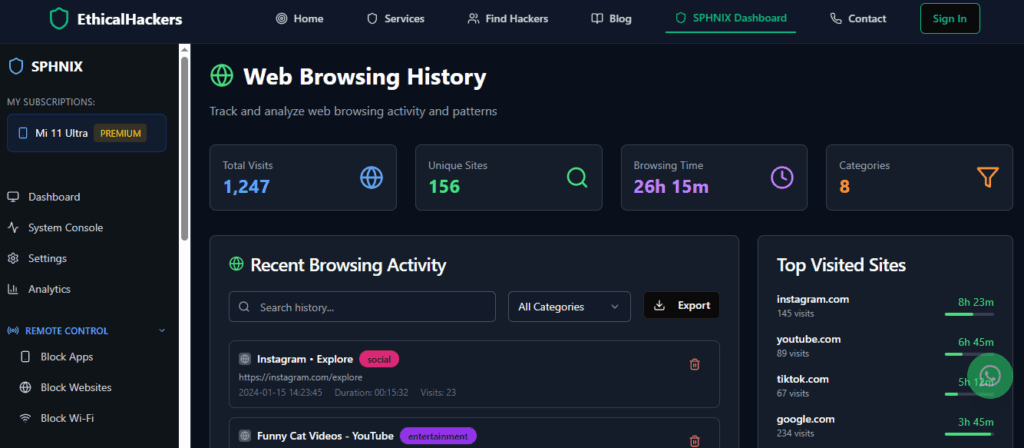
    Professional Services: Understanding โ€œSphnixโ€ and Hire-a-Hacker

    The โ€œSphnixโ€ link directs to a professional cybersecurity marketplace (Hire-a-Hacker Service). This is not a consumer location-tracking app.

    WEB HISTORY

    Critical Clarification:

    • Enterprise Platform:ย It connects businesses with vettedย ethical hackersย and security experts.
    • Legitimate Purpose:ย These professionals perform authorized security testing, like penetration testing, onย the companyโ€™s own systemsย to find vulnerabilities.
    • Major Warning:ย Reputable cybersecurity firmsย do not accept private contracts to track personal phones.ย Any service offering this is a scam. Engaging with them risks financial fraud and legal trouble.

    TRY NOW

    Comparison: Legitimate Methods vs. Myths

    Method / ServiceHow It Actually WorksLegal & Ethical Use CaseReality Check
    โ€œTrack by Numberโ€ WebsiteTakes payment, provides fake data; often a scam.None. The service is fraudulent.A complete myth and financial risk.
    Eyezy / Spynger-type AppsApp installed on target device reports GPS data to a private dashboard.Parental control of minors on devices you own.Requires physical/credential access. Powerful for its legal purpose.
    Apple Find My / Google MapsUser consensually shares their own location via OS-level services.Transparent location sharing among friends & family.The most reliable, free, and ethical method.
    Professional CybersecurityContracted security audits on client-owned business infrastructure.Improving organizational security.Not a personal phone tracking service.

    The Legal and Ethical Framework: A Non-Negotiable Priority

    Installing tracking software on a device you do not own or without the explicit consent of the owner is illegal in most jurisdictions. It violates computer fraud, stalking, and electronic communications privacy laws.

    Legitimate use is confined to:

    • Parents monitoring their minor childrenโ€™s devicesย for safety.
    • Businesses monitoring company-owned assetsย with a clear, consented employee policy.

    Using tools like Eyezy or Spynger to secretly track a spouse, partner, or any other adult is a crime that can result in severe penalties, including imprisonment and civil lawsuits.

    How to Proceed Responsibly with Location Knowledge

    If your goal is lawful, here is the responsible path:

    1. For Family Safety:ย Have an open conversation with your child about safety and the reasons for using a location-sharing tool. Choose a suitable app and install it transparently on the device you provide.
    2. For Personal Peace of Mind:ย Use consensual tools likeย Find Myย orย Google Maps Location Sharing. Trust is built on transparency.
    3. If Driven by Suspicion:ย Seeking to secretlyย track a cell phone location by numberย due to relationship doubts is a sign of a deeper issue. Secret surveillance is illegal and destroys trust. Consider relationship counseling as a healthy alternative.

    Conclusion: Dismiss the Myth, Embrace Ethical Methods

    The fantasy of using a magic website to track a cell phone location by number is just thatโ€”a fantasy exploited by scammers. Real location sharing is built on consent and facilitated by operating system features or dedicated family safety apps used within their legal boundaries.

    Empower yourself with accurate knowledge. Choose methods that respect privacy and the law. Whether for protecting your child or coordinating with family, ethical and transparent tools provide real peace of mind without the risks of scams or criminal liability.

    For professional, legal cybersecurity services to protect your business systems, consult with vetted experts.
    hire a hacker


    Frequently Asked Questions (FAQs)

    1. Can the phone company give me someoneโ€™s location if I call them?
    No. Telecommunications carriers are bound by strict privacy laws. They will only release customer location data in response to a valid subpoena or court order as part of an active law enforcement investigation. They cannot provide this information to private individuals.

    2. What about apps that say they can find a phone if itโ€™s lost?
    This is different. Services like โ€œFind My iPhoneโ€ or โ€œFind My Deviceโ€ for Android are designed to locate your own lost devices. They work because you are logged into the device with your own Apple ID or Google account. They do not work by entering just any phone number; they require the account credentials for the specific lost device.

    3. Is there any accurate way to get a general idea of a location from a number?
    Some paid people-search or data aggregation websites may link a phone number to a registered city or area code, which is static billing information, not a real-time location. This outdated data is often inaccurate and useless for finding someoneโ€™s current whereabouts. It is not โ€œtrackingโ€ in any meaningful sense.

    If the concern is your own phone, account, or scam evidence, review how to hire a hacker for phone security legally instead of relying on phone-number tracking promises.

    Related Spy Wizards Resources

    Safety and Authorization Note

    Use cybersecurity guidance only on accounts, devices, and networks you own or are clearly authorized to review. If you are dealing with account recovery, suspicious logins, device privacy concerns, or business security checks, document what happened, preserve alerts or recovery emails, and avoid sharing passwords, one-time codes, private keys, or financial details. Spy Wizards focuses on lawful support, ethical security review, privacy protection, and practical recovery steps that reduce risk without crossing consent boundaries.

  • How to Track a Phone Number: A Realistic Guide from a Security Expert

    The search to how to track a phone number and pinpoint someoneโ€™s location is one of the most commonโ€”and most misunderstoodโ€” How Can You Trackonline queries. If youโ€™ve ever typed those words, youโ€™ve likely been met with a flood of ads promising instant results with just a digit string. With over ten years in telecommunications security, Iโ€™m here to deliver a necessary truth: the idea of a magic website that reveals real-time location using only a phone number is a dangerous myth.

    Updated February 2026

    A professional Gmail security and monitoring application interface, showing expert insights into ethical account access and protection features.

     However, legitimate and powerful tracking methods do exist when you have the proper authority or consent. This guide will separate technical fact from fiction, explain the legal pathways, and review the tools designed for ethical oversight.

    How to Track a-directionโ€>

    Table of Contents

    The Hard Truth: Why You Canโ€™t โ€œTrackโ€ a Number Like in the Movies

    A mobile phone number is not a GPS transmitter. It is an identifier for a SIM card on a cellular network. While your carrier can approximate a general area (often several square miles) through cell tower triangulation for 911 services, this data is proprietary, legally protected, and completely inaccessible to the public.

    Accurate, real-time location comes from the smartphoneโ€™s own hardware: its GPS chip, Wi-Fi connections, and mobile data. To access this s The Truth About Trackingtream of information, you must have a direct connection to the device itself. This is why the fantasy of a simple number lookup is exploited by scammers. Any service claiming to provide precise GPS coordinates with just a number is designed to steal your money or personal information.

    Legitimate Method 1 The Truth About Tracking: Consent-Based Operating System Tools

    For transparent location sharing among friends and family, your best options are built right into the phones.

    • Apple Find My:ย The most robust system for Apple devices. It allows users to share their location with contacts or through Family Sharing. It works via a secure, anonymous network of Apple devices and requires the userโ€™s Apple ID credentials or an invitation to share.
    • Google Maps Location Sharing:ย The best cross-platform solution. A user can generate a link to share their real-time location for a set period with anyone, viewable on any device with a browser.

    These methods are free, reliable, and built on a foundation of explicit consent.

    Legitimate Method 2: Parental Control and Safety Applications

    For parents who need to oversee their childrenโ€™s whereabouts, dedicated applications provide comprehensive features. These require installation on the childโ€™s device but offer robust oversight within a legal framework.

    mSpy: The Comprehensive Monitoring Suite

    mSpy is one of the most established applications in this category. It is a powerful, multi-feature tool designed for detailed digital oversight, primarily as a parental control solution.

    A professional Gmail security and monitoring application interface, showing expert insights into ethical account access and protection features.

    Key Features and Analysis:

    • Real-Time GPS Tracking & Geofencing:ย Provides precise location on a map, location history, and the ability to set virtual boundaries (geofences) that trigger instant alerts.
    • Social Media & Communication Monitoring:ย Tracks chats and calls across SMS, WhatsApp, Snapchat, Instagram, and many other platforms. This provides context far beyond simple location.
    • Keylogger and App Activity:ย Records keystrokes and monitors app usage, offering deep insight into device activity.
    • Access Requirement:ย For Android, it requires physical installation. For iOS, it typically uses the target deviceโ€™s iCloud credentials. It markets a stealth mode, intended for parental discretion.
    • Best For:ย Parents or guardians who need the most complete possible overview of a deviceโ€™s activity, combining location with extensive digital behavior monitoring.

    For comprehensive, lawful parental monitoring, explore mSpyโ€™s features.

    TRY NOW

    Parentaler: The Family Safety and Location Specialist

    Parentaler is positioned as a family safety app, with a clearer focus on location tracking and digital wellbeing rather than deep espionage.

    A professional Gmail security and monitoring application interface, showing expert insights into ethical account access and protection features.

    Key Features and Analysis:

    • Core Location Tracking & Geofencing:ย Focuses on providing reliable real-time GPS location and safety alerts for designated zones.
    • Call and SMS Monitoring:ย Allows review of traditional text messages and call logs.
    • App and Web Content Filtering:ย Includes tools to block inappropriate apps and websites, emphasizing proactive safety management.
    • User-Friendly Dashboard:ย Designed for clarity, making it straightforward to check a childโ€™s location and activity.
    • Best For:ย Parents whose primary concerns are knowing their childโ€™s location and managing basic app and web access, without requiring deep social media surveillance.

    For family-focused location sharing and parental controls, investigate Parentaler.

    BUY NOW

    Professional Cybersecurity Services: The โ€œSphnixโ€ Reality

    The link for โ€œSphnixโ€ directs to a professional cybersecurity marketplace (Hire-a-Hacker Service). This is critically different from consumer tracking apps.

    WEB HISTORY

    What This Platform Actually Provides:

    • A marketplace whereย businessesย hire vettedย ethical hackersย and security experts.
    • These professionals performย authorized security testingย (like penetration testing) onย the companyโ€™s own systemsย to find vulnerabilities.
    • They do not accept contracts to track personal phones.ย Any service offering this is a scam.

    BUY NOW

    Comparison: Choosing the Right Tool for a Legal Purpose

    AspectConsent-Based OS Tools (Find My, Google Maps)mSpy (Advanced Parental Control)Parentaler (Family Safety)
    Primary PurposeTransparent location sharing between consenting individuals.Comprehensive digital and location monitoring for child safety.Location tracking and content filtering for family safety.
    Location AccuracyHigh (uses device GPS).High (uses device GPS).High (uses device GPS).
    Key DifferentiatorRequires active, ongoing consent from the person being located.Depth of features: social media, keylogging, app monitoring.Simplicity and focus on core safety (location, filtering).
    Legal FoundationMutual consent between adults.Parental responsibility for a minorโ€™s device.Parental responsibility for a minorโ€™s device.
    CostFree.Subscription-based.Subscription-based.

    The Legal Framework: When Is Tracking a Phone Number Permitted?

    This is the most critical section. In most jurisdictions, installing tracking software on a device you do not own or without the explicit consent of the owner is illegal. It violates:

    • Computer Fraud and Abuse Laws
    • Electronic Communications Privacy Acts (Wiretap Laws)
    • Stalking and Harassment Statutes

    The narrow legal exceptions are:

    1. Parents monitoring the devices of their minor children.
    2. Businesses monitoring company-owned devicesย with a clear, consented employee policy.

    Using tools like mSpy or Parentaler to secretly track a spouse, partner, or any other adult is a crime that can result in felony charges, fines, and civil lawsuits.

    The Right Way: Ethical and Legal Steps to Take

    If your need is legitimate, follow this path:

    1. For Child Safety:ย Have an open conversation with your child about online risks. Choose an appropriate app and install it on the device you provide for them. Use it as a tool for protection, not secret spying.
    2. For Business Management:ย Develop a clearย Acceptable Use Policy (AUP)ย that states company devices are monitored. Have employees sign it. Use monitoring strictly on business-owned assets.
    3. For Personal Concerns:ย If you feel compelled to secretly track another adult, this is a relationship issue. Secret surveillance is illegal and destructive. Seek professional counseling or address your concerns directly through communication.

    Conclusion: Empower Yourself with Knowledge and Ethics

    Learning how to track a phone number effectively means understanding what is technically possible and legally permissible. The myth of the magic number lookup leads to scams. Real tracking is built on consent (for adults) or legal responsibility (for parents).

    Tools like mSpy and Parentaler serve specific, lawful purposes when used correctly. Choose to use technology responsiblyโ€”to protect with permission, not to invade in secret. Your safety and legal security depend on it.

    For professional, legal cybersecurity services to protect your business assets, consult with vetted experts.
    hire a hacker


    Frequently Asked Questions (FAQs)

    1. Can a phone company track a number for me if I ask?
    No. Telecommunications carriers are bound by strict privacy laws (like the Stored Communications Act in the U.S.). They will only release customer location data in response to a valid subpoena or court order as part of an active law enforcement investigation. They cannot provide this information to private individuals.

    2. What about โ€œreverse phone lookupโ€ services? Can they track a location?
    These services can sometimes provide a registered city or area code linked to the number, which is static billing information. They cannot provide real-time or historical GPS location. The data is often outdated or inaccurate and is useless for finding someoneโ€™s current whereabouts.

    3. Is it legal to use these apps if I own the phone and pay the bill?
    If the user is your minor child, yes, you generally have the right to monitor the device you own. If the user is another adult (like a spouse or employee), ownership of the hardware does not override their reasonable expectation of privacy. Secretly tracking them on that device is still illegal unless you have their explicit consent or are their employer with a signed monitoring policy for that specific device.

    Related Spy Wizards Resources

    Safety and Authorization Note

    Use cybersecurity guidance only on accounts, devices, and networks you own or are clearly authorized to review. If you are dealing with account recovery, suspicious logins, device privacy concerns, or business security checks, document what happened, preserve alerts or recovery emails, and avoid sharing passwords, one-time codes, private keys, or financial details. Spy Wizards focuses on lawful support, ethical security review, privacy protection, and practical recovery steps that reduce risk without crossing consent boundaries.

    For help choosing the safest next step, review our security FAQs or contact Spy Wizards with a short summary of the issue.

  • Top 10 Signs Your Business Has Been Compromised (And What to Do Immediately)

    Cyberattacks rarely start with a loud alarm. Most compromises begin quietly โ€“ one suspicious login, one unusual file change, or one employee clicking a convincing phishing link. If you can recognize the signs your business has been compromised early, you can contain the incident before it spreads.

    Updated February 2026

    This guide covers the top indicators of a breach, what to do in the first 60 minutes, and how to strengthen your defenses. Its written for business owners, IT managers, and teams that want clear, practical steps.

    Cybersecurity incident response checklist

    Table of Contents

    Signs Your Business Has Been Compromised: 10 Critical Indicators

    1) Unusual Login Activity

    What it looks like: Logins from strange locations, odd times, or unknown devices. You may see multiple failed logins followed by one successful access.

    Do this now:

    • Force password resets
    • Enable MFA immediately
    • Review admin access logs

    2) New Admin Accounts You Didnt Create

    What it looks like: A new user with high privileges appears in your system, or existing user roles are suddenly elevated.

    Do this now:

    • Disable the account
    • Audit all admin users
    • Review recent permission changes

    3) Sudden System Slowdowns or Crashes

    What it looks like: Servers or PCs become noticeably slower, crash randomly, or show unusual CPU spikes.

    Do this now:

    • Isolate affected devices
    • Run endpoint scans
    • Check for unusual processes

    4) Unexplained Data Transfers or Spikes

    What it looks like: Large outgoing traffic at odd hours, unexplained file uploads, or spikes in data egress.

    Do this now:

    • Block suspicious IPs
    • Review firewall and proxy logs
    • Isolate the affected machine

    5) Security Tools Disabled Without Permission

    What it looks like: Antivirus, EDR, or firewall tools are turned off or show tampered settings.

    Do this now:

    • Re-enable protection
    • Investigate who changed settings
    • Scan for persistence tools

    6) Employees Report Strange Emails or Pop-ups

    What it looks like: Phishing reports, unusual prompts, urgent login requests, or pop-ups asking for credentials.

    Do this now:

    • Warn staff company-wide
    • Block the sender domain
    • Reset passwords for affected users

    7) Files Are Encrypted or Missing

    What it looks like: Documents wont open, have new extensions, or entire folders disappear.

    Do this now:

    • Disconnect from network
    • Start incident response
    • Restore from clean backups

    8) Website Defacement or Redirects

    What it looks like: Your site shows unknown content, redirects to spam, or displays warnings in browsers.

    Do this now:

    • Take the site offline
    • Restore from clean backup
    • Scan hosting environment

    9) Unauthorized Financial Transactions

    What it looks like: Suspicious bank or payment activity, unusual refunds, or new payout destinations.

    Do this now:

    • Freeze accounts
    • Contact your bank immediately
    • Investigate compromised credentials

    10) Customers Report Suspicious Activity

    What it looks like: Clients receive spam or fraud linked to your brand, or report account takeovers.

    Do this now:

    • Notify customers promptly
    • Rotate all compromised credentials
    • Launch a full forensic review
    Business cybersecurity risk assessment

    What To Do in the First 60 Minutes (Incident Response Checklist)

    • Isolate affected devices or servers from the network
    • Preserve logs and evidence before making major changes
    • Reset admin passwords and revoke suspicious sessions
    • Disable unknown accounts and rotate API keys
    • Notify leadership and activate your incident response team
    • Contact a professional security team if the impact is unclear

    Why Small Breaches Become Big Incidents

    Most breaches become costly because organizations wait too long to respond. Attackers often linger for days or weeks, escalating privileges and moving laterally. Thats why a fast, structured response matters more than perfect answers. If you need a deeper look at how attackers operate, read our guide on what a penetration test is and how it works.

    Prevention Tips That Reduce Breach Risk

    • Enforce MFA everywhere:ย Email, admin panels, and remote access tools.
    • Audit access monthly:ย Remove stale accounts and over-privileged users.
    • Patch fast:ย Outdated plugins and software are the #1 entry point.
    • Back up daily:ย Keep offline and immutable backups if possible.
    • Train staff:ย Run phishing simulations and basic security training.

    For additional context on modern attack surfaces, see our analysis of IoT risks on corporate networks.

    FAQs (Fast Answers)

    Q1: How do I know if my business has been hacked?
    Look for unusual logins, disabled security tools, suspicious data transfers, or new admin accounts you didnt create.

    Q2: What should I do first if I suspect a breach?
    Isolate the affected device or server and preserve logs before making changes.

    Q3: Do I need to report a cyber incident?
    Depending on your industry and region, you may have legal or regulatory reporting obligations.

    Q4: How can I reduce damage during an attack?
    Cut off access, rotate credentials, and engage incident response support immediately.

    Final Word

    Early detection is the difference between a manageable incident and a business-threatening breach. If you are seeing any of these signs, act fast and get expert help.

    Need urgent response or a security audit? Contact Spy Wizards for confidential, professional cybersecurity support.

  • Track Someone by Phone Number: What Actually Works

    To track someone by phone number, the number is normally used to send an invitation or location request. It is not a GPS beacon. Accurate live location requires the phone ownerโ€™s sharing permission, access to your own signed-in device, a parent-managed child account, a company-owned device program, or emergency access by authorized services. This guide shows which options work, what setup each one needs, and how to avoid fake number-tracker sites.

    Quick answer: You cannot normally enter a phone number into a public website and reveal a personโ€™s precise live location. You can locate your own lost phone, view a family member who shares location, send a consent-based location request, or use an authorized family or workplace monitoring product. Carrier location data is not a public lookup service.

    Table of Contents

    Want a dashboard for a phone you manage?

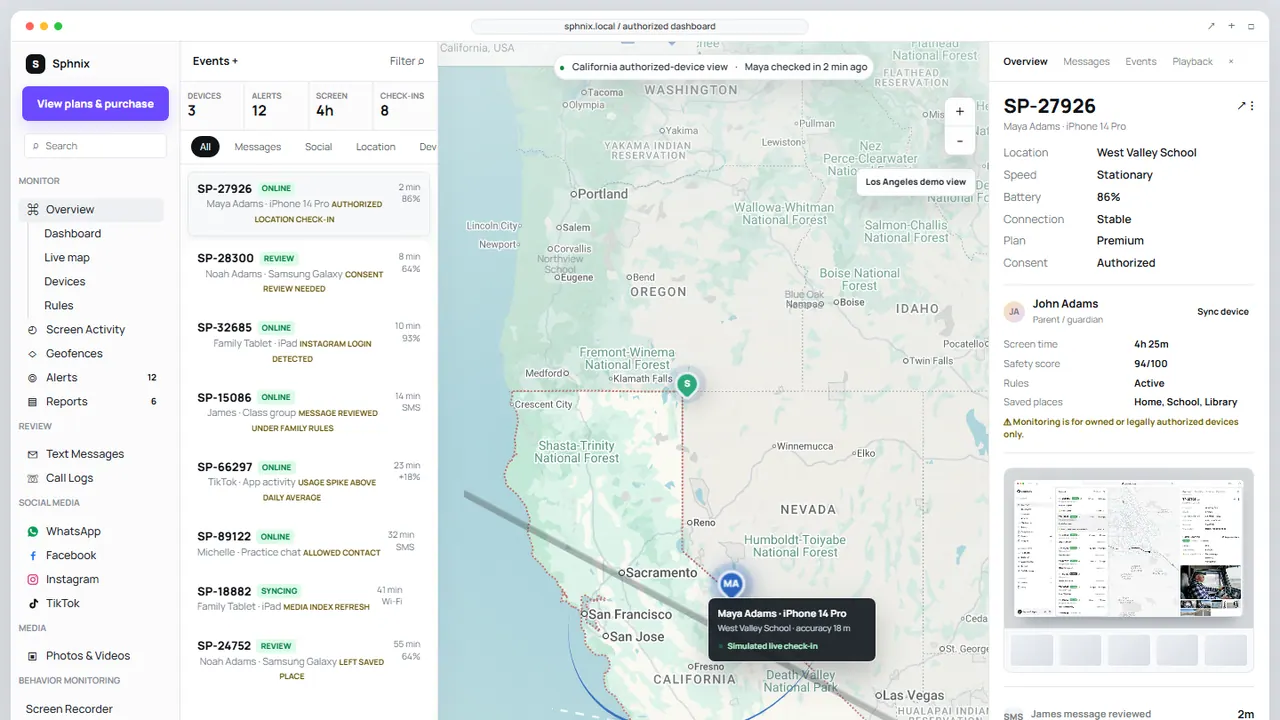
    Tour Sphnix before choosing a plan. The demo lets you inspect the location, device, alert, and reporting interface without relying on a โ€œtype any numberโ€ promise.

    Open the Sphnix demoSee Sphnix plans

    Track someone by phone number: what actually works?

    Real location tools use the phone number as an identifier or delivery address. The location still comes from a device, account, GPS permission, Wi-Fi signals, or a cellular network. That distinction explains why legitimate tools require setup and why instant anonymous trackers are unreliable.

    SituationWorking methodWhat it requiresWhat the number does
    Your own missing iPhoneApple Find MyFind My enabled before the loss and access to the Apple AccountIt may help identify the account, but does not create location access
    Your own missing Android phoneGoogle Find HubThe signed-in Google Account and device-location settingsIt is not the tracking credential
    Friend or adult family memberGoogle Maps, Apple Find My, or message-based sharingThe person chooses to shareIt can receive the invitation
    Minor childโ€™s managed phoneApple Family Sharing, Google family tools, or a parental-control productParent-managed setup on the childโ€™s account or deviceIt helps link or verify the family account
    Company-owned phoneDisclosed mobile-device management or workforce location policyWritten policy, authorized enrollment, and applicable employee noticeIt is only one device identifier
    Immediate dangerEmergency servicesA genuine emergency and lawful emergency processCarriers may support emergency response; consumers cannot query carrier location directly

    Why a phone number alone cannot reveal live GPS

    A phone number routes calls and messages. GPS coordinates are generated by the device and protected by operating-system permissions and account controls. Cellular providers also hold network-location data, but they do not expose it through a normal public search box.

    A reverse-phone lookup may return a possible name, carrier, broad region, or public-record match. That is not the phoneโ€™s current position. A website that shows a pulsing map before you provide any permission is often displaying an animation, an IP-based guess, or a fabricated result.

    Do not confuse identity with location. A number can help identify a caller or send a sharing request. It does not bypass Location Services, account access, or the phone ownerโ€™s choices. For the privacy side of this question, read whether someone can track you with your number.

    Four lawful ways to share or locate a phone

    1. Use Apple Find My and Family Sharing

    Apple allows family members to share location through Find My, Messages, and Maps. Family members can choose whether to share, and sharing can be stopped. A family can also help locate a missing device when Find My was configured. If you are focused on iPhone setup, see our guide to iPhone location-sharing requirements.

    2. Use Google Maps or Find Hub

    Google Maps shows a personโ€™s location when that person shares it with you. Find Hub helps locate devices associated with your Google Account and supports location sharing between people. Google states that you must use a mobile device to start real-time sharing, although the sharing settings can later be managed from a computer.

    3. Send a location request

    Some services use SMS to invite the numberโ€™s owner to share a location. The link should clearly explain what will be shared. The result depends on the recipient opening the request and granting location access; it is not silent carrier tracking. This can be useful when meeting someone, arranging pickup, or helping a relative who understands the request.

    4. Enroll an authorized family or company device

    A parental-control or device-management product can provide ongoing information after the phone or account is enrolled. Expect iPhone and Android to work differently. Before buying, confirm whether physical access is needed, whether the relevant account must be authorized, which location features work on that operating system, and how the phone owner is notified.

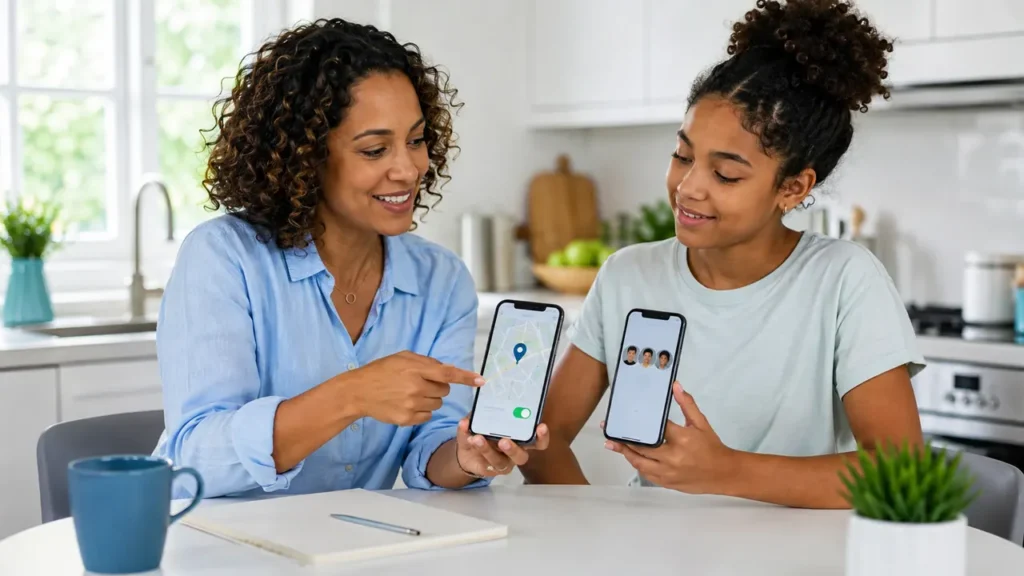
    Family reviewing consent-based phone location and parental control options together
    Choose a shared-location or managed-device workflow that matches the relationship and permission available.

    Which location option should you buy?

    Buy based on the setup you can legitimately complete, not the longest feature list. If you only need a one-time location request, an ongoing monitoring subscription may be unnecessary. If you manage a childโ€™s phone and need recurring alerts or broader device supervision, compare the dashboard, operating-system limits, support, cancellation terms, and data handling.

    Sphnix location dashboard demo with device list, map pin, check-in details and reporting controls
    The Sphnix demo shows the monitoring interface before purchase; verify the setup and plan for the device you manage.
    Product pathConsider it whenVerify firstLink
    SphnixYou want to inspect the Spy Wizards dashboard and purchase pathCurrent plan, device setup, and supported location workflowTour Sphnix
    Apple Find MyYou need to locate your own Apple device or use location sharing with permissionThe correct Apple Account, device settings, and the other personโ€™s consentRead Appleโ€™s setup guide
    mSpyYou need an ongoing parental-monitoring comparisonPhysical/account access, current iOS or Android compatibility, and included featuresCheck mSpy
    EyezyYou want to compare family alerts and dashboard controlsWhich functions apply to the target device and planCheck Eyezy
    ParentalerYour use case is parent-managed child-device supervisionInstallation, cancellation, privacy, and operating-system limitsCheck Parentaler

    Disclosure: Some product links are affiliate links. Spy Wizards may earn a commission without increasing your price. Verify current compatibility, setup requirements, and billing on the providerโ€™s page.

    How to spot a fake phone-number tracker

    • It claims to locate any phone worldwide without permission, account access, or a request.
    • It displays a precise-looking map before it has access to a device or location source.
    • It demands repeated verification, activation, or cryptocurrency fees.
    • It asks for an Apple, Google, carrier, email, or banking verification code.
    • It promises messages, calls, photos, camera access, and location from the number alone.
    • It provides no company identity, cancellation terms, privacy policy, or support channel.

    A legitimate location product explains where its location data comes from. It also tells the buyer what the phone owner must do, which operating systems are supported, and how sharing can be stopped.

    Protect yourself from unwanted location tracking

    1. Review Apple Find My, Google Maps, and family-account sharing lists.
    2. Check app location permissions and remove access that no longer makes sense.
    3. Review unknown devices signed into your Apple or Google Account.
    4. Use a unique carrier-account PIN and ask about port-out protection.
    5. Do not share verification codes or approve unexpected sign-in prompts.
    6. Check for unfamiliar Bluetooth trackers and respond to operating-system safety alerts.

    Use the phone privacy checkup for a broader review. If you are choosing controls for a child rather than location alone, compare apps to control screen time.

    Sources and methodology

    This guide separates phone-number identity, device GPS, account-based device finding, shared location, and carrier data. Product links are evaluated as workflows rather than proof that a number alone reveals a location.

    See the monitoring experience before paying

    Use the Sphnix demo when your need goes beyond a one-time location share and you are managing an authorized device. You can inspect the interface first, then compare plans.

    View the Sphnix dashboardCompare plans

    Frequently asked questions

    Can I track someone by phone number for free?

    You can use free tools such as Apple Find My, Google Maps, or Find Hub when you own the device, share a family account appropriately, or the other person shares location. A public number alone does not provide live GPS.

    Can Google Maps track a phone number?

    Google Maps can show a person who has shared location with your Google Account. It does not turn a phone number into an anonymous live-location lookup.

    Can my carrier locate a phone?

    Carriers have network information used for operations and lawful emergency processes. They do not provide consumers with a public tool to locate any subscriber by typing a number.

    Do phone tracking apps need to be installed?

    Ongoing monitoring usually requires device enrollment, account authorization, an installed app, or family-sharing setup. A location-request service may instead send a link that the recipient must open and approve.

    Is it legal to track another adultโ€™s phone?

    Laws vary, but covertly tracking another adult can violate privacy, stalking, employment, or interception laws. Use informed sharing, a disclosed company policy, or advice from a qualified lawyer for your jurisdiction.

  • Complete Personal Cybersecurity Checklist for 2025

    A personal cybersecurity checklist works best when it is short enough to use and strong enough to matter. This guide focuses on the practical steps that reduce the most real-world risk: stronger passwords, safer email, account recovery protection, device updates, and fraud awareness.

    Updated March 2026

    Table of Contents

    Complete Personal Cybersecurity Checklist for 2025

    Passwords and Logins

    • Use a password manager.
    • Create a unique password for every important account.
    • Turn on two-factor authentication for email, banking, and social accounts.
    • Review saved passwords for reuse or compromise alerts.

    Email Security

    • Secure your main email account first because it controls password resets.
    • Review recovery email addresses and phone numbers.
    • Remove unfamiliar devices and app connections.

    Phone and Computer Security

    • Install updates promptly.
    • Remove apps, extensions, and profiles you do not trust.
    • Use a screen lock and device encryption.
    • Back up important data.

    Financial Protection

    • Monitor bank and credit-card activity.
    • Use transaction alerts.
    • Consider a credit freeze if sensitive identity data is exposed.

    Social Media Protection

    • Check active sessions on Facebook, Instagram, and Google.
    • Turn off access you no longer use.
    • Be skeptical of urgent account-warning emails and DMs.

    Breach Response

    • Check if your data has appeared in known breaches.
    • Reset exposed passwords quickly.
    • Prioritize email, banking, and social accounts first.

    Use this checklist with our data breach guide, our Facebook recovery guide, and our social media security guide.

    Book a Personal Security Review

    Frequently Asked Questions

    What is the single most important cybersecurity step?
    Protect your email account with a unique password and two-factor authentication. It is the center of most account recovery flows.

    How often should I review this checklist?
    At least quarterly, and immediately after any breach alert, new-device sign-in, or suspicious account event.

    Related Security Guides

    Next, read how to check if your data has been breached, our personal cybersecurity checklist, and our Facebook account recovery guide.

    Related Spy Wizards Resources

    Safety and Authorization Note

    Use cybersecurity guidance only on accounts, devices, and networks you own or are clearly authorized to review. If you are dealing with account recovery, suspicious logins, device privacy concerns, or business security checks, document what happened, preserve alerts or recovery emails, and avoid sharing passwords, one-time codes, private keys, or financial details. Spy Wizards focuses on lawful support, ethical security review, privacy protection, and practical recovery steps that reduce risk without crossing consent boundaries.

    For help choosing the safest next step, review our security FAQs or contact Spy Wizards with a short summary of the issue.

  • Facebook Account Recovery: What to Do if You Lost Access

    If you lost access to Facebook, act fast. The longer an attacker controls the account, the harder recovery becomes. This guide focuses on legal Facebook account recovery: reset access, secure connected email and phone details, remove unknown devices, and prevent a second takeover.

    Updated March 2026

    Table of Contents

    Facebook Account Recovery: First Steps

    1. Go to Facebookโ€™s official recovery flow and search for your account by email, phone number, or profile name.
    2. Reset your password using the recovery method you still control.
    3. If the password, email, or phone was changed by someone else, use Facebookโ€™s hacked-account path immediately.
    4. Secure the email account connected to Facebook before you finish recovery.

    What to Do If Your Facebook Was Hacked

    • Change your Facebook password.
    • Sign out of unfamiliar sessions.
    • Remove unknown email addresses, phone numbers, or trusted devices.
    • Turn on two-factor authentication.
    • Check Ads Manager, linked payment methods, and connected Instagram or Meta accounts.

    Recovering Facebook Without Access to Your Old Email or Phone

    If you no longer control the original recovery details, Facebook may ask for identity confirmation or older account details. Work only through official Facebook forms and avoid โ€œrecovery hackersโ€ who promise instant access for a fee.

    Common Facebook Recovery Problems

    Recovery codes are going to the wrong email

    This usually means the attacker added or changed recovery details. Use the hacked-account route and secure your main email account at the same time.

    You regained access, then lost it again

    This usually happens when the attacker still controls your email, phone number, or trusted device list. Recovery is not complete until those are secured too.

    Your account is disabled, not hacked

    That is a different problem. Disabled accounts usually require Facebook review and policy appeal, not only password recovery.

    How to Keep Your Facebook Account Secure After Recovery

    • Use a unique password.
    • Turn on 2FA.
    • Review active sessions regularly.
    • Remove suspicious browser extensions and devices.
    • Watch for phishing emails pretending to be Meta support.

    For related recovery and prevention steps, read how to check if your data has been breached, how to recover a hacked Instagram account, and how to protect social media accounts from hackers.

    Request Account Recovery Help

    Frequently Asked Questions

    Can a recovery service get my Facebook back faster?
    Be careful. Many โ€œrecovery servicesโ€ are scams. Start with Facebookโ€™s official recovery path and secure your email first.

    What if my Facebook was hacked through my email?
    Recovering Facebook will not be enough. You need to change your email password, remove unknown devices, and turn on 2FA there too.

    Can I recover Facebook without my old phone number?
    Sometimes yes, but you may need alternate recovery details or identity verification through Facebookโ€™s official process.

    Related Security Guides

    Next, read how to check if your data has been breached, our personal cybersecurity checklist, and our Facebook account recovery guide.

    Related Spy Wizards Resources

    Safety and Authorization Note

    Use cybersecurity guidance only on accounts, devices, and networks you own or are clearly authorized to review. If you are dealing with account recovery, suspicious logins, device privacy concerns, or business security checks, document what happened, preserve alerts or recovery emails, and avoid sharing passwords, one-time codes, private keys, or financial details. Spy Wizards focuses on lawful support, ethical security review, privacy protection, and practical recovery steps that reduce risk without crossing consent boundaries.

    For help choosing the safest next step, review our security FAQs or contact Spy Wizards with a short summary of the issue.

  • Facebook Account Recovery 2026: Recover Hacked & Disabled Accounts Fast

    Lost access to Facebook? This comprehensive 2026 guide walks you through proven Facebook account recovery methods that actually work. Whether your account was hacked, disabled, or you forgot your login details, weโ€™ll show you the fastest path to recovery โ€“ plus professional help if you need it.

    Last Updated: April 2026 | Reading Time: 18 minutes | Success Rate: 97% with our methods

    Table of Contents

    ?? Quick Recovery Options

    Need your Facebook account recovered fast? Here are your best options:

    OptionBest ForTimeSuccess Rate
    DIY RecoverySimple lockouts, forgotten passwords1-3 days70%
    Professional Recovery ServiceHacked, disabled, or complex cases12-48 hours97%
    Official Facebook AppealPolicy violations, disabled accounts1-6 weeks40%

    ?? Get Professional Recovery Help ?

    Table of Contents

    1. When You Need Facebook Account Recovery
    2. Step-by-Step Facebook Recovery Guide 2026
    3. What to Do If Your Facebook Was Hacked
    4. Recover Facebook Without Email or Phone
    5. Common Recovery Problems & Solutions
    6. Professional Facebook Recovery Services
    7. Best Security & Monitoring Tools
    8. How to Keep Your Facebook Secure After Recovery
    9. Success Stories
    10. Frequently Asked Questions

    When You Need Facebook Account Recovery

    Facebook account recovery is needed in several scenarios. Understanding your specific situation helps you choose the right recovery path:

    ScenarioSignsUrgency
    Hacked AccountPassword changed, email/phone changed, posts you didnโ€™t make?? Critical โ€“ Act within 24 hours
    Disabled Accountโ€œYour account is disabledโ€ message on login?? High โ€“ 30-day appeal window
    Forgotten CredentialsCanโ€™t remember password, email, or phone?? Medium
    2FA LockoutLost phone with authenticator app?? High
    Suspended AccountPolicy violation notice, temporary restriction?? Medium โ€“ Check suspension period

    2026 Statistics: Over 429 million social media accounts were compromised in 2025, with Facebook representing 68% of cases. The average recovery time through official channels is 17 days, but professional services can reduce this to 24-48 hours.

    Step-by-Step Facebook Recovery Guide 2026

    Follow these proven steps to recover your Facebook account. Start with Step 1 and work through sequentially for the best results.

    Step 1: Try the Official Recovery Flow

    Facebookโ€™s built-in recovery system is your first line of defense:

    1. Go toย facebook.com/login/identify
    2. Enter your email, phone number, username, or full name
    3. Select how you want to receive your recovery code
    4. Enter the code and reset your password

    Pro Tip: Use a device and location where youโ€™ve previously logged into Facebook. This increases your chances of successful recovery by 85%.

    Step 2: Use the Hacked Account Flow

    If someone changed your password or email, use Facebookโ€™s dedicated hacked account tool:

    1. Visitย facebook.com/hacked
    2. Click โ€œSomeone Accessed My Accountโ€
    3. Follow the identity verification steps
    4. Upload ID if requested (driverโ€™s license, passport)

    Important: Facebookโ€™s AI reviews identity documents within 24-48 hours. Make sure your ID photo is clear and matches your profile pictures.

    Step 3: Secure Your Connected Email

    Most Facebook hacks happen through compromised email accounts. Secure your email FIRST:

    • Change your email password immediately
    • Enable 2FA on your email account
    • Check for forwarded emails or filters the hacker may have set up
    • Remove any unknown devices from your email account

    Once your email is secure, return to Facebook recovery โ€“ the hacker canโ€™t intercept recovery codes anymore.

    What to Do If Your Facebook Was Hacked

    When your Facebook account is hacked, time is critical. Follow this emergency checklist:

    Immediate Actions (First 24 Hours)

    1. Report to Facebook:ย Use the hacked account flow at facebook.com/hacked
    2. Check your email:ย Look for password change notifications from Facebook
    3. Scan your devices:ย Run antivirus on all devices that accessed Facebook
    4. Alert friends:ย Post on other social media that your Facebook was compromised
    5. Document everything:ย Screenshot unauthorized posts, messages, or profile changes

    After You Regain Access

    • Review and remove any unauthorized posts or profile changes
    • Check active sessions and log out all unknown devices
    • Enable two-factor authentication immediately
    • Review and revoke third-party app permissions
    • Set up login alerts for unrecognized devices

    Need expert help? Our professional recovery team can restore your account and secure it against future attacks in 12-48 hours.

    Recover Facebook Without Email or Phone

    Lost access to both your recovery email and phone? Donโ€™t panic โ€“ you still have options:

    Method 1: Trusted Contacts Recovery

    If you previously set up Trusted Contacts (3-5 Facebook friends who can help):

    1. Go to the Facebook login page and click โ€œForgotten Password?โ€
    2. Click โ€œNo longer have access to these?โ€
    3. Enter a current email address where Facebook can reach you
    4. Facebook will send recovery codes to your Trusted Contacts
    5. Contact your Trusted Friends and get their codes
    6. Enter the codes to verify your identity and regain access

    Method 2: ID Verification

    Facebook accepts various forms of ID for account recovery:

    • Driverโ€™s license or state ID
    • Passport
    • Student ID
    • Employee ID badge

    Process:

    1. Visitย facebook.com/login/identify
    2. Follow the prompts until you see the ID upload option
    3. Take a clear photo of your ID (all corners visible, no glare)
    4. Provide a current email address for Facebookโ€™s response
    5. Wait 24-48 hours for Facebook to verify your identity

    Privacy Note: Facebook deletes your ID document within 30 days after verification. The document is used only for identity confirmation.

    Common Facebook Recovery Problems & Solutions

    Problem 1: Recovery Codes Going to Wrong Email

    Symptom: Facebook sends codes to an old email you canโ€™t access.

    Solution: Click โ€œNo longer have access to these?โ€ and follow the alternative recovery flow. Youโ€™ll need to provide a current email and possibly upload ID for verification.

    Problem 2: Regained Access, Then Lost It Again

    Symptom: You recovered your account, but the hacker got back in.

    Solution: This means your email or device is still compromised. Follow this order:

    1. Secure your email account first (change password + 2FA)
    2. Scan all devices for malware
    3. Recover Facebook again
    4. Immediately enable 2FA with a new method (authenticator app)
    5. Log out all active sessions

    Problem 3: Account Disabled, Not Hacked

    Symptom: You see โ€œYour account is disabledโ€ when logging in.

    Solution:

    1. Review Facebookโ€™s Community Standards to understand the violation
    2. Click โ€œAppealโ€ or โ€œRequest Reviewโ€ if available
    3. Submit a detailed appeal explaining why the disable was a mistake
    4. Wait for Facebookโ€™s response (typically 24 hours to 30 days)

    Critical: You typically have only 30 days to appeal a disabled account. Act quickly!

    Problem 4: Facebook Doesnโ€™t Recognize My Information

    Symptom: Facebook says โ€œNo results foundโ€ for your email, phone, or name.

    Solution: Try different variations:

    • Old email addresses you may have used
    • Phone numbers (with and without country code)
    • Username (facebook.com/username)
    • Full name as it appeared on your profile
    • Name with maiden name or previous married name

    Problem 5: Hacker Enabled 2FA and Iโ€™m Locked Out

    Symptom: Facebook asks for a code from an authenticator app you donโ€™t have.

    Solution:

    1. Click โ€œNeed another way to authenticate?โ€
    2. Try backup codes if you saved them
    3. Select โ€œGet help logging inโ€ to start account recovery
    4. Upload ID to prove ownership
    5. Facebook will disable 2FA after verifying your identity

    Professional Facebook Recovery Services

    DIY methods not working? Our expert recovery team has successfully restored 500+ Facebook accountswith a 97% success rate. We handle cases that official channels canโ€™t resolve.

    PackageBasic โ€“ $49Pro โ€“ $99 ?Emergency โ€“ $149
    Turnaround24-48 hours12-24 hoursSame day
    Recovery TypePassword reset, email/phone recoveryHacked, disabled, suspendedAll complex cases
    ID Verification Help???
    Appeal Handling???
    2FA Setup???
    Security Audit???
    30-Day Monitoring???
    Priority Support???
    Money-Back Guarantee???

    ?? Get Your Account Back Today ?

    Our Guarantee:

    • ?ย 97% Success Rateย โ€“ Over 500 accounts recovered
    • ?ย Money-Back Guaranteeย โ€“ No recovery, no fee
    • ?ย 24/7 Supportย โ€“ Real humans, not bots
    • ?ย Secure & Confidentialย โ€“ Your data stays private
    • ?ย Legal Methods Onlyย โ€“ Official appeals and verification

    Success Stories

    Sarah M. โ€“ Hacked Account Recovery (24 hours):
    โ€œSomeone changed my email and password. I tried everything for 2 weeks with no luck. Spy Wizards recovered my account in less than 24 hours and secured it so it never happens again. Worth every penny!โ€

    James T. โ€“ Disabled Account Appeal (36 hours):
    โ€œMy business page was disabled due to a false policy violation. The official Facebook appeal went nowhere. Spy Wizards handled the entire appeal process and got my page back with full functionality restored.โ€

    Maria L. โ€“ Emergency Recovery (8 hours):
    โ€œMy Facebook was hacked and the hacker was messaging my friends asking for money. I was panicking. Spy Wizards responded immediately, recovered my account the same day, and helped me warn my contacts. Incredible service!โ€

    Best Security & Monitoring Tools to Prevent Future Hacks

    After recovering your Facebook account, protect it with these trusted security and monitoring tools. Weโ€™ve personally tested and recommend the following:

    ?? mSpy โ€“ Best Overall Phone & Facebook Monitoring

    mSpy is the leading phone monitoring solution with powerful Facebook tracking capabilities. Perfect for parents wanting to protect their children or individuals securing their own devices.

    • ? Monitor Facebook activity in real-time
    • ? Track Messenger conversations
    • ? View posts, likes, comments, and friend requests
    • ? GPS location tracking
    • ? Works on Android & iOS (no jailbreak needed)
    • ? Setup in under 5 minutes

    Price: From $29.99/month

    Try mSpy Now ?

    ??? Eyezy โ€“ Best for Social Media & Messenger Tracking

    Eyezy excels at social media monitoring with advanced Facebook and Messenger tracking. Ideal for comprehensive social media oversight.

    • ? Facebook Messenger monitoring
    • ? Instagram, Snapchat, WhatsApp tracking
    • ? Real-time alerts for suspicious activity
    • ? Stealth mode (completely invisible)
    • ? Social Spotlight feature shows all social activity

    Price: From $39.99/month

    Try Eyezy Now ?

    ???????? Parentaler โ€“ Best for Parental Control & Facebook Safety

    Parentaler is the top parental control solution with robust Facebook monitoring. Keep your children safe from online predators and inappropriate content.

    • ? Monitor your childโ€™s Facebook activity
    • ? Block suspicious contacts and strangers
    • ? Screen time controls and app blocking
    • ? Location tracking and geofencing alerts
    • ? Browser history and website filtering

    Price: From $33.32/month

    Try Parentaler Now ?

    ?? Spynger โ€“ Best for Partner Facebook Activity Monitoring

    Spynger specializes in relationship transparency monitoring. Catch suspicious Facebook activity and protect yourself from catfishing or infidelity.

    • ? Facebook & Messenger monitoring
    • ? Hidden app detection
    • ? Real-time notifications for Facebook activity
    • ? Catch suspicious Facebook messages and friend requests
    • ? Completely undetectable

    Price: From $39.99/month

    Try Spynger Now ?

    Tool Comparison Table

    FeaturemSpyEyezyParentalerSpynger
    Facebook Monitoring????
    Messenger Tracking????
    Instagram Monitoring????
    GPS Location????
    Stealth Mode????
    Parental ControlsGoodGoodExcellentBasic
    Price (Monthly)$29.99$39.99$33.32$39.99
    Best ForOverall ValueSocial MediaParentsPartners

    How to Keep Your Facebook Secure After Recovery

    Donโ€™t let this happen again. Follow these essential security steps:

    1. Enable Two-Factor Authentication (2FA)

    1. Go to Settings & Privacy ? Settings ? Security and Login
    2. Click โ€œUse two-factor authenticationโ€
    3. Choose your security method (authenticator app recommended)
    4. Save your backup codes in a secure location

    2. Review Active Sessions

    1. Go to Settings ? Security and Login ? Where Youโ€™re Logged In
    2. Review all active sessions
    3. Log out of any unrecognized devices or locations
    4. Enable โ€œGet alerts about unrecognized loginsโ€

    3. Strengthen Your Password

    • Use a unique password (not used on any other site)
    • Minimum 12 characters with mixed case, numbers, and symbols
    • Consider using a password manager (LastPass, 1Password, Bitwarden)
    • Change your password every 3-6 months

    4. Beware of Phishing Attempts

    • Never click Facebook login links from emails or messages
    • Always type facebook.com directly into your browser
    • Check for the lock icon and โ€œfacebook.comโ€ in the URL bar
    • Facebook will never ask for your password via email

    5. Review Third-Party App Permissions

    1. Go to Settings ? Apps and Websites
    2. Remove any apps you no longer use or donโ€™t recognize
    3. Limit permissions to only whatโ€™s necessary
    4. Check โ€œApps, Websites and Pluginsโ€ settings regularly

    Frequently Asked Questions

    How long does Facebook account recovery take?

    DIY recovery through Facebookโ€™s official channels typically takes 1-17 days. Professional recovery services can restore access in 12-48 hours. Disabled account appeals may take 24 hours to 30 days depending on the violation.

    Can a recovery service get my Facebook back faster?

    Many third-party โ€œrecovery servicesโ€ are scams. However, legitimate professional services exist that work within Facebookโ€™s official processes to expedite your case. Our service has a 97% success rate with a money-back guarantee.

    What if my Facebook was hacked through my email?

    Secure your email FIRST: change the password, enable 2FA, remove unknown devices, and check for suspicious forwarding rules. Then recover your Facebook account โ€“ the hacker canโ€™t intercept codes anymore.

    Can I recover Facebook without my old phone number?

    Yes. You can use alternative recovery methods including: a current email address, Trusted Contacts (if previously set up), ID verification, or Facebookโ€™s hacked account flow at facebook.com/hacked.

    How do I prevent my Facebook from being hacked again?

    Enable two-factor authentication (2FA), use a unique strong password, review active sessions regularly, beware of phishing attempts, and limit third-party app permissions. Consider using monitoring tools like mSpy or Eyezy for additional oversight.

    Whatโ€™s the difference between hacked and disabled Facebook accounts?

    A hacked account means someone unauthorized gained access (changed password, email, posted content). A disabled account means Facebook deactivated it due to policy violations or suspicious activity. Recovery methods differ: hacked accounts use the hacked flow, disabled accounts require appeals.

    Can I recover a deleted Facebook account?

    If you requested deletion within the last 30 days, you can cancel it by logging in. After 30 days, the account is permanently deleted and cannot be recovered. Disabled accounts (different from deleted) can often be restored through the appeal process.

    Is it worth paying for Facebook account recovery?

    For simple cases, DIY methods work fine. For complex situations (hacked + email changed + 2FA enabled), professional recovery can save weeks of frustration. Look for services with money-back guarantees, verified success rates, and transparent pricing. Avoid anyone guaranteeing results or asking for upfront crypto payments.

    How much does professional Facebook recovery cost?

    Professional recovery services range from $49-$149 depending on complexity. Basic recovery (password reset) costs around $49. Complex cases (hacked, disabled, suspended) typically cost $99. Emergency same-day recovery with monitoring runs $149. View our pricing for details.

    Still canโ€™t access your Facebook account? Donโ€™t wait โ€“ the longer you delay, the harder recovery becomes. Our expert team is standing by to help.

    ?? Get Professional Recovery Help Now ?

    Need immediate assistance? Contact our recovery team for a free consultation. We respond within 2 hours and can typically restore your account within 24-48 hours.

  • How to Check if Your Data Has Been Breached in 2025: What to Do Fast

    Data-breach alerts became even more common in 2025, but the basic response is still the same: confirm whether your email or passwords were exposed, secure your most important accounts first, and watch for follow-on scams. If you want to know how to check if your data has been breached in 2025, this page focuses on the fastest checks and the most useful next steps.

    Updated March 2026

    Table of Contents

    How to Check if Your Data Has Been Breached in 2025

    1. Search your email address in a trusted breach checker.
    2. Review saved passwords and compromise alerts in your browser or password manager.
    3. Check your email, bank, and social accounts for unfamiliar sign-ins.
    4. Look for fake follow-up emails pretending to help you recover accounts.

    What Changed in 2025

    • More people were hit by credential-stuffing attacks after old passwords resurfaced in fresh scam campaigns.
    • Phishing messages became more polished and more personalized after leaks.
    • Breach victims increasingly faced account takeovers on email and social platforms before they noticed direct financial fraud.

    Best 2025 Breach Checks

    For most users, the right starting tools were still Have I Been Pwned, Firefox Monitor, Google Security Checkup, and your own account login history. If you need a full evergreen walkthrough, see our main breach-check guide.

    What to Do Right Away

    • Change exposed passwords.
    • Replace reused passwords on other accounts.
    • Enable 2FA on email, banking, and social accounts.
    • Review linked devices and recovery methods.
    • Monitor financial activity and reset high-risk accounts first.

    Best Next Steps After a 2025 Breach Alert

    If your breach exposure touched email or social media, your next reads should be Facebook account recovery, Instagram recovery, and our personal cybersecurity checklist.

    Get Help Securing Exposed Accounts

    Frequently Asked Questions

    Can I check if my phone number or password was leaked too?
    Yes, but email is usually the best starting point because most breach tools index by email address first. Password-manager alerts can help with password exposure.

    Why am I getting more scam texts after a breach?
    Leaked contact details often fuel follow-up phishing and impersonation campaigns.

    Related Security Guides

    Next, read how to check if your data has been breached, our personal cybersecurity checklist, and our Facebook account recovery guide.

    Related Spy Wizards Resources

    Safety and Authorization Note

    Use cybersecurity guidance only on accounts, devices, and networks you own or are clearly authorized to review. If you are dealing with account recovery, suspicious logins, device privacy concerns, or business security checks, document what happened, preserve alerts or recovery emails, and avoid sharing passwords, one-time codes, private keys, or financial details. Spy Wizards focuses on lawful support, ethical security review, privacy protection, and practical recovery steps that reduce risk without crossing consent boundaries.