Author: admin

  • Incident Response Plan Template (Free) for Small Businesses — 2026 Guide

    When a cyberattack hits, every minute counts. Yet 45% of organizations still do not have a documented incident response plan, and only 30% of those with a plan test it regularly. The result? Organizations without a formal IR plan face 58% higher breach costs — an avoidable premium that can bankrupt a small business.

    An incident response plan template gives your team a rehearsed playbook for the worst day of your business life. This guide provides a free, ready-to-use template aligned with NIST SP 800-61 Rev 3, the SANS 6-phase framework, and CISA best practices. Copy it, customize it, and test it — before the red alert sounds.

    Quick Summary

    • 45% of organizations lack a documented incident response plan (IBM/Ponemon).
    • Organizations with tested IR plans save $1.49 million per breach (IBM 2024).
    • 58% higher breach costs for companies without a formal IR plan (IBM/Ponemon).
    • Mean time to identify and contain a breach: 241 days — a nine-year low (IBM 2025).
    • This guide includes a free 6-phase incident response plan template you can customize today.
    • The template aligns with NIST SP 800-61 Rev 3, SANS, CISA, and major compliance requirements (GDPR, HIPAA, PCI DSS, SOC 2).

    Why Your Small Business Needs a Documented Incident Response Plan

    The Cost of Being Unprepared

    StatisticSource
    45% of organizations lack a documented IR planIBM/Ponemon
    Only 30% of organizations regularly test their IR plansIBM/Ponemon
    Organizations with tested IR plans save $1.49 million per breachIBM 2024 Cost of a Data Breach
    58% higher breach costs without a formal IR planIBM/Ponemon
    Organizations without an IR team incur $2.66 million more per breachIBM/Ponemon
    Breach lifecycle without IR plan: 258 days vs. 189 days with a planIBM/Ponemon
    Mean time to identify and contain a breach: 241 days (2025)IBM 2025
    Breaches with lifecycles over 200 days cost $5.46 million on averageIBM 2024
    Global average cost of a data breach: $4.88 million (2024)IBM 2024

    A cyberattack does not announce itself politely. A ransomware note appears on a Monday morning. An employee clicks a phishing link on Friday afternoon. Your cloud provider sends an alert at 2 AM that someone in a foreign country has admin access to your database.

    Without a plan, people panic. They make mistakes that amplify the damage: rebooting infected machines (destroying evidence), emailing recovery strategies over compromised channels, or waiting days to notify regulators — violating GDPR’s 72-hour rule or HIPAA’s breach notification requirements.

    A written, tested incident response plan eliminates the guesswork. It tells each person exactly what to do, in what order, and who to call.

    Compliance Requirements Demand It

    Multiple regulations now require a documented incident response plan:

    RegulationIR Plan Requirement
    GDPR (Articles 33-34)Notify supervisory authority within 72 hours; documented procedures required
    HIPAA Security RuleDocumented incident response plan mandatory for covered entities
    PCI DSS 4.0.1 (Req. 12.10)Incident response plan required; must be tested annually
    FTC Safeguards RuleWritten IR plan with designated coordinators and 72-hour notification
    SOC 2IR plan required under the Security Trust Services Criteria
    DORA (EU)ICT incident response and operational resilience mandatory for financial sector
    NIS2 Directive (EU)IR plan required for essential and important entities
    SEC Cyber DisclosureMaterial incidents must be disclosed on Form 8-K within 4 business days

    Incident Response Plan Template — 6-Phase Framework

    This template combines the NIST CSF 2.0 structure (Govern → Identify → Protect → Detect → Respond → Recover) with the SANS tactical phases. It is designed for small businesses with limited IT staff and can be customized to any industry.

    Document Header

    ====================================================
    INCIDENT RESPONSE PLAN — [YOUR COMPANY NAME]
    ====================================================
    Version: 1.0
    Last Updated: [DATE]
    Document Owner: [NAME / TITLE]
    Approved By: [CEO / CISO NAME]
    Review Frequency: Quarterly (minimum)
    Next Scheduled Review: [DATE]
    Classification: CONFIDENTIAL — Internal Use Only
    
    ====================================================
    DOCUMENT CONTROL
    ====================================================
    Version | Date       | Author       | Change Summary
    --------|------------|--------------|--------------------
    1.0     | [DATE]     | [Name]       | Initial release
            |            |              |
    ====================================================
    

    Section 1: Purpose and Scope

    Purpose: This Incident Response Plan establishes procedures for detecting, responding to, containing, eradicating, and recovering from cybersecurity incidents affecting [Company Name]’s information systems, data, and operations.

    Scope: This plan applies to:

    • All employees, contractors, and third-party vendors with access to company systems
    • All company-owned and managed IT assets (on-premises and cloud)
    • All data processed, stored, or transmitted by the organization
    • All locations and remote work environments

    Objectives:

    1. Minimize impact and duration of security incidents
    2. Preserve evidence for forensic analysis and legal proceedings
    3. Comply with regulatory notification requirements
    4. Protect customer and employee data
    5. Restore normal operations as quickly as possible
    6. Identify root causes and prevent recurrence

    Section 2: Incident Response Team — Roles and Responsibilities

    RoleResponsibilitiesPrimary ContactBackup Contact
    Incident Response LeadOverall incident coordination, decision authority, stakeholder updates[Name / Phone / Email][Name / Phone / Email]
    Technical ResponderAnalysis, containment, forensics, system recovery[Name / Phone / Email][Name / Phone / Email]
    Legal / ComplianceRegulatory notification, legal review, breach assessment[Name / Phone / Email][Name / Phone / Email]
    Communications LeadInternal/external messaging, media, customer notification[Name / Phone / Email][Name / Phone / Email]
    Executive SponsorBusiness decisions, resource approval, board communication[Name / Phone / Email][Name / Phone / Email]
    External IR FirmForensic investigation, advanced containment, expert support[Name / Phone / Email]N/A
    Cyber InsurancePolicy activation, coverage verification, claims management[Carrier / Phone / Policy #]N/A

    Escalation Note for Small Businesses: If you have fewer than 25 employees, the CEO or owner may fill the Executive Sponsor and Communications Lead roles. The critical minimum is having at least an IR Lead and an external IR firm on retainer.

    Section 3: Incident Classification and Severity Levels

    SeverityDefinitionExamplesResponse TimeEscalation
    Critical (SEV-1)Active data breach, ransomware, business operations haltedRansomware encrypting systems, confirmed data exfiltration, full network compromiseImmediate (within 15 min)IR Lead + Executive + Legal + External IR Firm
    High (SEV-2)Confirmed compromise, limited scope, operations partially affectedCompromised admin account, malware on multiple endpoints, suspected data theftWithin 1 hourIR Lead + Technical + Legal
    Medium (SEV-3)Suspicious activity requiring investigation, no confirmed compromiseUnusual login patterns, phishing email with credentials submitted, suspicious outbound trafficWithin 4 hoursIR Lead + Technical
    Low (SEV-4)Policy violation or minor event, no compromiseFailed brute-force attempt (blocked), lost unencrypted USB, employee policy violationWithin 24 hoursTechnical Responder

    Section 4: The 6-Phase Response Procedure

    Phase 1: Preparation (Ongoing)

    Preparation is not a response to an incident — it is everything you do before one occurs.

    •  Maintain and review this IRP quarterly
    •  Conduct tabletop exercises at least twice per year
    •  Maintain up-to-date asset inventory (hardware, software, data, cloud services)
    •  Ensure all systems have centralized logging enabled
    •  Deploy endpoint detection and response (EDR) on all endpoints
    •  Enforce multi-factor authentication (MFA) on all critical systems
    •  Maintain offline backups following the 3-2-1 rule
    •  Pre-negotiate a retainer with an external incident response firm
    •  Verify cyber insurance coverage and understand policy terms
    •  Train all employees on phishing recognition and incident reporting procedures
    •  Maintain a physical “go bag” with printed contact lists, network diagrams, and admin credentials stored in a secure location

    Phase 2: Identification (Detection and Triage)

    When a potential incident is detected:

    •  Determine if it is a real incident — Verify alerts against false positives. Correlate with other data sources.
    •  Assign a severity level — Use the classification matrix above.
    •  Notify the IR Lead — Call (do not email) the IR Lead. Use out-of-band communication if email may be compromised.
    •  Begin the incident log — Record: date/time of discovery, who discovered it, affected systems, initial symptoms, and actions taken.
    •  Preserve initial evidence — Take screenshots, capture log entries, note file hashes if malware is found.

    Phase 3: Containment

    The goal is to stop the bleeding without destroying evidence.

    Short-Term Containment (First 30 Minutes):

    •  Isolate affected systems from the network (disconnect Ethernet, disable Wi-Fi)
    •  Block identified malicious IPs, domains, or email addresses at the firewall/email gateway
    •  Disable compromised user accounts
    •  Disconnect backup systems to prevent encryption or corruption

    Long-Term Containment (Next 2–24 Hours):

    •  Set up clean systems on a separate network segment if business operations must continue
    •  Implement enhanced monitoring on unaffected systems
    •  Capture forensic images of affected systems (before wiping)
    •  Identify the attack vector (phishing, exploited vulnerability, stolen credentials, insider)

    Phase 4: Eradication

    Remove the threat completely from the environment.

    •  Remove malware, backdoors, and persistence mechanisms from all affected systems
    •  Reset all compromised credentials — start with admin and service accounts
    •  Patch the exploited vulnerability that enabled the attack
    •  Scan the entire environment for indicators of compromise (IOCs) using the identified threat intelligence
    •  Verify that no additional compromised accounts or systems remain

    Phase 5: Recovery

    Restore normal operations in a controlled manner.

    •  Rebuild affected systems from known-clean images and verified backups
    •  Restore data from backups predating the compromise (verify integrity)
    •  Re-enable services in phases: critical systems first (email, finance, customer-facing), then secondary
    •  Enforce MFA on all restored accounts
    •  Implement enhanced monitoring for at least 30 days post-recovery
    •  Confirm with the IR team that all IOCs have been addressed before full restoration

    Phase 6: Lessons Learned (Post-Incident Review)

    Conduct within 2 weeks of the incident.

    •  Hold a formal, blameless post-mortem meeting with all IRT members
    •  Document the complete incident timeline: attack vector, dwell time, detection method, containment actions, and recovery steps
    •  Identify what worked well and what failed in the response
    •  Update this IRP based on lessons learned
    •  Update detection rules, monitoring, and alerting based on the new IOCs
    •  Brief executive leadership and the board (if applicable)
    •  File required regulatory reports (GDPR: 72 hours, HIPAA, PCI DSS, SEC 8-K)
    •  Schedule follow-up vulnerability assessmentto verify remediation

    Section 5: Communication Templates

    Internal Notification (All Staff):

    SUBJECT: Security Incident — Action Required
    
    Team,
    
    We are investigating a cybersecurity incident affecting [brief description].
    As a precaution:
    - Do NOT use [affected system/email/VPN] until further notice.
    - Change your password immediately at [link].
    - Report any unusual activity to [IR Lead name and phone].
    - Do NOT discuss this externally until authorized.
    
    Further updates will follow within [timeframe].
    
    — [IR Lead Name]
    

    External Notification (Customers / Regulators):

    SUBJECT: Important Security Notification from [Company Name]
    
    Dear [Customer / Authority],
    
    We are writing to inform you that on [date], [Company Name]
    identified a cybersecurity incident involving [brief description].
    
    What happened: [Summary of the incident]
    What data was affected: [Types of data involved]
    What we are doing: [Actions taken to contain and remediate]
    What you can do: [Recommended actions for affected individuals]
    
    For questions, contact: [dedicated email/phone]
    
    We take the security of your data seriously and are committed to
    transparency throughout this process.
    
    — [Company Name]
    

    Section 6: Key External Resources

    ResourceURL
    FBI IC3 Reportinghttps://www.ic3.gov
    CISA Incident Reportinghttps://www.cisa.gov/report
    CISA Tabletop Exercise Packageshttps://www.cisa.gov/cisa-tabletop-exercises-packages
    No More Ransom Projecthttps://www.nomoreransom.org
    NIST SP 800-61 Rev 3https://csrc.nist.gov/publications/detail/sp/800-61/rev-3/final
    SANS Incident Handler’s Handbookhttps://www.sans.org/white-papers/33901/

    Common Mistakes When Building an Incident Response Plan

    • Writing a plan but never testing it — Only 30% of organizations test their IR plans. An untested plan is a document, not a capability. Run tabletop exercises at least twice a year.
    • Having only one person who knows the plan— If the sole IT administrator is on vacation when the breach occurs, the plan fails. Ensure at least two people can execute each role.
    • Relying on email for incident communication— If the attacker has compromised your email, they can read your entire response strategy. Establish out-of-band communication channels (phone, Signal, personal email) in advance.
    • Failing to pre-negotiate external support — Calling an incident response firm for the first time during an active breach results in slower response and premium pricing. Put a retainer agreement in place now.
    • Not including legal and communications from the start — Many small businesses treat incidents as purely technical problems. Legal counsel must be involved immediately to assess notification obligations. A communications lead prevents inconsistent messaging that damages customer trust.
    • Ignoring the “Lessons Learned” phase — This is the most skipped phase. Without a formal post-mortem, you will repeat the same mistakes. Make it mandatory and blameless.
    • Storing the IRP only digitally — If ransomware encrypts your file server and your IR plan is on that server, you have no plan. Keep printed copies in a secure physical location.

    NIST vs. SANS: How This Template Combines Both

    NIST CSF 2.0 FunctionSANS PhaseThis Template
    Govern + Identify + ProtectPreparationPhase 1: Preparation
    DetectIdentificationPhase 2: Identification
    Respond (Containment)ContainmentPhase 3: Containment
    Respond (Eradication)EradicationPhase 4: Eradication
    RecoverRecoveryPhase 5: Recovery
    All (Continuous Improvement)Lessons LearnedPhase 6: Lessons Learned

    NIST SP 800-61 Revision 3 (April 2025) is the most current federal guidance and aligns incident response with the broader NIST Cybersecurity Framework 2.0. The SANS framework provides more tactically prescriptive steps. This template uses SANS sequencing with NIST governance structure — giving you both strategic alignment and operational clarity.


    Citations and References

    1. IBM / Ponemon Institute — Cost of a Data Breach Report 2024 — $4.88 million average breach cost; organizations with tested IR plans save $1.49 million; 58% higher costs without a plan; 258-day breach lifecycle without a plan vs. 189 days with one.
    2. IBM — Cost of a Data Breach Report 2025 — Mean time to identify and contain a breach dropped to 241 days (nine-year low); US breach costs rose to $10.22 million.
    3. NIST SP 800-61 Revision 3 — Updated April 2025. Aligns incident response with CSF 2.0 functions (Govern, Identify, Protect, Detect, Respond, Recover).
    4. SANS Institute — Incident Handler’s Handbook — 6-phase tactical framework: Preparation, Identification, Containment, Eradication, Recovery, Lessons Learned.
    5. CISA — Federal Incident and Vulnerability Response Playbooks — Standardized incident response procedures and tabletop exercise packages.
    6. GDPR Articles 33-34 — 72-hour supervisory authority notification requirement.
    7. PCI DSS 4.0.1 Requirement 12.10 — Annual IR plan testing requirement for organizations processing payment card data.

    How Cyberlords Can Help

    A great incident response plan is only as good as its last test.

    At Cyberlords, our incident response services help small businesses:

    • Develop a customized incident response plan— We build an IRP tailored to your technology stack, regulatory requirements, and team size.
    • Run realistic tabletop exercises — We facilitate scenario-based drills so your team practices decision-making under pressure.
    • Provide retainer-based rapid response — When an incident occurs, our forensic team deploys within hours, not days.
    • Conduct post-incident forensic investigations — We identify the root cause, assess data exposure, and provide court-admissible evidence.

    If you need help building, testing, or activating an incident response plan, contact the Cyberlords team today.


    Frequently Asked Questions

    What is an incident response plan?

    An incident response plan (IRP) is a documented set of procedures that guides your organization through detecting, containing, eradicating, and recovering from cybersecurity incidents. It defines roles and responsibilities, escalation paths, communication protocols, and technical procedures so your team can respond quickly and consistently under pressure. A well-tested IRP is the single most important document in your cybersecurity program.

    Does a small business really need an incident response plan?

    Absolutely. IBM’s 2024 Cost of a Data Breach report found that organizations without a formal IR plan face 58% higher breach costs — an avoidable premium that can be devastating for a small business. Beyond cost savings, multiple regulations now mandate a documented IRP: GDPR, HIPAA, PCI DSS 4.0.1, the FTC Safeguards Rule, and SOC 2 all require documented incident response procedures. Many cyber insurance policies also require a plan as a policy condition.

    How often should an incident response plan be tested?

    Test your IR plan at least twice a year through tabletop exercises — facilitated discussions where your team walks through a realistic scenario and makes decisions. At least once a year, conduct a more hands-on simulation where technical staff actually practice containment and recovery procedures. CISA offers free tabletop exercise packages you can use. Organizations that regularly test their plans save an average of $1.49 million per breach compared to those that do not test.

    What is the difference between the NIST and SANS incident response frameworks?

    The NIST SP 800-61 Rev 3 framework (April 2025) aligns incident response with the six CSF 2.0 functions: Govern, Identify, Protect, Detect, Respond, and Recover. It takes a strategic, governance-focused approach. The SANS framework uses six more tactical phases: Preparation, Identification, Containment, Eradication, Recovery, and Lessons Learned. Both are widely respected and cover the same core activities. This template combines SANS sequencing with NIST governance structure for maximum clarity.

    Who should be on an incident response team?

    At minimum, your IRT needs five roles: an Incident Response Lead (overall coordinator), a Technical Responder (investigation and containment), Legal/Compliance counsel (regulatory assessment), a Communications Lead (internal and external messaging), and an Executive Sponsor (business decisions and resource approval). For small businesses, one person may fill multiple roles — the CEO often serves as both Executive Sponsor and Communications Lead. The most critical supplementary resource is an external IR firm on retainer for forensic support.

    What regulations require an incident response plan?

    Multiple: GDPR Articles 33-34 (72-hour notification), HIPAA Security Rule, PCI DSS 4.0.1 Requirement 12.10 (annual testing), the FTC Safeguards Rule (written IR plan with coordinators), SOC 2 Trust Services Criteria, the EU DORA regulation (financial sector), the EU NIS2 Directive (essential entities), and SEC cyber disclosure rules (Form 8-K within 4 business days for public companies). Many cyber insurance carriers also require a documented and tested IR plan as a policy condition.

    What is the average cost of a data breach for a small business?

    The global average cost of a data breach reached $4.88 million in 2024 (IBM), with US costs averaging $10.22 million in 2025. While small businesses typically face lower absolute dollar amounts, the proportional financial impact can be existential. The most actionable statistic: organizations with a tested IR plan and dedicated response team save an average of $1.49 million per breach and resolve incidents 69 days faster than those without a plan. Investing in a plan is far cheaper than recovering without one.

    How long does it take to detect and contain a breach?

    According to IBM’s 2025 report, the mean time to identify and contain a breach dropped to 241 days — a nine-year low, partly due to more organizations detecting breaches internally rather than learning about them from attackers. However, breaches with lifecycles exceeding 200 days still cost an average of $5.46 million. A tested IR plan with defined detection procedures, escalation matrices, and pre-positioned tooling significantly reduces this timeline and lowers costs.

    incident response plan template overview

    Key decisions, risks, and implementation actions for incident response plan template.

    Free Download: Cybersecurity Audit Checklist

    Get the practical checklist we use before client assessments.
  • Incident Response Plan Template (Free) for Small Businesses — 2026 Guide

    When a cyberattack hits, every minute counts. Yet 45% of organizations still do not have a documented incident response plan, and only 30% of those with a plan test it regularly. The result? Organizations without a formal IR plan face 58% higher breach costs — an avoidable premium that can bankrupt a small business.

    An incident response plan template gives your team a rehearsed playbook for the worst day of your business life. This guide provides a free, ready-to-use template aligned with NIST SP 800-61 Rev 3, the SANS 6-phase framework, and CISA best practices. Copy it, customize it, and test it — before the red alert sounds.

    Quick Summary

    • 45% of organizations lack a documented incident response plan (IBM/Ponemon).
    • Organizations with tested IR plans save $1.49 million per breach (IBM 2024).
    • 58% higher breach costs for companies without a formal IR plan (IBM/Ponemon).
    • Mean time to identify and contain a breach: 241 days — a nine-year low (IBM 2025).
    • This guide includes a free 6-phase incident response plan template you can customize today.
    • The template aligns with NIST SP 800-61 Rev 3, SANS, CISA, and major compliance requirements (GDPR, HIPAA, PCI DSS, SOC 2).

    Why Your Small Business Needs a Documented Incident Response Plan

    The Cost of Being Unprepared

    StatisticSource
    45% of organizations lack a documented IR planIBM/Ponemon
    Only 30% of organizations regularly test their IR plansIBM/Ponemon
    Organizations with tested IR plans save $1.49 million per breachIBM 2024 Cost of a Data Breach
    58% higher breach costs without a formal IR planIBM/Ponemon
    Organizations without an IR team incur $2.66 million more per breachIBM/Ponemon
    Breach lifecycle without IR plan: 258 days vs. 189 days with a planIBM/Ponemon
    Mean time to identify and contain a breach: 241 days (2025)IBM 2025
    Breaches with lifecycles over 200 days cost $5.46 million on averageIBM 2024
    Global average cost of a data breach: $4.88 million (2024)IBM 2024

    A cyberattack does not announce itself politely. A ransomware note appears on a Monday morning. An employee clicks a phishing link on Friday afternoon. Your cloud provider sends an alert at 2 AM that someone in a foreign country has admin access to your database.

    Without a plan, people panic. They make mistakes that amplify the damage: rebooting infected machines (destroying evidence), emailing recovery strategies over compromised channels, or waiting days to notify regulators — violating GDPR’s 72-hour rule or HIPAA’s breach notification requirements.

    A written, tested incident response plan eliminates the guesswork. It tells each person exactly what to do, in what order, and who to call.

    Compliance Requirements Demand It

    Multiple regulations now require a documented incident response plan:

    RegulationIR Plan Requirement
    GDPR (Articles 33-34)Notify supervisory authority within 72 hours; documented procedures required
    HIPAA Security RuleDocumented incident response plan mandatory for covered entities
    PCI DSS 4.0.1 (Req. 12.10)Incident response plan required; must be tested annually
    FTC Safeguards RuleWritten IR plan with designated coordinators and 72-hour notification
    SOC 2IR plan required under the Security Trust Services Criteria
    DORA (EU)ICT incident response and operational resilience mandatory for financial sector
    NIS2 Directive (EU)IR plan required for essential and important entities
    SEC Cyber DisclosureMaterial incidents must be disclosed on Form 8-K within 4 business days

    Incident Response Plan Template — 6-Phase Framework

    This template combines the NIST CSF 2.0 structure (Govern → Identify → Protect → Detect → Respond → Recover) with the SANS tactical phases. It is designed for small businesses with limited IT staff and can be customized to any industry.

    Document Header

    ====================================================
    INCIDENT RESPONSE PLAN — [YOUR COMPANY NAME]
    ====================================================
    Version: 1.0
    Last Updated: [DATE]
    Document Owner: [NAME / TITLE]
    Approved By: [CEO / CISO NAME]
    Review Frequency: Quarterly (minimum)
    Next Scheduled Review: [DATE]
    Classification: CONFIDENTIAL — Internal Use Only
    
    ====================================================
    DOCUMENT CONTROL
    ====================================================
    Version | Date       | Author       | Change Summary
    --------|------------|--------------|--------------------
    1.0     | [DATE]     | [Name]       | Initial release
            |            |              |
    ====================================================
    

    Section 1: Purpose and Scope

    Purpose: This Incident Response Plan establishes procedures for detecting, responding to, containing, eradicating, and recovering from cybersecurity incidents affecting [Company Name]’s information systems, data, and operations.

    Scope: This plan applies to:

    • All employees, contractors, and third-party vendors with access to company systems
    • All company-owned and managed IT assets (on-premises and cloud)
    • All data processed, stored, or transmitted by the organization
    • All locations and remote work environments

    Objectives:

    1. Minimize impact and duration of security incidents
    2. Preserve evidence for forensic analysis and legal proceedings
    3. Comply with regulatory notification requirements
    4. Protect customer and employee data
    5. Restore normal operations as quickly as possible
    6. Identify root causes and prevent recurrence

    Section 2: Incident Response Team — Roles and Responsibilities

    RoleResponsibilitiesPrimary ContactBackup Contact
    Incident Response LeadOverall incident coordination, decision authority, stakeholder updates[Name / Phone / Email][Name / Phone / Email]
    Technical ResponderAnalysis, containment, forensics, system recovery[Name / Phone / Email][Name / Phone / Email]
    Legal / ComplianceRegulatory notification, legal review, breach assessment[Name / Phone / Email][Name / Phone / Email]
    Communications LeadInternal/external messaging, media, customer notification[Name / Phone / Email][Name / Phone / Email]
    Executive SponsorBusiness decisions, resource approval, board communication[Name / Phone / Email][Name / Phone / Email]
    External IR FirmForensic investigation, advanced containment, expert support[Name / Phone / Email]N/A
    Cyber InsurancePolicy activation, coverage verification, claims management[Carrier / Phone / Policy #]N/A

    Escalation Note for Small Businesses: If you have fewer than 25 employees, the CEO or owner may fill the Executive Sponsor and Communications Lead roles. The critical minimum is having at least an IR Lead and an external IR firm on retainer.

    Section 3: Incident Classification and Severity Levels

    SeverityDefinitionExamplesResponse TimeEscalation
    Critical (SEV-1)Active data breach, ransomware, business operations haltedRansomware encrypting systems, confirmed data exfiltration, full network compromiseImmediate (within 15 min)IR Lead + Executive + Legal + External IR Firm
    High (SEV-2)Confirmed compromise, limited scope, operations partially affectedCompromised admin account, malware on multiple endpoints, suspected data theftWithin 1 hourIR Lead + Technical + Legal
    Medium (SEV-3)Suspicious activity requiring investigation, no confirmed compromiseUnusual login patterns, phishing email with credentials submitted, suspicious outbound trafficWithin 4 hoursIR Lead + Technical
    Low (SEV-4)Policy violation or minor event, no compromiseFailed brute-force attempt (blocked), lost unencrypted USB, employee policy violationWithin 24 hoursTechnical Responder

    Section 4: The 6-Phase Response Procedure

    Phase 1: Preparation (Ongoing)

    Preparation is not a response to an incident — it is everything you do before one occurs.

    •  Maintain and review this IRP quarterly
    •  Conduct tabletop exercises at least twice per year
    •  Maintain up-to-date asset inventory (hardware, software, data, cloud services)
    •  Ensure all systems have centralized logging enabled
    •  Deploy endpoint detection and response (EDR) on all endpoints
    •  Enforce multi-factor authentication (MFA) on all critical systems
    •  Maintain offline backups following the 3-2-1 rule
    •  Pre-negotiate a retainer with an external incident response firm
    •  Verify cyber insurance coverage and understand policy terms
    •  Train all employees on phishing recognition and incident reporting procedures
    •  Maintain a physical “go bag” with printed contact lists, network diagrams, and admin credentials stored in a secure location

    Phase 2: Identification (Detection and Triage)

    When a potential incident is detected:

    •  Determine if it is a real incident — Verify alerts against false positives. Correlate with other data sources.
    •  Assign a severity level — Use the classification matrix above.
    •  Notify the IR Lead — Call (do not email) the IR Lead. Use out-of-band communication if email may be compromised.
    •  Begin the incident log — Record: date/time of discovery, who discovered it, affected systems, initial symptoms, and actions taken.
    •  Preserve initial evidence — Take screenshots, capture log entries, note file hashes if malware is found.

    Phase 3: Containment

    The goal is to stop the bleeding without destroying evidence.

    Short-Term Containment (First 30 Minutes):

    •  Isolate affected systems from the network (disconnect Ethernet, disable Wi-Fi)
    •  Block identified malicious IPs, domains, or email addresses at the firewall/email gateway
    •  Disable compromised user accounts
    •  Disconnect backup systems to prevent encryption or corruption

    Long-Term Containment (Next 2–24 Hours):

    •  Set up clean systems on a separate network segment if business operations must continue
    •  Implement enhanced monitoring on unaffected systems
    •  Capture forensic images of affected systems (before wiping)
    •  Identify the attack vector (phishing, exploited vulnerability, stolen credentials, insider)

    Phase 4: Eradication

    Remove the threat completely from the environment.

    •  Remove malware, backdoors, and persistence mechanisms from all affected systems
    •  Reset all compromised credentials — start with admin and service accounts
    •  Patch the exploited vulnerability that enabled the attack
    •  Scan the entire environment for indicators of compromise (IOCs) using the identified threat intelligence
    •  Verify that no additional compromised accounts or systems remain

    Phase 5: Recovery

    Restore normal operations in a controlled manner.

    •  Rebuild affected systems from known-clean images and verified backups
    •  Restore data from backups predating the compromise (verify integrity)
    •  Re-enable services in phases: critical systems first (email, finance, customer-facing), then secondary
    •  Enforce MFA on all restored accounts
    •  Implement enhanced monitoring for at least 30 days post-recovery
    •  Confirm with the IR team that all IOCs have been addressed before full restoration

    Phase 6: Lessons Learned (Post-Incident Review)

    Conduct within 2 weeks of the incident.

    •  Hold a formal, blameless post-mortem meeting with all IRT members
    •  Document the complete incident timeline: attack vector, dwell time, detection method, containment actions, and recovery steps
    •  Identify what worked well and what failed in the response
    •  Update this IRP based on lessons learned
    •  Update detection rules, monitoring, and alerting based on the new IOCs
    •  Brief executive leadership and the board (if applicable)
    •  File required regulatory reports (GDPR: 72 hours, HIPAA, PCI DSS, SEC 8-K)
    •  Schedule follow-up vulnerability assessmentto verify remediation

    Section 5: Communication Templates

    Internal Notification (All Staff):

    SUBJECT: Security Incident — Action Required
    
    Team,
    
    We are investigating a cybersecurity incident affecting [brief description].
    As a precaution:
    - Do NOT use [affected system/email/VPN] until further notice.
    - Change your password immediately at [link].
    - Report any unusual activity to [IR Lead name and phone].
    - Do NOT discuss this externally until authorized.
    
    Further updates will follow within [timeframe].
    
    — [IR Lead Name]
    

    External Notification (Customers / Regulators):

    SUBJECT: Important Security Notification from [Company Name]
    
    Dear [Customer / Authority],
    
    We are writing to inform you that on [date], [Company Name]
    identified a cybersecurity incident involving [brief description].
    
    What happened: [Summary of the incident]
    What data was affected: [Types of data involved]
    What we are doing: [Actions taken to contain and remediate]
    What you can do: [Recommended actions for affected individuals]
    
    For questions, contact: [dedicated email/phone]
    
    We take the security of your data seriously and are committed to
    transparency throughout this process.
    
    — [Company Name]
    

    Section 6: Key External Resources

    ResourceURL
    FBI IC3 Reportinghttps://www.ic3.gov
    CISA Incident Reportinghttps://www.cisa.gov/report
    CISA Tabletop Exercise Packageshttps://www.cisa.gov/cisa-tabletop-exercises-packages
    No More Ransom Projecthttps://www.nomoreransom.org
    NIST SP 800-61 Rev 3https://csrc.nist.gov/publications/detail/sp/800-61/rev-3/final
    SANS Incident Handler’s Handbookhttps://www.sans.org/white-papers/33901/

    Common Mistakes When Building an Incident Response Plan

    • Writing a plan but never testing it — Only 30% of organizations test their IR plans. An untested plan is a document, not a capability. Run tabletop exercises at least twice a year.
    • Having only one person who knows the plan— If the sole IT administrator is on vacation when the breach occurs, the plan fails. Ensure at least two people can execute each role.
    • Relying on email for incident communication— If the attacker has compromised your email, they can read your entire response strategy. Establish out-of-band communication channels (phone, Signal, personal email) in advance.
    • Failing to pre-negotiate external support — Calling an incident response firm for the first time during an active breach results in slower response and premium pricing. Put a retainer agreement in place now.
    • Not including legal and communications from the start — Many small businesses treat incidents as purely technical problems. Legal counsel must be involved immediately to assess notification obligations. A communications lead prevents inconsistent messaging that damages customer trust.
    • Ignoring the “Lessons Learned” phase — This is the most skipped phase. Without a formal post-mortem, you will repeat the same mistakes. Make it mandatory and blameless.
    • Storing the IRP only digitally — If ransomware encrypts your file server and your IR plan is on that server, you have no plan. Keep printed copies in a secure physical location.

    NIST vs. SANS: How This Template Combines Both

    NIST CSF 2.0 FunctionSANS PhaseThis Template
    Govern + Identify + ProtectPreparationPhase 1: Preparation
    DetectIdentificationPhase 2: Identification
    Respond (Containment)ContainmentPhase 3: Containment
    Respond (Eradication)EradicationPhase 4: Eradication
    RecoverRecoveryPhase 5: Recovery
    All (Continuous Improvement)Lessons LearnedPhase 6: Lessons Learned

    NIST SP 800-61 Revision 3 (April 2025) is the most current federal guidance and aligns incident response with the broader NIST Cybersecurity Framework 2.0. The SANS framework provides more tactically prescriptive steps. This template uses SANS sequencing with NIST governance structure — giving you both strategic alignment and operational clarity.


    Citations and References

    1. IBM / Ponemon Institute — Cost of a Data Breach Report 2024 — $4.88 million average breach cost; organizations with tested IR plans save $1.49 million; 58% higher costs without a plan; 258-day breach lifecycle without a plan vs. 189 days with one.
    2. IBM — Cost of a Data Breach Report 2025 — Mean time to identify and contain a breach dropped to 241 days (nine-year low); US breach costs rose to $10.22 million.
    3. NIST SP 800-61 Revision 3 — Updated April 2025. Aligns incident response with CSF 2.0 functions (Govern, Identify, Protect, Detect, Respond, Recover).
    4. SANS Institute — Incident Handler’s Handbook — 6-phase tactical framework: Preparation, Identification, Containment, Eradication, Recovery, Lessons Learned.
    5. CISA — Federal Incident and Vulnerability Response Playbooks — Standardized incident response procedures and tabletop exercise packages.
    6. GDPR Articles 33-34 — 72-hour supervisory authority notification requirement.
    7. PCI DSS 4.0.1 Requirement 12.10 — Annual IR plan testing requirement for organizations processing payment card data.

    How Cyberlords Can Help

    A great incident response plan is only as good as its last test.

    At Cyberlords, our incident response services help small businesses:

    • Develop a customized incident response plan— We build an IRP tailored to your technology stack, regulatory requirements, and team size.
    • Run realistic tabletop exercises — We facilitate scenario-based drills so your team practices decision-making under pressure.
    • Provide retainer-based rapid response — When an incident occurs, our forensic team deploys within hours, not days.
    • Conduct post-incident forensic investigations — We identify the root cause, assess data exposure, and provide court-admissible evidence.

    If you need help building, testing, or activating an incident response plan, contact the Cyberlords team today.


    Frequently Asked Questions

    What is an incident response plan?

    An incident response plan (IRP) is a documented set of procedures that guides your organization through detecting, containing, eradicating, and recovering from cybersecurity incidents. It defines roles and responsibilities, escalation paths, communication protocols, and technical procedures so your team can respond quickly and consistently under pressure. A well-tested IRP is the single most important document in your cybersecurity program.

    Does a small business really need an incident response plan?

    Absolutely. IBM’s 2024 Cost of a Data Breach report found that organizations without a formal IR plan face 58% higher breach costs — an avoidable premium that can be devastating for a small business. Beyond cost savings, multiple regulations now mandate a documented IRP: GDPR, HIPAA, PCI DSS 4.0.1, the FTC Safeguards Rule, and SOC 2 all require documented incident response procedures. Many cyber insurance policies also require a plan as a policy condition.

    How often should an incident response plan be tested?

    Test your IR plan at least twice a year through tabletop exercises — facilitated discussions where your team walks through a realistic scenario and makes decisions. At least once a year, conduct a more hands-on simulation where technical staff actually practice containment and recovery procedures. CISA offers free tabletop exercise packages you can use. Organizations that regularly test their plans save an average of $1.49 million per breach compared to those that do not test.

    What is the difference between the NIST and SANS incident response frameworks?

    The NIST SP 800-61 Rev 3 framework (April 2025) aligns incident response with the six CSF 2.0 functions: Govern, Identify, Protect, Detect, Respond, and Recover. It takes a strategic, governance-focused approach. The SANS framework uses six more tactical phases: Preparation, Identification, Containment, Eradication, Recovery, and Lessons Learned. Both are widely respected and cover the same core activities. This template combines SANS sequencing with NIST governance structure for maximum clarity.

    Who should be on an incident response team?

    At minimum, your IRT needs five roles: an Incident Response Lead (overall coordinator), a Technical Responder (investigation and containment), Legal/Compliance counsel (regulatory assessment), a Communications Lead (internal and external messaging), and an Executive Sponsor (business decisions and resource approval). For small businesses, one person may fill multiple roles — the CEO often serves as both Executive Sponsor and Communications Lead. The most critical supplementary resource is an external IR firm on retainer for forensic support.

    What regulations require an incident response plan?

    Multiple: GDPR Articles 33-34 (72-hour notification), HIPAA Security Rule, PCI DSS 4.0.1 Requirement 12.10 (annual testing), the FTC Safeguards Rule (written IR plan with coordinators), SOC 2 Trust Services Criteria, the EU DORA regulation (financial sector), the EU NIS2 Directive (essential entities), and SEC cyber disclosure rules (Form 8-K within 4 business days for public companies). Many cyber insurance carriers also require a documented and tested IR plan as a policy condition.

    What is the average cost of a data breach for a small business?

    The global average cost of a data breach reached $4.88 million in 2024 (IBM), with US costs averaging $10.22 million in 2025. While small businesses typically face lower absolute dollar amounts, the proportional financial impact can be existential. The most actionable statistic: organizations with a tested IR plan and dedicated response team save an average of $1.49 million per breach and resolve incidents 69 days faster than those without a plan. Investing in a plan is far cheaper than recovering without one.

    How long does it take to detect and contain a breach?

    According to IBM’s 2025 report, the mean time to identify and contain a breach dropped to 241 days — a nine-year low, partly due to more organizations detecting breaches internally rather than learning about them from attackers. However, breaches with lifecycles exceeding 200 days still cost an average of $5.46 million. A tested IR plan with defined detection procedures, escalation matrices, and pre-positioned tooling significantly reduces this timeline and lowers costs.

    incident response plan template overview

    Key decisions, risks, and implementation actions for incident response plan template.

    Free Download: Cybersecurity Audit Checklist

    Get the practical checklist we use before client assessments.
  • How to Read WhatsApp Messages Legally: Recovery, Consent, and Monitoring Apps

    If you searched for how to read WhatsApp messages of another number, pause before trusting any tool that promises secret access. WhatsApp messages are protected by account security, device permissions, and end-to-end encryption. The legal path depends on consent, ownership, parental responsibility, account recovery, or a device you are authorized to manage.

    If your bigger question is whether WhatsApp can be compromised, start with our main guide on how to hack WhatsApp legal recovery and monitoring guide. It explains account takeover warning signs, linked-device checks, recovery steps, and legal monitoring options.

    Table of Contents

    What Legal WhatsApp Message Access Really Means

    Legal access is not the same thing as secretly opening another adult’s private chats. Legal access usually means one of these situations: you are recovering your own account, you are supervising a child’s phone, you have written consent, or you are reviewing a device you own or manage. Any service that promises to open a stranger’s WhatsApp account with only a phone number is likely unsafe, illegal, or fake.

    Check Linked Devices First

    If you believe WhatsApp messages are being viewed somewhere else, start with linked devices. Open WhatsApp on the phone, go to Linked Devices, and remove any browser or computer you do not recognize. This is one of the most common reasons people feel that someone else can read their messages.

    Recover Your Own WhatsApp Account

    If your own account was taken over, re-register your number through the official WhatsApp app, enable two-step verification, review linked devices, secure your carrier account, and warn contacts not to respond to suspicious messages from your number. If a scammer requested money or codes, save screenshots before deleting anything.

    Use Monitoring Apps Only for Authorized Devices

    Parents may use monitoring apps to supervise a child’s phone when local law and family rules allow it. Tools such as mSpy, Parentaler, and Eyezy can support broader phone safety, but they should be used for legal parental monitoring or consent-based device supervision. They are not magic tools for breaking into WhatsApp from a distance.

    When Spy Wizards Can Help

    Spy Wizards can help with authorized account recovery guidance, linked-device review, phone compromise checks, and scam evidence organization. We do not help secretly access another person’s WhatsApp messages. For direct help, contact Spy Wizards on WhatsApp at https://wa.me/573009725681.

    FAQs

    Can I read WhatsApp messages with only a phone number?

    No. Claims that a phone number alone can unlock WhatsApp messages are usually scams or unsafe services.

    Can parents monitor WhatsApp legally?

    Parents may be able to monitor a child’s device depending on ownership, consent rules, and local law. The safest approach is to use reputable parental monitoring software on a device you manage.

    What should I do if my WhatsApp was hacked?

    Re-register your number, remove unknown linked devices, enable two-step verification, secure your carrier account, and save evidence if scams were involved.

    Related Spy Wizards Resources

    Safety and Authorization Note

    Use cybersecurity guidance only on accounts, devices, and networks you own or are clearly authorized to review. If you are dealing with account recovery, suspicious logins, device privacy concerns, or business security checks, document what happened, preserve alerts or recovery emails, and avoid sharing passwords, one-time codes, private keys, or financial details. Spy Wizards focuses on lawful support, ethical security review, privacy protection, and practical recovery steps that reduce risk without crossing consent boundaries.

    For help choosing the safest next step, review our security FAQs or contact Spy Wizards with a short summary of the issue.

  • How to Hack an iPhone to Read Text Messages: Safe Options

    Do not break into another person’s messages. If you searched how to hack an iPhone to read text messages, choose the route that matches a lawful need: recover messages from your own device, supervise a child’s authorized phone with appropriate tools, or preserve evidence from messages sent to you.

    An iPhone number alone does not expose iMessage or SMS history. Access may exist through the owner’s synced Apple devices, an owner-controlled backup, a family-safety product configured on a supported phone, or a forensic examination performed with documented authorization.

    Safe routes by objective

    ObjectiveRouteLimit
    Restore your deleted messagesRecently Deleted or your own backupRetention and backup timing apply
    Read messages on your other Apple deviceMessages in iCloud and device syncingBoth devices use the owner account
    Supervise a child’s communicationsAge-appropriate family controls or authorized appFeatures vary on iOS
    Investigate a crimePreserve evidence and use lawful professional channelsNo retaliatory account access

    In my ten years of digital forensics, specializing in mobile device analysis, the iPhone has always presented a unique challenge. Clients frequently ask me for a way to hack an iPhone to read text messages, often expecting a simple software solution. The reality is that Apple’s ecosystem, designed with privacy as a cornerstone, doesn’t have easy backdoors. However, with proper legal authority and a clear understanding of the technical landscape, accessing iPhone text messages is a structured process, not a mythical hack. This guide will move beyond the scams, explain the two concrete technical pathways that actually work, and provide a professional review of the tools that can execute this task within strict ethical and legal boundaries.

    Updated February 2026

    A professional Gmail security and monitoring application interface, showing expert insights into ethical account access and protection features.

    Critical Legal Disclaimer: Unauthorized access to an iPhone’s text messages is illegal under the Computer Fraud and Abuse Act and various state privacy laws. This information is for educational purposes and legal applications only, such as parental monitoring of a minor’s device or supervising a company-owned iPhone with employee consent. You must have a clear legal right to monitor the device.

    Table of Contents

    Why “Hacking” an iPhone is a Different Beast

    Understanding the challenge is half the battle. An iPhone is not an Android device. Its security model is built on several key principles that make unauthorized access difficult:

    • The App Sandbox: Apps operate in isolated containers. A third-party application cannot directly read data from the Messages app or its database.
    • Code Signing and App Store Control: iOS only runs software approved and signed by Apple, preventing the casual installation of monitoring tools from the internet.
    • End-to-End Encryption (iMessage): Blue-bubble iMessages are encrypted between devices. The keys never leave the user’s devices.
    • Hardware-Backed Security (Secure Enclave): Passcodes and biometric data are protected by a dedicated chip, making brute-force attacks futile.

    Therefore, effective methods for how to hack an iPhone to read text messages don’t attack the encryption head-on. They either gain unprecedented system-level access or use Apple’s own synchronization features.

    The Two Viable Technical Pathways

    You cannot proceed without choosing one of these foundational approaches. Your choice dictates the tools you can use, the data you can access, and the risks you assume.

    Path 1: Jailbreaking (The High-Access, High-Effort Method)
    Jailbreaking is the process of removing Apple’s software restrictions. It grants “root” access to the iOS filesystem.

    • Pros: Enables installation of powerful monitoring software that can directly read the SMS and iMessage databases in real-time. This is the closest to a traditional “hack.”
    • Cons: Voids the device warranty, can cause instability, exposes the device to other security threats, and is a detectable process. It requires technical comfort.
    • Best For: Situations where real-time, comprehensive access is critical and the device’s compromised state is an acceptable trade-off.

    Path 2: iCloud Backup Extraction (The Low-Access, Lower-Effort Method)
    This method leverages Apple’s own iCloud service. It does not touch the physical iPhone’s software.

    • Pros: Does not modify the iPhone or void its warranty. Less technically complex.
    • Cons: Requires the target’s Apple ID and password. Access is not real-time; it relies on pulling data from periodic iCloud backups. It may trigger security alerts. Two-factor authentication (2FA) is a major obstacle.
    • Best For: Situations where periodic oversight is sufficient, or where jailbreaking is not an option.

    Tool 1: Sphnix Tracking App (The Jailbreak Specialist)

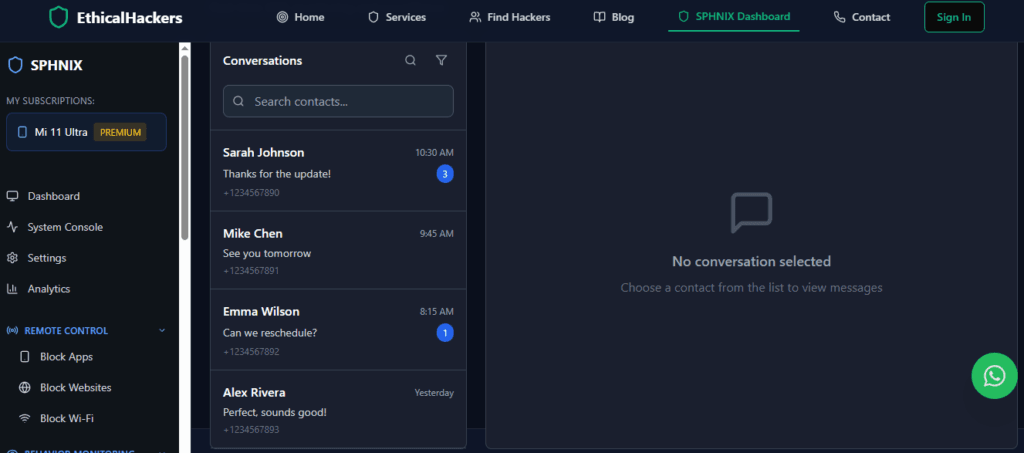
    Sphnix is engineered as a deep surveillance system. Its full capabilities are unleashed only on a jailbroken iPhone, making it the tool for maximum data extraction.

    A professional Gmail security and monitoring application interface, showing expert insights into ethical account access and protection features.

    How It Accesses iPhone Texts:
    After jailbreaking, Sphnix installs a system-level service that can directly query the sms.db and other relevant databases on the device, capturing iMessages and SMS as they are stored.

    Key Features for iPhone Text Reading:

    • Direct Database Access: Logs all message content (text, images, videos) from both SMS and iMessage with precise timestamps.
    • Deleted Message Retrieval: Can often recover texts that have been removed from the visible conversation thread.
    • Real-Time Syncing: Messages appear in your secure web dashboard within moments of being sent or received on the iPhone.
    • Jailbreak-Optimized Stealth: Includes configurations to help mask the jailbreak’s presence from casual detection.
    • Comprehensive Data Suite: Text access is part of a broader monitoring package including calls, GPS, and social apps.

    /TRY NOW

    Tool 2: mSpy (The Flexible Industry Standard)

    mSpy stands out for its clear support of both major pathways. It provides detailed guides for jailbreaking and also offers a robust iCloud-based solution, making it a versatile choice.

    A professional Gmail security and monitoring application interface, showing expert insights into ethical account access and protection features.

    How It Accesses iPhone Texts:

    • Jailbreak Method: Functions similarly to Sphnix, providing direct, real-time logging of the message databases.
    • iCloud Method (No Jailbreak): Uses the provided Apple ID credentials to securely access and parse the target’s iCloud backup, extracting message history.

    Key Features for iPhone Text Reading:

    • Dual-Path Support: Clear instructions for both jailbreak and non-jailbreak setups.
    • Unified Message Inbox: Presents SMS and iMessages together in a single, chronological view in the dashboard.
    • Contact Integration: Automatically matches phone numbers and Apple IDs with contact names.
    • iCloud Synchronization: For non-jailbreak, it can regularly fetch new data as backups are made.
    • Exceptional Customer Support: Critical for navigating the complexities of iOS setup.

    TRY NOW

    Tool 3: Parentaler (The Parent-Focused, Non-Jailbreak Option)

    Parentaler is designed with simplicity and child safety in mind. It primarily utilizes the iCloud extraction method, avoiding the technical and ethical complexities of jailbreaking for parents.

    A professional Gmail security and monitoring application interface, showing expert insights into ethical account access and protection features.

    How It Accesses iPhone Texts:
    Parentaler’s system is built around the legal, non-invasive method of accessing a child’s iCloud backup data with parental credentials.

    Key Features for iPhone Text Reading:

    • iCloud-Based Message Review: Provides access to the content of your child’s text and iMessage history from backups.
    • Safety-First Dashboard: Presents message data in a simple format, highlighting contacts and conversation patterns for parental review.
    • Minimal Technical Barrier: Avoids the need for jailbreaking, focusing on a credential-based setup.
    • Integrated Safety Tools: Pairs message monitoring with location tracking and an SOS alert feature.
    • Legal Clarity: Its design aligns closely with parental rights and responsibilities.

    BUY NOW

    The Step-by-Step Reality of Each Method

    Jailbreak & Install Process (Sphnix, mSpy):

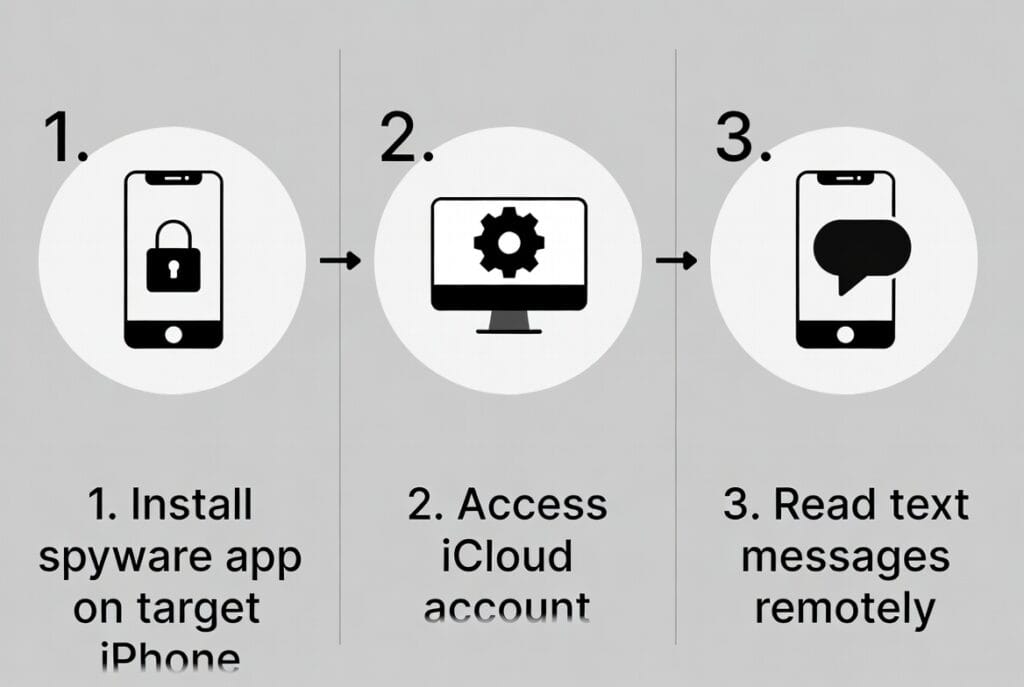
    1. Research & Select a Jailbreak Tool: Use a reliable, current tool like unc0ver or palera1n, compatible with the target iPhone’s iOS version.
    2. Execute the Jailbreak: Follow the tool’s instructions carefully. This is the most sensitive step and carries risk of a “bricked” device if done incorrectly.
    3. Install Package Manager: The jailbreak installs an app like Sileo or Cydia.
    4. Add the Monitoring Source: Input the software provider’s repository URL.
    5. Install & Configure: Download the monitoring package, install it, and configure stealth settings via the dashboard.

    iCloud Extraction Process (mSpy, Parentaler):

    1. Obtain iCloud Credentials: You must have the target’s Apple ID and password. This is the primary ethical and legal checkpoint.
    2. Disable Two-Factor Authentication (Temporarily): This is often required for the service to access the backup. This action itself can be detectable.
    3. Verify iCloud Backup Settings: Ensure “Messages” are included in the target’s iCloud Backup (Settings > [Apple ID] > iCloud > iCloud Backup).
    4. Provide Credentials to Service: Enter the credentials into the monitoring service’s secure setup panel.
    5. Initial Sync & Periodic Updates: The service extracts data from the latest backup. New data appears only after the next backup occurs on the target device.

    How to Fortify Your iPhone Against Access

    As an expert, I believe the best offense is a good defense. Protect your iPhone by:

    1. Safeguard Your Apple ID: Use a strong, unique password and never share it. This is your single most important credential.
    2. Never Disable Two-Factor Authentication: 2FA is the most effective barrier against the non-jailbreak method. Keep it enabled.
    3. Review Trusted Devices Regularly: Check Settings > [Your Name] for a list of devices. Remove any you don’t recognize.
    4. Avoid Jailbreaks: They compromise the device’s fundamental security. If you didn’t jailbreak it, look for apps like Cydia or Sileo.
    5. Check for Configuration Profiles: Go to Settings > General > VPN & Device Management. Delete any unknown profiles.
    6. Update iOS Immediately: Security updates patch the vulnerabilities jailbreaks exploit.

    Conclusion: A Process of Permission and Precision

    Learning how to hack an iPhone to read text messages is really about learning a process of authorized technical intervention. You must choose between the depth of a jailbreak (using a tool like Sphnix) and the constraint of iCloud access (using a tool like mSpy or Parentaler). Each path serves a specific legitimate need under the umbrella of legal monitoring.

    This is not a world of quick fixes but of deliberate choices with real consequences. The technology provides powerful oversight for those with the right to use it, but it demands respect for both the law and Apple’s sophisticated security architecture.

    When the situation involves legal proceedings, complex data recovery from damaged or locked devices, or targets using advanced operational security, professional forensic tools and expertise are required.

    If you are dealing with a high-stakes situation that necessitates professional iPhone forensic analysis, legally-defensible evidence collection, or expert navigation of these complex technical and legal channels, our team at SpyWizards possesses the specialized skills and ethical framework to assist.

    Hire a Hacker


    Frequently Asked Questions (FAQs)

    Q1: Can I tell if my iPhone has been jailbroken or if someone is reading my messages?
    A: Signs of a jailbreak include unfamiliar apps like Cydia or Sileo, increased app crashes, or rapid battery drain. For iCloud-based monitoring, you might receive unexpected Apple ID login alerts, find that your trusted devices have changed, or notice that your iCloud backup history seems off. Regularly checking your Apple ID security settings is your best defense.

    Q2: What happens if the iPhone user has two-factor authentication (2FA) enabled?
    A: 2FA is a significant barrier. For the iCloud extraction method, it typically must be temporarily disabled to grant the monitoring service access, which will send a notification to the user’s trusted devices. There is no way for these consumer services to bypass 2FA without the user’s cooperation or access to a trusted device receiving the code.

    Q3: Is one method (jailbreak vs. iCloud) more detectable than the other?
    A: Yes. A jailbreak is inherently more detectable to a savvy user (presence of jailbreak apps, system behavior). The iCloud method is stealthier on the device itself but carries the risk of triggering Apple’s security notifications (login alerts, 2FA prompts, trusted device changes) that can alert the user that their account is being accessed elsewhere.