Author: admin

  • How to Bypass Qustodio: Parent and Admin Options

    Searches for a Qustodio bypass usually come from two very different situations. A parent may have blocked a child’s entire device by mistake, or a child may be looking for a hidden workaround. The first problem has legitimate fixes. The second is a sign that the family needs better configuration and a conversation about why the rule exists.

    Qustodio runs differently on Android, iPhone, Windows, and Mac. Before changing anything, record the affected device, operating-system version, rule, time of failure, and whether the device still appears online in the parent dashboard.

    Table of Contents

    How to Bypass Qustodio as the Account Owner

    Temporarily disable protection

    On a supported mobile device, open the Qustodio Kids app, choose Manage, and sign in with the parent account. Select Disable Protection, then choose whether to pause it for a fixed period or until you turn it on again. This is useful when a legitimate school, travel, or accessibility need is being blocked.

    Change the rule instead of removing everything

    Open the Parents App or Family Portal and identify the rule producing the block. Check daily limits, restricted times, web filtering, app rules, and the assigned child profile. A narrow correction preserves the rest of the family’s settings and produces a clearer audit trail than uninstalling the app.

    Remove Qustodio from an owned device

    Qustodio’s official Android process requires the parent account password: open Qustodio Kids, sign in, disable protection, and select Remove Qustodio. Then remove the old device from the parent dashboard so it no longer consumes a device slot. Use Qustodio’s current Android removal instructionsbecause menu names can change.
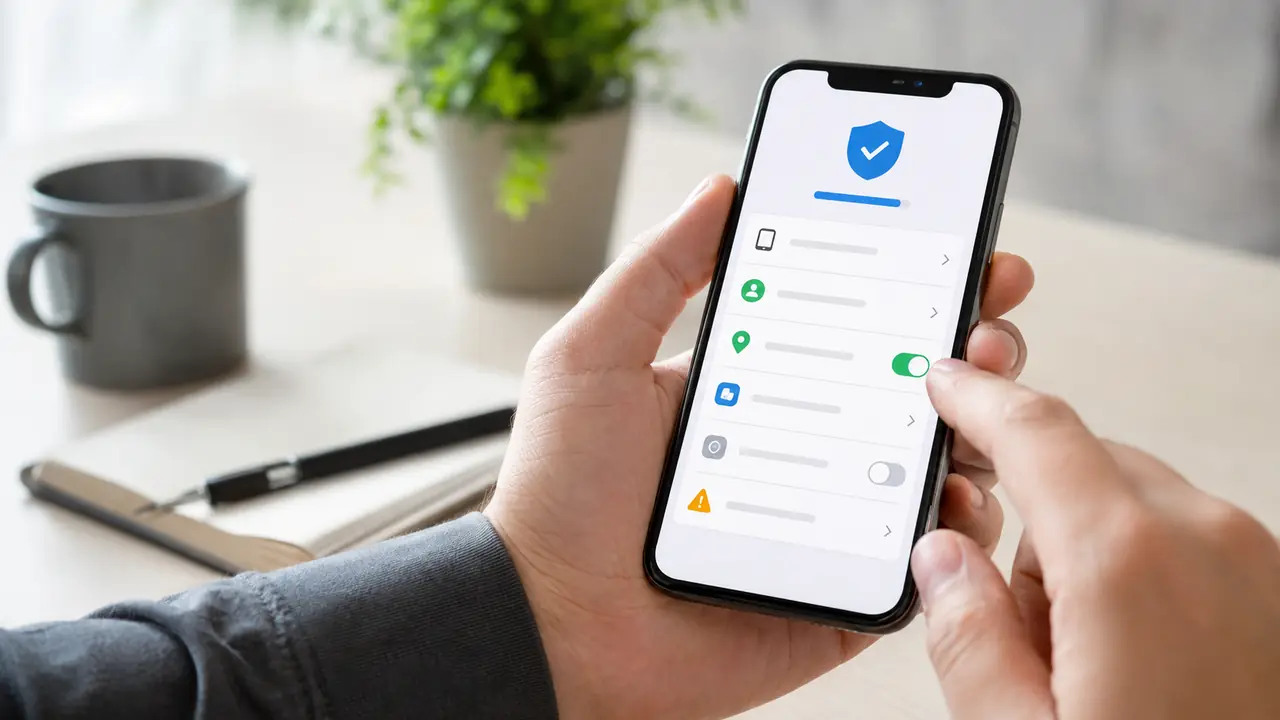
    Parent reviewing parental-control permissions and device rules
    Start with the parent dashboard and the specific rule that failed before reinstalling or replacing the app.

    Fix Common Qustodio Problems

    ProblemLikely checkParent action
    Activity stopped updatingBattery optimization, background permission, or an outdated app.Update Qustodio and allow the required background operation.
    Wrong child is monitoredThe device user is assigned to the wrong profile.Correct the profile assignment from Devices.
    Legitimate site is blockedWeb category, unsupported browser, or custom rule.Review web filtering and browser support.
    Device is locked unexpectedlyDaily time limit, restricted time, or time-zone mismatch.Correct the schedule and verify the device clock.
    Internet fails on iPhoneThe Qustodio VPN may not work with the current network.Use the parent controls to pause protection while troubleshooting.

    Qustodio lists current Android requirements and troubleshooting on its official Android help page. Its iPhone behavior relies partly on a VPN profile, so an incompatible network can require a temporary parent-authorized pause.

    Why Workarounds Are a Weak Fix

    Old posts may suggest changing the time, using an unsupported browser, disabling permissions, creating another user, or interfering with a VPN. These workarounds are unreliable, may expose the device to unsafe sites, and can break reporting without solving the underlying family problem. They can also teach a child to hide activity rather than ask for an exception.

    Parents should protect Android settings, disable unnecessary user profiles, keep the operating system current, and check the dashboard after major device updates. If a rule is too strict, adjust it openly. If Qustodio regularly fails on the family’s devices, compare another service based on compatibility rather than on marketing claims.

    Audit the Setup After a Suspected Bypass

    A missing hour in the activity timeline does not prove that someone deliberately defeated Qustodio. The device may have been offline, battery optimization may have stopped the service, the child may have used an unsupported browser, or the app may have lost a required permission after an operating-system update.

    1. Compare the last reported time with the device’s network and battery history.
    2. Confirm that the correct child profile and device user are still connected.
    3. Review administrator, accessibility, VPN, notification, and background permissions.
    4. Check whether a new browser, user profile, or power-saving mode appeared.
    5. Update the app, restart the device, and run a short supervised test.

    If reporting resumes during the test, document the setting that fixed it. If it does not, contact Qustodio support with the device model, operating-system version, app version, and approximate time the reporting stopped. That information is more useful than reinstalling repeatedly.

    Set Rules That Are Easier to Enforce

    Use schedules that match the child’s actual school and sleep routine. Keep emergency calling and essential communication available. Explain the process for requesting extra time, and review blocked categories together. A clear rule with a reasonable exception process is more likely to work than a blanket restriction that interrupts homework or family communication.

    Check the activity dashboard weekly at first, then reduce the frequency when the setup is stable. The objective is a dependable safety system, not constant surveillance. Age-appropriate privacy and open expectations matter as much as the software.

    When to Consider a Qustodio Alternative

    Consider changing products when the required device is unsupported, the reporting workflow does not match the family’s needs, or the same technical failure returns after correct installation. Read our Qustodio review, screen-time app comparison, and iPhone parental-control guide before paying for another subscription.
  • Can You Hack an Instagram Account? Legal Parental Monitoring Alternatives

    If you searched how to hack Instagram account, stop before trying a password tool, Telegram contact, or site that promises instant access. No legitimate app can reveal another person’s Instagram password or open their private messages. Those offers are commonly phishing, malware, survey, or payment scams.

    There is a lawful alternative for a narrower situation: a parent or legal guardian who is responsible for a minor child’s device and has the authority to supervise it. In that case, the goal is not to “hack Instagram.” It is to set healthy family rules, understand risks, and choose an age-appropriate monitoring or parental-control tool for a device you are authorized to manage.

    The Important Difference: Hacking vs. Authorized Family Safety

    Unauthorized access means trying to get into an account or device that is not yours and for which you do not have permission. We do not provide instructions, tools, or services for that.

    Authorized family safety means a parent or legal guardian supervising a minor child’s device, or an organization managing a company-owned device with informed written consent. Even in those cases, start with a conversation about boundaries, what is being supervised, and why. Local laws vary, particularly for teenagers, shared devices, and account data.

    Use the official Instagram Help Center for account recovery, privacy settings, and in-app safety controls. Use a monitoring product only when you have a lawful basis and the product’s terms permit the use case.

    Which Situation Describes You?

    My child uses Instagram and I manage their device

    You may be looking for a family-safety tool to help with screen-time conversations, risky-contact awareness, or broader device supervision. Look for clear setup instructions, supported operating systems, transparent data practices, and controls that match your child’s age.

    My own Instagram account was taken over

    Do not buy an “Instagram hacker” service. Secure the email account connected to Instagram, use Instagram’s official recovery flow, review logged-in devices, change reused passwords, and preserve emails or screenshots. Our guide to Instagram and TikTok hacked-account recovery explains the recovery-first steps.

    I want access to another adult’s account or phone

    Do not install monitoring software or seek an account-access service. That may violate privacy, computer-misuse, wiretapping, employment, or platform rules. A relationship concern, dispute, or suspicion is not authorization.

    Compare Authorized Monitoring Options

    These products are listed for comparison, not as a promise that any product can access an Instagram account remotely or without device authorization. Check the current feature list, compatibility, installation requirements, data handling, subscription terms, and legal requirements directly with each provider.

    OptionConsider it whenBefore you buyLink
    SphnixYou want guided setup and supportConfirm supported devices and your authority to superviseView Sphnix
    EyezyYou want another family-safety product to compareConfirm the specific features available for your deviceCheck Eyezy options
    SpyngerYou are comparing supported-device requirementsRead its current terms and compatibility detailsCheck Spynger options
    mSpy Number LocationYou need a one-time, consent-based location requestThe recipient must agree to share their locationView the location option

    For a broader feature and price review, see our parental-control app comparison for 2026.

    A Parent’s Checklist Before Choosing Any Tool

    1. Confirm your authority. You should own the device or have clear legal authority to supervise it. Do not treat a password, a shared Wi-Fi connection, or a relationship as consent.
    2. Review device compatibility. iPhone and Android features often differ. Do not assume a feature advertised for one platform works the same way on another.
    3. Read the privacy and data-handling policy. Understand what information is collected, where it is stored, who can access it, and how long it is retained.
    4. Choose the smallest appropriate scope. Family safety works best when it is proportional to the child’s age and the actual risk you are trying to manage.
    5. Talk about the rules. Explain expectations around online safety, strangers, bullying, scams, and reporting uncomfortable interactions.
    6. Review the setup and refund terms.Know the installation steps and cancellation policy before paying.

    Instagram Safety Habits That Matter More Than Any App

    A tool can support a family-safety plan, but it cannot replace communication or account security. Help your child:

    • use a unique password and two-factor authentication;
    • keep their recovery email and phone number current;
    • make their account private when appropriate;
    • treat “copyright” notices, verification offers, and urgent support DMs as possible scams;
    • avoid sharing login codes, passwords, or recovery links;
    • report bullying, coercion, impersonation, and suspicious contacts early.

    For families dealing with a compromised account instead of a device-safety question, use the hacked-account recovery guide and Instagram’s official support channel.

    FAQ

    Can an app hack an Instagram account?

    No. A legitimate product cannot provide someone else’s Instagram password or bypass account security. Do not enter your own credentials into sites that make that promise.

    Can parents monitor a child’s Instagram use?

    Parents and legal guardians may be able to use family-safety software on a minor child’s device they own or are authorized to supervise. Laws and product capabilities differ by location and device, so verify both before proceeding.

    Why should I use a demo before purchasing?

    A demo lets you judge whether the setup, features, and supported devices match your lawful use case. It is safer than buying on the strength of a “hack Instagram” claim that a legitimate provider would never make.

    What if my own Instagram account is hacked?

    Start with official recovery, secure the connected email account, remove unknown sessions, and document what happened. Do not try to access the attacker or pay a password-recovery scammer.

    Choose Safety, Not an Account-Hacking Scam

    The phrase “how to hack Instagram account” attracts scams because it promises access no legitimate provider can offer. For a real family-safety need, use a product only with legal authority, check its current terms and device support, and choose a scope that protects your child without compromising trust.

  • How to See Someone’s Location on iPhone: Consent-First Guide

    If you are asking how to see someone’s location on iPhone, the direct answer is simple: they need to share it with you, or you need clear authority to manage the device. On an iPhone, the usual options are Messages, the Find My app, and Family Sharing. They are designed for visible, permission-based sharing, not for secretly locating an adult.

    That distinction matters. A parent or legal guardian may set family-safety rules for a minor’s device, subject to local law. An employer can manage a company-owned device with written notice. For a partner, friend, colleague, or any other adult using a personal phone, ask them to share their location. Do not use an app, account password, or device access to bypass their choice.

    This guide explains how to see someone’s sharedlocation on iPhone, how to see location in Messages, why an iMessage location may not show, and when an authorized family-safety service such as Sphnix may be worth evaluating. Start with Apple’s free tools. They are usually the right answer for a willing family member.

    Quick answer: see a shared iPhone location in Messages

    To see someone’s location in iPhone Messages, that person must first choose to share it with you. Once they have done so:

    1. Open the Messages conversation with that person.
    2. Tap their name or profile image at the top of the conversation.
    3. Look for the location map or the location section in the contact details.
    4. Tap the map to open it in more detail.

    The exact labels can differ by iOS version. In recent versions, the person sharing can open the conversation, use the + button, select Location, and choose to share. On other versions, they can tap your name in the conversation, open the information screen, and select Share My Location. They can share for an hour, until the end of the day, or indefinitely. A shorter period is often a sensible first choice when two people are simply meeting up.

    This answers searches such as how to see someone’s location on iPhone Messages, how to see someone’s location on iMessage, and how to see location in Messages. The important word is shared. If there is no map, it usually means the contact has not shared their location, sharing has ended, or the phone cannot currently send a location update.

    Ask for location sharing instead of trying to track a text message

    Queries like how to track a text message location, how to track location of a text message, and get location from text messagecan be misleading. A normal text message does not reveal a live GPS location to the recipient. Messages can display a live location only when the sender intentionally shares it through Apple’s location-sharing features.

    That is a useful privacy protection. A phone number alone is not permission to locate a person. Websites or tools that promise an exact live location from a number, an iMessage, or a link sent without the person’s knowledge are a serious warning sign. They can lead to scams, unwanted charges, phishing pages, or unlawful access attempts.

    For a practical family conversation, explain the reason before enabling location sharing. For example, a parent might agree with a teenager that sharing is used for school pickup, late travel, or a change in plans. A couple of roommates might use it only on a trip. Clear rules make the safety purpose understandable and help avoid turning a useful feature into constant monitoring.

    Use Find My for ongoing, visible family sharing

    Messages is convenient when you are already in a conversation, but Find My is often easier for a household that has agreed to share locations. The person sharing can open Find My, select People, choose Start Sharing Location, select the contact, and choose a duration. The recipient can then see the shared location in Find My and, in many cases, in the Messages conversation as well.

    Find My is the better place to check when you want to know whether the share is active, rather than asking why the location does not show in iMessage. Both people should be signed in to their Apple Account, connected to Wi-Fi or cellular data, and have Location Services enabled. A low battery, poor signal, Airplane Mode, an offline phone, or a disabled location setting can all prevent an updated location from appearing.

    For parents and guardians, Family Sharing can provide a clearer household setup. It keeps the relationship visible within the family group and gives each person a way to understand who can see the location. It should still be discussed. Family safety works best when the child knows the rules, when parents limit checking to the agreed reason, and when everyone knows how to ask for help in an emergency.

    An iPhone displays a generic location-sharing settings screen and map for troubleshooting.

    Why can’t I see someone’s location on iPhone?

    If you searched why can’t I see someone’s location on iMessage, location doesn’t show in iMessage, or why is location not showing in Messages, work through these checks in order. Do not assume the other person is hiding something. Most problems are ordinary settings or connection issues.

    1. Confirm that sharing was accepted and is still active

    Open the conversation and contact details. If the person never selected Share My Location, there will be no map. They may also have chosen a time-limited share that has expired. Ask them to check their own sharing settings and resend the share if they are comfortable doing so.

    2. Check Location Services and Find My

    On the sharing iPhone, Location Services must be enabled in Privacy & Security settings. Find My also needs permission to use location. On some iPhones, sharing will not work as expected until Share My Location is turned on under the person’s Apple Account and Find My settings.

    3. Check the internet connection and phone status

    An iPhone needs a usable Wi-Fi or cellular connection to send a fresh position. The map can become stale when the device has no signal, is powered off, has an empty battery, or is in a place with poor GPS reception. Give it time, then try opening Find My rather than repeatedly refreshing Messages.

    4. Check date, time, and iMessage status

    Automatic date and time should be enabled. Both people should be able to send iMessages normally. A pending iOS update, an Apple Account sign-in issue, or a temporary service problem can also interrupt location sharing. Restarting the affected iPhone is a reasonable final basic check before changing more settings.

    5. Respect a decision to stop sharing

    Someone can stop sharing their location. That is part of how the feature is designed. If an adult stops sharing, do not try to defeat that choice. If a parent is worried about a minor’s immediate safety, use the family plan already agreed upon, contact the child, and use appropriate local emergency resources when there is a real risk of harm.

    When to consider Sphnix for an authorized device

    Apple’s tools are free, simple, and the best starting point for consensual sharing. A paid service should not be used to evade an adult’s privacy choice. It may be worth researching only when you are a parent or legal guardian responsible for a minor’s device, when you manage a company-owned phone with written employee notice, or when you are assessing your own device.

    Sphnix is the only paid option discussed on this page. Before purchase, confirm the current device compatibility, what permissions are required, which functions work on iPhone, where data is stored, billing and cancellation terms, and the provider’s support process. Do not rely on old feature lists or claims that a product can quietly access any phone. Those claims are not a substitute for authority, consent, or a clearly defined safety policy.

    Evaluate Sphnix for an authorized family or company-owned device

    Cyberlord may earn a commission from this sponsored link, at no extra cost to you. Confirm compatibility, permission requirements, privacy terms, billing, and your legal authority before purchasing.

    Check Sphnix compatibility and support

    For a fuller buyer checklist, read our Sphnix tracking app review. If your concern is that your own phone has been accessed or altered, follow the separate steps in our guide on how to tell if your phone has been hacked. That is a security problem, not a reason to track another person.

    Privacy rules that make location sharing healthier

    Location sharing is more likely to help when the rules are specific. Agree on the reason for sharing, who can see it, the hours or situations where it applies, and when it will be reviewed. For a teenager, this might mean location during an evening event and a check-in when plans change. For a company device, it might mean tracking only during working hours and only for documented operational reasons.

    Use the minimum amount of information needed. A safety arrangement does not require reading private messages, recording everything a person does, or keeping location data forever. Secure the Apple Account or administrator account with a unique password and multi-factor authentication. Remove access when a child becomes an adult, an employee leaves, a device is sold, or the agreed purpose ends.

    Frequently asked questions

    How do I see someone’s shared location on iPhone?

    Open the Messages thread, tap the person’s name, and view the map if they have chosen to share their location with you. You can also open Find My and select People. Both methods require an active, permission-based share.

    Can I see someone’s location on iPhone without them knowing?

    No. Do not try to locate another adult without their knowledge or permission. Use Messages, Find My, or Family Sharing only with the person’s agreement, or manage a device only when you have clear legal authority and notice requirements are met.

    Why can’t I see location in Messages?

    The share may have expired, Location Services or Find My may be disabled, the iPhone may be offline, or the person may have stopped sharing. Ask them to review the sharing setting rather than attempting to bypass it.

    Is iMessage location accurate?

    It can be useful, but accuracy changes with GPS signal, Wi-Fi, cellular coverage, battery level, and whether the phone can update its position. Treat it as a convenience and safety tool, not proof of a person’s exact actions.

    Is Sphnix the right first step for iPhone location sharing?

    Usually no. Start with Apple’s free, visible sharing features. Consider Sphnix only for an authorized family or company-owned device after checking current compatibility, terms, privacy controls, and your legal authority.

    Affiliate disclosure: Cyberlord may earn a commission through the sponsored Sphnix link on this page. This does not change the need for consent, legal authority, or independent compatibility checks.

  • Hello world!

    Welcome to WordPress. This is your first post. Edit or delete it, then start writing!