Author: admin

  • Ransomware Response Checklist (Free Template) for Small Businesses


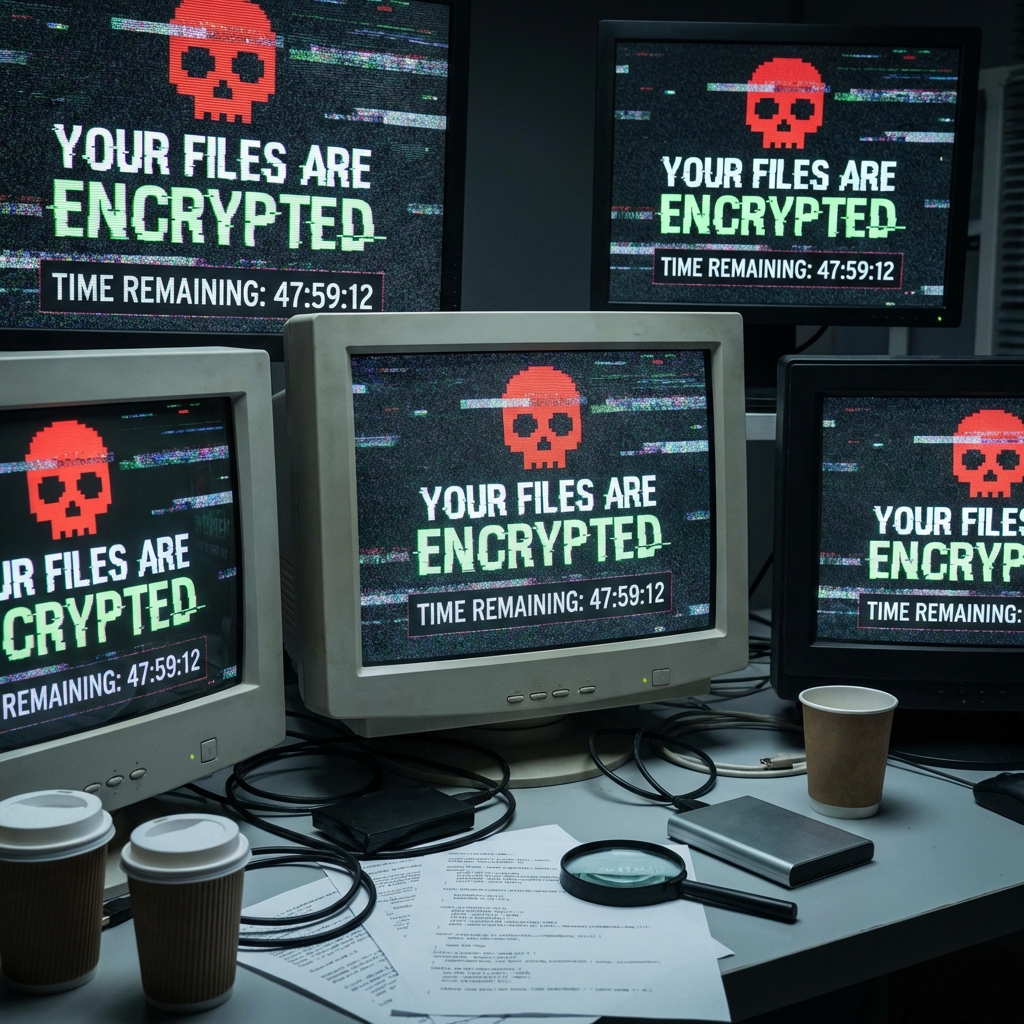
    Every 11 seconds, a business is hit by ransomware. If you run a small business, the odds are stacked against you: the Verizon Data Breach Investigations Report (DBIR) 2025 found that 88% of breaches at small and medium-sized businesses involved ransomware, compared to 39% at larger organizations. Having a ransomware response checklist is no longer optionalโ€”it is a survival tool.

    This guide gives you a free, copy-paste checklist and downloadable template based on guidance from CISA, NIST SP 800-61 Rev 3, and the FBI. It covers every step from the moment you suspect an attack through full recovery and post-incident review.

    Quick Summary

    • Ransomware is the #1 breach threat for small businessesย โ€” 88% of SMB breaches (Verizon DBIR 2025).
    • The FBI advises against paying the ransomย โ€” 64% of victims now refuse to pay (Verizon DBIR 2025).
    • A documented response checklist reduces downtimeย by giving your team a step-by-step playbook under pressure.
    • This article includes aย free, copy-paste ransomware response templateย you can customize today.
    • The checklist follows theย NIST Cybersecurity Framework 2.0ย lifecycle: Identify โ†’ Protect โ†’ Detect โ†’ Respond โ†’ Recover.

    Why Every Small Business Needs a Ransomware Response Checklist

    The Numbers Are Clear

    StatisticSource
    88% of SMB breaches involved ransomwareVerizon DBIR 2025
    44% of all breaches globally involved ransomware (up 37% YoY)Verizon DBIR 2025
    3,156 ransomware complaints filed in 2024FBI IC3 2024 Report
    $16.6 billion in total cybercrime losses reported in 2024FBI IC3 2024 Report
    64% of ransomware victims refused to pay the ransomVerizon DBIR 2025
    Median ransom demand dropped to $115,000Verizon DBIR 2025
    NIST SP 800-61 Rev 3 updated in April 2025NIST 2025

    Ransomware is no longer a sophisticated, targeted weapon reserved for enterprise corporations. As we explained in our guide to Ransomware-as-a-Service (RaaS), RaaS has industrialized these attacks, making small businesses the preferred target because they tend to have weaker defenses and fewer resources to resist payment.

    What Happens Without a Plan

    When ransomware strikes, panic sets in fast. Employees make mistakes: they reboot infected machines (which can trigger encryption on more files), they try to negotiate with attackers without legal guidance, or they wipe machines before evidence can be preserved.

    A written, tested checklist prevents all of these errors.


    The Complete Ransomware Response Checklist

    This checklist follows the NIST Cybersecurity Framework 2.0 structure and CISA’s #StopRansomware guidance. Print it, laminate it, and keep a copy next to your server rackโ€”and a second copy offline.

    Phase 1: Immediate Containment (First 30 Minutes)

    • ย Confirm the ransomware incidentย โ€” Verify it is ransomware and not a false positive. Look for ransom notes, encrypted file extensions (.locky, .ryuk, .encrypted), and locked screens.
    • ย Alert the incident response leadย โ€” Call (do not email) the designated incident response lead. Email may be compromised.
    • ย Isolate affected systems immediatelyย โ€” Disconnect infected machines from the network (pull Ethernet cables, disable Wi-Fi). Do NOT power them off yetโ€”evidence may reside in memory.
    • ย Disable Wi-Fi and Bluetooth on affected devicesย โ€” Prevent lateral spread through wireless connections.
    • ย Isolate backup systemsย โ€” Disconnect all backup drives, NAS devices, and cloud sync services immediately to prevent backup encryption.
    • ย Take screenshots of ransom notesย โ€” Photograph or screenshot any ransom messages for evidence and law enforcement reporting.
    • ย Document the timelineย โ€” Start a written log with timestamps: when the attack was discovered, by whom, and what actions have been taken.

    Phase 2: Assessment and Communication (First 2 Hours)

    • ย Determine the scope of the attackย โ€” Identify which systems, servers, and data are affected. Check shared drives, databases, email servers, and cloud storage.
    • ย Identify the ransomware variantย โ€” Use free tools likeย ID Ransomwareย orย No More Ransomย to identify the variant. A free decryptor may already exist.
    • ย Notify your cyber insurance carrierย โ€” Call your insurer’s incident response hotline. Many policies include access to forensic investigators and legal counsel.
    • ย Engage legal counselย โ€” Ransomware often involves data exfiltration, which may trigger breach notification laws (GDPRย 72-hour rule, US state notification laws, HIPAA).
    • ย Activate your communications planย โ€” Designate one spokesperson. Draft internal and external communication templates. Do NOT publicly confirm the attack until legal counsel advises.
    • ย Preserve evidenceย โ€” Do not wipe or rebuild machines yet. Forensic investigators need disk images, memory dumps, and network logs.

    Phase 3: Reporting (First 24 Hours)

    • ย Report to the FBI IC3ย โ€” File a complaint atย ic3.gov. Include the ransomware variant, ransom amount, Bitcoin wallet address (if provided), and timeline.
    • ย Report to CISAย โ€” Submit atย cisa.gov/report. CISA can provide free technical assistance through its regional teams.
    • ย Notify affected data subjectsย โ€” If personal data was exfiltrated, follow your jurisdiction’s breach notification requirements. GDPR mandates notification within 72 hours.
    • ย Notify business partners and vendorsย โ€” If the attacker accessed shared systems or partner data, notify affected parties promptly.

    Phase 4: Recovery (24โ€“72 Hours)

    • ย Verify backup integrityย โ€” Before restoring, confirm that backups are clean and not encrypted. Test restoring a small sample of files first.
    • ย Rebuild from known-clean imagesย โ€” Do not simply “decrypt” and continue using compromised machines. Wipe and rebuild from trusted OS images and verified backups.
    • ย Reset all credentialsย โ€” Change every password in the organization, starting with admin and service accounts. Enforce multi-factor authentication (MFA) across all systems.
    • ย Patch the entry pointย โ€” Work with your IT team or a cybersecurity firm to identify how the attacker got in (phishing email, unpatched VPN, exposed RDP) and close that vulnerability immediately.
    • ย Monitor for re-infectionย โ€” Attackers often leave backdoors. Implement enhanced monitoring (EDR, network traffic analysis) for at least 30 days post-recovery.
    • ย Restore operations in phasesย โ€” Bring critical systems online first (email, finance, customer-facing services), then secondary systems.

    Phase 5: Post-Incident Review (Within 2 Weeks)

    • ย Conduct a formal post-mortemย โ€” Document what happened, the timeline of response, what worked, and what failed.
    • ย Update your incident response planย โ€” Incorporate lessons learned into the checklist and IR plan.
    • ย Conduct a tabletop exerciseย โ€” Schedule a team exercise simulating the same scenario to test the updated plan. CISA offers freeย Tabletop Exercise Packages.
    • ย Review your backup strategyย โ€” Verify you follow the 3-2-1 rule: 3 copies, 2 media types, 1 offline. Consider immutable backups (WORM storage).
    • ย Schedule aย vulnerability assessmentย โ€” Engage a professional to identify remaining weaknesses across your infrastructure. See ourย penetration testing cost guideย for budgeting.

    Common Mistakes During a Ransomware Incident

    Avoid these errorsโ€”each one is based on real cases our team has encountered:

    • Rebooting infected machinesย โ€” This can trigger secondary encryption payloads and destroys volatile memory evidence.
    • Paying the ransom without consulting law enforcementย โ€” Payment does not guarantee recovery. The FBI IC3 reports that many victims who pay never receive a working decryption key.
    • Communicating via compromised emailย โ€” If the attacker is inside your email system, they can read your response strategy. Use out-of-band communication (phone calls, personal email, messaging apps).
    • Deleting ransomware artifacts before forensicsย โ€” Ransom notes, encrypted file samples, and malware executables are evidence. Forensic teams need them to determine scope, identify the variant, and find the entry point.
    • Neglecting to reset ALL credentialsย โ€” Changing only the admin password is insufficient. Attackers often create hidden accounts or harvest credentials from multiple users.
    • Restoring from the most recent backupย โ€” If the attacker was inside your network for days or weeks before detonation, your most recent backup may contain backdoors. Restore from a backup predating the compromise.
    • Ignoring regulatory reporting obligationsย โ€” Failing to report within required timelines (GDPR’s 72 hours, US state laws, HIPAA) can result in fines on top of recovery costs.

    Ransomware Response Template (Copy and Customize)

    Copy the template below into your own document, fill in the placeholders, and distribute it to your incident response team. Keep printed copies in accessible locations.

    ====================================================
    RANSOMWARE RESPONSE PLAN โ€” [YOUR COMPANY NAME]
    ====================================================
    Version: 1.0
    Last Updated: [DATE]
    Document Owner: [NAME / TITLE]
    Review Frequency: Quarterly
    
    ----------------------------------------------------
    SECTION 1: INCIDENT RESPONSE TEAM CONTACTS
    ----------------------------------------------------
    Role                    | Name         | Phone         | Email
    ------------------------|--------------|---------------|------------------
    IR Lead                 | [Name]       | [Phone]       | [Email]
    IT Administrator        | [Name]       | [Phone]       | [Email]
    Legal Counsel           | [Name]       | [Phone]       | [Email]
    Cyber Insurance Contact | [Name]       | [Phone]       | [Email]
    External IR Firm        | [Name]       | [Phone]       | [Email]
    Communications Lead     | [Name]       | [Phone]       | [Email]
    CEO / Owner             | [Name]       | [Phone]       | [Email]
    
    ----------------------------------------------------
    SECTION 2: IMMEDIATE ACTIONS (FIRST 30 MINUTES)
    ----------------------------------------------------
    1. Confirm the incident is ransomware (not a false alarm).
    2. CALL (do not email) the IR Lead.
    3. Disconnect affected machines from the network.
    4. Disconnect all backup drives and cloud sync services.
    5. Screenshot ransom notes.
    6. Begin written incident log with timestamps.
    
    ----------------------------------------------------
    SECTION 3: ASSESSMENT AND COMMUNICATION (2 HOURS)
    ----------------------------------------------------
    1. Map the scope: which systems/data are affected?
    2. Identify the ransomware variant using ID Ransomware.
    3. Call cyber insurance carrier.
    4. Engage legal counsel.
    5. Brief the CEO / Owner.
    6. Preserve all evidence โ€” do NOT wipe machines.
    
    ----------------------------------------------------
    SECTION 4: REPORTING (24 HOURS)
    ----------------------------------------------------
    1. File report with FBI IC3 (ic3.gov).
    2. Report to CISA (cisa.gov/report).
    3. Notify affected data subjects (if required).
    4. Notify business partners with shared data access.
    
    ----------------------------------------------------
    SECTION 5: RECOVERY (24โ€“72 HOURS)
    ----------------------------------------------------
    1. Verify backup integrity (test sample restore).
    2. Rebuild machines from clean images.
    3. Reset ALL credentials. Enable MFA.
    4. Patch the confirmed entry point.
    5. Deploy enhanced monitoring for 30+ days.
    6. Restore operations: critical systems first.
    
    ----------------------------------------------------
    SECTION 6: POST-INCIDENT REVIEW (WITHIN 2 WEEKS)
    ----------------------------------------------------
    1. Hold a formal post-mortem meeting.
    2. Update this plan with lessons learned.
    3. Schedule a tabletop exercise.
    4. Review and upgrade backup strategy (3-2-1 rule).
    5. Commission a vulnerability assessment.
    
    ----------------------------------------------------
    SECTION 7: KEY EXTERNAL RESOURCES
    ----------------------------------------------------
    FBI IC3 Reporting:          https://www.ic3.gov
    CISA Incident Reporting:    https://www.cisa.gov/report
    No More Ransom Project:     https://www.nomoreransom.org
    ID Ransomware:              https://id-ransomware.malwarehunterteam.com
    NIST SP 800-61 Rev 3:       https://csrc.nist.gov/publications/detail/sp/800-61/rev-3/final
    CISA Tabletop Exercises:    https://www.cisa.gov/cisa-tabletop-exercises-packages
    ====================================================
    

    Download: What the Template Includes

    The Cyberlords Ransomware Response Template is a ready-to-use document that contains:

    • Incident response team contact sheetย โ€” Fill-in-the-blank table for your key contacts (IT, legal, insurance, external responders).
    • Step-by-step response checklistย โ€” Organized by phase (containment โ†’ assessment โ†’ reporting โ†’ recovery โ†’ review).
    • Communication templatesย โ€” Draft messages for internal staff, external partners, and regulators.
    • Evidence preservation checklistย โ€” What to capture and how to store it before forensic review.
    • Post-incident review formย โ€” Structured template for documenting lessons learned.

    To receive the downloadable Excel/PDF version of this template, contact us and we will send it to your email within 24 hours โ€” free of charge.


    Citations and References

    All statistics and recommendations in this article are drawn from the following credible sources:

    1. Verizon Data Breach Investigations Report (DBIR) 2025ย โ€” Verizon, 2025. Ransomware involved in 88% of SMB breaches; 44% of all breaches globally; 64% of victims refused to pay; median ransom $115,000.
    2. FBI Internet Crime Complaint Center (IC3) 2024 Internet Crime Reportย โ€” FBI, April 2025. $16.6 billion in reported cybercrime losses; 3,156 ransomware complaints; 67 new variants identified including Akira, LockBit, RansomHub.
    3. NIST Special Publication 800-61 Revision 3โ€” NIST, April 2025. Updated incident response guidance aligned with CSF 2.0.
    4. NIST IR 8374 Rev 1: Ransomware Risk Managementย โ€” NIST, January 2025. Ransomware-specific guidance mapped to CSF 2.0.
    5. CISA #StopRansomware Guideย โ€” CISA, updated 2023. Ransomware best practices including the 3-2-1 backup rule, MFA, and incident reporting.
    6. CISA Ransomware Readiness Assessment (RRA)ย โ€” CISA. Free self-assessment tool for organizations.

    How Cyberlords Can Help

    Ransomware readiness is not just about having a checklistโ€”it is about testing that checklist before an attack happens.

    At Cyberlords, our incident response services help small businesses:

    • Build and test incident response planstailored to your environment.
    • Run tabletop exercisesย so your team practices the response before the real thing.
    • Conduct vulnerability assessmentsย to close the entry points attackers exploit.
    • Provide rapid-response forensic investigationย if an incident has already occurred.

    If you want help implementing this checklist or need a professional assessment of your ransomware readiness, contact the Cyberlords team today.


    Frequently Asked Questions

    What is a ransomware response checklist?

    A ransomware response checklist is a step-by-step document that guides your organization through the critical first hours and days after a ransomware attack. It covers isolation of infected systems, internal and external communications, evidence preservation, recovery from backups, regulatory reporting, and post-incident improvements. Having a pre-written checklist prevents costly mistakes under pressure.

    Should a small business pay the ransom?

    The FBI and CISA strongly advise against paying ransoms. Payment does not guarantee you will receive a working decryption key, and it directly funds further criminal activity. According to the Verizon DBIR 2025, 64% of ransomware victims now refuse to pay. Focus your budget on offline backups, tested recovery procedures, and professional forensic support instead.

    How long does it take to recover from a ransomware attack?

    Recovery time depends on the scale of the attack, the quality of your backups, and the availability of professional support. Small businesses with tested, offline backups can often resume essential operations within 48-72 hours. Without backups, recovery may take weeks or months, and costs typically range from tens of thousands to hundreds of thousands of dollars in downtime, legal fees, and remediation.

    Who should I report a ransomware attack to?

    In the United States, report to the FBI Internet Crime Complaint Center (IC3) at ic3.gov and to CISA at cisa.gov/report. CISA can provide free technical assistance. In the EU, notify your national data protection authority within 72 hours under GDPR. Also notify your cyber insurance carrier immediately, as many policies require prompt notification to maintain coverage.

    What is the 3-2-1 backup rule?

    The 3-2-1 backup rule is a time-tested strategy recommended by CISA: keep three copies of your data, stored on two different types of media (e.g., local disk and cloud), with one copy stored offsite or completely offline. The offline copy is critical because modern ransomware actively searches for and encrypts network-accessible backups, including cloud storage that is mapped as a network drive.

    Do I need an incident response plan if I have cyber insurance?

    Yes. Cyber insurance covers financial losses after an incident, but it does not tell your employees what to do during the critical first minutes of an attack. Many cyber insurance carriers now require a documented incident response plan as a policy condition. A tested plan ensures faster containment, lower losses, and smoother interaction with your insurer’s response team.

    Can ransomware spread to cloud backups?

    Yes. If cloud storage is mapped as a network drive or synchronized automatically (e.g., OneDrive, Dropbox, Google Drive sync clients), ransomware can encrypt those files just like local files. Protect yourself by using immutable backup storage (Write Once, Read Many), disabling auto-sync during an incident, and keeping at least one backup completely air-gapped.

    What is the average cost of a ransomware attack on a small business?

    Direct ransom demands have a median of $115,000 according to the Verizon DBIR 2025, but total costs are significantly higher. When you factor in operational downtime, forensic investigation, legal and compliance costs, customer notification, and reputational damage, the total impact for a small business often reaches several hundred thousand dollars. Investing in prevention and a tested response plan is far more cost-effective.

  • How to Screen Record on Snapchat Without Them Knowing: An Expertโ€™s Technical Breakdown

    The fleeting nature of Snapchat contentโ€”where messages and stories are designed to vanishโ€”creates a unique digital dilemma. This design inevitably leads to the question: can this ephemeral content be permanently captured in secret? As a digital security specialist with over a decade of experience analyzing social media platforms and surveillance technologies, I approach this query with a focus on technical reality, not marketing hype. The desire to learn how to screen record on Snapchat without them knowing is common, but the path is fraught with technical barriers, legal peril, and ethical considerations.

    Updated February 2026

    A professional Gmail security and monitoring application interface, showing expert insights into ethical account access and protection features.

    This guide provides a clear-eyed analysis of what is technically feasible, a detailed look at the tools that attempt it, and the critical context you must understand before proceeding.

    Table of Contents

    Understanding Snapchatโ€™s Primary Defense: Notification Systems

    Snapchatโ€™s core promise is controlled, temporary sharing. To uphold this, its primary technical defense is a detection system that identifies screen capture events. When you use your deviceโ€™s built-in screen recorder, the Snapchat app detects the system-level command that initiates the recording. This triggers an automatic notification sent to the person who sent the Snap. This isnโ€™t a simple screenshot detection; itโ€™s an active monitoring system for any activity that captures the screenโ€™s output.

    Therefore, any method that aims to be undetectable must bypass this notification trigger. This can be attempted through two fundamental technical approaches:

    1. Intercepting the Data Before it Reaches Snapchatโ€™s View:ย Accessing the image or video file from the deviceโ€™s temporary storage or network traffic before the Snapchat app fully displays and secures it.
    2. Using a Layer Outside Snapchatโ€™s Control:ย Recording the visual output of the screen from a system level that Snapchatโ€™s app cannot monitor, such as through a secondary device or a privileged system process.

    The Legal Framework: Beyond Terms of Service

    The legal implications of covert recording are significant and extend far beyond simply violating Snapchatโ€™s Terms of Service (which can result in a permanent account ban).

    • Computer Fraud and Abuse Act (CFAA):ย In the United States, using software to โ€œexceed authorized accessโ€ to a protected computer systemโ€”which includes an app like Snapchatโ€”can constitute a federal violation.
    • State Privacy Laws:ย Many jurisdictions have laws governing the recording of private communications. In โ€œall-party consentโ€ states, you could face civil or even criminal liability for secretly recording private Snaps without the senderโ€™s knowledge.
    • Expectation of Privacy:ย Courts often recognize a reasonable expectation of privacy in direct, ephemeral messaging. Violating this expectation can form the basis for legal action.

    The most robust legal protection exists for parents monitoring the devices of their minor children for safety reasons. Using these technologies to surveil another adultโ€™s private communications is legally precarious.

    Analysis of Technical Solutions: A Fresh Perspective on Scannero, Moniterro, and Professional Services

    Letโ€™s examine the available tools not just as products, but as different technological philosophies for addressing the same core challenge.

    1. Scannero: The Network and Data Interception Approach

    Scannero represents a class of tools that often operate on a principle of data interception and log aggregation. Rather than performing a literal โ€œscreen recording,โ€ these services may work by:

    A professional Gmail security and monitoring application interface, showing expert insights into ethical account access and protection features.
    • Notification Logging:ย Capturing and storing the text content of alerts that appear in the deviceโ€™s notification pull-down shade. This can reveal message snippets and sender information without triggering an in-app alert.
    • Media File Recovery:ย Some services claim the ability to access and save the temporary image and video files that Snapchat downloads to the deviceโ€™s cache before displaying them. This method tries to grab the dataย beforeย Snapchatโ€™s view screenโ€”and its detection systemโ€”is fully engaged.
    • Stealth and Access:ย Functionality typically requires installation on the target device and grants the service certain permissions to run discreetly and access logs or storage.

    Key Consideration: The effectiveness of the media recovery method is highly volatile. It depends on the specific version of Snapchat, the deviceโ€™s operating system (iOS or Android), and constant updates to both the app and the monitoring tool. What works one week may break after a silent security patch.

    To investigate Scanneroโ€™s current technical capabilities, visit their official site.

    TRY NOW

    2. Moniterro: The Parental Dashboard and Activity Monitor Model

    Moniterro is indicative of applications built around a parental oversight dashboard. Its focus is typically broader than a single app, providing a unified view of device activity with Snapchat as one component.

    EN Access Phone Remotely 728x90 1 5 1
    • Activity Tracking and Reporting:ย It may log timestamps of Snapchat usage, frequency of use, and contact names from notifications, providing behavioral insights rather than full content capture.
    • Integrated Safety Features:ย These platforms often combine social media monitoring with other parental controls like location tracking, web filtering, and screen time management.
    • Philosophy:ย The design philosophy here is less about โ€œspyingโ€ and more about providing parents with a supervisory overview to identify potential risks (e.g., contact with strangers, excessive use).

    Key Consideration: This model may offer more consistent reliability for logging metadata (like โ€œSnapchat was used at 10 PMโ€) but often has limited success in consistently saving the actual photo/video content, especially on secured iOS devices.

    For a parental dashboard approach, explore Moniterroโ€™s features.

    BUY NOW

    3. Professional Cybersecurity Services: The โ€œHire-a-Hackerโ€ Misconception

    Platforms like the linked โ€œHire-a-Hacker Serviceโ€ exist in an entirely different realm: enterprise cybersecurity. They are marketplaces where businesses contract with vetted professionals to perform authorized security audits on their own systems.

    A professional Gmail security and monitoring application interface, showing expert insights into ethical account access and protection features.

    Critical Distinction:

    • These experts are not for hire to hack individual Snapchat accounts.ย Reputable ethical hackers operate under strict legal contracts (penetration testing agreements) that define the specific, owned systems they are permitted to test.
    • The Scam Vector:ย Any individual offering, for a fee, to โ€œhack intoโ€ a specific Snapchat account is almost certainly running a fraud. Common tactics include phishing for your own credentials, taking payment and disappearing, or delivering fake information.

    TRY NOW

    Comparative Overview: Technical Philosophy and Output

    AspectScannero-style Data InterceptionMoniterro-style Parental DashboardNative Phone Screen Recorder
    Core MethodAttempts to extract data from cache/notifications.Logs app usage metadata and notification text.Directly records screen pixel output.
    OutputMay recover media files and message text.Provides activity reports, timestamps, contact info.Creates a video file of the screen.
    Stealth vs. SenderPotentially high (if no notification is sent).High (monitors passively).None (sender is notified).
    Primary Legal Use CaseParental safety monitoring of minors.Parental oversight and digital wellbeing.Personal, consensual use.
    Technical ReliabilityHighly variable; often breaks with updates.More consistent for activity logging.100% reliable for recording.

    The Most Reliable โ€œUndetectableโ€ Method: A Physical Workaround

    From a purely technical standpoint, the most consistently undetectable method is also the most low-tech: using a separate device to physically record the target phoneโ€™s screen. This could be a second smartphone, a webcam, or a camcorder. Because this method involves no interaction with the target deviceโ€™s software or OS, Snapchatโ€™s app has no way to detect it. The only risk of detection is visualโ€”if someone sees you doing it.

    Conclusion: Technical Possibility vs. Responsible Action

    Technologically, methods exist that attempt to screen record on Snapchat without them knowing, primarily through data interception or external recording. Tools like Scannero and Moniterro represent different technical approaches to this challenge within the lawful context of parental control.

    However, technology should not dictate ethics. The ability to do something does not make it right or legally safe when applied to monitoring another adult without their consent. For parents, these tools can be part of a responsible safety strategy when used transparently. For anyone else, pursuing covert recording typically escalates conflict, destroys trust, and invites serious legal repercussions.

    Prioritize open communication and respect digital boundaries. The most secure and ethical path is often to honor the temporary nature of the platform as it was designed.

    For professional, legal cybersecurity services for business systems, you can explore accredited marketplaces.
    hire a hacker


    Frequently Asked Questions (FAQs)

    1. If I use AirPlay or screen mirroring to another device, will Snapchat detect that as a recording?
    Typically, no. Screen mirroring technologies like AirPlay (iOS) or Smart View (Android) are generally not detected by Snapchat as a screen capture event. The notification system is triggered by specific screen recording APIs, not by mirroring protocols. However, the mirrored display will still show the Snapchat appโ€™s interface, which may include its own on-screen warnings.

    2. Do โ€œscreen recording blockerโ€ apps from the app store work to hide my recording?
    Extremely unlikely. Apps in the public app store operate in a sandboxed environment with limited permissions. They cannot easily intercept or block system-level functions that other apps (like Snapchat) are monitoring for. Most apps making this claim are ineffective or may even be malicious.

    3. As a parent, what is the most ethical way to monitor my teenโ€™s Snapchat use?
    The most ethical approach combines technology with conversation. First, discuss online safety, the risks of social media, and your concerns openly. Then, if you decide monitoring is necessary, consider being transparent about it. You can explain that you will be using a parental dashboard (like Moniterroโ€™s model) to check in on their activity and contacts as a safety net, not to invade their privacy. This fosters trust and teaches responsible digital citizenship better than covert surveillance.

  • The Truth About SMS Interceptors: What Actually Works and Whatโ€™s a Scam

    For years, a persistent question has echoed through online forums and search engines: is there a way to intercept text messages using just a phone number, without ever touching the target phone? As someone who has worked in digital security for over ten years, Iโ€™ve witnessed the evolution of this question from a technical curiosity to a subject ripe with misinformation. reliable phone tracking methods Many websites boldly promise an SMS interceptor without target phone interaction, offering a dream of total access. It is my professional duty to clarify that this specific concept, as commonly advertised to consumers, is a technical impossibility and a legal minefield.

    Updated February 2026

    A professional Gmail security and monitoring application interface, showing expert insights into ethical account access and protection features.

    However, sophisticated monitoring is very real when approached correctly. reliable phone tracking methods This guide will cut through the fantasy, explain the practical technology that does exist, and provide a clear-eyed view of tools designed for lawful oversight.

    Table of Contents reliable phone tracking methods

    Demystifying the โ€œNo-Accessโ€ Myth: A Technical Breakdown

    The core misunderstanding lies in how SMS technology works. A text message is not a radio broadcast that can be plucked from the air. It is a data packet that travels over a secure, encrypted pathway controlled by cellular carriers. To intercept a message between the carrierโ€™s network and the destination phone in real-time would require one of the following:

    1. Direct Access to Carrier Infrastructure:ย This is the exclusive domain of telecommunications engineers and, in limited cases for lawful interception, government agencies with legal warrants. It is not a service sold in an app store.
    2. Exploitation of a Network-Level Vulnerability:ย While theoretical vulnerabilities in older signaling protocols exist, exploiting them requires deep, specialized knowledge and is considered a major cybercrime, not a feature of a $49.99 monthly subscription.
    3. Software Installed on the Receiving Device:ย This is the only method available to the public. Software running on the phone can read messagesย afterย they arrive. This directly contradicts the โ€œwithout target phoneโ€ premise, as it requires installation or configuration on that very device.

    Therefore, any service claiming to deliver live SMS interception using only a phone number is, without exception, a scam. It preys on a fundamental misunderstanding of technology.

    The Legal Reality: Why This Isnโ€™t Just a Technical Issue

    Beyond the technical barriers, attempting to intercept private communications without consent is a serious criminal offense in most of the world. In the United States, this activity is primarily prosecuted under:

    • The Federal Wiretap Act (Title I of ECPA):ย Prohibits the intentional interception of any wire, oral, or electronic communication. This is a felony.
    • The Stored Communications Act (Title II of ECPA):ย Covers unauthorized access to stored electronic communications.
    • State-Level Computer Crime Laws:ย Nearly every state has additional statutes that criminalize unauthorized computer access and cyberstalking.

    The lawful foundations for monitoring are narrow and specific. They are generally limited to:

    • Parents exercising their right and responsibility to safeguard their minor children.
    • Business owners monitoring company-owned devicesย under a clear, written policy that employees have acknowledged.
    • Individuals providing explicit, documented consentย for their own device to be monitored.

    Understanding this is not about limiting options, but about preventing severe legal consequences that can include imprisonment and life-altering fines.

    The Three Realms of Digital Monitoring Technology

    When people search for an SMS solution, they are often conflating three distinct categories of technology. Understanding these categories is key to making an informed and legal choice.

    1. App-Based Monitoring Suites: The On-Device Solution

    This category includes tools often labeled as parental control or employee monitoring software. They require installation on the target device (Android) or configuration via the deviceโ€™s cloud account (iOS).

    How They Function:
    These apps do not โ€œinterceptโ€ messages in transit. Instead, they operate as a silent logger on the device itself. Once an SMS is received and decrypted by the phoneโ€™s native messaging app, the monitoring app records its content and sends a copy to a secure online dashboard. The same process applies to many social media and messaging apps.

    Key Characteristics:

    • Require Initial Access:ย You need physical possession of the phone or the iCloud/Google credentials.
    • Provide a Dashboard:ย Activity is reported to a private, web-based control panel.
    • Offer Broad Visibility:ย Typically track more than just SMSโ€”including location, call logs, app usage, and social media.

    2. Professional Cybersecurity Services: A Completely Different World

    This is where a service like Hire-a-Hacker Service operates. It is a vetted marketplace, but not for personal spying.

    A professional Gmail security and monitoring application interface, showing expert insights into ethical account access and protection features.

    What It Actually Is:
    This platform connects businesses with certified ethical hackers for security testing. Professionals like โ€œShadowByteโ€ or โ€œNeonHackโ€ are hired to perform penetration testingโ€”legally attacking a companyโ€™s own systems to find security weaknesses before criminals do.

    Critical Distinction:
    These experts operate under strict contracts called โ€œScope of Workโ€ agreements. They only test systems explicitly owned by the client who hired them. They do not accept contracts to hack personal email, social media, or phones. Any individual offering such a service is a scammer.

    BUY NOW

    3. The โ€œToo Good to Be Trueโ€ Category: Pure Fraud

    This encompasses all websites and apps claiming no-access interception. Their business model is simple: collect payment, deliver nothing (or fake data), and often sell the customerโ€™s financial information to other criminals.

    A Closer Look at Modern Monitoring Applications

    While I cannot access the specific pages for Eyezy and Spynger, I can describe the functional paradigms these types of applications typically represent, based on a decade of industry analysis.

    Eyezy: The Social Intelligence Platform

    Apps following this paradigm often focus on providing context, not just raw data. They are built for parents who need to understand their teenโ€™s digital ecosystem.

    EN Risk Alerts 320x50 2 x2 retina 1

    Typical Feature Philosophy:

    • Social Media Integration:ย Heavy emphasis on aggregating data from platforms like Snapchat, Instagram, and WhatsApp, understanding that for younger generations, theseย areย the primary messaging channels.
    • Keyword Alerting:ย Allows parents to set flags for specific words or phrases related to bullying, depression, or predation, turning vast data into actionable insights.
    • Pattern Analysis:ย May highlight changes in communication patterns or frequent new contacts, helping identify potential risks proactively.

    The Bottom Line: This approach is less about โ€œinterceptingโ€ a single SMS and more about providing a holistic view of a childโ€™s digital social life for protective purposes.

    TRY NOW

    Spynger: The Direct Access Monitor

    This type of application often prioritizes direct, comprehensive access to the deviceโ€™s core communication functions.

    A professional Gmail security and monitoring application interface, showing expert insights into ethical account access and protection features.

    Typical Feature Philosophy:

    • Comprehensive Logging:ย Focuses on capturing all SMS/MMS messages, call logs, and browser history in a straightforward, chronological log.
    • Environmental Access:ย May include features like ambient recording or camera access to understand the deviceโ€™s surroundings.
    • Stealth and Reliability:ย Prioritizes remaining undetectable on the device and ensuring data is consistently uploaded to the dashboard.

    The Bottom Line: This model provides a more traditional โ€œsurveillanceโ€ feed of all device activity, appealing to users who want to see everything that happens on the device.

    BUY NOW

    Choosing a Path: A Practical Comparison

    ConsiderationApp-Based Monitoring (e.g., Eyezy/Spynger type)Professional Services (e.g., Hire-a-Hacker)โ€œNo-Access Interceptorโ€ Scams
    Core FunctionLogs data on a device you can access.Tests security of systems you own.Takes your money; delivers nothing.
    Legal BasisParental authority or consented employee monitoring.Business contract for security improvement.None. The advertised act is a crime.
    Technical RequirementInstallation or cloud credentials for the target phone.Ownership of the system being tested.A phone number and a credit card.
    OutcomeA dashboard of device activity for review.A report on system vulnerabilities.Financial loss and potential identity theft.

    The Responsible Approach: Ethics and Action

    If you are researching SMS interception due to suspicion in a personal relationship, please understand that technology will not solve a crisis of trust. It will almost certainly make it worse and introduce legal jeopardy.

    1. Prioritize Communication:ย Have a direct, honest conversation. It is difficult but foundational.
    2. Use Technology Transparently:ย For child safety, consider discussing monitoring with your teen. Oversight can be part of a safety agreement, not a secret.
    3. Seek Professional Support:ย A licensed therapist or counselor can provide tools to address insecurity, rebuild trust, or navigate difficult relationship decisions. This is a far healthier investment than any spyware.

    Conclusion: Empowering Yourself with Reality

    The search for an SMS interceptor without target phone is a quest for a tool that does not exist in the legitimate world. Empower yourself by understanding what is real: powerful monitoring tools for devices you lawfully manage, and professional security services for systems you own.

    Reject the dangerous fantasy offered by scammers. Choose instead to operate within the bounds of technology and law. Whether your goal is protecting your child or securing your business, effective solutions are available when you start from a place of legal authority and ethical clarity.

    For professional, legal cybersecurity services to protect your business infrastructure, consult with vetted experts.
    hire a hacker


    Frequently Asked Questions (FAQs)

    1. If I have the iCloud/Google password, can I read texts remotely?
    Yes, but with caveats. For iPhones, many monitoring apps use iCloud credentials to sync message data from backups. This is not real-time โ€œinterception,โ€ and there can be a delay. For Android, simply having the Google password is usually insufficient; most monitoring still requires app installation. Crucially, using someoneโ€™s credentials without their permission is illegal.

    2. Donโ€™t police use phone interceptors? How is that different?
    Law enforcement uses a completely different legal and technical framework. They operate under strict judicial oversight, obtaining warrants that compel telecommunications carriers to provide access to specific data. They are not using consumer apps, and their authority does not extend to private citizens.

    3. What are the definite signs an SMS interceptor service is a scam?
    Clear red flags include: requiring only a phone number, promising โ€œno installation needed,โ€ requesting payment via gift cards or cryptocurrency, having no verifiable company address or contact information, and displaying user โ€œtestimonialsโ€ with stock photos. If it promises the impossible, it is a fraud

  • A Professional Guide to Secretly Forwarding Text Messages on Android

    Is it technically possible to secretly forward every text message from an Android phone to another device? The short answer is ye How to Install as. As a cybersecurity professional specializing in mobile systems for over a decade, Iโ€™ve analyzed the technology that makes this possible. However, the more critical question is whether itโ€™s legal or ethical for you to do so. This guide will cut through the hype and provide a clear, technical explanation of how message forwarding works, the types of applications that enable it, and the substantial legal boundaries you must understand.

    Updated February 2026

    A professional Gmail security and monitoring application interface, showing expert insights into ethical account access and protection features.

    My goal is not to encourage surveillance but to inform you about the technologyโ€™s capabilities and its strictly limited appropriate uses.

    How to Forward Text-directionโ€>

    Table of Contents

    How Message Forwarding Technology Actually Works

    The process of secretly forwarding texts is not a native phone feature. It is a function of specialized monitoring software. Once installed on a target Android device, this software operates with elevated permissions, functioning as a silent background service.

    Here is the standard technical workflow:

    1. Capture:ย The app continuously monitors the deviceโ€™s messaging databases, intercepting notifications and logging the content of incoming and outgoing SMS and Messages from apps like WhatsApp.
    2. Log:ย Each intercepted messageโ€”including its content, sender/recipient, and timestampโ€”is stored in a secure, encrypted log on the device.
    3. Transmit:ย Using the deviceโ€™s internet connection (Wi-Fi or mobile data), the app sends this encrypted log to a remote server controlled by the service provider.
    4. Access:ย You, the installer, log into a private, password-protected web dashboard from any browser to view all forwarded messages and other collected data.

    This entire process is designed for stealth, requiring one-time physical access to the target Android phone for installation. Claims of โ€œremote installationโ€ with just a phone number are technically false and hallmarks of scams.

    The Non-Negotiable Legal and  The Truth About TrackingEthical Framework

    Before discussing specific tools, you must understand the law. In nearly all jurisdictions, installing surveillance software on a device you do not own or without the explicit, informed consent of the owner is illegal.

    Such actions typically violate:

    • Computer Fraud and Abuse Lawsย (unauthorized access to a device).
    • Electronic Coย The Truth About Monitoringmmunications Privacy Acts/Wiretap Lawsย (interception of private communications).
    • Stalking or Harassment Statutes.

    Penalties can include criminal charges, substantial fines, and civil lawsuits. Ethically, secretly monitoring another adultโ€™s communications is a profound violation of trust and autonomy.

    The primary legal defenses are narrow:

    • You are a parent monitoring the device of your minor childย for legitimate safety reasons.
    • You are a business owner monitoring a company-owned deviceย under a clear, consented employee policy.

    Using this technology outside these contexts is not just unethicalโ€”it is a crime.

    Understanding the Different Types of โ€œForwardingโ€ Solutions

    The market contains different categories of services. Itโ€™s vital to distinguish between legitimate monitoring apps and professional services that are often misrepresented.

    Category 1: Parental Monitoring & Control Apps

    These are consumer applications designed to help parents oversee their childrenโ€™s digital activity. They require installation on the target device and provide a dashboard for viewing forwarded messages, location, and more.

    Scannero: The Investigatorโ€™s Toolkit

    Scannero often positions itself as more than just a message forwarder. It combines monitoring with investigative tools.

    EN Online Background Check 970250 1 6 1

    Typical Feature Profile:

    • Message & Social Media Monitoring:ย Captures SMS and messages from popular chat apps.
    • Real-Time Location with Geofencing:ย Provides live GPS tracking and allows you to set up virtual boundaries (geofences) that trigger instant alerts when the device enters or leaves a designated area like home or school.
    • Phone Number Lookup Services:ย May offer background information checks linked to a phone number, serving as an initial investigative step.
    • Dashboard Access:ย All data is accessible via a private online control panel.

    Best For: Parents or guardians who want a blend of communication monitoring and proactive location-based safety alerts.

    To explore Scanneroโ€™s combined monitoring and investigative features, visit their site.

    TRY NOW

    Moniterro: The Streamlined Family Monitor

    Moniterro appears to be designed with simplicity in mind, offering core monitoring functions through a user-friendly interface.

    EN Access Phone Remotely 728x90 1 5 1

    Typical Feature Profile:

    • Core Message & Call Logging:ย Focuses on reliably capturing SMS and call history.
    • Essential Location Tracking:ย Provides accurate GPS location data.
    • App & Device Activity Overview:ย Shows which apps are being used and general phone usage patterns.
    • Clean, Simple Dashboard:ย Presents information clearly, making it easy for non-technical users to find what they need.

    Best For: Parents seeking a straightforward, no-fuss tool for basic message forwarding and location tracking without advanced social media features.

    For straightforward parental monitoring, investigate Moniterroโ€™s offering.

    BUY NOW

    Category 2: Professional Cybersecurity Services (A Critical Distinction)

    The link for โ€œSphnixโ€ leads to a professional cybersecurity marketplace (Hire-a-Hacker Service). This is not a consumer spy app.

    A professional Gmail security and monitoring application interface, showing expert insights into ethical account access and protection features.

    What This Actually Is:

    • A platform where businesses hire vettedย ethical hackersย and security experts.
    • These professionals performย authorized penetration testing and security auditsย on theย companyโ€™s own systemsย to find vulnerabilities.
    • They do not accept contracts to hack personal phones or intercept private messages.ย Any service offering this is a scam.

    TRY NOW

    Technical Comparison: Capabilities and Focus

    AspectScannero (Typical Profile)Moniterro (Typical Profile)
    Primary StrengthInvestigation + proactive location alerts.Simplicity & ease of use.
    Message ForwardingYes (SMS & social apps).Yes (Focus on SMS/calls).
    Key DifferentiatorGeofencing, location alerts, number lookup.Clean interface, straightforward data presentation.
    Social Media DepthModerate to extensive.Basic to moderate.
    Ideal UserThe proactive parent wanting alerts and insights.The parent who wants essential info quickly and clearly.

    The Practical Process and Risks of Detection

    If you proceed under a lawful premise (e.g., parental control), the general process is:

    1. Purchase a subscription and create an online account.
    2. Obtain brief physical access to the target Android phone.
    3. Download and install the app, following the providerโ€™s setup wizard.
    4. Hide the app icon and configure settings (like data sync intervals).
    5. Monitor activity remotely via the web dashboard.

    Important: Stealth is never guaranteed. The phone user might notice:

    • Increased battery drain or data usage.
    • Slight device lag.
    • The app appearing in device administrator settings or battery usage reports.

    The Responsible Alternative: Prioritizing Trust

    If you are considering this due to suspicion in a personal relationship, understand that secret surveillance will damage trust irreparably and likely create legal problems.

    1. Choose Direct Communication:ย Have an honest conversation. It is difficult but foundational.
    2. Use Transparent Parental Controls:ย For child safety, consider usingย Google Family Link. It allows screen time management and app oversightย with the childโ€™s knowledge, fostering digital responsibility.
    3. Seek Professional Help:ย A relationship counselor can provide strategies to address underlying trust issues healthily.

    Conclusion: Technology as a Tool for Protection, Not Intrusion

    The capability to secretly forward text messages Android devices is embedded in parental control applications like Scannero and Moniterro. They are powerful tools with a specific, lawful purpose: helping parents protect their children in the digital world.

    This power comes with significant responsibility. Using these tools to monitor another adult without consent is not a technical challengeโ€”it is a legal and ethical violation with serious consequences. Let your actions be guided by legality and respect. Choose to protect with consent, not to invade with secrecy. True security is built on trust, not on hidden monitors.

    For professional, legal cybersecurity services to protect your business infrastructure, consult with vetted experts.
    hire a hacker


    Frequently Asked Questions (FAQs)

    1. Can I set up rules to only forward messages containing specific keywords?
    Yes, most sophisticated monitoring apps include keyword alert features. You can define a list of words or phrases (e.g., โ€œdrugs,โ€ โ€œbully,โ€ โ€œmeet upโ€). If a monitored message contains these keywords, the app can highlight them in your dashboard or send you an immediate push notification or email alert.

    2. Will factory resetting the target phone remove the monitoring app?
    Yes, a full factory reset will erase all user data and installed apps, including any hidden monitoring software. This is a common method to detect and remove such applications if their presence is suspected. However, it also deletes all personal data on the phone.

    3. Do these apps work on all Android models and versions?
    Compatibility varies by provider. Most support a wide range of Android versions (typically from 4.0 up). However, heavily customized versions from manufacturers (like some Huawei or Xiaomi models) or the latest Android versions immediately after release may experience delays in support. Always check the official compatibility list on the app providerโ€™s website before purchasing.

    Related Spy Wizards Resources

    Safety and Authorization Note

    Use cybersecurity guidance only on accounts, devices, and networks you own or are clearly authorized to review. If you are dealing with account recovery, suspicious logins, device privacy concerns, or business security checks, document what happened, preserve alerts or recovery emails, and avoid sharing passwords, one-time codes, private keys, or financial details. Spy Wizards focuses on lawful support, ethical security review, privacy protection, and practical recovery steps that reduce risk without crossing consent boundaries.

    For help choosing the safest next step, review our security FAQs or contact Spy Wizards with a short summary of the issue.

  • How Much Does Reputation Management Cost in 2026?

    When people discover a damaging article, a cluster of fake reviews, or a search result that keeps appearing for their name, the first question is usually simple: what does it cost to fix this?

    The honest answer is that reputation management pricing is not a commodity. A low-pressure personal cleanup case is very different from a business trying to suppress a page-one news article before a funding round, and both are very different from an executive facing a coordinated smear campaign.

    In 2026, most real online reputation management work falls into a broad range:

    • Basic monitoring and light maintenance: $200 to $500 per month
    • Personal reputation repair: $500 to $1,500 per month
    • Active business suppression campaigns: $1,500 to $5,000 per month
    • Executive or enterprise ORM: $5,000 to $15,000+ per month
    • Fast-moving crisis response: $10,000 to $50,000+ project based

    This guide explains what drives those numbers, what should be included in a serious quote, and how to tell the difference between a real provider and an overpriced content mill.


    What You Are Actually Paying For

    Many buyers think ORM pricing is just “SEO plus a few review replies.” That is not how serious cases work.

    In a real reputation campaign, you are paying for a mix of:

    • Search result analysis and keyword mapping
    • Content planning and publication
    • Profile building on high-authority platforms
    • Link acquisition and digital PR
    • Review monitoring and response strategy
    • Policy-violation and legal-removal workflows
    • Threat monitoring for new attacks
    • Reporting tied to ranking movement and business risk

    If a provider cannot tell you exactly which of those activities are included, the quote is probably inflated or incomplete.


    The 5 Variables That Change ORM Pricing

    1. The authority of the damaging result

    A complaint on a weak forum is not priced the same way as a news article on Forbes, Bloomberg, or a major regional paper. High-authority content is harder to displace because the domain already has trust, links, and search history.

    That is why two clients with “one bad result” can receive completely different quotes.

    2. The number of search results that need attention

    One harmful result at position 7 is a focused campaign. Ten harmful results spread across Google, review platforms, Reddit, and complaint sites require more content, more links, and more time.

    The cost is not just about the number of pages. It is about the number of positions on page one that need to be defended.

    3. Whether removal is possible

    Sometimes the cheapest path is not suppression. If the content violates platform policy, contains doxxing material, or qualifies for a legal removal request, the right approach may be to pursue takedowns first.

    That work can increase short-term cost, but it can reduce the total campaign duration dramatically. This is one reason an audit matters before pricing.

    4. How fast the client needs results

    If the problem affects an acquisition, investment round, job search, or media cycle that is already underway, the campaign often has to move faster. Faster usually means more concurrent content, more outreach, more review on legal options, and more reporting.

    Urgent cases cost more because they compress labor and decision-making into a shorter window.

    5. The quality of the provider

    There is a large gap between:

    • an agency that publishes generic filler articles and hopes they rank
    • and a team that can combine reverse SEO, policy-violation filings, OSINT, legal escalation, and high-authority content strategy

    Cheap ORM often becomes expensive ORM after a few wasted months.


    Reputation Management Pricing Tiers in 2026

    Tier 1: Monitoring and basic maintenance

    Typical price: $200 to $500 per month

    Usually includes:

    • Brand or name monitoring
    • Review alerts
    • Basic reporting
    • Light guidance for response handling

    Best for:

    • Businesses with no active crisis
    • Executives who want early warning
    • Clients who just completed a suppression project and want maintenance

    This tier does not normally move search results on its own. It is maintenance, not recovery.

    Tier 2: Personal reputation repair

    Typical price: $500 to $1,500 per month

    Usually includes:

    • SERP audit
    • Profile optimization
    • Small-volume content publishing
    • Initial link building
    • Monthly ranking reports

    Best for:

    • Professionals with one or two negative search results
    • Individuals dealing with low-to-medium authority harmful content
    • Cases without immediate media pressure

    Tier 3: Business reputation management

    Typical price: $1,500 to $5,000 per month

    Usually includes:

    • Full page-one audit and suppression roadmap
    • Content production tied to target queries
    • Review management strategy
    • Link building and digital PR
    • Legal and policy-removal triage where applicable
    • Weekly or biweekly movement tracking

    Best for:

    • Local businesses with review attacks
    • founders and firms facing complaint-site damage
    • brands dealing with negative articles, forum threads, or coordinated review pressure

    Tier 4: Executive and enterprise ORM

    Typical price: $5,000 to $15,000+ per month

    Usually includes:

    • Executive name-query defense
    • media and high-authority result suppression
    • larger content and outreach volumes
    • faster response timelines
    • deeper threat monitoring
    • legal-team coordination

    Best for:

    • CEOs, founders, board members, investors
    • pre-transaction or pre-fundraising situations
    • larger businesses where search visibility directly affects enterprise trust

    Tier 5: Crisis response

    Typical price: $10,000 to $50,000+ project based

    Usually includes:

    • Immediate assessment in the first 24 to 72 hours
    • rapid publication and distribution work
    • legal escalation and evidence preservation
    • coordinated communications support
    • review and social monitoring during the event window

    Best for:

    • Active smear campaigns
    • viral attacks
    • doxxing, leaks, or blackmail situations
    • sudden media events that threaten revenue or leadership credibility

    What a Legitimate ORM Quote Should Include

    If a provider sends you a number without explaining the underlying work, ask for a scope breakdown.

    At minimum, a serious quote should answer:

    1. Which exact queries are being targeted?
    2. Which damaging URLs are in scope?
    3. Is the plan removal-first, suppression-first, or both?
    4. How many pieces of content will be published each month?
    5. What kind of links or placements are being pursued?
    6. How often will reporting be delivered?
    7. What is the realistic timeline for movement?

    If none of those questions are answered, you are not looking at a strategy. You are looking at a sales number.


    Sample Cost Scenarios

    Scenario A: Small business review problem

    A local business has ten fake Google reviews and one complaint page ranking on page one.

    Likely range: $1,500 to $3,000 per month

    Why:

    • review policy enforcement work is required
    • suppression may be needed for the complaint page
    • the case affects local trust and conversion directly

    Scenario B: Professional with one negative article

    A consultant has an old article ranking in position 3 for their name.

    Likely range: $750 to $2,000 per month

    Why:

    • one main result needs to be displaced
    • the profile footprint may be weak but fixable
    • legal removal may or may not be viable

    Scenario C: Founder during fundraising

    A founder is preparing investor meetings while two negative articles and multiple criticism threads rank on page one.

    Likely range: $5,000 to $12,000 per month

    Why:

    • search trust directly affects business outcomes
    • time pressure is high
    • authority-building and suppression have to run in parallel

    Scenario D: Executive under coordinated attack

    A board member is targeted by a smear campaign, review bombing, and synthetic content.

    Likely range: custom enterprise or crisis pricing

    Why:

    • this is not just SEO
    • evidence preservation, legal pathways, and monitoring matter as much as ranking work

    Red Flags That Usually Mean You Should Walk Away

    Watch for providers that:

    • guarantee permanent removal of all negative content
    • promise page-one recovery in two weeks
    • hide deliverables behind vague language like “advanced proprietary methods”
    • insist on full payment for six to twelve months upfront
    • refuse to sign an NDA before discussing sensitive details
    • cannot show a SERP movement example or process explanation

    A real provider can be careful without being secretive. They should be able to explain the work in plain English.


    Questions to Ask Before You Sign

    Ask every ORM vendor these questions:

    1. What part of the quote is content, links, monitoring, and legal triage?
    2. How do you prioritize removals versus suppression?
    3. What happens if the negative result is on a major news site?
    4. What evidence will you show me each month?
    5. How do you avoid black-hat tactics and fake-review risk?
    6. What do you need from me to move quickly?

    The answers tell you more than the brochure does.


    The Cost of Doing Nothing

    Most buyers compare ORM pricing to “doing nothing” as if nothing has no cost. That is not how reputation damage works.

    If a harmful result is already affecting:

    • inbound leads
    • hiring
    • investor confidence
    • conversion rates
    • high-value trust decisions

    then delay has a measurable cost. In many cases, one lost deal or one failed executive-level opportunity is larger than several months of ORM retainers.

    This does not mean every case requires a premium agency. It does mean the cheapest quote is not automatically the lowest-cost choice.


    FAQ

    How much does reputation management cost per month?

    For many real-world cases, between $500 and $5,000 per month is the practical middle of the market. Executive and crisis cases can go much higher.

    Why are some ORM agencies much cheaper?

    Because they may only provide monitoring, low-quality content, or generic reporting. Low price often means low leverage.

    Should I expect guaranteed removal?

    No. Removal depends on platform policy, legal basis, and the publisher. In many cases, the right goal is suppression, not deletion.

    Can I start with an audit only?

    Yes. In fact, that is the smart place to start. A real audit should tell you what can likely be removed, what must be suppressed, and what timeline is realistic.


    Next Steps

    If you are comparing ORM quotes, start by understanding the exact search landscape you are trying to change.

    Cyberlord’s reputation management service begins with a confidential audit so you know:

    • what is actually ranking
    • which URLs are causing the most harm
    • whether removal is possible
    • what a realistic monthly scope should be

    That is the fastest way to turn a vague pricing conversation into a real decision.


    Related Resources

  • How to Forward Text Messages to Another Phone Without Someone Knowing: A Professional Guide

    The idea of secretly having every text message from one phone appear on another is a powerfulโ€”and for many, an unsettlingโ€”thought. Whether driven A Professional Guide toby parental concern, relationship anxiety, or another motive, the technical question of how to forward text messages to another phone without someone knowing is more common than you might imagine. With over a decade in digital communications security, I can state that the technology to accomplish this exists.

    Updated February 2026

    A professional Gmail security and monitoring application interface, showing expert insights into ethical account access and protection features.

    However, the more pressing questions are how it works, whether itโ€™s reliable, and the serious legal and ethical implications you must consider before proceeding. This guide provides a clear, professional analysis of the methods, tools, and critical context you need.

    How to Access Someoneโ€™s-directionโ€>

    Table of Contents

    The Technical Reality: How Secret Forwarding Actually Works

    First, letโ€™s clarify a common misconception: there is no built-in โ€œsecret forwardโ€ button in your phoneโ€™s settings. The standard SMS forwarding features on iOS or Android require the phone ownerโ€™s explicit setup and knowledge. True secret forwarding is achieved through third-party monitoring software.

    These applications function as a background service on the target  How to Install adevice. Once installed, they work through a consistent technical process:

    1. Interception:ย The app constantly monitors the deviceโ€™s messaging activity, including SMS and often popular chat apps like WhatsApp or Facebook Messenger.
    2. Logging:ย It captures each messageโ€™s content, along with metadata like the sender, recipient, and timestamp, storing it in an encrypted log.
    3. Transmission:ย Using the deviceโ€™s internet connection, it silently sends this logged data to a secure remote server.
    4. Delivery:ย You, the installer, access these forwarded messages through a private online dashboard (or, in some cases, via email alerts), effectively viewing them on โ€œanother phoneโ€ or any web browser.

    This process requires one-time physical access to the target phone for installation. Any service claiming to set this up remotely with just a phone number is almost certainly a scam.

    The Critical Legal and Ethical Fram How to Track Someoneework

    Before exploring tools, you must understand the law. In most jurisdictions, including the United States under laws like the Computer Fraud and Abuse Act and the Electronic Communications Privacy Act (ECPA), installing monitoring software on a device you do not own or without the ownerโ€™s explicit consent is illegal.

    Such actions can be prosecuted as:

    • Unauthorized computer access
    • Interception of electronic communications (a federal wiretapping offense)
    • Invasion of privacy
    • In many contexts, stalking or harassment

    The potential consequences are severe: criminal charges, substantial fines, civil lawsuits, and restraining orders.

    Legally defensible use is very narrow, generally limited to:

    • Parents monitoring the devices of their minor childrenย for safety.
    • Businesses monitoring company-owned devicesย with a clear, consented employee policy.

    Using this technology to secretly monitor a spouse, partner, or any other adult without their knowledge is illegal and unethical. This guide discusses the technology within these strict legal boundaries.

    Analysis of Monitoring Applications

    The following tools are often associated with message forwarding capabilities. They are explicitly marketed as parental control solutions for legal oversight.

    mSpy: The Comprehensive Monitoring Suite

    mSpy is one of the most established applications in this category, known for its extensive feature set and reliability.

    A professional Gmail security and monitoring application interface, showing expert insights into ethical account access and protection features.

    Key Features for Message Forwarding & Monitoring:

    • SMS & iMessage Tracking:ย Logs all sent and received traditional text messages and Apple iMessages, displaying full conversations with contact details and timestamps in your dashboard.
    • Social Media & Chat App Monitoring:ย Extends forwarding capabilities to WhatsApp, Snapchat, Facebook Messenger, Instagram, Telegram, and more. This is crucial as most personal communication happens within these apps.
    • Keyword Alerts:ย You can set specific words or phrases. If a monitored message contains them, you can receive an instant email notification, creating a proactive alert system.
    • Stealth Operation:ย Once installed, the app icon can be hidden. It runs silently in the background, making it a tool designed for discreet parental oversight when used lawfully.
    • Access Requirement:ย For Android, physical installation is required. For iOS, it typically uses the target deviceโ€™s iCloud credentials.

    For comprehensive monitoring where you have lawful access, explore mSpyโ€™s features.

    TRY NOW

    Parentaler: The Family Safety and Location Focused App

    Parentaler is presented as a parental control app with a strong emphasis on location tracking and family safety.

    A professional Gmail security and monitoring application interface, showing expert insights into ethical account access and protection features.

    Key Features for Message Forwarding & Oversight:

    • SMS & Call Log Monitoring:ย Allows you to review text message history and call logs from your secure online dashboard.
    • Real-Time GPS Location & Geofencing:ย Provides live location tracking and the ability to set up safe/restricted zones that trigger alertsโ€”a core feature for many parents.
    • App and Web Filtering:ย Includes tools to block inappropriate apps and websites.
    • Usage Reporting:ย Offers insights into overall device and app usage patterns.
    • Best For:ย Parents whose primary concerns are location safety and basic communication oversight, rather than deep social media surveillance.

    For family safety and parental controls, investigate Parentaler.

    BUY NOW

    Professional Services: Understanding โ€œSphnixโ€ and Hire-a-Hacker

    The โ€œSphnix Tracking Appโ€ link directs to a professional cybersecurity marketplace (Hire-a-Hacker Service). This is critically different from consumer monitoring apps.

    A professional Gmail security and monitoring application interface, showing expert insights into ethical account access and protection features.

    What This Platform Actually Provides:

    • It is a marketplace whereย businessesย hire vettedย ethical hackersย and security experts.
    • These professionals perform authorized security testing, like penetration testing and vulnerability assessments, onย the companyโ€™s own systems.
    • They do not accept contracts to hack personal phones or intercept private messages.ย Any individual or service offering to do this for you is operating a scam and poses serious risks of fraud.

    TRY NOW

    Choosing a Tool: A Comparison for Legal Use Cases

    For parents deciding on a tool for lawful monitoring, here is how mSpy and Parentaler generally compare:

    FeaturemSpyParentaler
    Primary Design FocusComprehensive monitoring & surveillance.Family safety & location tracking.
    Message Forwarding ScopeSMS, iMessage, and extensive social/media app chats.Primarily SMS and call logs.
    Key Additional FeaturesKeylogger, geofencing, social media monitoring, app blocking.Geofencing, app/web filtering, usage reports.
    Stealth OperationYes (icon hiding, background operation).Yes (designed for discreet use).
    Best ForParents needing deep insight into all digital communications.Parents prioritizing location safety and basic text/call oversight.

    The Inevitable Risks: Detection and Consequences

    Even with stealth technology, secret forwarding is not foolproof. The person using the target phone might notice:

    • Unusual Battery Drain:ย Constant data transmission consumes power.
    • Increased Data Usage:ย Uploading message logs uses mobile data.
    • Performance Issues:ย The phone may occasionally lag or behave strangely.
    • Security Alerts:ย Built-in device security (like Google Play Protect on Android) may flag the app.

    If discovered, especially in an illegal surveillance scenario, the personal, relational, and legal consequences can be severe and immediate.

    The Ethical Alternative: Building Trust Over Surveillance

    If you are considering secret monitoring due to suspicion in a personal relationship, understand that surveillance often destroys trust and creates larger problems.

    1. Choose Open Communication:ย Address concerns directly and honestly. While difficult, this is the only path that builds or repairs trust.
    2. Use Consensual Monitoring for Safety:ย For child safety, consider having an age-appropriate conversation about the dangers online and the reasons for using monitoring tools. Solutions likeย Google Family Linkย (for Android) orย Apple Screen Timeย (for iOS) offer transparent oversight.
    3. Seek Professional Support:ย A relationship counselor or therapist can provide healthy strategies to address underlying issues of trust and communication.

    Conclusion: Empower Yourself with Knowledge and Ethics

    The technical knowledge of how to forward text messages to another phone without someone knowing is embedded in parental control applications like mSpy and Parentaler. They are powerful tools with a specific, lawful purpose: protecting children.

    However, possessing this knowledge comes with the responsibility to use it legally and ethically. The decision to monitor another adult without their consent is not a technical challengeโ€”it is a legal violation and a breach of fundamental trust.

    Let your actions be guided by respect for the law and for personal privacy. Choose to protect with consent and transparency, not to invade with secrecy. True peace of mind is built on honesty, not on hidden monitors.

    For professional, legal cybersecurity services to protect your business assets, you can explore enterprise solutions.
    hire a hacker


    Frequently Asked Questions (FAQs)

    1. Can I set up message forwarding to send texts directly to my phone number or email?
    Yes, many monitoring apps like mSpy offer alert features. You can typically configure the dashboard to send you an email notification when a new message is logged, sometimes including the message content. Some services may offer SMS alerts, though this is less common. The primary access method is usually the web-based control panel.

    2. Will the forwarded messages appear in the sent folder or outbox of the target phone?
    No. A properly configured monitoring app forwards messages by copying and transmitting data silently in the background. It does not use the phoneโ€™s native messaging app to send a new message, so nothing will appear in the sent folder or outbox. The forwarding process is designed to leave no trace on the device itself.

    3. If I use the target phoneโ€™s iCloud or Google backup, can I access messages that way?
    For iPhones, some monitoring apps use iCloud credentials to sync message data from backups. This is not real-time โ€œforwardingโ€ and can have a delay. For Android, Google backups do not reliably contain full SMS history by default. More importantly, accessing someone elseโ€™s cloud account without their permission is a violation of the serviceโ€™s terms and potentially computer fraud law, regardless of the method used.

  • Understanding Android Keylogger Apps: A Complete Expert Guide

    Have you ever wondered what is typed on an Android phone when youโ€™re not looking? The tool at the center of this question is the keylogger app for Android. reliable phone tracking methods As a cybersecurity professional with over a decade of experience, Iโ€™ve seen how these tools are a source of immense curiosity and significant concern. A keylogger is a powerful piece of software designed to record every keystroke made on a device. While marketed for parental peace of mind, its potential for misuse cannot be overstated.

    Updated February 2026

    A professional Gmail security and monitoring application interface, showing expert insights into ethical account access and protection features.

    This guide will clearly explain what an Android keylogger is, how it works, the strict legal landscape reliable phone tracking methods surrounding its use, and provide an honest review of available tools, so you can make fully informed decisions.

    Table of Contents reliable phone tracking methods

    What is an Android Keylogger and How Does It Work?

    An Android keylogger is a type of monitoring software that operates stealthily on a smartphone. Its core function is to capture and log input from the deviceโ€™s keyboard. This includes every text message, search query, social media post, email draft, and password typed.

    Technically, it works by integrating deeply with the deviceโ€™s operating system. Once installed and granted the necessary permissions (which often requires physical access to the phone), it runs as a background service. Unlike standard apps you open and close, it operates continuously, intercepting keyboard events before they reach the intended application. The logged keystrokes are then saved locally on the device or securely transmitted to a private online dashboard for the installer to review remotely.

    It is critical to understand that a keylogger does not โ€œhackโ€ passwords or messages from afar. It records them as they are entered. Therefore, its effectiveness is tied directly to physical or credentialed access to the target device for initial installation.

    The Legal and Ethical Framework: A Non-Negotiable First Step

    Before considering any keylogger, you must understand the serious legal implications. In most countries, installing surveillance software on a device you do not own or without the explicit, informed consent of the owner is illegal.

    Such actions typically violate:

    • Computer Fraud and Abuse Lawsย for unauthorized access.
    • Electronic Communications Privacy Acts (Wiretap Laws)ย for intercepting private communications.
    • Stalking or Harassment Statutes.

    The penalties are severe and can include criminal charges, substantial fines, and civil lawsuits. Ethically, secretly monitoring another adultโ€™s private communications is a profound violation of trust and autonomy.

    Legitimate use is narrowly defined and generally applies to two scenarios:

    1. Parents monitoring the devices of their minor childrenย for safety and wellbeing.
    2. Businesses monitoring company-owned devicesย under a clear, written policy consented to by the employee.

    Using a keylogger to spy on a spouse, partner, or any other adult without their knowledge is not only unethical but also a serious crime. This article discusses the technology strictly within its legal, intended frameworks.

    In-Depth Review: Eyezy and Spynger

    The applications often associated with keylogging are comprehensive monitoring suites. They are marketed as parental control solutions and require installation on the target Android device.

    To compare keylogging with other permitted device-management categories, use the broader monitoring-app comparison.

    Eyezy: The Digital Activity Intelligence Platform

    Eyezy positions itself as more than just a keylogger; itโ€™s a tool for gaining broad digital intelligence, with a strong emphasis on social context and user behavior.

    EN Risk Alerts 320x50 2 x2 retina 1

    Key Features and Analysis:

    • Social Media Spotlight:ย This is a central feature. It aggregates data from platforms like Instagram, WhatsApp, Facebook Messenger, and Snapchat, presenting messages and interactions in a unified view. The keylogger function captures typed input across these apps, even in ephemeral โ€œdisappearingโ€ chats.
    • Keyword Alerts:ย You can define a list of specific words or phrases. If the keylogger captures any of these termsโ€”whether in a text message, search bar, or appโ€”you receive an immediate alert. This is designed for parents to be notified of potential dangers like bullying, drug references, or predatory language.
    • GPS Location and Geofencing:ย Provides real-time location tracking and allows you to set virtual boundaries. You get alerts if the device enters or leaves a designated area, like school or an unfamiliar neighborhood.
    • Stealth Operation:ย Once installed, the app icon can be hidden. It operates discreetly in the background, transmitting data to a password-protected web dashboard.

    Best For: Parents who are less concerned with a simple log of keystrokes and more focused on understanding the social ecosystem and contextual conversations their child is involved in.

    To explore Eyezyโ€™s digital intelligence features, visit their official site.

    TRY NOW

    Spynger: The Direct and Comprehensive Monitor

    Spynger presents itself as a robust, all-in-one monitoring solution with a focus on delivering direct access to device activity, including a reliable keylogging function.

    EN Dashboard Spynger 6

    Key Features and Analysis:

    • Comprehensive Keystroke Capture:ย The keylogger is a core component, designed to reliably record all typed input across the device, including in browsers, note apps, and messaging platforms.
    • Call and SMS Logging:ย Tracks all phone calls and traditional text messages, providing contact details, timestamps, and duration.
    • Social Media and App Monitoring:ย Monitors activity on a wide range of popular applications, capturing sent and received messages.
    • Ambient Recording and Photo Access:ย Some versions may offer the ability to remotely activate the microphone for ambient recording or access photos and videos stored on the device.
    • Centralized Dashboard:ย All captured dataโ€”from keystrokes to locationsโ€”is streamed to a secure online control panel for review.

    Best For: Users seeking a direct, extensive log of all device activity with a strong emphasis on the raw data captured by the keylogger and other monitoring modules.

    For comprehensive device monitoring with Spynger, investigate their offering.

    BUY NOW

    Professional Services: A Critical Clarification on โ€œSphnixโ€

    The link for โ€œSphnixโ€ directs to a professional cybersecurity marketplace (Hire-a-Hacker Service). This is not a consumer keylogger app.

    A professional Gmail security and monitoring application interface, showing expert insights into ethical account access and protection features.
    • Legitimate Purpose:ย This platform connects businesses with vettedย ethical hackersย who perform authorized security testing (like penetration testing) onย the companyโ€™s own systemsย to find vulnerabilities.
    • A Vital Warning:ย Reputable cybersecurity firmsย do not accept private contracts to hack personal phones or install keyloggers. Any service offering this is a scam that risks financial fraud or legal liability.

    TRY NOW

    Feature Comparison: Eyezy vs. Spynger

    To help visualize the core differences in approach, here is a comparison of their typical profiles.

    FeatureEyezySpynger
    Primary FocusSocial intelligence & context.Comprehensive activity logging.
    Keylogger RolePart of a broader social monitoring suite.A core, standalone data capture feature.
    Social Media EmphasisHigh (unified โ€œSpotlightโ€ view).Standard (app-by-app monitoring).
    Key DifferentiatorKeyword alerts and social context aggregation.Breadth of capture (calls, ambient recording, etc.).
    Best ForUnderstanding why and with whom a child communicates.Obtaining a complete record of what is done on the device.

    Practical Considerations: Installation and Stealth

    If you are proceeding under a lawful premise (e.g., parental control), the process generally involves:

    1. Purchasing a subscription from the providerโ€™s website.
    2. Obtaining briefย physical accessย to the target Android phone.
    3. Downloading and installing the app, following the providerโ€™s setup wizard.
    4. Hiding the app icon and granting it the necessary permissions to run in the background.
    5. Monitoring all captured data remotely via the private web dashboard.

    Important Note: True stealth is challenging. The user might notice increased battery drain, slight device lag, or the app may appear in the deviceโ€™s list of running services or data usage settings.

    The Ethical Path: Alternatives to Secret Monitoring

    If you are considering a keylogger due to suspicion in a personal relationship, understand that surveillance will almost certainly destroy trust and may create legal problems.

    1. Prioritize Open Communication:ย Have a direct, honest, and difficult conversation. It is the only foundation for rebuilding trust.
    2. Use Transparent Parental Controls:ย For child safety, consider usingย Google Family Link. It allows for screen time management, app oversight, and location sharingย with the childโ€™s knowledge, fostering responsible digital habits.
    3. Seek Professional Help:ย A relationship counselor can provide healthy strategies to address underlying issues of trust and communication without resorting to secretive and illegal methods.

    Conclusion: Knowledge, Responsibility, and Choice

    A keylogger app for Android is a powerful technological capability embedded within parental control suites like Eyezy and Spynger. These tools can serve a legitimate purpose in helping parents navigate the complex digital safety landscape for their children.

    However, this power demands proportional responsibility. Understanding the technology also means respecting the strict legal and ethical boundaries that govern its use. Employing a keylogger to secretly monitor another adult is not a technical solutionโ€”it is a legal violation and a relationship-ending breach of trust.

    Let your choices be guided by respect for privacy and the law. Use technology openly to protect and guide, not secretly to control and invade.

    For professional, legal cybersecurity services to protect your business systems, consult with accredited experts.
    hire a hacker


    Frequently Asked Questions (FAQs)

    1. Can a keylogger capture passwords entered into banking or social media apps?
    Yes, that is its primary function. If a password is typed on the keyboard, the keylogger will record it. This underscores the massive security and privacy risk if such an app is installed maliciously. Most financial apps use additional security layers, but a keylogger still captures the initial login credentials.

    2. Do I need to โ€œrootโ€ the Android phone for the keylogger to work?
    It depends on the app and the depth of features needed. Basic keylogging and SMS tracking often work on a standard (non-rooted) Android after granting accessibility permissions. However, to access more secure data areas or monitor certain apps like WhatsApp without workarounds, rooting the device is often required. Rooting voids warranties and can compromise device security.

    3. How can I tell if a keylogger is installed on my phone?
    Signs can be subtle but include: noticeably faster battery drain, the phone feeling warm when idle, unexpected spikes in data usage, the device running slower, or unfamiliar apps in your device administrator settings. You can scan with reputable mobile security apps and check the list of installed applications and device administrators in your settings meticulously.

  • Incident Response Plan Template (Free) for Small Businesses โ€” 2026 Guide


    When a cyberattack hits, every minute counts. Yet 45% of organizations still do not have a documented incident response plan, and only 30% of those with a plan test it regularly. The result? Organizations without a formal IR plan face 58% higher breach costs โ€” an avoidable premium that can bankrupt a small business.

    An incident response plan template gives your team a rehearsed playbook for the worst day of your business life. This guide provides a free, ready-to-use template aligned with NIST SP 800-61 Rev 3, the SANS 6-phase framework, and CISA best practices. Copy it, customize it, and test it โ€” before the red alert sounds.

    Quick Summary

    • 45% of organizationsย lack a documented incident response plan (IBM/Ponemon).
    • Organizations with tested IR plans save $1.49 million per breachย (IBM 2024).
    • 58% higher breach costsย for companies without a formal IR plan (IBM/Ponemon).
    • Mean time to identify and contain a breach: 241 daysย โ€” a nine-year low (IBM 2025).
    • This guide includes aย free 6-phase incident response plan templateย you can customize today.
    • The template aligns withย NIST SP 800-61 Rev 3, SANS, CISA, and major compliance requirementsย (GDPR, HIPAA,ย PCI DSS,ย SOC 2).

    Why Your Small Business Needs a Documented Incident Response Plan

    The Cost of Being Unprepared

    StatisticSource
    45% of organizations lack a documented IR planIBM/Ponemon
    Only 30% of organizations regularly test their IR plansIBM/Ponemon
    Organizations with tested IR plans save $1.49 million per breachIBM 2024 Cost of a Data Breach
    58% higher breach costs without a formal IR planIBM/Ponemon
    Organizations without an IR team incur $2.66 million more per breachIBM/Ponemon
    Breach lifecycle without IR plan: 258 days vs. 189 days with a planIBM/Ponemon
    Mean time to identify and contain a breach: 241 days (2025)IBM 2025
    Breaches with lifecycles over 200 days cost $5.46 million on averageIBM 2024
    Global average cost of a data breach: $4.88 million (2024)IBM 2024

    A cyberattack does not announce itself politely. A ransomware note appears on a Monday morning. An employee clicks a phishing link on Friday afternoon. Your cloud provider sends an alert at 2 AM that someone in a foreign country has admin access to your database.

    Without a plan, people panic. They make mistakes that amplify the damage: rebooting infected machines (destroying evidence), emailing recovery strategies over compromised channels, or waiting days to notify regulators โ€” violating GDPR’s 72-hour rule or HIPAA’s breach notification requirements.

    A written, tested incident response plan eliminates the guesswork. It tells each person exactly what to do, in what order, and who to call.

    Compliance Requirements Demand It

    Multiple regulations now require a documented incident response plan:

    RegulationIR Plan Requirement
    GDPR (Articles 33-34)Notify supervisory authority within 72 hours; documented procedures required
    HIPAA Security RuleDocumented incident response plan mandatory for covered entities
    PCI DSS 4.0.1 (Req. 12.10)Incident response plan required; must be tested annually
    FTC Safeguards RuleWritten IR plan with designated coordinators and 72-hour notification
    SOC 2IR plan required under the Security Trust Services Criteria
    DORA (EU)ICT incident response and operational resilience mandatory for financial sector
    NIS2 Directive (EU)IR plan required for essential and important entities
    SEC Cyber DisclosureMaterial incidents must be disclosed on Form 8-K within 4 business days

    Incident Response Plan Template โ€” 6-Phase Framework

    This template combines the NIST CSF 2.0 structure (Govern โ†’ Identify โ†’ Protect โ†’ Detect โ†’ Respond โ†’ Recover) with the SANS tactical phases. It is designed for small businesses with limited IT staff and can be customized to any industry.

    Document Header

    ====================================================
    INCIDENT RESPONSE PLAN โ€” [YOUR COMPANY NAME]
    ====================================================
    Version: 1.0
    Last Updated: [DATE]
    Document Owner: [NAME / TITLE]
    Approved By: [CEO / CISO NAME]
    Review Frequency: Quarterly (minimum)
    Next Scheduled Review: [DATE]
    Classification: CONFIDENTIAL โ€” Internal Use Only
    
    ====================================================
    DOCUMENT CONTROL
    ====================================================
    Version | Date       | Author       | Change Summary
    --------|------------|--------------|--------------------
    1.0     | [DATE]     | [Name]       | Initial release
            |            |              |
    ====================================================
    

    Section 1: Purpose and Scope

    Purpose: This Incident Response Plan establishes procedures for detecting, responding to, containing, eradicating, and recovering from cybersecurity incidents affecting [Company Name]’s information systems, data, and operations.

    Scope: This plan applies to:

    • All employees, contractors, and third-party vendors with access to company systems
    • All company-owned and managed IT assets (on-premises and cloud)
    • All data processed, stored, or transmitted by the organization
    • All locations and remote work environments

    Objectives:

    1. Minimize impact and duration of security incidents
    2. Preserve evidence for forensic analysis and legal proceedings
    3. Comply with regulatory notification requirements
    4. Protect customer and employee data
    5. Restore normal operations as quickly as possible
    6. Identify root causes and prevent recurrence

    Section 2: Incident Response Team โ€” Roles and Responsibilities

    RoleResponsibilitiesPrimary ContactBackup Contact
    Incident Response LeadOverall incident coordination, decision authority, stakeholder updates[Name / Phone / Email][Name / Phone / Email]
    Technical ResponderAnalysis, containment, forensics, system recovery[Name / Phone / Email][Name / Phone / Email]
    Legal / ComplianceRegulatory notification, legal review, breach assessment[Name / Phone / Email][Name / Phone / Email]
    Communications LeadInternal/external messaging, media, customer notification[Name / Phone / Email][Name / Phone / Email]
    Executive SponsorBusiness decisions, resource approval, board communication[Name / Phone / Email][Name / Phone / Email]
    External IR FirmForensic investigation, advanced containment, expert support[Name / Phone / Email]N/A
    Cyber InsurancePolicy activation, coverage verification, claims management[Carrier / Phone / Policy #]N/A

    Escalation Note for Small Businesses: If you have fewer than 25 employees, the CEO or owner may fill the Executive Sponsor and Communications Lead roles. The critical minimum is having at least an IR Lead and an external IR firm on retainer.

    Section 3: Incident Classification and Severity Levels

    SeverityDefinitionExamplesResponse TimeEscalation
    Critical (SEV-1)Active data breach, ransomware, business operations haltedRansomware encrypting systems, confirmed data exfiltration, full network compromiseImmediate (within 15 min)IR Lead + Executive + Legal + External IR Firm
    High (SEV-2)Confirmed compromise, limited scope, operations partially affectedCompromised admin account, malware on multiple endpoints, suspected data theftWithin 1 hourIR Lead + Technical + Legal
    Medium (SEV-3)Suspicious activity requiring investigation, no confirmed compromiseUnusual login patterns, phishing email with credentials submitted, suspicious outbound trafficWithin 4 hoursIR Lead + Technical
    Low (SEV-4)Policy violation or minor event, no compromiseFailed brute-force attempt (blocked), lost unencrypted USB, employee policy violationWithin 24 hoursTechnical Responder

    Section 4: The 6-Phase Response Procedure

    Phase 1: Preparation (Ongoing)

    Preparation is not a response to an incident โ€” it is everything you do before one occurs.

    • ย Maintain and review this IRP quarterly
    • ย Conduct tabletop exercises at least twice per year
    • ย Maintain up-to-date asset inventory (hardware, software, data, cloud services)
    • ย Ensure all systems have centralized logging enabled
    • ย Deploy endpoint detection and response (EDR) on all endpoints
    • ย Enforce multi-factor authentication (MFA) on all critical systems
    • ย Maintain offline backups following the 3-2-1 rule
    • ย Pre-negotiate a retainer with an external incident response firm
    • ย Verify cyber insurance coverage and understand policy terms
    • ย Train all employees on phishing recognition and incident reporting procedures
    • ย Maintain a physical “go bag” with printed contact lists, network diagrams, and admin credentials stored in a secure location

    Phase 2: Identification (Detection and Triage)

    When a potential incident is detected:

    • ย Determine if it is a real incidentย โ€” Verify alerts against false positives. Correlate with other data sources.
    • ย Assign a severity levelย โ€” Use the classification matrix above.
    • ย Notify the IR Leadย โ€” Call (do not email) the IR Lead. Use out-of-band communication if email may be compromised.
    • ย Begin the incident logย โ€” Record: date/time of discovery, who discovered it, affected systems, initial symptoms, and actions taken.
    • ย Preserve initial evidenceย โ€” Take screenshots, capture log entries, note file hashes if malware is found.

    Phase 3: Containment

    The goal is to stop the bleeding without destroying evidence.

    Short-Term Containment (First 30 Minutes):

    • ย Isolate affected systems from the network (disconnect Ethernet, disable Wi-Fi)
    • ย Block identified malicious IPs, domains, or email addresses at the firewall/email gateway
    • ย Disable compromised user accounts
    • ย Disconnect backup systems to prevent encryption or corruption

    Long-Term Containment (Next 2โ€“24 Hours):

    • ย Set up clean systems on a separate network segment if business operations must continue
    • ย Implement enhanced monitoring on unaffected systems
    • ย Capture forensic images of affected systems (before wiping)
    • ย Identify the attack vector (phishing, exploited vulnerability, stolen credentials, insider)

    Phase 4: Eradication

    Remove the threat completely from the environment.

    • ย Remove malware, backdoors, and persistence mechanisms from all affected systems
    • ย Reset all compromised credentials โ€” start with admin and service accounts
    • ย Patch the exploited vulnerability that enabled the attack
    • ย Scan the entire environment for indicators of compromise (IOCs) using the identified threat intelligence
    • ย Verify that no additional compromised accounts or systems remain

    Phase 5: Recovery

    Restore normal operations in a controlled manner.

    • ย Rebuild affected systems from known-clean images and verified backups
    • ย Restore data from backups predating the compromise (verify integrity)
    • ย Re-enable services in phases: critical systems first (email, finance, customer-facing), then secondary
    • ย Enforce MFA on all restored accounts
    • ย Implement enhanced monitoring for at least 30 days post-recovery
    • ย Confirm with the IR team that all IOCs have been addressed before full restoration

    Phase 6: Lessons Learned (Post-Incident Review)

    Conduct within 2 weeks of the incident.

    • ย Hold a formal, blameless post-mortem meeting with all IRT members
    • ย Document the complete incident timeline: attack vector, dwell time, detection method, containment actions, and recovery steps
    • ย Identify what worked well and what failed in the response
    • ย Update this IRP based on lessons learned
    • ย Update detection rules, monitoring, and alerting based on the new IOCs
    • ย Brief executive leadership and the board (if applicable)
    • ย File required regulatory reports (GDPR: 72 hours, HIPAA, PCI DSS, SEC 8-K)
    • ย Schedule follow-upย vulnerability assessmentto verify remediation

    Section 5: Communication Templates

    Internal Notification (All Staff):

    SUBJECT: Security Incident โ€” Action Required
    
    Team,
    
    We are investigating a cybersecurity incident affecting [brief description].
    As a precaution:
    - Do NOT use [affected system/email/VPN] until further notice.
    - Change your password immediately at [link].
    - Report any unusual activity to [IR Lead name and phone].
    - Do NOT discuss this externally until authorized.
    
    Further updates will follow within [timeframe].
    
    โ€” [IR Lead Name]
    

    External Notification (Customers / Regulators):

    SUBJECT: Important Security Notification from [Company Name]
    
    Dear [Customer / Authority],
    
    We are writing to inform you that on [date], [Company Name]
    identified a cybersecurity incident involving [brief description].
    
    What happened: [Summary of the incident]
    What data was affected: [Types of data involved]
    What we are doing: [Actions taken to contain and remediate]
    What you can do: [Recommended actions for affected individuals]
    
    For questions, contact: [dedicated email/phone]
    
    We take the security of your data seriously and are committed to
    transparency throughout this process.
    
    โ€” [Company Name]
    

    Section 6: Key External Resources

    ResourceURL
    FBI IC3 Reportinghttps://www.ic3.gov
    CISA Incident Reportinghttps://www.cisa.gov/report
    CISA Tabletop Exercise Packageshttps://www.cisa.gov/cisa-tabletop-exercises-packages
    No More Ransom Projecthttps://www.nomoreransom.org
    NIST SP 800-61 Rev 3https://csrc.nist.gov/publications/detail/sp/800-61/rev-3/final
    SANS Incident Handler’s Handbookhttps://www.sans.org/white-papers/33901/

    Common Mistakes When Building an Incident Response Plan

    • Writing a plan but never testing itย โ€” Only 30% of organizations test their IR plans. An untested plan is a document, not a capability. Run tabletop exercises at least twice a year.
    • Having only one person who knows the planโ€” If the sole IT administrator is on vacation when the breach occurs, the plan fails. Ensure at least two people can execute each role.
    • Relying on email for incident communicationโ€” If the attacker has compromised your email, they can read your entire response strategy. Establish out-of-band communication channels (phone, Signal, personal email) in advance.
    • Failing to pre-negotiate external supportย โ€” Calling an incident response firm for the first time during an active breach results in slower response and premium pricing. Put a retainer agreement in place now.
    • Not including legal and communications from the startย โ€” Many small businesses treat incidents as purely technical problems. Legal counsel must be involved immediately to assess notification obligations. A communications lead prevents inconsistent messaging that damages customer trust.
    • Ignoring the “Lessons Learned” phaseย โ€” This is the most skipped phase. Without a formal post-mortem, you will repeat the same mistakes. Make it mandatory and blameless.
    • Storing the IRP only digitallyย โ€” If ransomware encrypts your file server and your IR plan is on that server, you have no plan. Keep printed copies in a secure physical location.

    NIST vs. SANS: How This Template Combines Both

    NIST CSF 2.0 FunctionSANS PhaseThis Template
    Govern + Identify + ProtectPreparationPhase 1: Preparation
    DetectIdentificationPhase 2: Identification
    Respond (Containment)ContainmentPhase 3: Containment
    Respond (Eradication)EradicationPhase 4: Eradication
    RecoverRecoveryPhase 5: Recovery
    All (Continuous Improvement)Lessons LearnedPhase 6: Lessons Learned

    NIST SP 800-61 Revision 3 (April 2025) is the most current federal guidance and aligns incident response with the broader NIST Cybersecurity Framework 2.0. The SANS framework provides more tactically prescriptive steps. This template uses SANS sequencing with NIST governance structure โ€” giving you both strategic alignment and operational clarity.


    Citations and References

    1. IBM / Ponemon Institute โ€” Cost of a Data Breach Report 2024ย โ€” $4.88 million average breach cost; organizations with tested IR plans save $1.49 million; 58% higher costs without a plan; 258-day breach lifecycle without a plan vs. 189 days with one.
    2. IBM โ€” Cost of a Data Breach Report 2025ย โ€” Mean time to identify and contain a breach dropped to 241 days (nine-year low); US breach costs rose to $10.22 million.
    3. NIST SP 800-61 Revision 3ย โ€” Updated April 2025. Aligns incident response with CSF 2.0 functions (Govern, Identify, Protect, Detect, Respond, Recover).
    4. SANS Institute โ€” Incident Handler’s Handbookย โ€” 6-phase tactical framework: Preparation, Identification, Containment, Eradication, Recovery, Lessons Learned.
    5. CISA โ€” Federal Incident and Vulnerability Response Playbooksย โ€” Standardized incident response procedures and tabletop exercise packages.
    6. GDPR Articles 33-34ย โ€” 72-hour supervisory authority notification requirement.
    7. PCI DSS 4.0.1 Requirement 12.10ย โ€” Annual IR plan testing requirement for organizations processing payment card data.

    How Cyberlords Can Help

    A great incident response plan is only as good as its last test.

    At Cyberlords, our incident response services help small businesses:

    • Develop a customized incident response planโ€” We build an IRP tailored to your technology stack, regulatory requirements, and team size.
    • Run realistic tabletop exercisesย โ€” We facilitate scenario-based drills so your team practices decision-making under pressure.
    • Provide retainer-based rapid responseย โ€” When an incident occurs, our forensic team deploys within hours, not days.
    • Conduct post-incident forensic investigationsย โ€” We identify the root cause, assess data exposure, and provide court-admissible evidence.

    If you need help building, testing, or activating an incident response plan, contact the Cyberlords team today.


    Frequently Asked Questions

    What is an incident response plan?

    An incident response plan (IRP) is a documented set of procedures that guides your organization through detecting, containing, eradicating, and recovering from cybersecurity incidents. It defines roles and responsibilities, escalation paths, communication protocols, and technical procedures so your team can respond quickly and consistently under pressure. A well-tested IRP is the single most important document in your cybersecurity program.

    Does a small business really need an incident response plan?

    Absolutely. IBM’s 2024 Cost of a Data Breach report found that organizations without a formal IR plan face 58% higher breach costs โ€” an avoidable premium that can be devastating for a small business. Beyond cost savings, multiple regulations now mandate a documented IRP: GDPR, HIPAA, PCI DSS 4.0.1, the FTC Safeguards Rule, and SOC 2 all require documented incident response procedures. Many cyber insurance policies also require a plan as a policy condition.

    How often should an incident response plan be tested?

    Test your IR plan at least twice a year through tabletop exercises โ€” facilitated discussions where your team walks through a realistic scenario and makes decisions. At least once a year, conduct a more hands-on simulation where technical staff actually practice containment and recovery procedures. CISA offers free tabletop exercise packages you can use. Organizations that regularly test their plans save an average of $1.49 million per breach compared to those that do not test.

    What is the difference between the NIST and SANS incident response frameworks?

    The NIST SP 800-61 Rev 3 framework (April 2025) aligns incident response with the six CSF 2.0 functions: Govern, Identify, Protect, Detect, Respond, and Recover. It takes a strategic, governance-focused approach. The SANS framework uses six more tactical phases: Preparation, Identification, Containment, Eradication, Recovery, and Lessons Learned. Both are widely respected and cover the same core activities. This template combines SANS sequencing with NIST governance structure for maximum clarity.

    Who should be on an incident response team?

    At minimum, your IRT needs five roles: an Incident Response Lead (overall coordinator), a Technical Responder (investigation and containment), Legal/Compliance counsel (regulatory assessment), a Communications Lead (internal and external messaging), and an Executive Sponsor (business decisions and resource approval). For small businesses, one person may fill multiple roles โ€” the CEO often serves as both Executive Sponsor and Communications Lead. The most critical supplementary resource is an external IR firm on retainer for forensic support.

    What regulations require an incident response plan?

    Multiple: GDPR Articles 33-34 (72-hour notification), HIPAA Security Rule, PCI DSS 4.0.1 Requirement 12.10 (annual testing), the FTC Safeguards Rule (written IR plan with coordinators), SOC 2 Trust Services Criteria, the EU DORA regulation (financial sector), the EU NIS2 Directive (essential entities), and SEC cyber disclosure rules (Form 8-K within 4 business days for public companies). Many cyber insurance carriers also require a documented and tested IR plan as a policy condition.

    What is the average cost of a data breach for a small business?

    The global average cost of a data breach reached $4.88 million in 2024 (IBM), with US costs averaging $10.22 million in 2025. While small businesses typically face lower absolute dollar amounts, the proportional financial impact can be existential. The most actionable statistic: organizations with a tested IR plan and dedicated response team save an average of $1.49 million per breach and resolve incidents 69 days faster than those without a plan. Investing in a plan is far cheaper than recovering without one.

    How long does it take to detect and contain a breach?

    According to IBM’s 2025 report, the mean time to identify and contain a breach dropped to 241 days โ€” a nine-year low, partly due to more organizations detecting breaches internally rather than learning about them from attackers. However, breaches with lifecycles exceeding 200 days still cost an average of $5.46 million. A tested IR plan with defined detection procedures, escalation matrices, and pre-positioned tooling significantly reduces this timeline and lowers costs.

    incident response plan template overview

    Key decisions, risks, and implementation actions for incident response plan template

  • The Reality of Sending a Keylogger to Someoneโ€™s Phone: A Must-Read Guide

    The idea of secretly deploying a keylogger to someoneโ€™s phone has become a common, yet deeply flawed, digital fantasy. Popular media often p Undetectable Keylogger Remote Installortrays it as a simple act of sending a mysterious link, instantly granting access to every typed word. If youโ€™re searching for information on how to send a keylogger to someoneโ€™s phone, itโ€™s vital to understand that this specific methodโ€”remotely installing surveillance software with just a message or emailโ€”is largely a myth for consumer-grade tools and is unequivocally illegal when done without consent.

    Updated February 2026

    A professional Gmail security and monitoring application interface, showing expert insights into ethical account access and protection features.

    As a cybersecurity professional with over a decade of experience, my goal is to demystify this process, explain the technical and legal truths, and clarify the legitimate uses of monitoring technology within strict ethical boundaries.

    How to Install a-directionโ€>

    Table of Contents

    The Technical Truth: You Cannot Simply โ€œSendโ€ a Keylogger

    The concept of โ€œsendingโ€ a keylogger via a text message or email link is a significant misunderstanding of how this software works. A keylogger is not a virus that self-installs from a link in the classic sense. Modern mobile operating systems, especially iOS and Android, have robust security architectures called โ€œsandboxingโ€ that prevent apps from installing themselves without explicit user permission.

    For a keylogger to function, it must be installed as an applicat Understanding Android Keylogger Appsion on the target device. This almost always requires one of two things:

    1. Direct Physical Access:ย The most common method for consumer monitoring apps. You need to physically handle the target phone to download, install, and configure the software.
    2. Exploitation of a Critical Vulnerability:ย This involves using an undiscovered flaw (โ€œzero-day exploitโ€) in the phoneโ€™s operating system or an app to force an installation. These exploits are highly valuable, closely guarded by nation-states and security researchers, and are not for sale on public websites. Any service claiming to offer this is a scam.

    Therefore, the idea of clicking a link to instantly infect a phone is, for all practical private purposes, a technical fiction exploited by fraudsters.

    The Legal Consequences: A Federal Crime

    Beyond technical impossibility, attempting to install a keylogger or any surveillance software on a device you do not own or without the ownerโ€™s explicit consent is a serious crime. In the United States, this violates multiple laws:

    • The Computer Fraud and Abuse Act (CFAA):ย This is the primary federal anti-hacking law. Unauthorized access to someone elseโ€™s device is a felony.
    • The Electronic Communications Privacy Act (ECPA):ย Known as the Wiretap Act, it criminalizes the intentional interception of electronic communications, which includes capturing keystrokes of messages and emails.
    • State-Level Cyberstalking and Computer Intrusion Laws:ย Many states have additional statutes with severe penalties.

    The only legal defenses are having explicit ownership or guardianship rights. Legitimate use is confined to:

    • Parents monitoring the devices of their minor children.
    • Businesses monitoring company-owned devicesย with a clear, consented employee policy.

    Using this technology to spy on a spouse, partner, or any other adult is illegal and can result in imprisonment, hefty fines, and a permanent criminal record.

    How Legitimate Monitoring Software is Actually Installed

    Since โ€œsendingโ€ a keylogger remotely isnโ€™t viable, legitimate parental control apps work through direct, authorized installation. These apps are transparently marketed for child safety, not covert spying.

    The standard process for an app like mSpy or Parentaler involves:

    1. Purchase and Account Setup:ย You buy a subscription and create an online account with the monitoring service.
    2. Physical Access:ย You obtain the target Android phone. For iPhones, you typically need the Apple ID and password.
    3. Installation and Configuration:ย On Android, you temporarily disable security settings to allow installation from โ€œUnknown Sources,โ€ download the appโ€™s installer file, and set it up. You then hide the app icon.
    4. Remote Monitoring:ย Once installed, the app (which includes keylogging features) begins sending data to your private online dashboard. No further physical access is needed.

    This process highlights the fundamental requirement: initial physical or credentialed access. It is a supervised setup, not a remote hack.

    Analysis of Monitoring Tools and Professional Services

    Letโ€™s examine the tools mentioned, understanding their designed purpose is for oversight, not covert attacks.

    mSpy: The Comprehensive Monitoring Suite

    mSpy is one of the most full-featured monitoring applications available, often used as a parental control solution.

    A professional Gmail security and monitoring application interface, showing expert insights into ethical account access and protection features.

    Key Features and Reality:

    • Keylogging Function:ย mSpy includes a robust keylogger that captures keystrokes across SMS, emails, social media apps, and browsers. This is a powerful feature for understanding what a child is typing.
    • Social Media Monitoring:ย Tracks chats on WhatsApp, Snapchat, Facebook Messenger, Instagram, and more.
    • GPS Location and Geofencing:ย Provides real-time location and allows setting safe/restricted zones with alerts.
    • Access Method:ย Requires physical installation on Android or iCloud credentials for iOS. It does not offer โ€œremote sendโ€ functionality.

    For comprehensive, lawful parental monitoring, explore mSpyโ€™s features.

    TRY NOW

    Parentaler: Focused on Family Safety

    Parentaler is positioned as a parental control app with an emphasis on location and communication oversight.

    A professional Gmail security and monitoring application interface, showing expert insights into ethical account access and protection features.

    Key Features and Reality:

    • Call and SMS Monitoring:ย Allows review of text messages and call logs.
    • Location Tracking and Geofencing:ย A core feature focused on knowing a childโ€™s whereabouts.
    • App and Web Filtering:ย Includes tools to block inappropriate content.
    • Access Method:ย Requires installation on the target Android device. Its features are geared towards transparent safety rather than covert surveillance.

    For family safety and parental controls, investigate Parentaler.

    BUY NOW

    Professional Services: The โ€œHire-a-Hackerโ€ Misconception

    The โ€œSphnixโ€ link leads to a professional cybersecurity marketplace (Hire-a-Hacker Service). This is not a keylogger delivery service.

    A professional Gmail security and monitoring application interface, showing expert insights into ethical account access and protection features.

    Critical Clarification:

    • This platform connects businesses with vettedย ethical hackers.
    • These professionals perform authorized security testing (penetration testing) onย the companyโ€™s own systemsย to find vulnerabilities.
    • They do not accept contracts to hack personal phones.ย Any individual offering this service is a scammer.

    TRY NOW

    Comparing Paths: Parental Control vs. Professional Services vs. Scams

    AspectParental Control Apps (mSpy, Parentaler)Professional Cybersecurity Servicesโ€œRemote Keyloggerโ€ Scams
    Primary PurposeLawful monitoring of minors or company devices.Authorized security testing for businesses.Fraudulently promise illegal remote spying.
    Installation MethodPhysical access or credential-based setup.Contracted testing on client-owned assets.Claim to work via a link or phone number.
    Legal Use CaseParental responsibility or asset management.Improving organizational security.None. The advertised act is criminal.
    OutcomeDashboard for viewing childโ€™s device activity.Security audit report.Financial loss, malware on your device, identity theft.

    The Anatomy of a Keylogger Scam

    Fraudulent sites exploiting the โ€œremote sendโ€ myth follow a predictable pattern:

    1. The Alluring Promise:ย โ€œSend a Keylogger via Link! No Touch Required!โ€
    2. The Payment:ย They demand an upfront fee for โ€œsoftwareโ€ or a โ€œlicense.โ€
    3. The Delivery:ย They provide a non-functional file or a fake dashboard. Sometimes, the link actually installs malwareย on your own computerย to steal your data.
    4. The Upsell and Disappearance:ย They claim you need to pay more for โ€œactivationโ€ or โ€œdecryption,โ€ then vanish.

    The Ethical Alternative: Choosing Responsibility

    If you are considering a keylogger due to suspicion in a relationship, understand that surveillance will destroy trust and create legal liability.

    1. Choose Honest Communication:ย Address concerns directly. It is difficult but necessary.
    2. Use Technology Transparently:ย For child safety, consider using built-in tools likeย Google Family Linkย (Android) orย Apple Screen Timeย (iOS). These require setup with the childโ€™s knowledge, fostering trust and teaching responsible use.
    3. Seek Professional Guidance:ย A relationship counselor can help address the root issues of doubt in a healthy, constructive way.

    Conclusion: Abandon the Myth, Embrace Reality

    The search for a method to send a keylogger to someoneโ€™s phone remotely leads to a dead end of scams and criminal liability. The technology that existsโ€”parental control apps like mSpy and Parentalerโ€”requires physical access and is designed for legal, responsible oversight within families.

    True security and peace of mind cannot be achieved by violating another personโ€™s privacy and the law. Empower yourself with accurate knowledge, respect legal boundaries, and build relationships on a foundation of trust, not secrecy.

    For professional, legal cybersecurity services to protect your business systems, consult with vetted experts.
    hire a hacker


    Frequently Asked Questions (FAQs)

    1. Can a keylogger be hidden inside a normal app or game?
    Technically, yes. This is called a โ€œtrojanizedโ€ app. However, distributing such an app requires bypassing the official Google Play Store security checks or convincing someone to download and install it manually from an untrusted source. This is complex, highly illegal, and a common claim of scams that simply deliver broken or malicious files.

    2. What should I do if I think someone has installed a keylogger on my phone?
    Look for signs: rapid battery drain, unusual data usage, the device feeling warm when idle, or unfamiliar apps in your settings. On Android, check Settings > Apps and look for anything suspicious. Perform a factory reset (back up important data first) to remove most threats. Consider using reputable mobile security software and, if you feel unsafe, contact law enforcement.

    3. Is it legal to test a keylogger on my own phone?
    Yes, testing security or monitoring software on a device you own is perfectly legal. This is how security researchers and concerned parents evaluate tools. The illegality stems from installing it on a device you do not own or have explicit permission to monitor. Always ensure you are only ever installing software on devices you have clear authority over.

    Legal next step: If you need help checking your own phone for spyware, account compromise, or unsafe apps, use a verified hacker for hire for legal phone security instead of keylogger offers or unauthorized access claims.

  • How to Install a Keylogger on Someoneโ€™s Phone: A Professional and Ethical Guide

    The thought of seeing every keystroke from another phoneโ€”every message, search, and loginโ€”is a powerful concept that drives many to search for a way to install a keylogger. reliable phone tracking methods With over a decade of experience in cybersecurity and digital forensics, I can tell you that the technical process is only one part of a much larger and more critical picture. This article will provide you with a complete, professional understanding of what it truly means to  how to install a keylogger on someoneโ€™s phone monitoring software, focusing on the stringent legal framework, the precise technical steps for different devices, and the severe ethical implications. 

    Updated February 2026

    A professional Gmail security and monitoring application interface, showing expert insights into ethical account access and protection features.

    My goal is not just to show you how, but to ensure you understand reliable phone tracking methods exactly when and why such a powerful tool shouldโ€”and legally canโ€”be used.

    Table of Contents reliable phone tracking methods

    The Critical First Step: Understanding Law and Consent

    Before you even consider the technical โ€œhow-to,โ€ you must confront the legal โ€œif-you-can.โ€ In virtually all jurisdictions, installing surveillance software like a keylogger on a device you do not own or without the explicit, informed consent of the owner is a serious crime.

    Such an act typically violates multiple laws, including:

    • Computer Fraud and Abuse Act (CFAA):ย For unauthorized access to a protected computer (which includes smartphones).
    • Electronic Communications Privacy Act (ECPA/Wiretap Act):ย For the unlawful interception of electronic communications.
    • State-level cyberstalking and computer intrusion statutes.

    The penalties are not minor; they can include felony charges, significant fines, and civil lawsuits resulting in substantial monetary damages.

    The only universally accepted legal justifications are:

    1. You are a parent or legal guardian installing software on the device of your minor childย for protective oversight.
    2. You are a business owner or IT administrator installing software on a company-owned deviceย issued to an employee, governed by a clear, written acceptable use policy that the employee has acknowledged.

    The question of how to install a keylogger on someoneโ€™s phone is, for anyone outside these specific roles, a question that leads to criminal activity. This guide is written from the perspective of lawful, ethical use within these boundaries.

    How a Keylogger Works: More Than Just an App

    A keylogger is a type of surveillance software designed to record every keystroke made on a device. On a smartphone, this means it captures SMS texts, email drafts, social media messages, search queries, and importantly, passwords as they are typed.

    It functions by integrating at a deep level with the deviceโ€™s operating system, often requiring specific permissions to monitor input across all apps. Once active, it runs as a silent background process, logging all keystrokes and transmitting that encrypted data to a remote server. You then access these logs through a private, password-protected online dashboard. It does not grant remote control of the phone; it is a tool for recording input.

    Preparation: What You Need Before You Begin

    If you are proceeding under a lawful premise, proper preparation is essential.

    1. Choose Your Tool:ย Select a reliable monitoring application designed for your use case (parental control or business device management).
    2. Ensure Physical Access:ย For most installations, especially on Android, you will needย uninterrupted physical access to the target phone for 5-15 minutes. For iPhones, you may need the deviceโ€™s Apple ID and password.
    3. Understand the Target Device:ย Know the phoneโ€™s make, model, and operating system version. An app that works on Android 10 may not function on Android 13 without an update.
    4. Disable Security Warnings (Temporarily):ย On Android, you will need to enable โ€œInstallation from Unknown Sourcesโ€ for the browser or file manager you use. This is a standard but critical step.

    Step-by-Step: Installation Methods for Different Phones

    The process differs significantly between Android and iOS due to their distinct security models.

    For Android Phones: The Direct Installation Method

    Android allows for the installation of applications from outside the official Google Play Store, which is the primary method for monitoring apps.

    General Process:

    1. Purchase & Create Account:ย Subscribe to your chosen service (e.g., mSpy or Parentaler) and set up your online control panel.
    2. Download the Installer:ย On the target Android phone, use the web browser to go to the unique download link provided in your account. Download the APK (application package) file.
    3. Install the App:ย Open the downloaded file. The phone will warn about blocked installations. You must go into Settings > Security (or Apps & Notifications) to allow installations from โ€œChromeโ€ or โ€œYour File Manager.โ€ Return and complete the installation.
    4. Grant Permissions & Hide:ย Open the installed app once. It will guide you through granting extensive permissions, including Accessibility Services, which are crucial for keylogging. Finally, you will be prompted to hide the app icon from the app drawer.
    5. Activate and Monitor:ย The app will begin syncing data. You then log into your web-based dashboard from any computer or browser to view keystroke logs and other activity.

    For iPhones: The iCloud Backup Method

    Appleโ€™s iOS is a โ€œwalled gardenโ€ with strict security. Directly installing a hidden app from the web is impossible without a jailbreak (which compromises security and is easily detected). Therefore, most reputable monitoring services for iOS use a different approach.

    General Process:

    1. Obtain iCloud Credentials:ย You must have the target iPhoneโ€™s Apple ID (iCloud) username and password. Two-factor authentication must be disabled or you must have access to the trusted device that receives the approval code.
    2. Configure via Dashboard:ย In your online control panel for the monitoring service, you enter these iCloud credentials.
    3. Sync via Backup:ย The service will then sync with the iPhoneโ€™s iCloud backups, extracting data including keystrokes from iMessages, emails, and other logged information.ย This is not a real-time keylogger in the traditional sense; it relies on the phoneโ€™s backup schedule, which can mean delays in data.

    Post-Installation: Testing and Ongoing Stealth

    After installation, you must verify itโ€™s working and understand its limitations.

    1. Test the Connection:ย Log into your dashboard. It may take 30 minutes to a few hours for the first data to appear. Make a test entry on the target phone (a note with a unique word) and check if it appears in your logs.
    2. Understand Stealth Limits:ย While these apps hide their icon, they are not completely invisible. A technically savvy user might notice slightly faster battery drain or find the app listed in the deviceโ€™s Application Manager (Android) or see unusual iCloud sync activity (iOS). No stealth is perfect.

    Tool Analysis: mSpy, Parentaler, and Professional Services

    The tools available serve different segments of the legitimate monitoring market.

    mSpy: The Comprehensive Monitoring Powerhouse

    mSpy is a full-featured suite designed for deep oversight. Its keylogger is part of a broader set of tools.

    A professional Gmail security and monitoring application interface, showing expert insights into ethical account access and protection features.

    Key Features:

    • Advanced Keylogging:ย Captures keystrokes across SMS, social apps, browsers, and more.
    • Social Media Monitoring:ย Tracks chats on WhatsApp, Snapchat, Instagram, Facebook Messenger, and others.
    • Location Tracking & Geofencing:ย Provides real-time GPS and location history with boundary alerts.
    • Best For:ย Parents or businesses that need the most detailed possible overview of device activity.

    For comprehensive monitoring where you have lawful access, explore mSpy.

    BUY NOW

    Parentaler: The Family Safety Specialist

    Parentaler focuses more on core safety features for parents rather than deep espionage.

    EN Locations Your Children 300x250 1 x2 retina 6

    Key Features:

    • Call and SMS Monitoring:ย Views text messages and call history.
    • GPS Location Tracking:ย Monitors real-time location.
    • App and Web Filtering:ย Blocks inappropriate content.
    • Best For:ย Parents who prioritize knowing their childโ€™s location and communication contacts over recording every single keystroke.

    For family-focused safety controls, investigate Parentaler.

    TRY NOW

    Professional Services vs. Consumer Apps

    The โ€œSphnixโ€ link leads to a professional cybersecurity marketplace (Hire-a-Hacker Service). This is a critical distinction.

    A professional Gmail security and monitoring application interface, showing expert insights into ethical account access and protection features.
    • This is not a keylogger vendor.ย It is a platform where businesses hire vettedย ethical hackersย to perform authorized security testing (penetration testing) on theย companyโ€™s own systems.
    • Warning:ย Any service offering to โ€œhackโ€ or install keyloggers on personal phones for private individuals is a scam. Reputable professionals do not engage in illegal activity.

    BUY NOW

    The Ethical Imperative and Healthier Alternatives

    If you are considering a keylogger for any reason outside of parental control or managed business devices, please pause. Using surveillance to address relationship doubts or personal suspicion is destructive and illegal.

    Consider these alternatives:

    1. Open Communication:ย Address concerns directly and honestly. Secrets destroy trust.
    2. Consensual Transparency Tools:ย For couples or families, mutually agree to use location-sharing features or transparent parental controls likeย Google Family Link.
    3. Seek Professional Help:ย A therapist or counselor can provide strategies to rebuild trust without resorting to unethical surveillance.

    Conclusion: Responsibility Over Curiosity

    Understanding how to install a keylogger on someoneโ€™s phone involves mastering a trifecta: the legal framework, the technical process, and the ethical weight. The technology, as seen in tools like mSpy and Parentaler, is powerful and designed for specific, responsible use cases.

    Let this knowledge empower you to act responsibly. Use such powerful tools only within the clear boundaries of the law and with respect for individual privacy. Choosing the ethical path protects not only others but also yourself from severe consequences.

    For professional, legal cybersecurity services to protect your business assets, consult with vetted experts.
    hire a hacker


    Frequently Asked Questions (FAQs)

    1. Can I install a keylogger remotely with just the phone number?
    No, this is a technical impossibility and the hallmark of a scam. Installation requires either physical access to the device or, for iPhones, knowledge of the iCloud account credentials. Any service claiming remote installation via a phone number is fraudulent.

    2. Will the person be notified after I install a keylogger?
    If you use a reputable service and follow its stealth guidelines, the user will not receive a direct notification. However, as mentioned, subtle signs like battery drain may be noticed. On iOS, if you use the iCloud method, they might see a login notification for their iCloud account on a new โ€œdeviceโ€ (the monitoring server), depending on their settings.

    3. What is the difference between a keylogger and parental control app?
    A keylogger is a specific function that records keystrokes. A parental control app is a complete software suite that typically includes a keylogger feature alongside many others like location tracking, app blocking, and web filtering. When people search for a keylogger, they are often looking for a comprehensive monitoring solution.