Blog

  • Hiring an Ethical Hacker vs. Automated Scanners: What You Actually Need (2026)

    A common conversation I have with business owners goes like this:

    “David, why should we pay for a manual penetration test? We already ran a scan with Nessus/OpenVAS, and it says we are clean.”

    This is one of the most dangerous misconceptions in cybersecurity.

    Believing an automated vulnerability scanner provides the same protection as an ethical hacker is like believing a spell-checker can write a best-selling novel. One checks for known syntax errors; the other understands context, logic, and creativity. This guide explains the real difference, what each tool can and cannot find, and how to build a security testing program that actually protects your organization.

    What Is Automated Vulnerability Scanning?

    A vulnerability scanner is software that crawls your network or web application looking for known signatures of weakness. Tools like Nessus, OpenVAS, Qualys, and Rapid7 InsightVM check your systems against databases of Common Vulnerabilities and Exposures (CVEs) โ€” known, publicly documented software flaws.

    How it works in practice:

    • The scanner connects to each host on your network and probes services: “Is this port open? What software version is running? Does that version have a known CVE?”
    • It generates a report listing findings by severity (Critical, High, Medium, Low) based on CVSS scores.
    • The entire process takes hours to days depending on scope.

    What scanners are genuinely good at:

    • Detecting unpatched software with known CVEs (e.g., “This Apache server is running version 2.4.49, which has a path traversal vulnerability โ€” CVE-2021-41773”)
    • Finding misconfigured services (default credentials, anonymous FTP, open SMB shares)
    • Network inventory and asset discovery
    • Meeting baseline compliance scan requirements (PCI-DSS mandates quarterly external scans)
    • Running continuously to catch regressions after deployments

    What scanners fundamentally cannot do:

    • Understand business logic or application workflows
    • Chain multiple low-severity findings into a critical attack path
    • Simulate how a real attacker would think and adapt
    • Identify custom-built vulnerabilities with no CVE entry
    • Test social engineering vectors
    • Validate whether a finding is actually exploitable in context (high false positive rate)

    What Is Manual Penetration Testing?

    Penetration testing (ethical hacking) is a goal-oriented simulation of a cyberattack conducted by a human expert. The tester behaves like a malicious actor, actively trying to breach your defenses to steal data, gain administrative access, or reach a defined objective.

    A skilled penetration tester does not just check a list โ€” they adapt. They use the information gathered from one finding to inform their next step, chaining vulnerabilities together in ways no automated tool can predict.

    The Business Logic Blind Spot

    This is the most critical difference. Scanners analyze code. Penetration testers analyze process and intent.

    Classic example: An e-commerce application passes every automated scan โ€” no SQL injection, no XSS, no known CVEs. A penetration tester logs in, adds an item to the cart, intercepts the web request, and modifies the price parameter from 99.99 to 0.01. The order goes through. The scanner missed it because the code is syntactically valid โ€” there are no “vulnerabilities” in the traditional sense. The logic is flawed.

    Other vulnerabilities only humans find:

    • Authentication bypass through parameter manipulation: Changingย role=userย toย role=adminย in an API call that isn’t properly validated server-side
    • Insecure direct object references (IDOR): Incrementing a user ID in a URL to access another user’s data (/invoices/1001ย โ†’ย /invoices/1002)
    • Second-order injection: An input that appears safe when stored but becomes malicious when processed by another function
    • Race conditions: Two simultaneous requests exploiting a brief window of inconsistent state (used to manipulate financial balances)
    • Chained privilege escalation: Combining a low-privilege SSRF vulnerability with internal metadata service access to retrieve cloud credentials

    Types of Security Testing and What Each Covers

    Testing TypeWhat It FindsWho Does ItWhen to Use
    Automated VA ScanKnown CVEs, misconfigs, default credsSoftware (Nessus, Qualys)Weekly/monthly baseline
    DAST (Dynamic Testing)Runtime web app vulns (XSS, SQLi)Tools + some manualContinuous CI/CD
    SAST (Static Analysis)Code-level flaws before deploymentSoftware (Snyk, Checkmarx)Development pipeline
    Manual Web App PentestLogic flaws, chained exploits, IDOREthical hackerAnnually or post-major release
    Network PentestLateral movement, segmentation gapsEthical hackerAnnually
    Red Team EngagementFull attack simulation (APT-style)Red team (3+ people)Annually for mature orgs
    Social Engineering TestHuman susceptibility (phishing, vishing)Ethical hackerAnnually

    The Full Comparison

    FactorAutomated ScannerEthical Hacker (Pentest)
    SpeedMinutes to hoursDays to weeks
    FrequencyContinuous or weeklyQuarterly or annually
    Cost$500โ€“$3,000/year$5,000โ€“$30,000+ per engagement
    Detection scopeKnown CVEs, misconfigsLogic flaws, chained attacks, zero-days
    False positive rateHigh (requires manual triage)Low (findings are verified exploitable)
    Business logic testingNoYes
    Compliance coverageBasic scan requirementsFull pentest report for SOC 2 / ISO 27001
    DeliverableAutomated reportWritten report with evidence, impact, and remediation
    Requires human expertiseMinimalSignificant

    What Compliance Frameworks Actually Require

    PCI-DSS (payment card industry): Requires quarterly external vulnerability scans and annual penetration testing by a qualified assessor. A scan report alone does not satisfy the pentest requirement.

    SOC 2: Type II reports require evidence of a penetration test conducted by an independent third party. Auditors will not accept an automated scan report as a substitute.

    ISO 27001: Annex A control 8.8 requires testing of technical vulnerabilities. Most auditors expect this to include manual testing, particularly for internet-facing systems.

    HIPAA: While not mandating a specific testing type, HIPAA requires “technical security measures” and regular review. OCR enforcement actions have cited inadequate penetration testing as a contributing factor in breach cases.

    If you are working toward compliance certification and relying solely on automated scans, you are likely to fail your audit.

    The Right Strategy: Use Both

    You do not choose one or the other. They operate at different layers of your “defense in depth” strategy and address fundamentally different risk categories.

    Recommended baseline for most SMBs:

    1. Automated scanning: Run monthly or quarterly to catch unpatched software and obvious misconfigurations. Remediate critical and high findings within defined SLAs.
    2. Annual penetration test: Engage a certified professional for a manual test of your web applications and network perimeter annually, or after major infrastructure changes or application releases.
    3. Social engineering test: Include a phishing simulation with your annual pentest to assess your team’s ability to recognize and report attacks.

    For organizations with elevated risk profiles(fintech, healthtech, critical infrastructure):

    • Continuous automated scanning
    • Two penetration tests per year
    • Annual red team engagement to simulate an APT-level threat actor
    • Bug bounty program to provide ongoing incentive for external researchers

    Understanding Pentest Pricing

    Organizations often sticker-shock at penetration test costs. Context helps:

    • Aย web application pentestย for a mid-complexity application typically runs $5,000โ€“$15,000. This represents perhaps 3โ€“5 days of a senior tester’s time.
    • Aย network penetration testย for a small network (50 hosts) typically runs $5,000โ€“$12,000.
    • Aย data breachย involving a customer database can cost $50,000โ€“$5,000,000+ in regulatory fines, legal fees, notification costs, and reputational damage.

    The math strongly favors annual testing. The question is not “can we afford a pentest?” โ€” it is “can we afford the breach we would have prevented?”

    Conclusion

    If you want to know whether your Windows server needs a patch, run a scanner.

    If you want to know whether someone can actually steal your customer data, move laterally through your network, or bypass your authentication โ€” you need a human.

    Ready to test your real-world security posture? Contact Cyberlord today to schedule a comprehensive manual penetration test. We use the same techniques as real attackers โ€” so you can close the gaps before they do.


    Frequently Asked Questions

    How long does a penetration test take? A web application pentest typically runs 3โ€“5 business days for a mid-complexity application. Network pentests for small organizations take 3โ€“7 days. The written report delivery usually adds another 3โ€“5 business days.

    Can a penetration test break my systems? A scoped, professional penetration test is designed to be non-destructive. The scope agreement defines what is and is not permitted. Skilled testers identify vulnerabilities without exploiting them to a point that causes service disruption โ€” but you should always have a tested backup before any assessment.

    How often should I get a penetration test? At minimum, annually and after significant architecture changes or major application releases. Organizations handling sensitive data or subject to compliance frameworks should consider semi-annual testing.


  • Employee Offboarding Security Checklist: Prevent Insider Threats in 2026

    When an employee leaves your company โ€” whether voluntarily or involuntarily โ€” it creates a window of maximum security risk. Research consistently shows that over 20% of data breaches involve an insider, and a significant proportion of those incidents involve former employees who retained access they should have lost on their last day.

    As a cybersecurity specialist who has conducted forensic investigations into insider threat incidents, I have seen the damage a single forgotten access point can cause. A former IT manager uses an unrevoked admin account to access customer data three months after departure. A sales rep downloads the entire CRM database the day before resigning. A disgruntled developer who kept their SSH keys deletes a production database two weeks after termination.

    This checklist bridges the gap between HR and IT to ensure that when an employee walks out the door, your data stays in.


    Phase 1: Day-Zero Actions (At Moment of Termination)

    These steps must occur immediately at the moment termination is confirmed โ€” before the employee is notified in cases of involuntary departure, or simultaneously with the notification in cases of resignation.

    Identity and Access Management (IAM)

    • ย Disable SSO (Single Sign-On) account: If you use Okta, Azure AD, Google Workspace, or JumpCloud, suspend or disable the account immediately. For properly configured SSO environments, this single action will propagate to all connected applications within minutes.
    • ย Reset Active Directory / LDAP password and force session logout: This terminates any active authenticated sessions on corporate devices and applications.
    • ย Revoke MFA tokens: Disable or revoke their TOTP authenticator enrollment and any hardware tokens (YubiKey, FIDO2 keys) they held.
    • ย Revoke VPN access: Remove them from VPN user groups or disable their certificate. This closes remote network access immediately.
    • ย Terminate active sessions: In cloud platforms (AWS, Azure, GCP), invalidate active session tokens. Console access with active sessions can persist after password reset if sessions are not explicitly terminated.

    Email and Communication

    • ย Disable email account or set to forward-only: Disable active sending capability but preserve the mailbox for evidence and business continuity purposes.
    • ย Set out-of-office auto-reply: Configure a response directing contacts to the appropriate successor or team inbox.
    • ย Check for email forwarding rules: Exfiltration via email forwarding rules set before departure is a common insider threat vector. Review inbox rules in Exchange/Google Workspace admin console.
    • ย Revoke calendar and shared inbox access: Remove from distribution lists, shared mailboxes, and calendar permissions.

    Collaboration and Productivity Tools

    • ย Slack / Teams: Deactivate the account. Preserve message history per your retention policy.
    • ย Zoom / Google Meet: Remove admin rights and revoke any webinar host permissions.
    • ย Notion, Confluence, SharePoint: Revoke access and transfer ownership of pages they owned.
    • ย Project management tools (Jira, Asana, Monday.com): Deactivate account and reassign open items.

    Phase 2: Days 1โ€“3 (Physical and Hardware)

    Asset Recovery

    • ย Laptop / workstation: Retrieve before or at the final day. Issue a remote lock command (Microsoft Intune, Apple MDM, Jamf) if the device is not returned immediately.
    • ย Mobile devices: If company-owned, retrieve. If BYOD with MDM enrolled, initiate selective corporate data wipe (removes corporate apps and data without affecting personal content).
    • ย Hardware security keys: Collect YubiKeys or other hardware tokens.
    • ย External drives and specialized hardware: Any equipment checked out for their role โ€” USB drives, testing devices, specialized dongles.

    Physical Access

    • ย Deactivate access badge / RFID keycard: Remove their card serial number from the building access control system.
    • ย Rotate shared alarm codes and server room PINs: If they had knowledge of shared codes, rotate them even if you have no reason to suspect malicious intent.
    • ย Update key locks: For any physical keys issued, change locks if keys cannot be recovered.

    Phase 3: The “Shadow IT” Access Audit (Most Often Neglected)

    This is where 90% of companies fail. Former employees routinely retain access to tools and accounts that were never connected to SSO and therefore were not disabled by the Day-Zero actions.

    Developer and Technical Access

    • ย Code repositories (GitHub, GitLab, Bitbucket): Remove from organization, revoke personal access tokens (PATs), and rotate any service account credentials they created.
    • ย Cloud provider IAM (AWS, Azure, GCP): Remove IAM users, disable access keys, revoke federated access, and review service accounts and Lambda/function execution roles they may have created.
    • ย Server SSH keys: Remove their public key fromย ~/.ssh/authorized_keysย on all servers โ€” particularly critical for sysadmin and DevOps departures.
    • ย CI/CD platforms (Jenkins, CircleCI, GitHub Actions): Remove user access and rotate any secrets or API keys they had visibility into.
    • ย Database access: Revoke direct database credentials, not just application-layer access.
    • ย DNS and domain registrar access: Remove from GoDaddy, Cloudflare, or Route 53 account access.

    Shared Accounts and Social Media

    • ย Rotate corporate social media passwords: Twitter/X, LinkedIn Company Page, Instagram, Facebook โ€” any platform where they had posting access.
    • ย Shared email inboxes:ย support@,ย sales@,ย info@ย โ€” rotate passwords and verify access is limited to current employees.
    • ย Shared subscription accounts: Adobe Creative Cloud team plans, stock photo subscriptions, industry databases.

    Third-Party SaaS Audit

    • ย Review independent SaaS accounts: Tools like Canva, Loom, Zapier, or specialized industry software where employees created accounts using their work email but with a separate password not tied to SSO.
    • ย Transfer data ownership: Ensure Google Drive, OneDrive, or Box files they owned are transferred to their manager’s ownership before deleting the account. Deleting an account first may destroy its content.
    • ย CRM access (Salesforce, HubSpot): Revoke access and review recent data exports or contact list downloads in audit logs.
    • ย Password manager team vaults: Remove from shared vaults in 1Password Teams, Bitwarden, or LastPass Business.

    Phase 4: Legal and Compliance Actions

    Documentation

    • ย Exit interview documentation: HR should formally document the discussion of IP obligations and confidentiality agreements.
    • ย Data return attestation: Have the employee sign a document affirming they have deleted or returned all company data from personal devices and cloud storage. While not technically enforceable as a hard control, it creates legal exposure for them if they later misuse retained data.
    • ย NDA and non-compete reminder: Formally document that the employee was reminded of their post-employment obligations.

    Evidence Preservation

    • ย Preserve device forensic image: For any departure involving known or suspected data theft, preserve a forensic image of the device before wiping it. This evidence is required for any subsequent legal action.
    • ย Export access logs: Preserve 90 days of access logs for the departed employee’s accounts before deleting or archiving the account.

    Phase 5: 30-Day Monitoring Period

    Access revocation is not the end of the offboarding process โ€” it is the beginning of a monitoring period.

    Monitor for Residual Access Indicators

    • ย Alert on use of former employee credentials: SIEM rules should fire on any authentication attempt using the former employee’s identity (username, email, SSO) after their offboarding date.
    • ย Watch for use of shared credentials they had access to: If shared passwords were not rotated, monitor for access from unexpected IPs or at unusual hours.
    • ย Monitor for data access from new accounts: If you suspect data exfiltration, implement DLP rules watching for the departed employee’s name, department, or project names in outbound data transfers.

    Vendor and Partner Notification

    • ย Notify key vendors and partners: If the employee was a primary contact for external vendors with access to your systems, notify those vendors to revoke their credentials as well.
    • ย Update emergency contact lists: Remove from on-call rotation documentation, emergency escalation lists, and vendor support portals.

    The Cost of Getting This Wrong

    The financial and legal consequences of inadequate offboarding are significant and well-documented:

    • A disgruntled developer with retained SSH access deleted a production database, costing a client $400,000 in downtime and forensic recovery.
    • A sales representative who downloaded the CRM database before departure took the company’s customer list to a direct competitor โ€” a breach that resulted in a multi-year trade secret litigation.
    • An IT administrator with retained admin credentials accessed the network 6 months post-departure, triggering aย GDPRย reportable breach and a โ‚ฌ180,000 fine.

    None of these scenarios required a sophisticated external attack. Each was a preventable access control failure.

    Automating the Offboarding Process

    For organizations with 50+ employees and frequent turnover, manual checklists are insufficient โ€” they are error-prone and time-consuming. Consider:

    • Identity governance platformsย (SailPoint, Saviynt, Microsoft Identity Governance) that automate access revocation across all connected applications triggered by an HR system status change
    • HRIS integration: Configure your HR system (Workday, BambooHR) to trigger automated IAM deprovisioning workflows on offboarding events
    • Quarterly user access reviews: Independently of offboarding events, quarterly reviews of all privileged accounts and third-party SaaS access catch orphaned accounts from previous offboardings that were not fully completed

    If you need help auditing current access or building an automated offboarding workflow, contact Cyberlord. We perform User Access Reviews to identify dormant and orphaned accounts before they become insider threat vectors.


    Frequently Asked Questions

    What is the most common insider threat after an employee departs? Based on forensic investigation data, the most common scenarios are: (1) use of retained cloud service credentials (GitHub, AWS, SaaS tools not covered by SSO), (2) data exfiltration before departure via personal email or cloud storage, and (3) use of shared passwords that were not rotated after departure.

    How long should I monitor for residual access attempts after an employee departs? Minimum 90 days. High-risk departures (involuntary terminations, employees with significant data access, departures to direct competitors) warrant 6โ€“12 months of monitoring.

    What should I do if I discover a former employee still has access? Immediately revoke the access, preserve logs of all activity during the unauthorized access period, assess whether any data was accessed or exfiltrated, and consult legal counsel before contacting the former employee. If data was accessed without authorization, this may constitute a reportable breach under GDPR, HIPAA, or state privacy laws.

  • Best Phone Tracking App in 2026: 6 Authorized Options

    The best phone tracking app should solve a clear safety or recovery problem without creating a new privacy risk. Most buyers need better visibility for a child, a company-owned device, or their own missing phone. They do not need exaggerated promises about invisible access to somebody else’s private device.

    The market is noisy. Some apps sell useful location alerts, web filters and family dashboards; others push risky claims about reading private chats or installing software without notice. A good purchase decision starts with the boring questions: who owns the device, who knows monitoring is active, what data is collected, how long it is retained, and whether the phone operating system supports the feature you need.

    Below you will find a practical comparison of mSpy, Eyezy, Parentaler, Spynger, Sphnix and built-in Apple/Google tools. We focus on authorized use, speed, compatibility, disclosures, pricing checks and buyer safeguards so the page can help you buy without stepping into unsafe advice.

    Best phone tracker apps for authorized family safety in 2026

    Affiliate disclosure: Cyberlord may earn a commission when you buy through links on this page. Rankings are based on authorized-use suitability, compatibility checks, support signals and product positioning, not commission alone.

    What hidden should mean in a legal tracker app

    In a lawful context, hidden should never mean spying on an adult without documented consent. It usually means the app is quiet enough not to distract a child, employee or owner during normal use, while the monitoring agreement, device policy or parental role remains clear. If you cannot explain the monitoring to the person affected, get legal advice before buying anything.

    The exact 2026 hidden-tracker phrase has very little recorded demand, so this guide answers the broader questions buyers actually ask: which phone tracker works for family safety, what is available on Android or iPhone, and when built-in recovery tools are enough. The useful version of this topic covers owned devices, company phones and consent-based family workflows. It does not promise invisible access to another adult’s private phone.

    Acceptable examples include a parent supervising a minor child, an adult locating a phone they own, a caregiver managing a shared family device with agreement, or a business administering company hardware under a written device policy. Unacceptable examples include tracking a partner, former partner, coworker, roommate or any adult on a private phone without consent.

    Best phone tracking app options for authorized use

    AppBest useWhat to verify before buyingLink
    mSpyDetailed parental monitoring on a child’s device with a clear family rulePremium parental reports, location history, alertsCheck offer
    EyezyLocation alerts and family safety notificationsFamily locator, alerts, dashboard checksCheck offer
    ParentalerSimple parental-control workflows for daily routinesWeb filters, routines, parental controlsCheck offer
    SpyngerDetailed activity reports on devices you own or administerActivity reports for owned or managed devicesCheck offer
    SphnixGuided compatibility checks and specialist setup supportGuided compatibility and specialist helpCheck offer
    Number LocationPhone-number lookup for limited recovery checksLimited phone-number lookup for lawful recovery checksCheck offer

    mSpy is the premium shortlist option when a parent needs deeper reporting and can verify the device is eligible. It is best for a documented parental-control scenario where the buyer wants a structured dashboard rather than a simple map pin. Before purchase, check Android or iPhone compatibility, whether physical access is required, what the plan includes, refund terms and whether the exact feature you need is available in your location. View mSpy plans

    Eyezy is strong for families that prefer alerts over constant manual checking. It is positioned around family location, notifications and parental oversight, which makes it easier to explain as a household safety rule. Eyezy is a good choice when the priority is a cleaner dashboard and timely warnings. Compare Eyezy

    Parentaler fits parents who want daily routines: web filtering, app visibility, screen-time rules and basic location checks. It is less about investigation and more about practical guardrails that a family can review together. If your goal is a manageable family safety tool rather than broad data collection, Parentaler belongs on the shortlist. Check Parentaler

    Spynger can fit owned or managed devices where activity reports are required. Treat it as a product for documented scenarios only, and read the feature list carefully because some claims vary by operating system and device version. Review Spynger

    Sphnix is useful when you want guided compatibility checks before spending money. If you are unsure whether your situation is appropriate, whether the phone is supported or which route is fastest, a guided service can prevent a wasted subscription. Open Sphnix guide

    Feature comparison: location, alerts, web filters and reports

    The strongest monitoring setups combine five feature groups. First is location: live location, history and geofence alerts for school, home, travel or workplace boundaries. Second is activity context: app usage, websites visited and screen-time patterns. Third is safety alerting: risky phrase alerts, unknown-contact warnings or location changes where supported and lawful. Fourth is administration: a dashboard, device list, notifications and exports. Fifth is privacy control: account security, cancellation, data retention and support.

    For many families, location and alerts are more valuable than broad data collection. A tracker that sends a useful warning at the right time is better than a large dashboard nobody opens. For companies, device policy and audit logs matter more than personal content. For owners trying to recover a phone, native Apple or Google tools may be faster than buying a subscription.

    How to choose before you buy

    Start with the outcome, not the brand. The best phone tracking app for a family that only needs location sharing may be Apple Find My, Google Family Link or a visible family locator. If you need richer parental controls, compare dashboard clarity, alert quality, refund terms, device limits and support response before committing to a long subscription.

    Create a short purchase checklist before clicking any offer. Confirm the device owner, the person who will be informed, the operating system, the target features, refund terms, support channel, renewal price and whether the app requires settings changes. If a sales page promises unlimited invisible access, be skeptical. If it explains limits, compatibility and legal use, that is usually a better buying signal.

    Also compare total monthly cost. Some products advertise a low entry price but reserve the best value for longer plans. A long subscription can make sense for ongoing parental control, but it is wasteful if you only need to locate one lost phone. Keep screenshots of pricing, cancellation and setup requirements before purchase.

    Android and iPhone compatibility notes

    Android usually allows broader parental-control features than iPhone because it gives monitoring apps more device-level access. Even on Android, permissions, accessibility settings, battery rules and manufacturer security layers can affect reliability. Verify with support if a feature is essential.

    On iPhone, built-in Apple features are often the cleanest first step. Find My, Family Sharing and Screen Time may cover location, app limits and purchase controls without installing a third-party monitor. Premium services can still help in some iOS scenarios, but features are often narrower than Android. Read compatibility notes carefully before buying from any phone tracker app comparison.

    Legal and privacy checklist

    Always keep written consent, parental authority or an employee device policy. Do not use a tracker to monitor a partner, ex-partner, roommate or coworker on a privately owned device. That can violate wiretap, stalking, privacy and computer misuse laws. Cyberlord recommends authorized monitoring, recovery and family safety use only.

    A responsible setup includes notice, minimum necessary data, strong passwords, two-factor authentication where available, and periodic review. Tell the monitored child or employee what categories are visible and why. Remove monitoring when the purpose ends. For business devices, keep the policy in onboarding documents and avoid collecting personal data outside work needs.

    Current results for this topic favor parental-control comparisons, family locators and first-party recovery tools rather than unsupported stealth claims. Google documents the supervised features available through Family Link, while Apple explains location sharing and device recovery through Find My. Use those free options as the baseline when judging whether a paid dashboard adds enough value.

    Final recommendation

    The best phone tracking app in 2026 is not the product that promises secrecy at any cost. It is the tool that gives accountable visibility, reliable alerts, clear pricing and support when you have the right to monitor the device. For most families, start with built-in Apple or Google tools; upgrade to mSpy, Eyezy, Parentaler, Spynger or Sphnix only when you need stronger reporting and can document consent.

    If you are ready to compare paid tools, start with View mSpy plans, Compare Eyezy, Check Parentaler, Review Spynger, or Open Sphnix guide. Buy only after confirming the device, consent and exact features you need.

    FAQs

    Are hidden phone tracker apps legal?

    They can be legal for your own phone, your minor child’s phone, or a company-owned device with a clear policy. Secretly tracking another adult is usually illegal.

    What is the best phone tracking app?

    mSpy is a strong premium option for detailed parental monitoring, while Eyezy and Parentaler are easier fits for family alerts and routine controls.

    Can I use a free hidden tracker?

    Free tracker apps often have poor privacy practices, weak support or misleading claims. Use built-in Apple/Google tools first, then choose a reputable paid service if needed.

  • The Ultimate Glossary of Dark Web Terminology (2026 Edition)

    The dark web is not just a place โ€” it is a culture, an economy, and a language. For cybersecurity researchers, journalists, executives, and security professionals, understanding this lexicon is essential for understanding the threats in the 2026 cybersecurity landscape.

    When conducting threat intelligence monitoring, we frequently encounter terms that sound like nonsense to the uninitiated but signal specific, immediate threats to a trained analyst. This comprehensive A-Z glossary decodes the underground.


    A

    Access Broker (Initial Access Broker / IAB)

    A criminal who specializes in gaining initial entry to corporate networks but does not directly exploit the access themselves. Instead, they sell the credentials or backdoor to other criminal groups โ€” often ransomware operators โ€” for a fee ranging from a few hundred to tens of thousands of dollars, depending on the organization’s size and privilege level of the access.

    Advanced Persistent Threat (APT)

    A state-sponsored or highly organized, well-funded hacking group that maintains long-term, stealthy access to a target network to conduct espionage or steal intellectual property. APT groups are typically identified by numbers (APT28, APT41) or names (Lazarus Group, Cozy Bear) assigned by threat intelligence firms. Unlike opportunistic criminals, APTs are patient, methodical, and return to the same target repeatedly.

    Affiliate (RaaS Context)

    In ransomware-as-a-service operations, an affiliate is a partner who deploys the ransomware and conducts the actual intrusion while paying a percentage of the ransom (typically 20โ€“30%) to the RaaS operator who provides the malware and infrastructure. The affiliate model has allowed ransomware to scale massively, enabling thousands of lower-skill attackers to deploy sophisticated ransomware they could not build themselves.

    B

    Bitcoin Mixer (Tumbler / Coinjoin)

    A service used to launder cryptocurrency by mixing “dirty” coins (proceeds of crime) with “clean” coins from other users, making the transaction trail extremely difficult to trace on the blockchain. Tumblers charge a mixing fee of 1โ€“3% and are heavily targeted by blockchain forensics firms and law enforcement. Some jurisdictions have begun charging tumbler operators with money laundering.

    Botnet

    A network of compromised computers (“bots” or “zombies”) controlled remotely by a single attacker through a command-and-control (C2) server. Botnets are rented or sold on dark web markets for use in DDoS attacks, spam campaigns, cryptocurrency mining, and credential stuffing. Mirai (which targeted IoT devices) and Emotet (which spread via phishing) are among the most historically significant botnets.

    Bulletproof Hosting

    Web hosting services, typically located in countries with weak cybercrime enforcement, that ignore or actively resist takedown requests from law enforcement. Bulletproof hosts provide the infrastructure for phishing sites, malware command-and-control servers, and dark web forums. They are a critical component of the cybercrime supply chain.

    C

    Carding

    The trafficking and unauthorized use of stolen payment card data. This includes purchasing stolen card data in bulk from breach databases, testing cards to validate they are active, and using them for fraudulent purchases or cashouts. Dark web carding forums publish “freshness” ratings for stolen cards and typically guarantee replacement if a card is declined.

    Clearnet

    The regular, publicly indexed internet โ€” Google, Facebook, news sites, e-commerce. As opposed to the deep web (unindexed but publicly accessible) and the dark web (intentionally hidden and requiring special software). Called “clearnet” because connections are visible and traceable.

    Credential Stuffing

    An automated attack that takes large databases of stolen username/password pairs (from previous data breaches) and systematically tests them against target websites and services. Effective because people reuse passwords across multiple services. The attack tool inputs millions of credential pairs per hour, flagging those that successfully authenticate.

    C2 (Command and Control)

    The infrastructure used by attackers to remotely control malware on compromised systems. C2 communications can occur over HTTP/HTTPS, DNS, social media APIs, or encrypted messaging channels โ€” any protocol that blends with legitimate traffic. Detecting C2 communications is a primary goal of network security monitoring.

    D

    Darknet vs. Deep Web

    Two terms that are frequently confused:

    • Deep Web: Any content not indexed by search engines โ€” your Gmail inbox, online banking, internal corporate intranets, academic databases. This represents approximately 90% of the internet by volume. It is not inherently illicit.
    • Darknet: A small subset of the deep web that requires specialized software (primarily the Tor Browser) to access and is intentionally designed for anonymity. This is where dark web markets and criminal forums operate.

    Data Broker

    A company that aggregates and sells personal information (names, addresses, phone numbers, financial data, behavioral profiles) collected from public records, social media, and purchased data sets. Data brokers are legal but frequently exploited by criminals as a reconnaissance tool โ€” they can reveal home addresses, relatives, and financial patterns. They are also the primary target of legal data removal requests.

    DDoS (Distributed Denial of Service)

    Flooding a target website or service with traffic from thousands of compromised systems simultaneously to knock it offline. DDoS-for-hire services (“stressers” or “booters”) are available on dark web markets for as little as $10โ€“$50 per attack. Often used as a distraction during a more targeted breach or as extortion (“pay us or we take your site offline”).

    Doxxing

    The practice of researching and publicly publishing a person’s private information โ€” home address, phone number, workplace, family members โ€” with the intent to harass, intimidate, or enable physical harm. Doxxing is used as a harassment and silencing tool against journalists, activists, gaming community members, and others.

    E

    Escrow (Dark Web Context)

    A trust mechanism used on dark web markets to protect buyers and sellers in transactions. A trusted third party (the market operator or a dedicated escrow service) holds the cryptocurrency payment until the buyer confirms receipt of the goods. Criminals frequently run “escrow” scams โ€” operating fake escrow services or performing “exit scams” where a market suddenly disappears with all funds held in escrow.

    Exit Node (Tor)

    The final computer in the Tor network’s routing chain that connects to the open internet on behalf of the user. Exit nodes can see unencrypted traffic passing through them (though they cannot see where it originated). This is why HTTPS is critical when using Tor โ€” the exit node operator can read HTTP traffic but cannot decrypt HTTPS.

    Exploit Kit

    A pre-packaged software toolkit sold on dark web markets that contains ready-made exploits for known vulnerabilities in common software (browsers, PDF readers, Office). It allows low-skill attackers to launch sophisticated drive-by download attacks against web visitors without needing to write exploit code themselves.

    F

    FraudGPT

    An uncensored AI tool purpose-built for cybercrime, sold via dark web markets and Telegram since mid-2023. Unlike general AI tools, FraudGPT has no safety filters and was trained specifically on cybercriminal use cases: generating phishing emails, writing malware, creating credential harvesting pages. Available by subscription, it has dramatically lowered the technical barrier to sophisticated phishing attacks.

    FUD (Fully Undetectable)

    A claim made by malware sellers that their malware cannot be detected by current antivirus or EDR software. Because antivirus detection is based on signatures of known malware, newly written or heavily obfuscated malware may temporarily evade detection. FUD status is a premium feature with correspondingly higher prices in malware markets.

    G

    Ghost Account

    A social media or online account created using false information for the purpose of conducting social engineering, surveillance, or disinformation campaigns. Ghost accounts are used in romance scams (building false relationships to extract money), corporate espionage (befriending employees to gather intelligence), and influence operations.

    H

    Hash (Password Hash)

    A one-way mathematical transformation of a password that allows authentication systems to verify passwords without storing them in plain text. When a breach database is published, it often contains hashed passwords rather than plain text. “Cracking” a hash involves computing hashes of guessed passwords until a match is found. Weak hashing algorithms (MD5, SHA-1) and common passwords can be cracked in seconds using GPU-based hash cracking tools.

    Honeypot

    A security technique in which decoy systems, data, or accounts are deliberately set up to attract and detect unauthorized access. When an attacker or malware interacts with a honeypot, it generates alerts for defenders and may also trap and study the attacker’s tools and techniques. Law enforcement also runs honeypot dark web services to identify and arrest users attempting to commission crimes.

    I

    Infostealer

    A category of malware designed to harvest credentials, cookies, financial data, and system information from infected machines and transmit it back to the attacker. Modern infostealers (RedLine, Raccoon, Vidar) collect browser-saved passwords, cryptocurrency wallet files, and session cookies that allow account takeover without knowing the password. Infostealer logs are sold on dark web markets within hours of a machine being infected.

    K

    Keylogger

    Malware that records every keystroke made on an infected computer, capturing passwords, credit card numbers, and sensitive communications as the user types them. Keyloggers transmit their captures to attacker-controlled servers and are often bundled with other malware as part of a comprehensive surveillance toolkit.

    L

    Lateral Movement

    After gaining initial access to a network, attackers move laterally โ€” extending their access from the initial entry point to other systems, particularly high-value targets like domain controllers, database servers, and backup infrastructure. Lateral movement techniques include Pass-the-Hash, Kerberoasting, and exploitation of misconfigured service accounts.

    Leak Site

    A dark web website operated by ransomware groups to publish stolen data from victims who refuse to pay the ransom. Publishing data on a leak site escalates double extortion pressure by creating regulatory notification obligations, potential GDPRfines, and reputational damage. The threat of publication is often more effective than the encryption itself.

    M

    Malware-as-a-Service (MaaS)

    A business model in which malware developers rent or license their tools to other criminals for a subscription fee or revenue share. This includes ransomware-as-a-service, infostealer subscriptions, DDoS-for-hire, and exploit kits. MaaS has professionalized cybercrime, allowing low-skill criminals to access sophisticated capabilities developed by highly skilled programmers.

    Money Mule

    A person who transfers stolen money on behalf of criminals, often unknowingly (believing they are working a legitimate “remote payment processing” job). Money mules receive funds into their accounts, keep a commission, and forward the remainder via wire transfer or cryptocurrency. They are criminally liable for money laundering regardless of whether they knew the money was stolen.

    N

    Nation-State Actor

    A hacking group operating on behalf of a government, with state resources, funding, and protection from prosecution. Nation-state actors conduct cyber espionage, sabotage, and disinformation operations. They are distinguished from criminal hackers by their objectives (strategic intelligence and disruption rather than financial gain) and their technical sophistication.

    O

    Onion Routing

    The encryption and anonymization technology underlying the Tor network. Traffic is wrapped in multiple layers of encryption (like the layers of an onion) and routed through at least three randomly selected servers around the world, with each server decrypting only its layer and forwarding to the next. No single server knows both the origin and destination of the traffic.

    OSINT (Open-Source Intelligence)

    The practice of gathering, analyzing, and acting on information from publicly available sources โ€” social media, public records, news sources, academic publications, satellite imagery. OSINT is used legitimately by cybersecurity professionals, journalists, and intelligence analysts. It is also used by attackers for target reconnaissance and by stalkers and abusers for surveillance.

    P

    Phishing

    Sending fraudulent communications โ€” typically email โ€” designed to trick recipients into revealing credentials, clicking malicious links, or downloading malware. In 2026, AI-powered phishing has made attacks indistinguishable from legitimate communication at scale. Subtypes include spear phishing (targeted), vishing (voice), smishing (SMS), and whaling (targeting executives).

    Pig Butchering (Sha Zhu Pan)

    A sophisticated long-con investment fraud originating from Southeast Asian cybercrime operations. Attackers cultivate victims over weeks or months via social media or messaging apps, building a romantic or friendship relationship before steering them toward fraudulent cryptocurrency investment platforms. Victims are encouraged to “fatten up” (invest more and more) before the platform disappears with all funds. Named after the practice of fattening a pig before slaughter.

    R

    Ransomware

    Malware that encrypts a victim’s files and demands payment (typically in cryptocurrency) for the decryption key. Modern ransomware operations use double extortion (data theft + encryption), ransomware-as-a-service models, and sophisticated negotiation portals. The Ransomware Ransom Note Database documents the evolution of extortion techniques from 2020 to present.

    RAT (Remote Access Trojan)

    Malware that gives an attacker full covert control over an infected computer โ€” webcam, microphone, file system, network connections. RATs are used for espionage, credential theft, and as a persistent access mechanism. They typically disguise themselves as legitimate software and communicate with C2 servers over encrypted channels.

    S

    Social Engineering

    The use of psychological manipulation rather than technical exploits to gain access to systems, information, or physical locations. Social engineering attacks include phishing, pretexting (creating a fabricated scenario to extract information), baiting (leaving malware-loaded USB drives), and vishing. Human deception remains the most reliable initial access vector in most breaches.

    SQL Injection (SQLi)

    A web application attack in which malicious SQL code is inserted into an input field (login forms, search boxes) to manipulate the underlying database. A successful SQL injection attack can reveal entire database contents, modify or delete data, or provide administrative access to the application. SQL injection is in OWASP’s Top 10 most critical web application vulnerabilities.

    SIM Swapping

    An attack in which the attacker convinces a mobile carrier to transfer a victim’s phone number to a SIM card the attacker controls. Once the number is ported, the attacker can receive SMS-based two-factor authentication codes, enabling takeover of bank accounts, email, cryptocurrency wallets, and social media. Primary targets: cryptocurrency holders and executives.

    T

    Tor (The Onion Router)

    The most widely used software for accessing the dark web and anonymizing internet traffic. Tor routes traffic through a network of volunteer-operated servers, encrypting it at each hop. It is used by journalists, activists, and citizens in repressive regimes for legitimate anonymity, as well as by criminals for illegal activities.

    Threat Actor

    An individual, group, or nation-state that conducts malicious cyber operations. Threat actors are categorized by motivation (financial, espionage, hacktivism, sabotage), capability (script kiddies to nation-states), and targeting patterns.

    V

    Vulnerability Broker

    An individual or company that buys and sells information about previously unknown software vulnerabilities (zero-days). Prices range from thousands to millions of dollars depending on the target software and severity. Some brokers sell only to governments (Zerodium, publicly); others sell to any buyer.

    W

    WormGPT

    A dark web AI tool similar to FraudGPT, focused specifically on business email compromise (BEC) attacks. WormGPT generates convincing executive-impersonation emails with urgent financial requests, optimized to bypass employee skepticism. First observed in mid-2023, it represents the industrialization of BEC attacks.

    Z

    Zero-Day

    A vulnerability in software that is unknown to the vendor and therefore has no patch available. Zero-days are the most valuable weapons in a hacker’s arsenal โ€” they can be exploited without any defensive response from the target. Nation-states maintain stockpiles of zero-days for offensive cyber operations. Prices for premium zero-days (targeting iOS, Chrome, Windows) reach $2โ€“5 million on broker markets.


    Stay Informed, Stay Safe

    Understanding this vocabulary is the first step to recognizing when these threats apply to your situation. If you suspect your data is on the dark web, or need a professional threat intelligence assessment for your organization, contact Cyberlord for a confidential evaluation.

  • The State of Cybersecurity 2026: 50+ Key Statistics & Trends

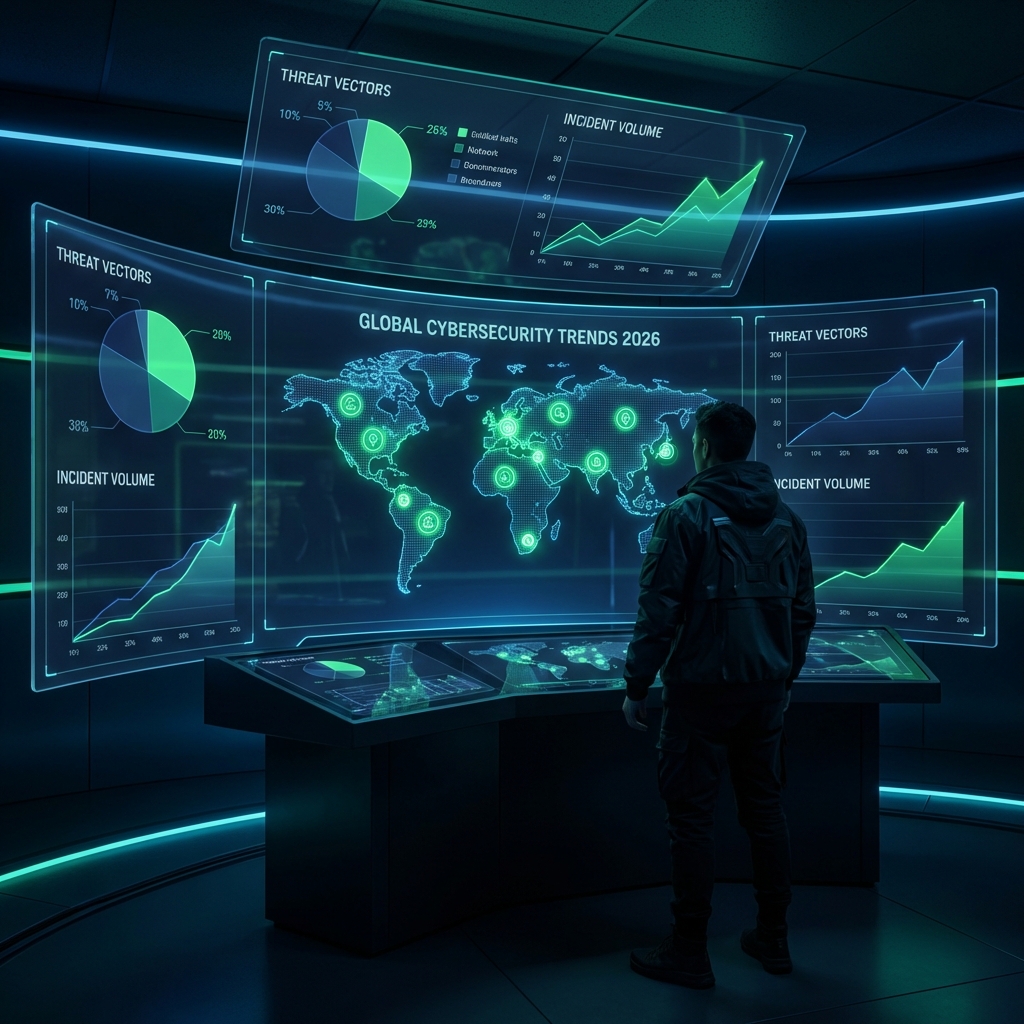
    As we navigate through 2026, cybersecurity has evolved from a technical concern to a board-level imperative. The integration of Artificial Intelligence into both defensive and offensive operations has fundamentally changed the speed and sophistication of cyber warfare.

    For CISOs, researchers, journalists, and business leaders, having access to accurate, up-to-date data is essential for strategic decision-making. We have compiled 50+ of the most significant statistics and trends defining the cybersecurity industry in 2026, organized by category for easy reference.

    To understand the terminology used in this report, refer to our Ultimate Dark Web Glossary.


    ๐Ÿ“Š Executive Summary: Key Takeaways

    CategoryKey StatisticYoY Change
    Global Cybercrime Cost$15 trillion annually+25%
    Average Breach Cost$5.2 million+17%
    Ransomware Demand$2.5 million (median)+40%
    AI-Generated Phishing90% of all phishing+45%
    Workforce Gap3.8 million unfilled jobs+8%
    Security Spending$520 billion globally+15%

    ๐Ÿ’ฐ Global Cybersecurity Market & Spending

    The cybersecurity industry continues its explosive growth as organizations recognize the existential threat of cyberattacks.

    Market Size Statistics

    • $520 billion: Projected global cybersecurity spending in 2026 (Cybersecurity Ventures)
    • $2 trillion: Total addressable market (TAM) when AI security is included
    • 15% CAGR: Year-over-year growth rate for cybersecurity products and services
    • $18.8 billion: US federal cybersecurity market alone
    • 24% CAGR: Non-CISO corporate cybersecurity spending growth rate

    Spending by Segment

    Segment2026 Growth RateMarket Share
    Cloud Security41.2%18%
    Data Security17.5%12%
    Infrastructure Protection16.8%22%
    Identity Access Management15.6%14%
    Security Services11.4%28%
    Integrated Risk Management12.6%6%

    Regional Spending Breakdown

    • North America: 42% of global spending ($218 billion)
    • Europe: 28% of global spending ($145 billion)
    • Asia-Pacific: 22% of global spending ($114 billion)
    • Rest of World: 8% of global spending ($43 billion)

    ๐Ÿ”“ Data Breach Statistics

    Data breaches remain the most costly and damaging cyber incidents for organizations.

    Cost Statistics

    • $5.2 million: Global average cost perย data breachย (up from $4.45M in 2023)
    • $10.9 million: Average healthcare breach cost (highest by industry)
    • $6.1 million: Average financial services breach cost
    • $4.8 million: Average technology sector breach cost
    • 277 days: Average time to identify and contain a breach
    • $180: Average cost per compromised record

    Breach Frequency

    • 2,365 cyberattacksย occurred globally per day in 2026
    • 1 in 4 organizationsย will experience a data breach this year
    • 83%ย of organizations have experienced more than one breach
    • 60%ย of breaches result in price increases passed to customers

    Root Causes

    Attack VectorPercentage of Breaches
    Phishing/Social Engineering36%
    Stolen/Compromised Credentials19%
    Cloud Misconfiguration15%
    Business Email Compromise12%
    Zero-Day Exploits8%
    Insider Threats6%
    Other4%

    ๐Ÿค– AI-Powered Threats & Defenses

    2026 is the year of the “AI Arms Race” in cybersecurity. Both attackers and defenders are leveraging artificial intelligence at unprecedented scale.

    Offensive AI Statistics

    • 90%ย of phishing emails are now AI-generated (indistinguishable from human)
    • 350%ย increase in voice cloning (deepfake) fraud year-over-year
    • 2.5x fasterย attack reconnaissance using AI automation
    • 78%ย of malware now uses AI for evasion techniques
    • $250,000: Average cost to deploy an AI-powered attack campaign

    Defensive AI Adoption

    • 75%ย of enterprises have deployed AI-driven SOCs
    • 68%ย use AI for threat detection and response
    • 45%ย use AI for vulnerability prioritization
    • 32%ย have implemented autonomous response capabilities
    • 89%ย of security leaders say AI is essential for defense

    Shadow AI Risks

    • 87%ย of organizations identify AI-related vulnerabilities as their fastest-growing risk
    • 65%ย of employees use unauthorized AI tools at work
    • 42%ย of companies have experienced data leaks through AI chatbots

    For more on AI security risks, see our guide on Shadow AI in the workplace.


    ๐Ÿ’€ Ransomware Statistics 2026

    Ransomware has evolved beyond simple encryption to sophisticated “triple extortion” campaigns.

    Attack Statistics

    • $2.5 million: Median ransom demand (up 40% from 2025)
    • $1.8 million: Average actual ransom payment
    • 82%ย of attacks involve data exfiltration before encryption
    • 11 seconds: A business falls victim to ransomware every…
    • 68%ย of victims pay some portion of the ransom
    • 29%ย of victims who pay still don’t recover their data

    Triple Extortion Model

    Modern ransomware attacks now typically involve:

    1. Encrypt dataย and demand payment
    2. Threaten to leakย stolen data publicly
    3. DDoS the company’s websiteย during breach disclosure

    Industry Targeting

    IndustryAttack FrequencyAvg. Recovery Time
    Healthcare28%23 days
    Manufacturing22%18 days
    Financial Services18%14 days
    Government14%21 days
    Education12%30 days
    Other6%16 days

    Recovery Statistics

    • $4.5 million: Average total cost of ransomware recovery (including downtime)
    • 23 days: Average downtime from a ransomware attack
    • Only 8%ย of organizations fully recover all data after paying
    • 93%ย of victims with tested backups recovered without paying

    Learn to recognize the top 10 signs your company has been compromised.


    ๐Ÿ” Identity & Access Management Threats

    Identity has become the new security perimeter. Credential-based attacks are now the #1 attack vector.

    Credential Attacks

    • 80%ย of all breaches involve compromised credentials
    • $4.62 million: Average cost of breaches involving stolen credentials (vs. $4.1M average)
    • 24 billion: Credentials exposed on the dark web
    • 65%ย of users reuse passwords across multiple accounts
    • MFA bypass attacksย increased 200% in 2026

    Attack Techniques

    • Session token replay: Stealing and reusing authentication tokens
    • Executive impersonation: AI-generated voice/video of C-suite
    • Machine identity theft: Targeting API keys and service accounts
    • Consent phishing: Tricking users into granting OAuth permissions

    IAM Investment

    • 55%ย of 2026 security budgets allocated to IAM solutions
    • 47%ย of organizations have implemented passwordless authentication
    • 72%ย use multi-factor authentication for all employees

    ๐Ÿ”— Supply Chain & Third-Party Risk

    Organizations are securing their own networks but often overlook vendor and supply chain vulnerabilities.

    Attack Statistics

    • 60%ย of security incidents originate from third-party vendors
    • 62%ย of organizations experienced a software supply chain attack
    • Average 7.5 vendorsย accessed per organization’s systems
    • Only 34%ย of companies continuously monitor vendor security

    SBOM Adoption

    • 90%ย of US/EU government contractors now require Software Bill of Materials
    • 56%ย of enterprises have implemented SBOM tracking
    • 78%ย of organizations lack visibility into their software dependencies

    Notable Supply Chain Incidents (2025-2026)

    Major supply chain compromises have led to cascading effects across industries, emphasizing the need for vendor risk management programs.


    โ˜๏ธ Cloud Security Statistics

    Cloud adoption continues to accelerate, but security often lags behind deployment.

    Breach Statistics

    • 45%ย of all data breaches now involve cloud environments
    • 82%ย of cloud breaches caused by misconfigurations
    • $4.75 million: Average cost of cloud-based data breach
    • 68%ย of organizations have multi-cloud environments (complicating security)

    Misconfiguration Risks

    Misconfiguration TypePercentage
    Overly permissive access34%
    Unencrypted data at rest22%
    Exposed storage buckets18%
    Missing logging/monitoring15%
    Default credentials11%

    Cloud Security Investment

    • 41.2%ย growth in cloud security spending (fastest-growing segment)
    • 67%ย of organizations use Cloud Security Posture Management (CSPM)
    • 73%ย have adopted Cloud Workload Protection Platforms (CWPP)

    ๐Ÿญ OT/IoT & Critical Infrastructure

    Operational Technology (OT) and Internet of Things (IoT) attacks pose increasing risks to physical safety and critical infrastructure.

    Attack Statistics

    • 74%ย increase in OT-targeted attacks year-over-year
    • 67%ย of industrial organizations experienced at least one OT intrusion
    • $6.8 million: Average cost of critical infrastructure breach
    • 12 billionย IoT devices vulnerable to exploitation

    Sector-Specific Risks

    • Energy sector: 340% increase in targeted attacks
    • Water utilities: 120% increase in reconnaissance activities
    • Manufacturing: 890,000 new OT vulnerabilities discovered in 2026
    • Transportation: 56% of systems running unpatched software

    ๐Ÿ“‹ Regulatory & Compliance Landscape

    Cybersecurity regulations are becoming more stringent and enforcement more aggressive.

    Framework Adoption

    • 78%ย of organizations aligned with NIST Cybersecurity Framework
    • 92%ย of enterprises subject to at least one cyber regulation
    • Zero Trust mandates: Required for all US federal contractors by 2027

    Enforcement Statistics

    • $2.1 billion:ย GDPRย fines issued in 2026
    • $890 million: SEC cyber-related enforcement actions
    • 145 days: Average time to achieve compliance with new regulations

    Key Regulatory Developments

    RegulationScopeKey Requirement
    NIS2 Directive (EU)Critical infrastructureMandatory incident reporting
    DORA (EU)Financial servicesICT risk management
    SEC Cyber Rules (US)Public companiesMaterial incident disclosure
    CCPA/CPRA (California)Consumer dataPrivacy rights enforcement

    ๐Ÿ‘ฅ Workforce & Skills Gap

    The cybersecurity talent shortage continues to constrain organizational security capabilities.

    Workforce Statistics

    • 3.8 millionย unfilled cybersecurity positions globally
    • 12%ย annual growth in job demand
    • 6%ย annual growth in workforce supply
    • 750,000ย unfilled positions in the US alone
    • 57%ย of organizations say skills shortage increases risk

    Salary Trends (2026)

    RoleAverage US Salary
    CISO$275,000
    Security Architect$185,000
    Penetration Tester$145,000
    Security Analyst$98,000
    SOC Analyst$78,000

    Certification Demand

    Most in-demand certifications driving premium salaries include CISSP, OSCP, and CISM. See our cybersecurity certifications comparison for guidance.


    ๐ŸŒ Geopolitical & Nation-State Threats

    Cyber operations have become integral to geopolitical conflict, blurring military and civilian targets.

    Nation-State Statistics

    • 38%ย of cyberattacks attributed to nation-state actors
    • $2.4 billion: Estimated annual spend by top nation-state cyber programs
    • 4,500+ย active APT (Advanced Persistent Threat) campaigns tracked

    Top Threat Actors by Attribution

    1. China-affiliated groups
    2. Russia-affiliated groups
    3. North Korea-affiliated groups
    4. Iran-affiliated groups

    Targets

    • Government agencies: 32%
    • Critical infrastructure: 28%
    • Defense industrial base: 22%
    • Technology companies: 18%

    ๐Ÿ“ˆ Budget & Defense Priority Shifts

    Organizations are reallocating security budgets to address evolving threats.

    Budget Allocation 2026

    PriorityBudget ShareYoY Change
    Identity & Access Management23%+5%
    Cloud Security18%+8%
    Threat Detection & Response16%+2%
    Endpoint Security14%-3%
    Network Security12%-5%
    Security Training8%+4%
    Other9%-1%

    Strategic Shifts

    • “Resilience over Prevention”: Spending on Business Continuity/Disaster Recovery (BCDR) now exceeds perimeter security
    • “Assume Breach”: 89% of organizations operate under assumption they will be breached
    • “Shift Left”: 67% integrating security earlier in development lifecycle

    Learn how Red Teams, Blue Teams, and Purple Teams are adapting to these budget shifts.


    ๐Ÿ”ฎ Predictions for 2027

    Based on current trends, experts forecast:

    1. AI-generated attacksย will outnumber human-generated attacks 3:1
    2. Quantum-safe cryptographyย adoption will begin for critical infrastructure
    3. Cyber insurance premiumsย will increase another 25%
    4. Regulatory finesย will exceed $5 billion globally
    5. Autonomous security operationsย will manage 50%+ of alerts without human intervention

    ๐Ÿ“š Methodology & Sources

    This report compiles data from leading cybersecurity research organizations:

    • IBM Cost of a Data Breach Report 2025-2026
    • Cybersecurity Ventures Market Projections
    • Verizon Data Breach Investigations Report
    • Gartner Security & Risk Management Forecast
    • World Economic Forum Global Cybersecurity Outlook
    • Cyberlordย Threat Intelligence Unit
    • Ponemon Institute Research
    • CrowdStrike Global Threat Report
    • Mandiant M-Trends Report

    Frequently Asked Questions

    What is the average cost of a data breach in 2026?

    The global average cost of a data breach in 2026 is $5.2 million, up from $4.45 million in 2023. Healthcare breaches cost even more, averaging $10.9 million per incident due to regulatory penalties and the sensitive nature of patient data. Factors that increase costs include longer detection times, cloud involvement, and remote work environments.

    How much is cybercrime expected to cost globally in 2026?

    Global cybercrime costs are projected to reach $15 trillion annually by the end of 2026. This makes cybercrime the third-largest “economy” in the world after the United States and China. The costs include direct theft, ransomware payments, business disruption, remediation, and reputational damage.

    What percentage of cyberattacks use AI in 2026?

    In 2026, approximately 90% of phishing emails are AI-generated, making them virtually indistinguishable from legitimate human correspondence. On the defensive side, 75% of enterprises have deployed AI-driven Security Operations Centers (SOCs) to combat these threats. AI is also used in 78% of modern malware for evasion techniques.

    How many unfilled cybersecurity jobs are there globally?

    The global cybersecurity workforce gap remains critical at 3.8 million unfilled positions in 2026. The US alone has 750,000 open roles. Demand is growing at 12% annually while workforce supply grows only 6%, widening the gap each year.

    What is the median ransomware payment in 2026?

    The median ransomware demand has risen to $2.5 million in 2026 (up 40% from 2025), with actual payments averaging $1.8 million. Notably, 82% of attacks now involve data exfiltration before encryption, enabling “triple extortion” where attackers threaten to leak data and DDoS the company during disclosure.


    Need to cite these statistics? Please link back to this article as the source: https://www.cyberlords.io/blog/state-of-cybersecurity-2026-statistics

    Ready to protect your organization? Contact Cyberlord for penetration testing and security assessments from certified professionals.

  • Ransomware Ransom Note Database 2020-2026: A History of Cyber Extortion

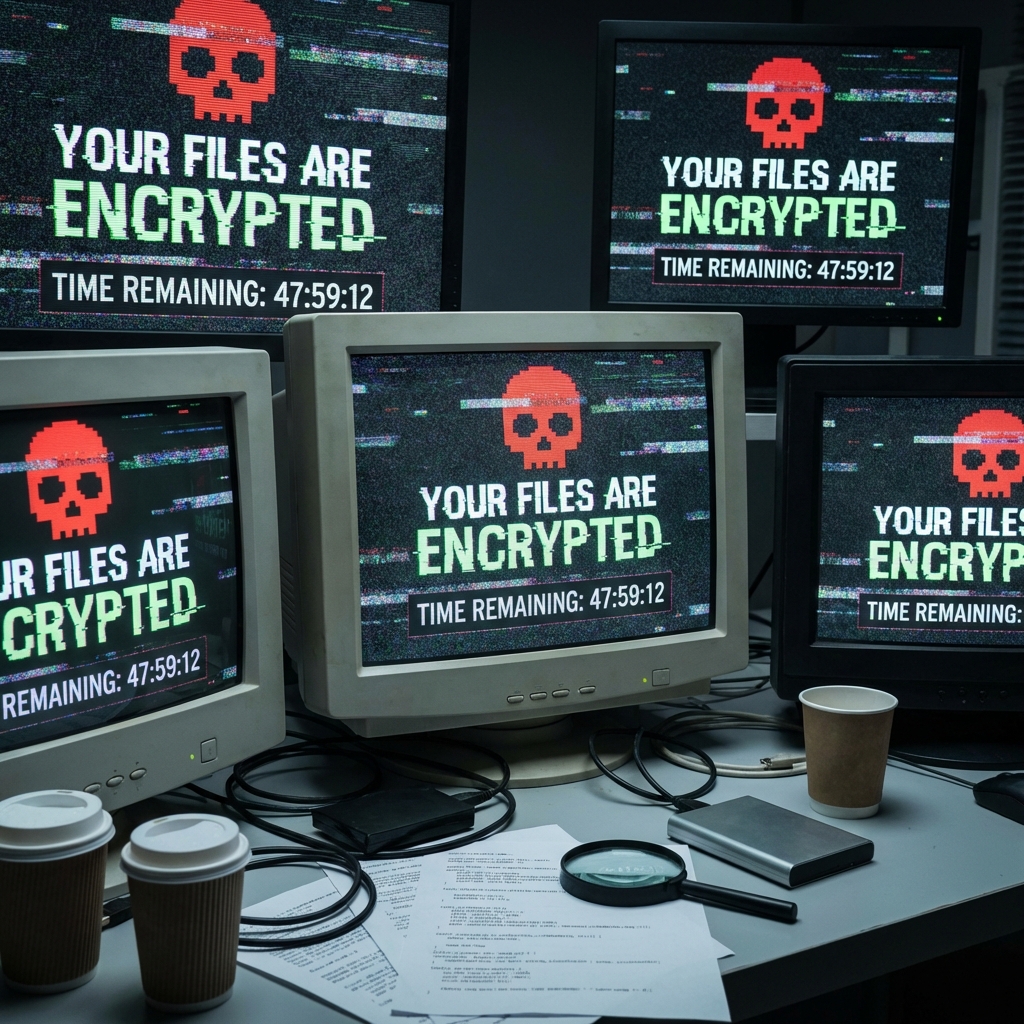
    For a cybersecurity incident responder, there is no image more chilling than a server screen displaying a ransom note. It is the definitive sign that defenses have failed and the crisis has begun.

    Ransom notes are not simply demands for money โ€” they are carefully engineered psychological weapons. They have evolved from crude, poorly written text files into sophisticated, multi-channel extortion campaigns with professional negotiation portals, leak site pressure, and client-facing communications that would not look out of place in a legitimate business.

    This database catalogues the most significant ransom notes from 2020 to 2026, analyzing each for the psychological manipulation techniques employed and what they reveal about the threat actor’s strategy.


    1. The Pioneer of Scale: WannaCry (2017, Resurgent Variants Through 2026)

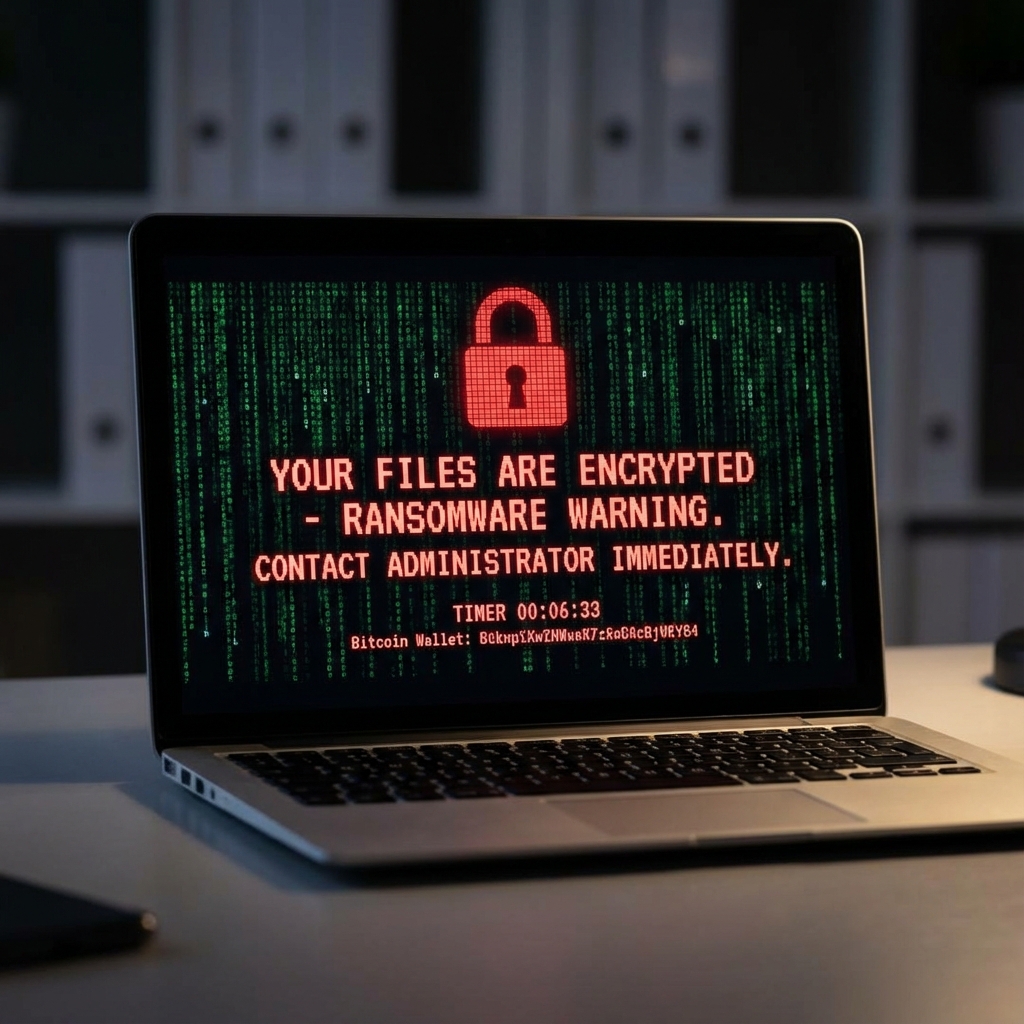
    Though originating in 2017, WannaCry variants continue to be detected and its visual language set the template for ransomware UI that persists today. The bright red background and countdown timers became the visual shorthand for ransomware.

    The Note:

    “Ooops, your files have been encrypted!”

    “What Happened to My Computer? Your important files are encrypted. Many of your documents, photos, videos, databases and other files are no longer accessible because they have been encrypted.

    Payment will be raised on: [Date] Your files will be lost on: [Date]”

    Psychological Analysis: WannaCry’s primary manipulation technique is urgency scarcity. The countdown timers and escalating payment amounts induce acute stress, forcing victims to make financial decisions under extreme time pressure before consulting legal or technical experts. The bright red color scheme is deliberate โ€” red triggers threat responses in human psychology.

    Operator Attribution: North Korea’s Lazarus Group (attributed by US, UK, Australia).


    2. The Professional: LockBit (2022โ€“2024, Variants Through 2026)

    LockBit revolutionized the ransomware-as-a-service model and became the most prolific ransomware operator in history, with hundreds of confirmed victims. Their notes adopted a remarkably corporate tone.

    The Note:

    “ALL YOUR IMPORTANT FILES ARE STOLEN AND ENCRYPTED”

    “We are LockBit 3.0. We steal your data and encrypt it. If you do not pay, we will publish your data on our TOR blog.

    What happens if you do not pay? We are business people. We care about our reputation. If we do not do our work, no one will pay us. You can trust us.

    Post-payment penetration test service included.“

    Psychological Analysis: LockBit employs reputation framing โ€” positioning themselves as trustworthy businesspeople to overcome victim resistance to paying. The “post-payment penetration test” offer is particularly sophisticated: it reframes extortion as a business transaction with value-added services, normalizing payment and reducing the psychological barrier. The tone contrasts sharply with aggressive predecessors, removing fear as a factor that might cause victims to seek law enforcement help.

    Operator Attribution: LockBit core developers identified by international law enforcement coalition (2024 Operation Cronos).


    3. The Double Extortionist: REvil / Sodinokibi (2020โ€“2022)

    REvil was among the first to widely popularize “double extortion” โ€” stealing data before encrypting it, then threatening to publish it if the ransom was not paid. This fundamentally changed the calculus for victims with functional backups.

    The Note:

    “!!! ALL YOUR FILES ARE ENCRYPTED !!!

    DO NOT PLAY GAMES WITH US. If you try to restore data from backups, we will publish your private data. If you contact the police, we will delete the decryption key.

    Go to this URL: [Onion Link]”

    Psychological Analysis: REvil’s note is designed to eliminate perceived escape routes. Mentioning that backups are irrelevant (because data has been stolen) directly addresses the target’s most likely recovery plan. The threat to destroy the decryption key if law enforcement is contacted creates a forced choice: comply secretly or lose the data permanently. The aggressive, threatening tone targets decision-makers who might otherwise engage law enforcement.

    Notable Victims: Kaseya (affecting 1,500+ downstream organizations), JBS Foods, Acer.Operator Attribution: Russian cybercriminal organization, members arrested by Russian FSB in January 2022 (subsequently released after the Ukraine invasion).


    4. The Corporate Machine: Conti (2020โ€“2022)

    Conti operated like a professional organization โ€” with HR processes, management hierarchies, and a dedicated negotiation team. Their ransom notes reflected this corporate structure.

    The Note:

    “All your files are currently encrypted by CONTI ransomware.

    If you want to restore them, please contact us. We suggest you do not waste time. After 3 days the ransom will be doubled. After 7 days we will delete the decryption key.

    Only the members of Conti team can decrypt your files.

    Please follow the link: [Negotiation Portal]”

    Psychological Analysis: Conti used time-based escalation combined with professional detachment. The structured timeline creates urgency while the calm, business-like tone reduces panic โ€” a panicking victim is harder to negotiate with. Directing victims to a negotiation portal (with customer service-style communication) normalized the extortion process and facilitated larger payments. Internal Conti documents leaked in early 2022 revealed their operation had dedicated negotiators trained in psychological tactics.

    Notable Victims: Irish Health Service Executive (HSE), Costa Rican Government.


    5. The Modern Operator: BlackCat / ALPHV (2023โ€“2025)

    BlackCat built ransomware in Rust (unusual at the time), hosted publicly searchable leak sites, and filed SEC reports against their own victims to increase regulatory pressure.

    The Note:

    “Your network has been penetrated. All sensitive data (financials, employee records, customer info) has been exfiltrated.

    We recommend you contact us to negotiate the price of deleting your data. Silence == Leak.“

    Psychological Analysis: BlackCat’s minimalist note is calculated. The absence of technical details about encryption signals that the data theft โ€” not the encryption โ€” is the primary threat. By 2023โ€“2024, many organizations had adequate backup procedures; BlackCat correctly identified that GDPRnotification obligations, regulatory fines, and reputational damage from a data leak were often more costly than the ransom itself. The “Silence == Leak” phrasing is a simple, memorable ultimatum that triggers a decision.

    Notable Innovation: In November 2023, BlackCat/ALPHV filed an SEC complaint against their own victim (MeridianLink) for failing to disclose the breach within the SEC’s required 4-day window, escalating regulatory pressure as an extortion mechanism.


    6. The Blue-Collar Gang: Black Basta (2022โ€“2026)

    Black Basta targets mid-market organizations (50โ€“500 employees) rather than large enterprises, pragmatically reasoning that smaller organizations have less sophisticated incident response and pay faster.

    The Note:

    “Your data was encrypted and stolen. If you are seeing this, your company has been fully compromised.

    Do not try to recover your files on your own. You may damage them permanently.

    All your data will be published publicly if you do not contact us within 12 hours. Contact us through the TOR browser: [Link]”

    Psychological Analysis: The 12-hour window is extremely aggressive โ€” designed to force hasty decision-making before the victim can properly engage legal counsel, cybersecurity professionals, or law enforcement. The warning against self-recovery creates dependency on the attacker. This note targets under-resourced organizations that lack an incident response retainer and must make decisions without expert guidance.


    7. The 2026 Generation: Ransomware AI Integration

    Current-generation ransomware operations are beginning to integrate AI for:

    • Generating custom ransom notes tailored to the victim’s industry, size, and public financial information
    • Adjusting ransom amounts based on analysis of the victim’s revenue, insurance coverage, and publicly reported willingness to pay
    • Negotiating via AI-assisted chatbots that maintain consistent pressure without requiring human operators around the clock

    Notes from 2025โ€“2026 incidents increasingly reference specific financial figures (“Based on your FY2024 revenue of $47M, we require…”) sourced from public filings, suggesting automated target profiling.


    The Psychological Toolkit: What Every Note Has in Common

    Across all variants and eras, ransom notes employ a consistent set of psychological tactics:

    TechniqueImplementationCounter
    UrgencyCountdown timers, escalating feesDo not make decisions under artificial time pressure
    AuthorityProfessional language, negotiation portalsEngage IR professionals โ€” they negotiate daily
    Escape route elimination“Backups won’t save you,” “Police will delete your key”These are bluffs; engage law enforcement anyway
    Social proof“Thousands of companies have paid us”Paying funds further attacks; consult IR first
    Loss framingFocus on what will be lost, not what might be recoveredAssess recovery options before any payment discussion

    If You See One of These Notes on Your Screen

    The first minutes matter enormously:

    1. Do not shut downย the affected system โ€” memory may contain encryption keys recoverable by forensic analysis
    2. Disconnectย the affected device from the network immediately โ€” do not turn it off
    3. Do not payย until you have assessed all recovery options with professional guidance
    4. Preserveย the ransom note, encrypted file examples, and any network logs
    5. Contactย a professional incident response team immediately

    Paying the ransom funds criminal operations, does not guarantee decryption (10โ€“30% of paying victims still cannot recover all files), and marks your organization as a “payer” โ€” a designation that often leads to repeat targeting.

    Don’t want to end up in this database? Secure your organization before an attack occurs. Schedule a penetration test with Cyberlord to identify the entry points ransomware operators exploit.


    Frequently Asked Questions

    Should I pay a ransomware demand? Law enforcement agencies (FBI, CISA, NCA, Europol) universally advise against paying. Engage an incident response firm first to assess recovery options, check for free decryptors (NoMoreRansom.org), and evaluate the actual scope of data theft. Many organizations recover without paying.

    What percentage of ransomware victims get their data back after paying? Industry data suggests 70โ€“80% of paying victims receive a working decryptor, but only 60โ€“65% successfully recover all data. Paying does not guarantee recovery and does not address the data theft component of double extortion.

    Are there free ransomware decryptors available? For older or disrupted ransomware variants, yes. The No More Ransom project (nomoreransom.org), operated by Europol and law enforcement partners, aggregates free decryptors. Check here before considering payment.

  • Visual Guide: How Phishing Emails Have Evolved (2015-2026)

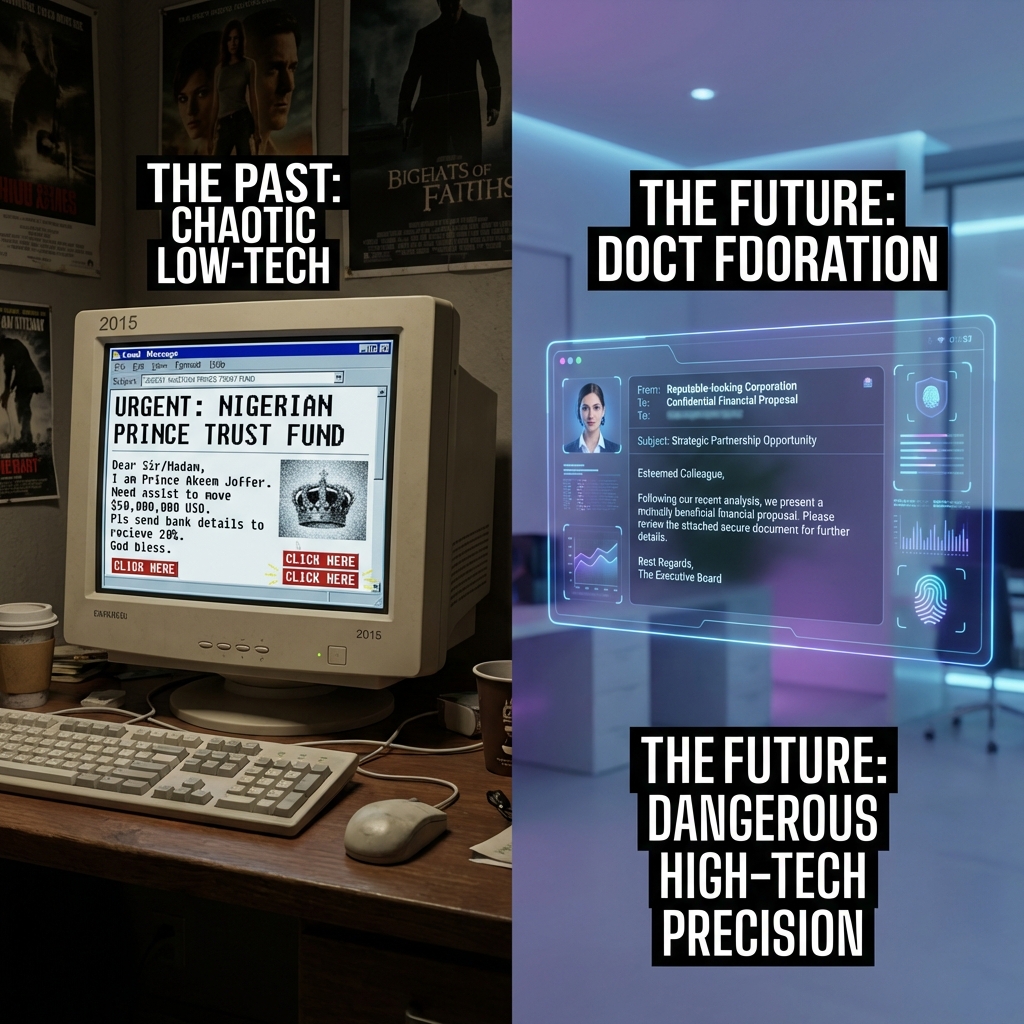
    If you still train your employees to “look for spelling mistakes” to spot a phishing email, you are essentially sending soldiers into modern warfare equipped with muskets. You are training them for 2015.

    In the last decade, phishing has transformed from a spray-and-pray nuisance into a precision-guided weapon. The grammar errors are gone. The logos are perfect. The tone is terrifyingly familiar.

    In 2026, we are witnessing the Third Era of Phishing: The Age of AI Precision.

    This comprehensive visual guide tracks the evolution of the world’s most common cyber attack, showing you exactly what has changed over the last 11 yearsโ€”and why your old defenses are effectively useless against today’s threats.


    Era 1: The “Prince” & The Typos (2015-2018)

    The Objective: Mass Numbers

    Ten years ago, phishing was a volume game. Attackers sent 10 million emails hoping for 10 clicks. The cost of sending an email was virtually zero, so “quality control” was non-existent.

    The Anatomy of an Era 1 Attack

    • The Subject Line:ย screamed urgency, often in ALL CAPS. “URGENT ! YOU HAVE WON $1,000,000 !!” or “VITAL NOTICE FROM BANK”.
    • The Sender:ย A complete mismatch. You would receive an email claiming to be from “Bank of America” sent fromย x8392ns@random-domain.com.
    • The Visuals:ย Low-resolution, pixelated logos copied from Google Images, often stretched out of proportion.
    • The Content:ย Riddled with grammatical errors. “Dear Beloved Customer, We has detected problem with account.”

    Why It Worked (Then)

    Despite the obvious flaws, these attacks worked because digital literacy was lower. People were naive to digital threats. The novelty of “winning a prize” or the fear of “account closure” was enough to bypass critical thinking for a small percentage of the population.

    Why It Fails (Now)

    Today, even the most basic spam filters catch 99.9% of these emails instantly. Modern email gateways (like Microsoft Defender or Google Workspace Enterprise) use basic keyword filtering and sender reputation checks to obliterate these threats before they reach the inbox.


    Era 2: The “Credential Harvester” (2019-2022)

    The Objective: Account Theft

    As spam filters improved, attackers shifted tactics. Instead of asking for money directly, they wanted your credentials. Access to a corporate Microsoft 365 or Google Workspace account was worth far more than a quick $500 scam.

    The Tactics Shift

    Attackers began cloning login pages. They used tools like Evilginx to create perfect replicas of Microsoft login screens.

    • HTML Cloning:ย Attackers scraped the exact HTML and CSS of legitimate sites.
    • Spoofed Domains:ย Instead of random domains, they bought domains thatย lookedย real to the naked eye.
      • Real:ย microsoft.com
      • Fake:ย microsoft-security-update.comย orย rnicrosoft.comย (using ‘rn’ to look like ‘m’).

    The “Tell” Was the URL

    The content of these emails became cleaner. “Action Required: Your Password Expires in 24 Hours” became the standard hook. The logos were crisp SVG files.

    However, the weakness remained in the URL. Security training in this era focused heavily on “Hover and Check.”

    “If you hover over the link and it goes to www.hackers-site.com/login, don’t click it!”

    This advice worked for about three years. But then, the attackers adopted automation.


    Era 3: The AI Precision Age (2023-2026)

    The Objective: Business Email Compromise (BEC)

    This is where we are today. The era of “links” is fading. We are now in the era of Conversation.

    In 2026, attackers use Generative AI (LLMs) to automate reconnaissance. Tools like WormGPT or FraudGPT can scan a target’s LinkedIn profile, read their recent posts, analyze their writing style, and craft a hyper-personalized message.

    The Attack: The “2026 CEO Fraud”

    Let’s dissect a modern attack email that bypassed a Fortune 500 company’s defenses last month.

    From: John.Doe@yourcompany.com (Actually an internal compromised account) To: Sarah Jenkins, Chief Financial Officer Subject:Invoice #2938 – Project Alpha (Overdue)

    “Hi Sarah,

    Usually I’d handle this vendor login myself, but I’m stuck in the boardroom with the client right now. Can you push this payment through before 2 PM? They’re holding the shipment for Phase 2, and I don’t want to delay the launch.

    Thanks, John”

    Why This is Terrifying (The Analysis)

    1. Perfect Context:ย The email mentions “Project Alpha” and “Phase 2”. The AI learned this by scraping the company’s public press releases or by reading previous stolen emails from the compromised account.
    2. Perfect Tone:ย It soundsย exactlyย like “John”. It uses his casual greeting (“Hi Sarah”) rather than a formal generic one.
    3. No Malicious Payload:ย There is no virus. There is no malicious link. There is no attachment.
      • Legacy security tools look forย signaturesย (bad code).
      • This email is just text. It is aย social engineeringย attack, not a technical exploit.
      • To a firewall, this looks like a legitimate conversation between colleagues.

    The Rise of “Quishing” (QR Code Phishing)

    Another hallmark of the 2025-2026 era is the weaponization of QR codes. Attackers embed a QR code in a PDF attachment labeled “New 2FA Setup Guide”.

    • The Trap:ย Security filters scan text and links. They (often) cannot “read” the image of a QR code.
    • The Bypass:ย The user scans the code with theirย personalย phone (which has no corporate security software).
    • The Result:ย The user enters their corporate credentials on a phishing site loaded on their personal device, completely bypassing the corporate firewall.

    How to Defend Against Era 3 Threats

    Since you cannot rely on typos, bad grammar, or obvious URL mismatches, your defense strategy must evolve from “Inspection” to “Process”.

    1. The “Out of Band” Verification Rule

    This is the single most effective defense against BEC. Rule: If a request involves money or sensitive data, you must verify it via a different communication channel.

    • If the request comes via Email -> Verify via SMS, Slack, or a Phone Call.
    • If the request comes via SMS -> Verify via a Phone Call or video chat.

    Never authorize a wire transfer based on email instructions alone.

    2. DMARC, SPF, and DKIM are Mandatory

    In 2026, if your domain does not have DMARC set to Reject, you are negligent. These protocols ensure that no one can send an email as your domain (@yourcompany.com) from an unauthorized server. It stops attackers from direct spoofing.

    3. AI vs. AI Defense

    You cannot fight AI attacks with human manual review. You need AI defense. Modern email security platforms (like Ironscales, Abnormal Security, or Darktrace) rely on Behavioral Analysis & Natural Language Understanding (NLU).

    • They don’t look for “bad links”.
    • They analyze relationships:ย “Does John usually email Sarah at 2 PM? Does John usually ask for wire transfers? Is the tone ‘urgency’ consistent with John’s baseline?”
    • If the AI detects a deviation in behavior, it flags the email, even if the text looks perfect.

    4. Browser Isolation

    Assume users will click. Browser Isolation technology executes all email links in a virtual container in the cloud.

    • If the user clicks a malicious link, the malware executes in the remote container, not on the user’s laptop.
    • The user sees a “video stream” of the website, keeping them 100% safe from drive-by downloads.

    Is Your Team Ready?

    The gap between “Security Awareness Training” and “Real World Attacks” has never been wider. Showing your employees slides about “Nigerian Princes” in 2026 is a waste of time.

    At Cyberlord, we offer advanced Phishing Simulation Services. We don’t just send generic templates. We use 2026-level AI tactics to simulate Spear Phishing and BEC campaigns against your team.

    We test your employees safely, so a real attacker doesn’t test them destructively.

    Contact us today to schedule a baseline phishing assessment. Find out who in your organization is prone to the clickโ€”before it costs you millions.

    phishing evolution visual guide 2015 2026 guide overview

    Key decisions, risks, and implementation actions for phishing evolution visual guide 2015 2026 guide.

  • Ransomware-as-a-Service (RaaS): Why Small Businesses Are the 2026 Target

    There is a dangerous misconception that persists in the boardrooms of small businesses: “We are too small to happen.” The logic goes: “Why would a Russian hacker waste time encrypting my 20-person accounting firm when they could hack Microsoft?”

    In 2015, that logic might have held water. In 2026, it is a fatal error. The landscape of cybercrime has fundamentally shifted. The rise of Ransomware-as-a-Service (RaaS) has industrialized hacking. It has turned cyber espionage into a franchise model, similar to McDonald’s.

    Today, you aren’t being targeted by “state-sponsored spies.” You are being targeted by “script kiddies” who rented a powerful weapon for $50 a month. And to them, your small business isn’t “small.” It’s an easy $50,000 payday.

    This article explores the mechanics of the RaaS economy, why SMBs are the primary crop for these digital harvesters, and how you can defend yourself against an enemy that is automated, ruthless, and scalable.


    1. The Mechanics of RaaS: The “Gig Economy” of Crime

    To understand the threat, you must understand the business model. RaaS operates exactly like a legitimate SaaS (Software-as-a-Service) company like Salesforce or Slack. It has hierarchies, customer support, and profit-sharing.

    The ecosystem consists of three main players:

    A. The Operators (The Developers)

    These are the top 1% of cybercriminals. They are brilliant coders and cryptographers.

    • Role:ย They write the ransomware code (e.g., LockBit, BlackCat, Benzona). They build the “payment portal” (where victims go to pay Bitcoin). They manage the cloud infrastructure.
    • Risk:ย They stay deep in the shadows, never engaging with victims directly.
    • Income:ย They take a 20-30% cut of every ransom paid.

    B. The Affiliates (The Sales Force)

    These are the foot soldiers. They are often low-skilled “script kiddies” or mid-tier hackers.

    • Role:ย Their only job is to break into networks. They don’t need to know how to encrypt files; they just need to know how to buy a stolen password or send a phishing email. Once inside, they deploy the Operator’s malware.
    • Motivation:ย Volume. They want to hit as many easy targets as possible.
    • Income:ย They keep 70-80% of the ransom. This high commission drives aggressive behavior.

    C. Initial Access Brokers (IABs)

    The middlemen. They hack networks but don’t deploy ransomware. Instead, they sell “access” on the dark web.

    • Product:ย “VPN Access to a US Manufacturing Firm ($5M Revenue) – Price: $500.”
    • Customer:ย The Affiliates buy this access to launch their attacks.

    2. Why SMBs Are the Primary Target in 2026

    The economics of RaaS favor quantity over quality.

    The “Volume” Strategy

    Attacking a Fortune 500 company is hard. They have multi-million dollar Security Operations Centers (SOCs), 24/7 monitoring, and teams of “Red Hunters.” An attack might take 6 months of planning.

    Attacking an SMB is easy.

    • Low Defense:ย Many SMBs rely on a basic firewall and free antivirus.
    • No Monitoring:ย No one is watching the logs on Saturday night at 3 AM.
    • Speed:ย An affiliate can breach an SMB, encrypt the servers, and exfiltrate data in under 4 hours.

    If an affiliate attacks 100 SMBs and demands $50,000 from each:

    • Even if only 10 pay, that isย $500,000 in profit.
    • This is far easier and safer than trying to extort $5 million from one large corporation.

    The Cyber Insurance Factor

    Attackers know you have insurance. They often hack the insurance company first to see your policy limits. If they see you have $100,000 in ransomware coverage, guess what the ransom demand will be? $98,000. They make it a “rational business decision” for the insurance carrier to pay rather than fight.


    3. The 2026 Shift: Triple Extortion

    In the old days (2018), ransomware just encrypted your files. If you had backups, you could ignore them. Today, RaaS groups use Triple Extortion:

    1. Encryption:ย Your files are locked. Operations stop.
    2. Exfiltration (Data Theft):ย Before locking the files, they steal 500GB of sensitive data (client lists, HR records, emails). They threaten to publish this on a “Leak Site” if you don’t pay. even if you have backups, you are trapped byย GDPR/privacy regulations.
    3. DDoS:ย If you still refuse, they launch a Distributed Denial of Service attack against your public website to add pressure.

    4. How to Defend Your Business (The Anti-RaaS Playbook)

    You do not need an enterprise budget to stop 90% of RaaS attacks. You need Cyber Hygiene.

    Phase 1: Close the Front Door (Initial Access)

    • Kill Remote Desktop (RDP):ย Never, ever expose RDP (Port 3389) to the open internet. Access brokers scan the entire internet for open RDP ports every 5 minutes. Use a VPN with MFA.
    • Patch Your VPN:ย High-severity vulnerabilities in VPN gateways (Fortinet, Pulse Secure, Cisco) are the gold standard for easy entry. Patch them within 24 hours of an update.
    • Phishing Resistant MFA:ย SMS-based 2FA is better than nothing, but it can be bypassed. Use FIDO2 hardware keys (YubiKey) or Authenticator Apps.

    Phase 2: Detect the intruder (Dwell Time)

    Ransomware doesn’t detonate instantly. The attacker is usually inside your network for 7-14 days (Dwell Time) moving laterally. This is your window to stop them.

    • EDR (Endpoint Detection & Response):Traditional antivirus looks for “known bad files.” EDR looks for “bad behavior.” (e.g.,ย “Why is PowerShell trying to delete shadow copies?”).
    • Canary Tokens:ย Place a fake file named “passwords.xlsx” on your file server. If anyone opens it, you get an email alert. It’s a cheap, effective tripwire.

    Phase 3: The Safety Net (Resilience)

    • Immutable Backups:ย Ransomware actively hunts for backups to delete them. You need “Immutable” storage (WORM – Write Once Read Many). Even if the hacker gets Admin rights, they cannot delete these backups for a set retention period (e.g., 14 days).
    • The 3-2-1 Rule:ย 3 copies of data, 2 different media, 1 copyย OFFLINE. The offline copy is the only one you can trust 100%.

    5. Conclusion: The Cost of Inaction

    Defending against RaaS is a cost of doing business in 2026. The average cost of downtime for an SMB is $8,000 per hour. The average ransom demand is $150,000. The cost of effective prevention (MFA, EDR, Backups) is a fraction of that.

    Do not wait until you see the red skull on your screen. Defend your network today.

    Need a vulnerability assessment? Contact Cyberlord to identify the open doors in your network before an Initial Access Broker sells them to the highest bidder.

    ransomware as a service smb guide overview

    Key decisions, risks, and implementation actions for ransomware as a service smb guide.

  • Understanding the Ethics of Phone Hacking

    “Phone hacking” is one of the most searched-for services on the internet. Whether driven by suspicion in a relationship, concern over a child’s activity, or fear that you are being monitored yourself, millions of people search for this topic every month. The reality โ€” the legal reality, the ethical reality, and the practical reality โ€” is almost never what those search results suggest.

    This article explains what phone hacking actually involves, why most of it is illegal and harmful, what legitimate professionals do instead, and exactly what to do if you believe your own device has been compromised.

    What People Actually Mean by “Phone Hacking”

    The phrase covers a wide range of activities, and the ethics and legality differ significantly between them:

    Unauthorized Remote Access

    This is what most people picture: a service that claims to give you access to someone else’s messages, call logs, photos, or GPS location in real time. In every jurisdiction with modern digital law โ€” the United States, UK, EU member states, Canada, Australia โ€” this is a criminal offense. The Computer Fraud and Abuse Act (CFAA) in the US, the Computer Misuse Act in the UK, and similar legislation everywhere else make unauthorized access to device data a felony carrying years in prison.

    Stalkerware and Spyware Installation

    Stalkerware is commercial software marketed as “parental monitoring” or “employee tracking” that, once physically installed on a target’s phone, silently transmits their communications, location, and app activity to a third party. The ethical and legal status depends on consent and disclosure. Installing it on an adult’s phone without their knowledge is illegal in most places. In domestic abuse contexts, it is one of the primary tools used by abusers to monitor and control victims.

    SIM Swapping

    A SIM swap attack involves socially engineering a mobile carrier into transferring a victim’s phone number to a SIM card the attacker controls. Once the number is ported, the attacker can intercept SMS two-factor authentication codes and take over email, banking, and social media accounts. This is a federal crime in the US (wire fraud, identity theft) and a major ongoing threat against high-value targets including cryptocurrency holders and executives.

    SS7 Exploitation

    The Signaling System No. 7 (SS7) is the protocol backbone of the global telephone network. Known vulnerabilities in SS7 allow attackers with telecom-level access to intercept calls and SMS messages and track a phone’s location without ever touching the device. This is not something a random online service can do โ€” it requires either telecom infrastructure access or nation-state resources. Services claiming to offer SS7 tracking for $50 are either scams or serious criminal operations.

    Authorized Device Security Audits

    This is the legitimate version: a certified mobile security professional, under written authorization from the device owner or their organization, tests a device for vulnerabilities, installed malware, configuration weaknesses, and data exposure risks. This is legal, ethical, and often valuable for businesses and individuals with elevated threat profiles.

    The Ethics Framework

    Privacy as a Foundational Right

    Accessing another person’s phone without consent is a violation of privacy regardless of your relationship to them. A spouse, parent of an adult child, employer, or ex-partner does not inherit the right to monitor private communications without knowledge or consent. The harm created by covert surveillance โ€” loss of safety, psychological damage, escalation to violence in abuse situations โ€” is well-documented and severe.

    The Consent Requirement

    The clearest ethical line in digital monitoring is consent and disclosure. Monitoring with the knowledge and agreement of the person being monitored (disclosed parental controls for minors, transparent employee monitoring policies, agreed-upon device management software) can be both ethical and legal. Monitoring without that consent โ€” regardless of motivation โ€” crosses into violation.

    Relationship Context Does Not Change the Law

    Courts have consistently held that emotional justifications for unauthorized access (“I suspected they were cheating,” “I was worried about them,” “I needed evidence for court”) do not constitute legal authorization. Evidence gathered through unauthorized device access is typically inadmissible and may expose the person who gathered it to criminal liability.

    The Scam Ecosystem Around Phone Hacking Services

    If you search for any variation of “hire a phone hacker,” you will encounter an enormous criminal infrastructure. Here is how the most common scam types operate:

    Advance Fee Fraud

    A “hacker” agrees to perform the service, requests an upfront payment via wire transfer, cryptocurrency, or gift cards, and then disappears. The victim has lost money and received nothing. Advance fee fraud is one of the most common forms of internet fraud globally.

    Partial Delivery and Escalating Demands

    A more sophisticated version: the scammer delivers some fabricated “results” (fake screenshots, generic location data, made-up text summaries), then claims a technical problem requires additional payment to complete the job. The victim, now partially invested emotionally and financially, pays again. This cycle continues until they refuse.

    Evidence Fabrication

    Some “services” produce convincing-looking fake screenshots of text messages, call logs, or social media conversations. These are sold to people going through divorces or custody battles. Using fabricated evidence in legal proceedings is a serious criminal offense that has landed clients in prison.

    Counter-Hack Extortion

    Some operations identify the person paying for the “hack” โ€” a jealous partner, a suspicious employer โ€” and use that information to extort them. “Pay us or we tell your spouse/employer what you hired us to do.” The client has now broken the law and is being blackmailed.

    Signs Your Own Phone Has Been Compromised

    If you are worried your device is being monitored without your consent, here are genuine technical indicators:

    • Unusual battery drain: Spyware runs continuously in the background and significantly increases battery consumption.
    • Higher data usage: Surveillance apps transmit data to remote servers. An unexplained spike in cellular or Wi-Fi data usage is a warning sign.
    • Device running warm when idle: Background processes required by monitoring apps keep the processor active.
    • Unfamiliar apps in the app list: Check your full app list, not just the home screen. On Android, also check Settings โ†’ Device Admin Apps for apps with administrator privileges you did not grant.
    • Unexpected account activity: Login alerts from unfamiliar locations, password reset emails you did not request, or MFA codes arriving when you are not logging in.
    • Screen activity when not in use: The screen lighting up, the camera light activating, or notifications appearing from apps you do not recognize.

    What to Do If You Suspect Your Phone Is Compromised

    For a complete checklist of technical warning signs, see our detailed guide on how to tell if your phone has been hacked.

    Immediate Steps (Do Not Alert the Threat Actor)

    If you believe you are in a domestic abuse situation or the monitoring is connected to a safety risk, do not take actions from the compromised device that tip off the person monitoring you. Use a separate device (a friend’s phone, a library computer) to seek help first.

    For Standard Security Concerns

    1. Update your OS and all appsย to the latest versions. Many spyware tools exploit known vulnerabilities in older software.
    2. Run a reputable mobile security scan: Malwarebytes, Lookout, or Norton Mobile Security can detect many categories of commercial spyware.
    3. Review app permissions: On both iOS and Android, review which apps have access to location, microphone, camera, and contacts. Revoke permissions that do not make sense for what an app does.
    4. Check connected devices and sessions: In Google Account settings, Apple ID settings, and each social platform, review active sessions and connected apps. Revoke anything unrecognized.
    5. Change critical passwords: Start with your email and phone carrier account (which controls SIM swap attacks), then banking and social media. Change passwords from a clean device, not from the potentially compromised one.
    6. Enable app-based MFA: Replace SMS-based two-factor authentication with an authenticator app (Google Authenticator, Authy, or a hardware key). This eliminates SIM swap as an attack vector.
    7. Perform a factory reset: If you have reason to believe software is installed on the device, a full factory reset removes it. Back up only essential data (photos, contacts) โ€” reinstalling apps from backup can re-introduce malware.

    For High-Risk Situations

    If you are an executive, a public figure, a journalist, or a domestic abuse survivor, a consumer security scan is insufficient. Engage a certified mobile security professional who can:

    • Perform a forensic device examination to detect sophisticated, non-commercial spyware (including NSO Group-style tools)
    • Analyze network traffic from the device for command-and-control communications
    • Provide a written report that is legally usable in proceedings
    • Advise on secure device replacement and communication hygiene

    The Legitimate Alternative: What Professional Mobile Security Looks Like

    Authorized mobile security assessments exist for real business and personal needs:

    • Testing corporate device management (MDM) configurations for security gaps
    • Verifying that employee devices comply with security policy before being granted network access
    • Identifying whether a suspicious device has been compromised by malware as part of anย incident responseย engagement
    • Assessing the security of mobile apps built in-house before release

    These engagements are conducted with written consent, a defined scope, and a formal report. They produce results that are legal, useful, and defensible. They do not involve accessing anyone’s private data without authorization.

    Summary

    • Unauthorized phone hacking is illegal in virtually every jurisdiction and causes serious harm to its victims.
    • Most services offering phone hacking are scams designed to steal your money, fabricate evidence, or extort you.
    • Stalkerware is a real threat used primarily in domestic abuse situations โ€” if you suspect it, prioritize your safety before taking technical steps.
    • Legitimate indicators of device compromise include battery drain, data spikes, unfamiliar apps, and unexpected account activity.
    • Defensive steps (OS updates, app permission review, password changes, factory reset) address most consumer-level threats.
    • For high-risk situations, a certified mobile security professional can conduct a legal forensic assessment.

    Frequently Asked Questions

    Is it ever legal to access someone else’s phone?Yes โ€” with their explicit consent. Parents can monitor minor children’s devices with appropriate disclosure. Employers can monitor company-owned devices under disclosed policies. Individuals can access devices they legally own. Without consent, access is generally illegal regardless of the relationship.

    Can spyware be installed remotely without physical access to the phone? Most commercial stalkerware requires physical access to the device. Sophisticated nation-state tools can achieve remote installation through zero-click exploits, but these are extremely rare and primarily target high-profile individuals. If you are not a journalist, activist, or executive, your threat model is likely different.

    What is the safest way to check if my phone has spyware? Start with a factory reset after backing up essential data, then restore only apps you recognize. For forensic-level certainty, engage a certified mobile security professional who can analyze the device image before wiping it.

    How do I report a phone hacking scam? In the US, report to the FBI Internet Crime Complaint Center (IC3) at ic3.gov and the FTC at reportfraud.ftc.gov. In the UK, Action Fraud at actionfraud.police.uk. Preserve all communications, payment receipts, and any “deliverables” you received as evidence.

  • Freelance Hackers vs Dark Web Hackers: What You Need to Know

    When someone searches for a “hacker for hire,” they are looking for one of two very different things โ€” and the internet gives them both without always making the distinction clear. On one side is a legitimate industry of professional ethical hackers and penetration testers who help organizations find security vulnerabilities before criminals do. On the other is a vast criminal ecosystem operating in dark web markets and anonymous forums, selling stolen data, unauthorized access, and sophisticated scams.

    Understanding the difference is not just academic โ€” it determines whether you get actual security help, lose your money, or end up criminally liable.

    The Legitimate Side: Freelance Ethical Hackers

    Ethical hackers (also called penetration testers, red teamers, or security researchers) are cybersecurity professionals who perform authorized attacks on systems with the goal of finding and fixing weaknesses before malicious actors do.

    What They Actually Do

    A legitimate freelance ethical hacker provides services like:

    • Web applicationย penetration testing: Systematically testing a website or app for SQL injection, XSS, authentication bypass, API vulnerabilities, and other OWASP Top 10 issues.
    • Network penetration testing: Mapping the network, identifying exposed services, testing for privilege escalation, lateral movement, and data exfiltration paths.
    • Social engineering assessments: Phishing simulations, pretexting calls, and physical access tests to evaluate how well employees resist manipulation.
    • Vulnerability assessments: Automated and manual scans to identify unpatched software, misconfigured services, and known CVEs across an environment.
    • Bug bounty research: Independently finding vulnerabilities in publicly disclosed programs (HackerOne, Bugcrowd, Synack) and responsibly disclosing them for a reward.

    Every one of these engagements happens under written authorization โ€” a signed Statement of Work (SOW) that defines the scope, the permitted methods, the timeline, and the rules of engagement. Without that document, even a well-intentioned security test is potentially illegal.

    Where to Find Legitimate Freelancers

    The professional community is accessible through verifiable channels:

    • Bug bounty platforms: HackerOne, Bugcrowd, and Intigriti host vetted security researchers with public track records of responsible disclosure.
    • Professional networks: LinkedIn, professional cybersecurity associations (ISCยฒ, ISACA, EC-Council community), and local OWASP chapters.
    • Established cybersecurity firms: Reputable companies employ certified pentesters and can provide references, insurance certificates, and formal contracts.
    • Freelance professional platforms: Upwork and Toptal have vetting processes for security professionals, though due diligence is still required.

    Credentials That Matter

    When evaluating a freelance ethical hacker, look for:

    • OSCP (Offensive Security Certified Professional): The gold standard for hands-on penetration testing. Requires passing a 24-hour practical exam on a live network.
    • CEH (Certified Ethical Hacker): Widely recognized, covers a broad ethical hacking methodology.
    • GPEN / GWAPT (GIAC): Well-regarded technical certifications for network and web application pentesting.
    • CREST or CHECK certificationย (UK): Required for government and regulated-sector engagements in the UK.
    • Verifiable bug bounty Hall of Fame listings: Public evidence of responsible disclosure is often more meaningful than certifications alone.

    The Criminal Side: Dark Web Hackers

    The dark web โ€” websites accessible only via the Tor browser โ€” hosts an enormous marketplace for illegal digital services. Understanding what is sold there helps you recognize when a “service” you have found on the clearnet is actually connected to this criminal ecosystem.

    What Dark Web Markets Actually Offer

    • Access brokering: Pre-compromised network access sold toย ransomwareย groups. An “initial access broker” sells the keys to a breached corporate network for $500โ€“$50,000 depending on size, industry, and privilege level.
    • Stolen credential dumps: Millions of username-password combinations from previous breaches, sold in bulk for credential stuffing attacks.
    • Malware-as-a-service: Ransomware, info-stealers, and remote access trojans (RATs) available on subscription with customer support and update channels.
    • Carding and financial fraud: Stolen credit card data, bank account credentials, and money mule networks.
    • DDoS-for-hire (stressers): Services that flood websites or infrastructure with traffic to knock them offline.
    • Social media hacking: Claiming to take over Instagram, Snapchat, or TikTok accounts for clients. The reality is almost always a scam (the claimed service is implausible) or itself criminal.

    The Ecosystem Has Moved to the Clearnet

    Critically: most of the scams you encounter through a regular Google search are part of this ecosystem, not separate from it. Searches like “hire a hacker,” “Instagram hacker,” or “spy on phone” surface pages that are either direct scams or affiliate fronts feeding victims into dark web operator networks.

    The dark web is not somewhere you have to go โ€” its fraud has come to regular search results.

    How the Scams Work (In Detail)

    The Impersonation Scam

    Someone builds a website claiming to be a team of “elite ethical hackers” with impressive (fake) credentials and client testimonials. They accept payment for a service (usually account recovery, social media hacking, or phone monitoring) via cryptocurrency or wire transfer, then disappear or deliver fabricated results. These sites rotate domains frequently to avoid takedowns.

    The Escrow Confidence Trick

    The scammer suggests using a “trusted escrow” to hold funds until the work is done โ€” building false confidence. The escrow service is also controlled by the scammer. Once funds are deposited, both the escrow and the “hacker” go silent.

    The Partial Delivery Loop

    The scammer delivers just enough fabricated evidence (a screenshot, a fake location, an invented summary) to convince the victim the service is real, then claims a technical barrier requires more payment. This cycle continues, extracting multiple payments before the victim gives up.

    The Counter-Extortion Play

    After accepting payment for an illegal service request (hack my partner’s phone, monitor my employee), the scammer threatens to report the client to law enforcement unless paid again. The client is now being extorted while being simultaneously exposed for attempted criminal solicitation.

    Evidence Fabrication for Legal Cases

    Fake screenshots of messages, call logs, and GPS history are sold to people seeking evidence in divorce or custody proceedings. Using fabricated evidence in court is perjury and obstruction of justice โ€” clients have received prison sentences for this.

    A Practical Comparison: Freelance Ethical Hacker vs. Dark Web Operator

    FactorLegitimate Freelance Ethical HackerDark Web / Scam Operator
    Written contractAlways โ€” SOW defines scope and limitsNever โ€” all verbal or vague
    Identity verificationVerifiable company/individual identityAnonymous, rotating domains
    Payment methodInvoice, bank transfer, business creditCrypto, gift cards, wire transfer
    CredentialsOSCP, CEH, GPEN โ€” verifiable onlineClaimed but not verifiable
    DeliverableFormal report with evidence and remediationFabricated screenshots or nothing
    ReferencesPast clients, platform profiles, bug bounty listingsFake testimonials, stock photos
    Requires your credentialsNever โ€” they test external/agreed accessAlmost always โ€” direct phishing
    Scope limitsRespects defined targetsWill claim to do anything for a price
    Legal exposureProtects client โ€” authorization documentedExposes client โ€” no legal cover

    Red Flags That Signal a Scam

    Regardless of where you found a “hacker for hire,” these are absolute red flags:

    • No written scope or contract before payment: A professional will not work without a signed agreement.
    • Requests for your own login credentials: Legitimate pentesters do not need your passwords. They test systems, not accounts.
    • Payment required before any information is shared: Legitimate professionals provide proposals and references first.
    • Promises of illegal services: No legitimate security professional will agree to access accounts, systems, or data you do not own or have explicit authorization for.
    • Anonymous communication only: No email address, no company name, no LinkedIn profile โ€” this is a scam operation.
    • Cryptocurrency-only payments with no receipt: Legitimate freelancers provide invoices.
    • Results guaranteed in unrealistic timeframes: “We will have access in 2 hours” is not how real security work operates.
    • Contact initiated through social media DMs, Reddit, or forum posts: Legitimate professionals do not cold-approach potential clients through these channels.

    How to Hire a Legitimate Security Professional Safely

    If you have a real security need โ€” testing a web application, assessing your network’s defenses, running a phishing simulation โ€” here is the process:

    1. Define your objective clearly. What are you trying to test? What systems are in scope? What is the business reason? This precision attracts professionals and filters out scammers.

    2. Request a formal proposal. A legitimate professional will provide a written proposal that includes methodology, timeline, deliverables, limitations of liability, and cost. This takes 24โ€“48 hours โ€” not 5 minutes.

    3. Verify identity independently. Confirm the individual’s certifications on the issuing body’s website (OSCP on OffSec’s verify portal, CEH on EC-Council’s), check their LinkedIn history, and request references from past clients you can contact directly.

    4. Sign a written agreement. The Statement of Work and any NDAs must be signed before any testing begins. This protects you legally โ€” it defines what is authorized. Without it, you have no protection.

    5. Use traceable payment. Bank transfer, company credit card, or PayPal for business โ€” not gift cards, cryptocurrency (for initial engagement), or wire-only arrangements.

    6. Expect a formal report. The deliverable should be a written report documenting findings, evidence (screenshots, request/response captures), CVSS severity ratings, and prioritized remediation steps. “I got in, here are some screenshots” is not a professional report.

    Summary

    • Freelance ethical hackers are legitimate professionals who work under written authorization to find and fix security vulnerabilities.
    • Dark web operators sell stolen data, unauthorized access, and sophisticated scams โ€” many of which have migrated to regular search results.
    • The clearest differentiator is the presence of a written contract, verifiable identity, and a formal deliverable.
    • Any service promising to hack accounts, phones, or systems without authorization is illegal, and the services themselves are almost universally scams.
    • If you have a real security need, use the professional hiring process: defined scope, written agreement, verified credentials, traceable payment.

    Frequently Asked Questions

    What is the difference between a freelance ethical hacker and a penetration tester? The terms are often used interchangeably. “Penetration tester” usually refers to someone conducting a time-bounded, scoped engagement to find exploitable vulnerabilities. “Ethical hacker” is a broader term that may include red teaming, social engineering, and ongoing security research. Both operate under authorization.

    Is it illegal to hire someone from a dark web market? Yes, in most jurisdictions. Soliciting unauthorized access to computer systems, accounts, or data is itself a crime, regardless of whether the service is actually delivered. You can face charges even if the “hacker” never did anything โ€” the solicitation is the offense.

    How much does a legitimate penetration test cost? A professional web application pentest for a mid-sized application typically runs $3,000โ€“$15,000 depending on complexity and scope. Network assessments for small businesses start around $5,000. Anything dramatically cheaper than this range for a full engagement should be treated with skepticism.

    Can I test my own systems without a contract?If you own the systems outright and no other users’ data or access is involved, you have implicit authorization to test them. However, if the systems are cloud-hosted, shared, or part of a business with multiple stakeholders, a written authorization chain is advisable even for internal testing.