Blog

  • Social Media Recovery Services: Scam or Legit? What You Need to Know

    When you lose access to a valuable social media account, desperation can make any solution look appealing. The search results are filled with companies promising fast recovery for a fee, but the question remains: are social media recovery services legitimate or sophisticated scams designed to exploit your vulnerability? This investigation reveals the truth about an industry that preys on users in distress.

    The Rise of Recovery Service Advertising

    The recovery services industry has grown significantly as social media platforms have become central to personal and business identity. Google searches for account recovery assistance generate millions of results, many from services claiming special relationships with Facebook, Instagram, Twitter, and other platforms. These companies often appear at the top of search results through paid advertising, creating an illusion of legitimacy and official endorsement.

    Marketing materials for these services typically promise remarkable results, including instant recovery, guaranteed success, or access to exclusive internal procedures. They often display fake testimonials, fabricated success rates, and misleading credentials. Some go further by mimicking official platform branding, making users believe they are dealing with authorized partners. The professional appearance of these websites makes differentiation difficult for non-technical users.

    The advertising targets users during their most vulnerable moments, when panic overrides critical thinking. Someone locked out of an account containing their business contacts, precious memories, or important communications becomes an ideal target for services promising quick resolution at any cost. This psychological targeting explains why recovery scams continue to thrive despite widespread awareness of online fraud.

    Many recovery services operate from overseas jurisdictions, making legal recourse nearly impossible for victims. They accept payment through methods that are difficult to reverse, such as cryptocurrency, gift cards, or wire transfers. This payment structure protects them from chargebacks and fraud complaints that would affect legitimate businesses.

    Common Tactics Used by Recovery Service Scams

    Fake customer support represents one of the most insidious tactics employed by recovery scammers. They create websites and social media profiles that closely resemble official platform support channels, complete with verification badges and professional designs. When users contact these fake accounts seeking help, the scammers gather personal information and payment under false pretenses.

    Some services demand payment before performing any work, then disappear after receiving funds. Others collect payment in stages, promising progress at each step while never actually helping recover the account. Victims often pay multiple times, believing each additional fee brings them closer to success, when in fact the scammers have no intention or ability to deliver results.

    Phishing through recovery services poses another significant danger. Scammers may actually recover your account by having you provide your current login credentials, which they then use to access and hijack the account themselves. Alternatively, they might direct you to phishing websites that capture your information for future exploitation. Either way, you end up worse off than before.

    Identity theft frequently accompanies recovery scams. Services asking for government identification, verification codes, or personal documents use this information for identity fraud. Your drivers license photo, combined with other information gathered during the recovery process, provides everything needed for serious identity theft that can affect you for years.

    Red Flags That Indicate a Recovery Scam

    Guaranteed success claims should immediately raise suspicion. No legitimate service can guarantee account recovery because the process ultimately depends on the platforms security protocols and the users ability to verify ownership. Any service promising 100% success or specific timeframes is misrepresenting their capabilities. Social media platforms do not outsource account recovery to third parties, making external guarantees meaningless.

    Requests for payment through unconventional methods indicate fraud. Legitimate businesses accept credit cards, PayPal, and other reversible payment methods that protect consumers. Services demanding cryptocurrency, gift cards, wire transfers, or prepaid debit cards exploit the irreversibility of these transactions. Once you pay through these methods, recovery of your funds is nearly impossible.

    Pressure tactics and urgency warnings signal scam operations. Scammers create artificial urgency to prevent victims from researching or seeking advice. They claim limited-time offers, threaten account deletion, or suggest that delays will permanently destroy recovery options. Legitimate services do not use high-pressure tactics because their actual results speak for themselves.

    Absence of verifiable physical business information reveals fly-by-night operations. Legitimate businesses provide street addresses, phone numbers, and business registration details. Recovery scams often list only email forms, overseas addresses, or no physical location whatsoever. Search for business addresses on Google Maps to verify their existence. Many recovery companies list addresses that do not correspond to actual businesses.

    What Legitimate Recovery Actually Looks Like

    Actual account recovery occurs exclusively through official platform channels. Facebook, Instagram, Twitter, LinkedIn, and other major platforms provide built-in recovery mechanisms accessible through their websites and applications. These free services guide users through identity verification using information associated with the account. No payment or third-party involvement is required or accepted by legitimate platforms.

    The recovery process through official channels typically involves verifying ownership through registered email, phone number, or uploaded identification. Platforms never charge for this service, and they never delegate recovery responsibilities to external companies. Any claim that a third party has special access to platform recovery systems is false.

    Platform-specific security teams handle complex recovery cases when standard automated systems fail. Users can contact these teams through official help centers when other recovery options have been exhausted. Response times vary, and there is no guaranteed outcome, but these official contacts represent the only legitimate escalation path.

    Prevention and proper account securityremain the best protection against account loss. Two-factor authentication, current contact information, backup codes, and trusted contact features keep accounts accessible without external recovery services. Investing in account security prevents the desperation that drives users to questionable recovery services.

    Protecting Yourself from Recovery Service Scams

    Always start your recovery process through official platform channels before considering any external service. Visit the platform directly by typing its address into your browser or using the official mobile application. Do not click links in emails or search results, as these may lead to phishing sites designed to capture your credentials.

    Research any service thoroughly before engaging. Search for reviews on independent platforms like Trustpilot, the Better Business Bureau, and consumer protection sites. Be skeptical of testimonials on the services own website, as these are easily fabricated. Negative reviews from multiple sources over extended periods indicate consistent problems.

    Never provide payment information, account credentials, or personal identification to unverified services. Legitimate recovery never requires these items. If a service asks for your password, verification codes, government ID, or financial information, cease contact immediately. These requests indicate malicious intent.

    Report suspected recovery scams to appropriate authorities. File complaints with the Federal Trade Commission, your countries consumer protection agency, and the platform being impersonated. Reporting helps authorities track scam operations and may prevent future victims from falling prey to the same schemes.

    Common Questions About Social Media Recovery Services

    Are there any legitimate social media recovery services?

    No legitimate third-party services exist for social media account recovery. Major platforms handle recovery exclusively through their own systems and never outsource this function. Any company claiming to offer official recovery services is misrepresenting their capabilities. The only legitimate recovery path is through the official platform help centers, which provide free recovery assistance.

    Why do recovery services exist if they are scams?

    Recovery services persist because they exploit desperate users and operate from jurisdictions where enforcement is difficult. Low startup costs and high profit margins attract scammers despite the fraudulent nature of the operation. Victims rarely pursue legal action due to the small individual amounts involved and the difficulty of overseas enforcement.

    What should I do if I already paid a recovery scam?

    If you paid by credit card or PayPal, immediately dispute the transaction through your payment provider. Contact your bank to report fraud and request a chargeback. If you provided account credentials, change your passwords immediately and enable two-factor authentication. Report the scam to authorities and consider placing fraud alerts on your credit reports if personal information was shared.

    Conclusion

    Social media recovery services overwhelmingly operate as scams designed to exploit vulnerable users. The industry thrives on desperation, sophisticated marketing, and the difficulty of recovering lost funds through irreversible payment methods. Understanding these scams protects you and your finances from further harm during already stressful account loss situations.

    The only legitimate recovery path leads through official platform channels, which provide free assistance without requiring third-party intervention. When you lose access to a social media account, resist the temptation to search for quick fixes and instead work through official recovery procedures. Patience and persistence through proper channels yield better results than any recovery service could provide.

    Protect yourself by learning to recognize scam patterns and sharing this knowledge with friends and family who might be vulnerable. For comprehensive guidance on securing your accounts and avoiding common pitfalls, explore our detailed resources on social media account protection and official Facebook recovery methods. Visit SpyWizards to strengthen your digital security awareness.

    Get Expert Cybersecurity Help

    If your social account was taken over and you are considering paid help, read SpyWizards’ main guide on how to hire a hacker for social media account recovery legally before paying anyone who promises secret access or guaranteed results.

    Professional Hacker Services for Social Media Recovery

    Legal professional hacker services for social media should focus on accounts you own: recovery documentation, login review, email and phone security checks, impersonation evidence, and platform reporting. A legitimate provider should ask for proof of ownership and refuse requests to access another personโ€™s Facebook, Instagram, TikTok, Snapchat, or private messages.

    Social Media Recovery FAQ

    Can I hire a hacker for social media recovery?

    Yes, if the work is legal and limited to accounts you own or manage. The safest help is account recovery guidance, device and email security review, evidence organization, and platform reporting support.

    What should a social media recovery service refuse?

    A legitimate service should refuse requests to read another personโ€™s messages, bypass login protections, take over someone elseโ€™s account, or guarantee recovery without reviewing the case.
  • Should Parents Check Their Childโ€™s Phone? A Cybersecurity Expertโ€™s Guide

    Should parents check their childโ€™s phone? After 10 years working around online safety and account security incidents, Iโ€™ve learned one thing: families donโ€™t need perfect rules. They need clear rules that work in real life.

    If youโ€™re asking should parents check their childโ€™s phone, it usually comes from a real concern: cyberbullying, explicit content, online predators, scams, blackmail, or the feeling that a child is getting pulled into something they canโ€™t handle alone. This guide breaks down when it makes sense to check a phone, how to do it without destroying trust, and which steps reduce risk fast.

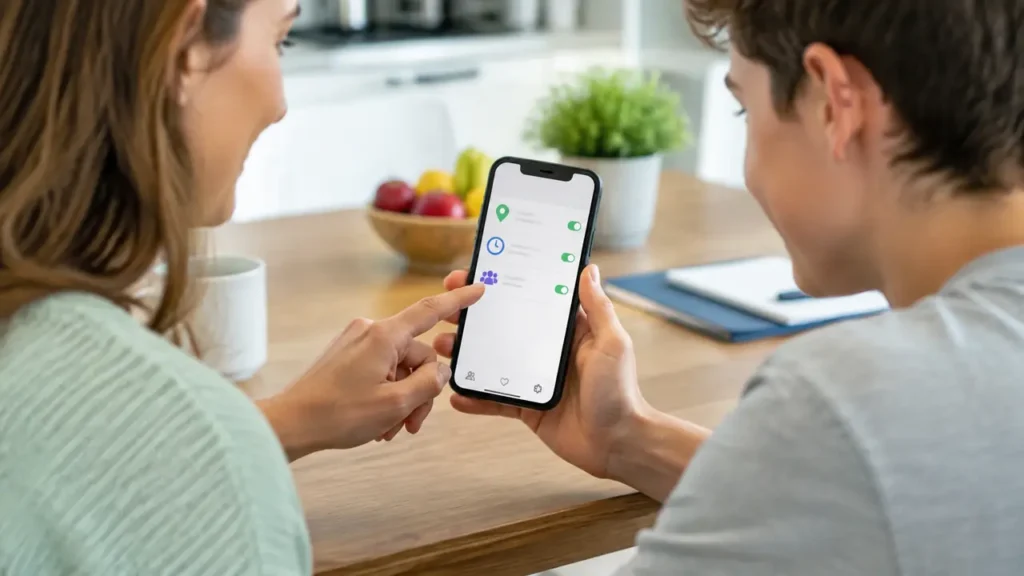
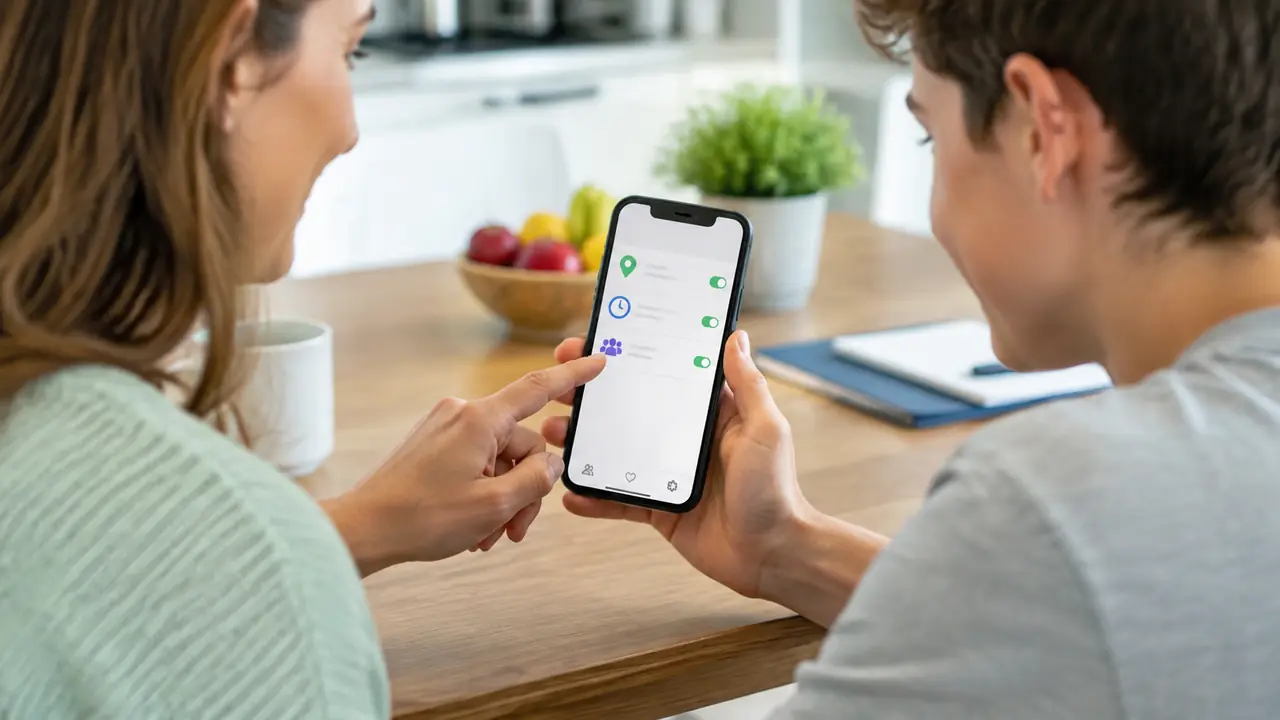
    Online safety for kids: a parent and child reviewing phone safety settings together

    Table of Contents

    Quick safety tools (parent use only)

    Big buttons so you can actually find the options.

    If you decide to use a parental control app, choose one that matches your family rules. Use only on your own minor childโ€™s phone (or a device youโ€™re legally responsible for), and keep it transparent.

    mSpy

    A broad set of monitoring and safety features for parents.

    Try mSpy

    Parentaler

    A straightforward option if you want simple oversight.

    See Parentaler

    Eyezy

    An alternative focused on app and social activity visibility.

    Check Eyezy

    Tip: Start with built-in controls first. Avoid secret monitoring.

    Start with a clear family agreement

    The healthiest answer to should parents check their childโ€™s phonestarts with transparency. If you can set expectations early, you rarely need secret checks later.

    Before you review anything, agree on four basics:

    • Why:ย โ€œWe check for safety risks like scams, strangers messaging you, and account takeovers.โ€
    • What:ย โ€œWeโ€™ll review settings, permissions, installed apps, and any messages that look unsafe.โ€
    • When:ย โ€œWeโ€™ll do a quick check-in monthly, and a deeper review only if thereโ€™s a red flag.โ€
    • How:ย โ€œWe do it together when possible, and we explain what weโ€™re looking for.โ€

    This approach gives your child structure while still respecting privacy. It also builds the habit you want: coming to you early when something feels wrong.

    For a simple baseline of account safety habits you can apply across your whole family, start here: Personal Cybersecurity Checklist (2025).

    What โ€œchecking a phoneโ€ should mean (and what it shouldnโ€™t)

    Many parents think checking a phone means reading every message. In practice, start with the areas that reduce harm without turning into constant surveillance.

    High-impact checks that respect boundaries:

    • Account security:ย enable 2FA where possible, confirm recovery email/phone, and remove unknown devices.
    • Privacy settings:ย who can message them, who can view profiles, and whether location is exposed.
    • App permissions:ย which apps can access camera, microphone, photos, contacts, and location.
    • Installed apps:ย watch for unknown โ€œvaultโ€ apps, cloned apps, and apps with odd names/icons.
    • Browser safety:ย safe search, download restrictions, and warning signs of phishing pages.

    What to avoid unless itโ€™s truly necessary: constant message scanning, surprise โ€œgotchaโ€ investigations, or forcing your child to hand over passwords without explanation.

    If social accounts are a big part of your childโ€™s world, tighten these basics too: Protecting Social Media Accounts From Hackers.

    Age-by-age guidance (a simple check-in schedule)

    Oversight should change as kids mature. A useful rule is to give more freedom as they demonstrate safe habits, and to step in when risk is high.

    Age rangeMain goalSuggested check-in
    8โ€“11Build safe habitsWeekly check-in together: apps, settings, and contacts
    12โ€“14Reduce risky contactBi-weekly check-in + stricter approvals for new apps
    15โ€“17Shift to coachingMonthly check-in; deeper review only after clear red flags

    If your teen uses school accounts, payment apps, or has a part-time job, treat cybersecurity like a life skill. Teach them why unique passwords and 2FA matter and how scammers pressure people into quick mistakes.

    Cybersecurity red flags that justify a deeper check

    You donโ€™t need to search a phone โ€œjust because.โ€ You do need to act quickly when you see clear signals of risk. Here are red flags that often show up right before a serious incident:

    • Sudden secrecy, panic around notifications, or constant deleting of messages/apps
    • New โ€œonline friendsโ€ they wonโ€™t talk about, especially older contacts
    • Unexplained charges, gift cards, crypto talk, or pressure to pay someone
    • Threats, harassment, or blackmail messages (including โ€œsend more or weโ€™ll shareโ€)
    • Account takeover signs: password reset emails they didnโ€™t request, unknown logins, or strange DMs sent from their account
    • New device management/admin profiles installed (common with unsafe apps)

    If you suspect an account takeover, these guides can help you respond fast:

    How to check a phone without damaging trust

    If you decide a deeper check is necessary, the way you do it matters as much as what you find.

    • Lead with safety:ย explain the risk youโ€™re trying to prevent.
    • Do it together:ย ask them to open apps and settings while you review.
    • Focus on the risk:ย youโ€™re looking for dangerous contact, scams, or compromised accounts.
    • Use a time limit:ย for example, โ€œ15 minutes to review accounts and settings.โ€
    • Create an exit plan:ย when the risk is handled, return to normal check-ins.

    When your child learns what you look for and why, youโ€™re not just checking a device. Youโ€™re training good judgment.

    Tools that help: built-in controls and monitoring apps

    Start with built-in controls. For many families, theyโ€™re enough:

    • Apple Screen Timeย for limits, app approvals, and downtime
    • Google Family Linkย for Android supervision and install approvals
    • Router-level filteringย for blocking risky categories at home

    If you need more detailed reporting, parental monitoring tools exist. Use them only for your own minor child (or a device youโ€™re legally responsible for), with clear family rules, and in line with local laws. Options (affiliate links):

    Quick safety tools (parent use only)

    Big buttons so you can actually find the options.

    If you decide to use a parental control app, choose one that matches your family rules. Use only on your own minor childโ€™s phone (or a device youโ€™re legally responsible for), and keep it transparent.

    mSpy

    A broad set of monitoring and safety features for parents.

    Try mSpy

    Parentaler

    A straightforward option if you want simple oversight.

    See Parentaler

    Eyezy

    An alternative focused on app and social activity visibility.

    Check Eyezy

    Tip: Start with built-in controls first. Avoid secret monitoring.

    Conclusion: So, should parents check their childโ€™s phone? Sometimes yes, especially when there are clear safety risks. The best outcomes come from setting expectations early, focusing on security and privacy settings, and using deeper checks only when thereโ€™s a real reason. If you want a simple action plan, begin with our Personal Cybersecurity Checklist and schedule a monthly safety check-in.

    FAQs

    1) Whatโ€™s the best way to start phone check-ins without a fight?

    Start with an agreement and a shared goal: safety. Keep the first check-in short, focus on settings and security, and explain what youโ€™re looking for.

    2) At what age should parents stop checking phones?

    There isnโ€™t one magic age. Reduce oversight as your child demonstrates responsible habits. Step in again if you see serious red flags or account compromise signs.

    3) What should I check first if I think my childโ€™s account is compromised?

    Look for password reset emails they didnโ€™t request, unknown logins, and strange messages sent from their account. Change passwords, enable 2FA, and remove unknown devices.

  • How Do I Restrict My Childโ€™s Internet Access? (7 Practical Methods)

    This article contains affiliate links. If you buy through them, we may earn a commission at no extra cost to you.


    Home >
    Blog >
    Cybersecurity >
    How Do I Restrict My Childโ€™s Internet Access?

    How do I restrict my childโ€™s internet access without turning daily life into a constant fight? As a cybersecurity practitioner who has helped families recover from account takeovers, sextortion attempts, and โ€œone clickโ€ scams, I can tell you the real win is not spying or panicking. Itโ€™s building a simple system that blocks the worst risks, limits the hours that cause the most trouble, and teaches your child what safe online behavior looks like.

    This guide gives you a practical, layered plan: device controls (iPhone/Android), network controls (router + DNS filtering), and โ€œloopholeโ€ controls (VPNs, hotspots, app installs). Youโ€™ll also see when parental monitoring tools can help, and how to use them responsibly.

    Quick answer (1-minute plan)

    1. Start with built-in controls: Apple Screen Time or Google Family Link.
    2. Lock the Wi-Fi: schedule downtime and use a family DNS filter.
    3. Block the bypasses: restrict app installs and VPN apps; limit hotspot use.
    4. Review monthly: check settings together and adjust as your child grows.

    Table of Contents

    1) Decide what you want to restrict (content, time, or contact)

    Most parents say โ€œinternet access,โ€ but they usually mean one of three things. If you pick the right target, youโ€™ll get better results with fewer rules.

    Restrict content

    This is about blocking adult content, gambling, dangerous downloads, and websites that normalize scams. Content restrictions are best handled at the device level (Screen Time / Family Link) and the network level(DNS filtering).

    Restrict time

    This means limits by hour (bedtime, school hours) and by app category (social, games). Time-based rules work best when you combine device app limits and router downtime.

    Restrict contact

    This is the hidden risk: strangers, suspicious DMs, online predators, and social engineering. Contact restrictions often require social app settings, privacy controls, and a family agreement that your child will tell you if something feels off.

    Pew Research Center reported in 2024 that 46% of U.S. teens say they are online โ€œalmost constantly.โ€ When access is that frequent, your plan has to be realistic and repeatable, not perfect. (Pew Research Center, 2024)

    If youโ€™re building a family safety baseline, use our checklist here: Personal Cybersecurity Checklist (2025).

    2) Use built-in parental controls first (theyโ€™re free and hardest to bypass)

    If you want the most control with the least drama, start with whatโ€™s built into the phone OS. In 2026, built-in parental controls are far better than most people think.

    iPhone / iPad: Apple Screen Time

    Screen Time is effective because it can enforce downtime, app limits, and content restrictions at the system level. Practical settings that matter most:

    • Downtime: blocks most apps during homework and sleep hours.
    • App Limits: caps time for social apps and games.
    • Content & Privacy Restrictions: prevents explicit content and locks account changes.
    • App Store controls: limits new installs and in-app purchases.

    Pro tip: make your Screen Time passcode different from your device unlock code and donโ€™t share it.

    Android: Google Family Link

    Family Link shines on Android because it gives parents install approvals, time limits, and visibility across apps. Use it to:

    • Approve or blockย new app installs.
    • Set daily screen timeย and bedtime โ€œlockโ€ windows.
    • Control account settingsย so your child canโ€™t quietly disable protections.

    When you do this together, your child learns that restrictions are about safety, not control. If you need help framing that conversation, read: Should Parents Check Their Childโ€™s Phone?

    3) Restrict internet access at the router (works on every device)

    Device controls are powerful, but the router is your โ€œone switchโ€ for the whole home. Router-based restrictions matter because they cover tablets, laptops, gaming consoles, and smart TVs too.

    Schedule downtime and create โ€œoffline hoursโ€

    Most modern routers (including many ISP-provided models) let you pause the internet by device or profile. A simple pattern that works:

    • School nights: internet off 1 hour before bedtime.
    • Homework window: only school/learning sites allowed, if your router supports profiles.
    • Weekend reset: no screens until morning routines are done.

    Add a family DNS filter (blocks adult content across the network)

    DNS filtering is one of the easiest โ€œset it and forget itโ€ controls. Cloudflare for Families offers DNS resolvers that block malware and, optionally, adult content. For example, Cloudflareโ€™s family options include a resolver that blocks malware and adult content. (Cloudflare for Families)

    DNS filtering is not perfect, but it reduces accidental exposure and blocks a lot of low-quality sites fast.

    4) Make browsers and platforms safer (SafeSearch, YouTube, and app settings)

    Even with restrictions, kids spend a lot of time inside browsers, YouTube, TikTok, and messaging apps. Platform settings are where โ€œcontact riskโ€ lives.

    Turn on search and content restrictions

    • Google SafeSearch: reduces explicit results.
    • YouTube Restricted Mode: filters mature content (not perfect, but helpful).
    • Browser download limits: reduces risky APKs and โ€œfree gameโ€ scams.

    Harden social accounts (so strangers canโ€™t walk in)

    Account compromise is a real pathway to harm: hacked social accounts can lead to impersonation, blackmail, and strangers contacting your child through a trusted profile. Lock down these basics:

    • Unique passwords (no reuse across school/social/games)
    • Two-factor authentication (2FA) where available
    • Private profiles and friend-only messaging where possible

    Use this guide to tighten social account security: Protecting Social Media Accounts From Hackers.

    5) Close the loopholes kids actually use (VPNs, hotspots, and new devices)

    This is where most โ€œrestrictionsโ€ fail. A kid doesnโ€™t need to be a hacker to bypass rules. They just need one loophole you didnโ€™t anticipate.

    Block VPN apps and unknown browser apps

    VPNs can bypass DNS filters and some router rules. If your goal is to restrict your childโ€™s internet access at home, consider:

    • Require approval for new apps (Family Link / Screen Time).
    • Block VPN app installs unless you have a specific reason.
    • Limit โ€œalternative browsersโ€ that ignore your preferred controls.

    Watch the โ€œhotspot bypassโ€

    If your child has a phone with mobile data, they can create a hotspot and bypass Wi-Fi restrictions. You can handle this without a power struggle:

    • Set a rule: hotspot use requires permission.
    • During homework/sleep hours, keep the phone in a charging spot outside the bedroom.
    • If needed, ask your mobile carrier about family plans with data controls.

    6) Make it sustainable: family rules that donโ€™t destroy trust

    Restrictions work best when kids understand the โ€œwhy.โ€ If rules feel random, they will test the limits nonstop. A simple script that works:

    • Safety:ย โ€œWeโ€™re reducing scams, explicit content, and risky contact.โ€
    • Respect:ย โ€œWe donโ€™t do secret checks unless thereโ€™s a real safety red flag.โ€
    • Growth:ย โ€œAs you show good judgment, we loosen restrictions.โ€

    If something goes wrong, focus on response speed. For example, if an account gets compromised, start here: How to Check if Your Data Has Been Breached (2025).

    7) Monitoring apps (optional): Sphnix, mSpy, and Eyezy

    Sometimes built-in controls and router rules are not enough. For example, you may be dealing with cyberbullying, sextortion attempts, risky โ€œnew friends,โ€ or a child who keeps bypassing restrictions. In those cases, monitoring tools can provide clarity.

    Important: use monitoring tools only for your own minor child (or a device you legally control), and be transparent whenever possible. Your goal is safety, not secret surveillance.

    Parent-only tools (compare options)

    Sphnix Monitoring App

    If you want visibility into online behavior and safety signals, Sphnix is positioned as a monitoring option that helps parents review activity patterns and respond early.

    • Activity insights and safety signals (device-dependent)
    • Organized dashboards for parent review
    • Useful when you need clarity, not guesses

    Ask About Sphnix

    mSpy (Affiliate)

    A widely used parental monitoring tool with features that can help parents enforce safer browsing and spot risky behavior early.

    • Web activity monitoring and safety reporting
    • Content blocking options (such as adult content filtering)
    • Location features for family safety check-ins

    Try mSpy

    Eyezy (Affiliate)

    If your main goal is to restrict access (not just observe), Eyezy highlights blocking features that can limit websites and apps at the connection level.

    • Connection blocking for selected sites and apps
    • Activity insights to guide smarter rules
    • Helps parents tighten safety boundaries

    Check Eyezy

    Tip: Start with Screen Time / Family Link and router downtime. Add monitoring only if you have a clear reason.

    Conclusion: a safer plan that actually works

    So, how do I restrict my childโ€™s internet access in a way that holds up in real life? Use layers. Device controls (Screen Time / Family Link) handle app installs and content. Router and DNS controls handle the home network. Family rules handle the human part.

    If you want a simple next step, set one change today: bedtime downtime, install approvals, or a family DNS filter. Then review your settings once a month. Your goal is steady progress, not perfection.

    FAQs

    1) How do I restrict my childโ€™s internet access without taking their phone?

    Use Screen Time or Family Link to set time limits and content restrictions, then add router downtime for bedtime hours. That gives boundaries without confiscation.

    2) Can kids bypass Screen Time or Family Link?

    Some kids try. Most bypass attempts come from simple loopholes like VPN apps, hotspots, or shared passcodes. Install approvals, blocked VPN installs, and router controls reduce most bypasses.

    3) Should I block social media completely?

    It depends on age and maturity. Many families do better with limited hours and hardened privacy settings rather than a total ban. Also secure accounts so strangers canโ€™t message your child easily.

    4) What if my child uses a school Chromebook or school accounts?

    School devices are often managed by the school. Use your home router and DNS filtering for home Wi-Fi, and focus on safe habits: strong passwords, 2FA where possible, and reporting suspicious messages.

    5) Is it legal to monitor my childโ€™s device?

    Laws vary by location. In general, parents can set rules for devices they own and that their minor children use, but you should avoid secret monitoring and respect privacy where possible. When in doubt, keep it transparent and focus on safety settings first.

  • Best Reputation Management Service 2026: Ranked & Reviewed

    The best reputation management service in 2026 is not the same for every client.

    A local business trying to recover from fake reviews does not need the exact same team as a founder heading into investor meetings. An executive dealing with a coordinated smear campaign needs a different level of confidentiality, speed, and investigative support than someone trying to suppress an old low-authority article.

    That is why this guide does not just rank providers by popularity. It compares them by fit.


    How We Evaluated Reputation Management Services

    For this comparison, we focused on the things that matter in real ORM work:

    • Case fit:ย What kinds of problems the provider is actually built to solve
    • Transparency:ย Whether they explain methods, scope, and reporting clearly
    • Suppression capability:ย Whether they appear equipped to move page-one results, not just send reports
    • Removal capability:ย Whether they can pursue legal, policy, or platform-based removals where appropriate
    • Confidentiality:ย Whether they are set up for sensitive executive and business cases

    This is not a claim that one provider is objectively best for every scenario. It is a practical buying guide based on specialization and business fit.


    Quick Comparison Table

    ProviderBest ForStrengthsWatchoutsTypical Fit
    CyberlordCybercrime-linked reputation damage, executives, high-risk casesSuppression, confidentiality, incident-style response, investigative mindsetNot the cheapest option for simple low-risk casesExecutives, founders, businesses under active pressure
    ThriveSMB reputation plus broader marketingEstablished agency model, wider marketing stackMore marketing-led than incident-ledSmall and midsize businesses
    NetReputationPersonal cleanup casesFast response, broad visibility in the ORM marketNot always ideal for complex enterprise situationsIndividuals and simpler personal cases
    TheBestReputationHarder suppression casesStrong positioning for difficult SERP issuesPremium pricingClients with stubborn page-one damage
    Reputation Defense NetworkLegal-first removal pathsUseful where defamation or formal notices matterLegal-first approaches can move slowerCases with strong legal facts

    The Best Reputation Management Services in 2026

    1. Cyberlord

    Best for: executive reputation, cybercrime-linked reputation attacks, post-breach cleanup, doxxing, coordinated smear campaigns

    Cyberlord stands out because it approaches ORM as a trust and threat problem, not only a content problem. That matters when negative search results are tied to:

    • fake-review campaigns
    • leaked private content
    • blackmail or extortion attempts
    • doxxing
    • incident fallout after a breach or account takeover

    In those situations, the winning strategy is rarely “publish two generic blog posts and wait.” It usually requires a mix of investigation, removal triage, suppression, and rapid-response planning.

    Why it ranks highly here:

    Best fit: executives, founders, professionals dealing with cyber-enabled attacks, businesses with complex ORM risk

    2. Thrive

    Best for: businesses that want ORM combined with a wider digital marketing relationship

    Thrive is a reasonable choice when a company wants reputation work inside a larger package of SEO, content, and marketing support. That can work well for businesses where the problem is more commercial than adversarial.

    Strengths:

    • familiar agency structure
    • broader marketing support
    • good fit for SMBs that want one vendor for multiple growth tasks

    Limitations:

    • not obviously specialized for high-sensitivity, incident-style cases
    • may be a weaker fit when legal coordination or confidentiality is central

    3. NetReputation

    Best for: personal cases and straightforward cleanup work

    NetReputation has broad visibility in the ORM market and is often considered when an individual needs help with harmful personal search results, complaint sites, or review-platform issues.

    Strengths:

    • personal-case orientation
    • broad market recognition
    • often easier to consider for smaller-scope matters

    Limitations:

    • complex enterprise or executive scenarios may need deeper specialization

    4. TheBestReputation

    Best for: tougher page-one suppression fights

    This kind of provider tends to be considered when the challenge is not just “I need ORM,” but “I have a result on a strong domain and I need a team built for difficult displacement.”

    Strengths:

    • strong fit for difficult suppression environments
    • better positioned for stubborn page-one issues than many light-touch providers

    Limitations:

    • often priced for harder cases
    • may be more than a client needs for a basic monitoring or review-response project

    5. Reputation Defense Network

    Best for: cases with a strong legal-removal angle

    When the core question is whether the content is defamatory, unlawful, or removable through formal notice, legal-first shops can make sense.

    Strengths:

    • better fit when legal pathways matter
    • useful where documented falsehoods or formal removal claims are central

    Limitations:

    • legal-first strategies can be slower than some clients expect
    • not every negative result has a viable removal path, so suppression still matters

    Which Service Is Best by Scenario?

    Best for business review attacks

    Look for:

    • policy-violation experience
    • review-platform response process
    • local SEO understanding
    • suppression support if the damage spreads into branded search

    Best for executives and founders

    Look for:

    • NDA and confidentiality process before disclosure
    • support for name-query protection
    • suppression on higher-authority sites
    • legal coordination
    • evidence preservation if attacks are coordinated

    Best for personal cleanup

    Look for:

    • realistic pricing
    • clear deliverables
    • profile building and personal SERP strategy
    • no fake promises of total removal

    Best for hard news or complaint-site suppression

    Look for:

    • link-building and digital PR capability
    • long-horizon suppression planning
    • realistic timelines
    • clear explanation of what can and cannot be removed

    What Good ORM Providers Have in Common

    No matter which provider you choose, the good ones usually share these traits:

    • They start with an audit, not a guarantee
    • They explain what will be removed and what must be suppressed
    • They separate content work, links, legal triage, and monitoring clearly
    • They avoid fake reviews and black-hat shortcuts
    • They give realistic timelines measured in months, not days

    If a provider skips all of that and sells certainty instead, be careful.


    Questions to Ask Before Hiring Any ORM Agency

    Ask these before you sign:

    1. Which exact search results are you targeting?
    2. What part of the plan is removal, and what part is suppression?
    3. How many assets will be created or improved each month?
    4. What reporting will I receive?
    5. How do you handle confidentiality?
    6. What happens if the damaging result is on a major media site?
    7. How do you avoid fake-review or black-hat risk?

    The best ORM conversations become specific very quickly. The weak ones stay vague.


    Pricing Expectations

    If you are comparing services, use these rough benchmarks:

    • Simple personal cases: often from $500 per month
    • Small-business active ORM: often $1,500 to $5,000 per month
    • Executive and enterprise ORM: often $5,000 to $15,000+ per month

    If you need a deeper benchmark, see How Much Does Reputation Management Cost in 2026?


    FAQ

    What is the best reputation management service for executives?

    Usually, the best fit is a provider that can combine suppression, legal and policy escalation, confidentiality, and high-authority content strategy. Executive work is rarely a simple marketing-only engagement.

    Can one ORM agency be best for every case?

    No. The right provider depends on whether the issue is review-driven, media-driven, legally actionable, or tied to a coordinated attack.

    Is the cheapest ORM service a bad choice?

    Not always, but very low pricing often means low scope. That can work for monitoring. It usually does not work for serious page-one suppression.


    Bottom Line

    The best reputation management service in 2026 depends on the case:

    • Cybercrime-linked damage, executives, or high-risk situations:ย Cyberlord
    • Broader SMB marketing plus ORM support:Thrive
    • Straightforward personal cleanup:NetReputation
    • Hard suppression environments:TheBestReputation
    • Legal-first cases:ย Reputation Defense Network

    If you want a serious answer about your own situation, start with a real audit, not a generic package comparison.

    Cyberlord’s reputation management service begins with a confidential review of the actual URLs, search queries, and business risk involved so the plan matches the case.


    Related Resources

  • Apps to Control Screen Time: 8 Best Options for 2026

    The best apps to control screen timedepend on the devices in your home. Apple Screen Time is the strongest free starting point for iPhone and iPad. Google Family Link is the practical free choice for Android and Chromebook. Families that need cross-platform schedules, web filtering or reports can compare Qustodio, OurPact, Bark, Norton Family and Parentaler.

    Quick answerUse the controls built into the childโ€™s operating system first. Choose a paid app only when it adds a feature you can name, such as one schedule across several device types, stronger web filtering or clearer reports. If you need activity context in addition to time limits, preview the Sphnix dashboard before choosing a monitoring plan.

    Parent and teenager setting up screen time controls together
    A shared setup works better than a surprise lockout. Agree on schedules, exceptions and how extra time is requested.

    Table of Contents

    Need more context than a screen-time total?

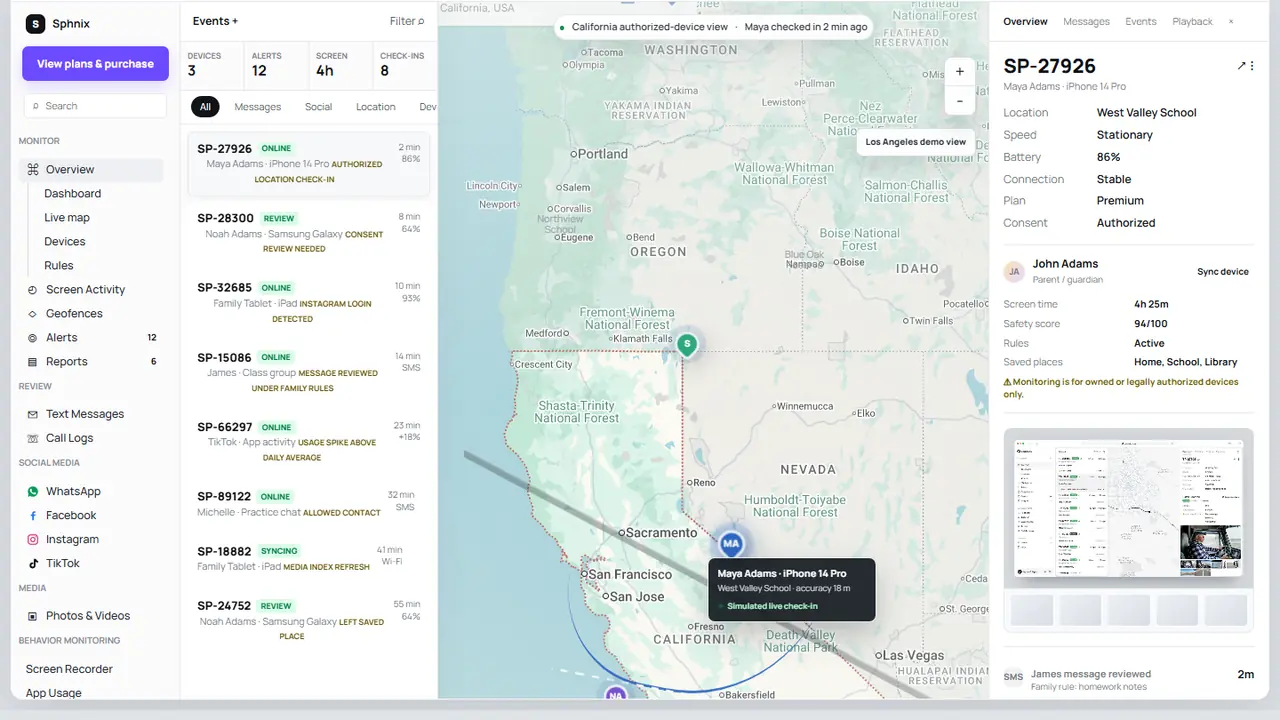
    Sphnix is a monitoring dashboard, not a replacement for Apple or Googleโ€™s built-in time limits. Its live demo shows how device status, app activity, messages, calls, location and reports can be reviewed together after an authorized device is connected.

    Open the Sphnix demoSee Sphnix plans

    Apps to control screen time at a glance

    AppBest forWorks best onCost approach
    1. Apple Screen TimeiPhone and iPad limitsApple family devicesFree
    2. Google Family LinkAndroid and Chromebook limitsGoogle family accountsFree
    3. QustodioCross-platform schedules and reportsMixed-device homesFree trial/tier may be limited
    4. OurPactVisual schedules and app rulesiPhone-focused familiesFree and paid tiers vary
    5. BarkSafety alerts plus household controlsFamilies wanting alertsPaid plans
    6. Norton FamilyWeb supervision and school routinesMulti-device householdsPaid or bundled
    7. ParentalerComparing a paid family dashboardConfirm current device supportCheck partner offer
    8. SphnixActivity context alongside family rulesConfirm plan requirementsPreview first

    Spy Wizards may receive compensation from marked partner links. Product placement is based on use-case fit and setup clarity.

    What screen-time apps can and cannot do

    A screen-time app can set daily device limits, restrict individual apps, schedule downtime and sometimes filter websites. Apple says Screen Time can apply limits to app categories or individual apps for a child in Family Sharing. Google says Family Link can set a weekly schedule, daily limits and app limits on supported Android and ChromeOS devices.

    No app can teach self-control by itself. A child may still use another device, a browser not covered by the filter or an account outside the family group. Platform rules also matter. An app with powerful Android controls may offer fewer options on iPhone. Check the current setup guide for every device before paying.

    The eight best options

    1. Apple Screen Time: best free choice for iPhone

    Free

    Screen Time is built into iPhone and iPad. Parents can use Family Sharing to manage a childโ€™s downtime, app limits, communication limits and content restrictions from their own Apple device. Because it works inside the operating system, it is the first option to try before installing another app.

    Check before setup: the childโ€™s Apple Account must be in the family group, devices should be updated, and the parent should keep the Screen Time passcode private. Appleโ€™s Screen Time instructions show the current menu path.

    2. Google Family Link: best free choice for Android

    Free

    Family Link can manage daily limits, bedtime schedules and per-app limits for a supervised childโ€™s Android device or Chromebook. Google notes that system apps cannot always receive app limits. Parents can install the Family Link parent app on Android or iPhone, but the strongest child-device controls are on Android and ChromeOS.

    Check before setup: the childโ€™s Google Account, device version, family group and any apps marked as unlimited.

    3. Qustodio: best for mixed-device households

    Cross-platform

    Qustodio is a reasonable next step when a family uses several platforms and wants schedules, reports and web controls in one parent account. The feature list is not identical on every operating system. Compare the iOS and Android pages separately, especially if app blocking is the main reason for buying.

    Check before buying: device count, browser coverage, per-app controls, location features and what the free version includes.

    4. OurPact: best for visual schedules

    Schedules

    OurPact is built around routines. Parents can create recurring schedules for school, homework, bedtime and free time instead of relying only on one daily number. That approach suits families whose main issue is when a device is used, not just how long.

    Check before buying: current iOS app-management support, number of children and devices, schedule limits by plan, and whether location tools are included.

    5. Bark: best when safety alerts matter too

    Safety alerts

    Bark combines household controls with alerts about selected online-safety concerns. It is a different purchase from a strict timer. Parents who want a signal when something may need a conversation can prefer this model to reading every activity record.

    Check before buying: which services connect on the childโ€™s platform, how iOS coverage differs from Android, and whether the plan includes screen-time rules or only alerts.

    6. Norton Family: best for web and school routines

    Web supervision

    Norton Family is useful when web supervision and focused school periods matter more than social-app detail. It can also appeal to households already paying for a Norton family-security bundle.

    Check before buying: supported browsers, iOS limitations, device count and whether the controls you want are included in an existing subscription.

    7. Parentaler: best paid partner option to compare

    Partner

    Parentaler is marketed for family oversight. It belongs on the shortlist when you want to compare a commercial dashboard against mainstream parental-control apps. Do not assume every advertised activity feature is also a screen-time control; confirm the exact feature and platform.

    Check before buying: app-limit support, local setup requirements, iPhone versus Android differences, billing period and cancellation terms.

    Check Parentaler

    8. Sphnix: best for reviewing activity context

    Dashboard

    Sphnix is included for families who have moved beyond โ€œhow many hours?โ€ and need a clearer review dashboard. The demo includes screen activity beside location, communication, device status and weekly reports. It should complement a disclosed family policy and platform time limits, not replace them.

    Check before buying: device compatibility, connection method, plan scope and which records are available from the phone you manage.

    View the Sphnix demo

    Sphnix dashboard showing screen activity, device status and family reports
    Sphnix adds activity context; Apple or Google controls remain the better choice for simple device limits.

    How to choose apps to control screen time

    1. List every device.ย Include phones, tablets, Chromebooks, game consoles and shared computers.
    2. Decide whether you need limits or monitoring.ย A timer, website filter and activity dashboard solve different problems.
    3. Try the built-in option first.ย Screen Time and Family Link may cover the job for free.
    4. Test one routine.ย Set bedtime or homework hours before building a complicated weekly schedule.
    5. Choose essential exceptions.Phone calls, maps, school tools and emergency contacts may need continued access.
    6. Review together after seven days.Check whether the limit reduced conflict or simply moved activity to another device.

    A useful rule: do not buy a monitoring subscription when you only need a timer. If your concern is broader phone activity, compare our parental-control apps for iPhoneand mSpy alternatives before deciding.

    Parent reviewing screen time app permissions and family settings
    Review permissions, family-account access and subscription settings after setup.

    A simple seven-day setup plan

    Day 1: record the current screen-time report without changing anything. Day 2:agree on bedtime and school-hour expectations. Day 3: set limits for the one or two apps causing the most conflict. Day 4: confirm emergency and school apps still work. Day 5: check for a second device or browser that makes the rule meaningless. Day 6: adjust limits based on homework, travel and family plans. Day 7: review the report together and decide what to keep.

    Start small. A schedule that everybody understands is more useful than twenty restrictions that trigger exceptions all day.

    Compare before paying

    Use Apple Screen Time or Family Link for free limits. Preview Sphnix when you need a broader activity dashboard, then confirm the device and plan requirements before checkout.

    Explore SphnixCompare iPhone monitoring apps

    Frequently asked questions

    What is the best app to control screen time?

    Apple Screen Time is the best free starting point for iPhone and iPad. Google Family Link is the best free starting point for Android and Chromebook. Qustodio is worth comparing for a mixed-device household.

    Can I control my childโ€™s screen time from my phone?

    Yes. Apple Family Sharing lets a parent manage a childโ€™s Screen Time from another Apple device. Google Family Link lets a parent manage a supervised Android device or Chromebook from the parent app.

    Can screen-time apps block individual apps?

    Many can, but support differs by operating system. Apple Screen Time can limit app categories or individual apps. Family Link supports app limits on compatible Android devices, although some system apps are exempt.

    What if my child bypasses screen-time limits?

    Check account roles, passcodes, alternate browsers, unlimited apps and other devices first. Then simplify the rules and discuss the workaround. Adding more software without fixing the setup often creates more conflict.

    Does Sphnix control screen time?

    Sphnix is presented here as an activity-review dashboard. Use Apple, Google or a dedicated parental-control app for direct time limits, and confirm Sphnix plan capabilities before purchase.

    Final verdict

    The best apps to control screen timeare usually already on the phone. Start with Apple Screen Time or Google Family Link. Move to Qustodio, OurPact, Bark, Norton Family or Parentaler when you can identify a missing feature. Use the Sphnix demo when you need broader activity context as well as household time rules.

  • Hire a Hacker Online Without Risking Scams or Illegal Access

    Most people who search for hire a hacker online are under pressure. They may be locked out of a business account, dealing with a suspicious phone, trying to recover a social media profile, tracing a crypto scam, or trying to understand whether an account was compromised.

    That urgency is exactly why scam services are common. Fake hacker-for-hire offers promise instant access, demand crypto payments, show fake screenshots, and avoid legal questions. A real professional slows the request down enough to protect you.

    SpyWizards position: If your case is legal, we help you move quickly. If the request requires unauthorized access, we will not take it. We can still point you toward safer options, official recovery routes, and evidence-preservation steps.

    SERVICES

    Professional Hacker Services SpyWizards Can Help With

    Every case starts with the same question: do you own the account, device, wallet, profile, or system involved, or do you have written permission to investigate it? If the answer is yes, these are the service areas where SpyWizards can help.

    Account Recovery

    Recover access to accounts you own, prepare platform appeals, secure recovery email and phone settings, and document takeover evidence.

    WhatsApp Recovery

    Review linked devices, two-step verification, suspicious sessions, account takeover evidence, and phone-security issues affecting WhatsApp.

    iPhone and Apple ID Help

    Check Apple ID risk, suspicious profiles, trusted devices, iCloud alerts, SIM-swap signs, and hardening steps for your own iPhone.

    Cell Phone Security

    Investigate signs of spyware, unsafe apps, forwarding, device compromise, or unauthorized access on devices you own or manage.

    Email and Gmail Recovery

    Review recovery email, phone, 2FA, suspicious forwarding, mailbox rules, and account takeover evidence for email accounts you own.

    Social Media Recovery

    Support Instagram, Facebook, TikTok, Snapchat, and brand profile recovery with ownership proof and safer platform recovery steps.

    Crypto Scam Investigation

    Review wallet activity, transaction records, scam evidence, exchange reporting options, and recovery documentation for victims.

    Business Security Testing

    Scope authorized testing for company systems, websites, accounts, and workflows with written permission and documented findings.

    Digital Forensics

    Preserve timelines, screenshots, account notices, transaction records, device indicators, and other evidence for next-step reporting.

    Scam Checks

    Review whether a hacker-for-hire offer looks fake, unsafe, overpriced, or likely to expose you to legal or financial risk.

    USE CASE 1

    Hire a Hacker for Account Recovery

    If your email, Facebook, Instagram, WhatsApp, TikTok, Snapchat, or business account was hacked, the right service is not a break-in. The right service is recovery support: documenting ownership, checking recovery channels, reviewing suspicious sessions, preparing platform appeals, and securing connected accounts.

    SpyWizards can help you organize what happened, identify the account takeover path, and decide whether the next step is official recovery, device cleanup, evidence preservation, or a deeper forensic review.

    Best fit: You own the account, have proof, and need help recovering or securing it without making the situation worse.

    USE CASE 2

    Hire a Hacker for WhatsApp

    WhatsApp cases usually involve account hijacking, SIM-swap concerns, suspicious linked devices, impersonation, or a compromised phone. SpyWizards can review the legal recovery path, help document suspicious activity, and guide security changes for accounts and devices you own.

    We will not read another personโ€™s WhatsApp, bypass encryption, clone an account, or access messages without consent. That kind of offer is usually illegal and often a scam.

    USE CASE 3

    Hire a Hacker for iPhone

    For iPhone and Apple ID cases, legal help usually means reviewing trusted devices, recovery settings, suspicious Apple alerts, unknown profiles, iCloud access warnings, and whether a SIM swap or account takeover may have occurred.

    SpyWizards can help you decide what to preserve, what to reset, and how to harden the account after suspicious activity. Anyone promising instant access to another personโ€™s iPhone or iCloud should be treated as a red flag.

    USE CASE 4

    Hire a Hacker for Cell Phone Security

    A phone-security case is about your own device or a device you are authorized to manage. We can help review symptoms such as battery drain, unknown apps, strange permissions, account alerts, forwarding, suspicious profiles, or signs that someone else has access to your data.

    The result should be a practical cleanup plan: preserve evidence, remove risky access, reset accounts, secure recovery channels, and harden the phone against repeat compromise.

    USE CASE 5

    Hire a Hacker for Email and Gmail Recovery

    Email recovery is often the center of the whole case because email controls password resets, platform appeals, bank alerts, cloud storage, and business tools. If your Gmail, Outlook, Yahoo, business mailbox, or recovery email was compromised, SpyWizards can help you review the takeover path and organize the right recovery steps.

    We can help check suspicious recovery settings, forwarding rules, filters, login alerts, connected devices, account recovery options, and evidence needed for a platform or business-security escalation. We do not ask for your password or one-time codes before defining legal scope.

    Best fit: You own the mailbox or manage the business domain and need help regaining access, preserving evidence, or securing recovery channels.

    USE CASE 6

    Hire a Hacker for Social Media Recovery

    Social media recovery covers account takeover, impersonation, hijacked business pages, locked profiles, suspicious login activity, and platform appeal preparation. SpyWizards helps with evidence organization, recovery steps, and security hardening for profiles you own or manage.

    For brand accounts, we can help prepare a clearer timeline, gather proof of ownership, and reduce the risk of paying a fake recovery service that disappears after receiving money.

    USE CASE 7

    Hire a Hacker for Crypto Scam Investigation

    Crypto scam cases need careful evidence. SpyWizards can help review wallet addresses, transaction IDs, exchange messages, scam websites, screenshots, and timelines so you know what can be documented and where to report it.

    No one can guarantee crypto recovery. A legitimate investigation explains what can be traced, what evidence is useful, and which reporting or exchange-compliance paths may make sense.

    SCAM PROTECTION

    Hacker for Hire vs Scam Services

    Search results for hacker for hireand hackers for hire legit include real consultants, freelance marketplaces, agencies, and many fake operators. The difference shows up before payment.

    CheckLegitimate serviceScam or illegal offer
    AuthorizationAsks who owns the account, device, or system.Says ownership does not matter.
    ScopeExplains what can be done legally and what cannot.Promises access to anyone, anywhere.
    PaymentDiscusses scope, cost, and limits before payment.Demands crypto immediately.
    EvidenceRequests timelines, screenshots, alerts, wallet IDs, or proof.Sends fake screenshots as proof.
    OutcomeProvides recovery steps, reports, hardening, or documentation.Guarantees instant results with no process.

    Important: If someone offers password theft, secret phone monitoring, account break-ins, revenge hacking, or message access without consent, do not pay them. You can lose money, expose your own device, and create legal risk for yourself.

    HOW IT WORKS

    Pricing and Process

    Pricing depends on the case type, urgency, evidence available, platform involved, and whether the work is recovery guidance, device review, digital forensics, crypto scam documentation, or business testing.

    Basic recovery guidance

    Usually starts around $100 to review the situation, organize the recovery path, and identify immediate safety steps.

    Phone or account security review

    Often ranges from $500 to $1,500 depending on device complexity, account type, and urgency.

    Forensics or crypto investigation

    Can range from $1,500 to $2,000+ when evidence review, wallet tracing, reports, or business scope are required.

    1

    Send the case details

    Tell us what happened, which account or device is involved, what proof you have, and what outcome you need.

    2

    Confirm legal scope

    We check ownership, authorization, platform limits, and whether the request can be handled legally.

    3

    Get a clear plan

    You receive the recommended path, expected deliverables, limits, estimated cost, and next steps before work begins.

    WHY SPYWIZARDS

    Why People Hire SpyWizards Instead of Random Hacker-for-Hire Offers

    When the problem is urgent, the cheapest or loudest offer can feel tempting. But sensitive digital problems need a controlled process. SpyWizards focuses on legal scope, documentation, confidentiality, and practical outcomes.

    We ask the hard questions first

    Ownership, permission, timeline, evidence, device access, and platform rules are reviewed before a specialist recommends work.

    We separate recovery from intrusion

    Recovery means helping you regain or secure what you own. Intrusion means unauthorized access. We only support the first path.

    We focus on usable deliverables

    You need clear steps, evidence records, risk notes, hardening guidance, or a documented report, not vague promises.

    PREPARE YOUR CASE

    What to Send Before You Hire a Hacker Online

    A strong intake helps us move faster and protect you from scams. Before contacting SpyWizards, gather the basics that prove the case is yours and show what happened.

    Send these details

    • The account, device, wallet, or platform involved.
    • Proof that you own or manage it.
    • Dates and times when the problem started.
    • Screenshots of alerts, login notices, wallet transactions, or platform messages.
    • What you already tried and what result you need.

    Do not send these first

    • Passwords, OTP codes, private keys, or seed phrases.
    • Someone elseโ€™s private account details.
    • Requests to access messages or devices without consent.
    • Payment to anyone who refuses to define legal scope.
    • Files from unknown hacker services that may contain malware.

    CHOOSE THE RIGHT PATH

    Related Hire-a-Hacker Guides

    Use these focused guides if your case fits one platform or problem. Each one links back to this main pillar so you can compare the broader legal process.

    Hire a Hacker Online

    Legal services, pricing, verification checks, and safe ways to request professional hacker services.

    Hacker for Hire

    How to check whether a hacker-for-hire service is legit before you pay.

    Hire a Hacker for WhatsApp

    Legal WhatsApp recovery and device-security guidance for accounts you own.

    Hire a Hacker for iPhone

    Apple ID, iCloud, and iPhone security help without illegal access.

    Hire a Hacker for Cell Phone

    Legal phone security checks, recovery options, and spyware concerns.

    Hire a Hacker for Account Recovery

    Account recovery help with ownership verification and scam prevention.

    Hire a Hacker for Social Media

    Social media recovery services, ownership checks, and warning signs.

    Professional Hacker Services

    How verified professional hacker services should define scope and deliverables.

    Hackers for Hire Legit?

    A verification checklist for spotting real professionals and avoiding fake offers.

    Hire a Hacker for Crypto Scam Investigation

    Wallet activity documentation, scam evidence, and recovery reporting support.

    FAQ

    Frequently Asked Questions

    Can I hire a hacker online?

    Yes, if the work is legal and authorized. You can hire help for your own account recovery, phone security, crypto scam evidence, digital forensics, or business testing. You should not hire anyone to access another personโ€™s account, phone, messages, or files without permission.

    Is it legal to hire a hacker?

    It is legal to hire an ethical hacker, recovery specialist, cybersecurity consultant, or digital investigator for systems, accounts, wallets, and devices you own or have permission to test. It is not legal to hire someone for unauthorized access or surveillance.

    How much does it cost to hire a hacker?

    Basic recovery guidance may start around $100. Phone security reviews, account compromise checks, and digital investigation work often range from $500 to $1,500. Complex forensic or crypto scam cases can cost $2,000 or more depending on scope.

    Can I hire a hacker for WhatsApp?

    You can hire help to recover or secure your own WhatsApp account, review linked devices, and check your phone for compromise. You cannot legally hire someone to read another personโ€™s WhatsApp or bypass encryption.

    Can I hire a hacker for iPhone?

    You can hire legal help for your own iPhone, Apple ID, iCloud security, suspicious alerts, spyware checks, and device hardening. Be suspicious of anyone promising instant access to someone elseโ€™s iPhone.

    How do I avoid hacker-for-hire scams?

    Avoid anyone who guarantees results, asks for crypto before discussing scope, refuses ownership checks, avoids written terms, or claims they can access any account. A legitimate service explains legal limits before taking the case.

    CONFIDENTIAL CONSULTATION

    Ready to Hire a Verified Professional?

    Tell SpyWizards what happened. We will review whether your request is legal, what proof is needed, what service fits the case, and what the next step should be.

    Request a confidential consultationCheck scam warning signs first

    If your concern is Facebook specifically, read our guide to legal Facebook account recovery and safety monitoring before you pay anyone promising account access.

    Hire a Hacker: Legal Next Steps and Related Guides

    If you want to hire a hacker, the safest route is authorized help: account recovery, device security, parental monitoring, and legal evidence guidance. This page now connects the full Spy Wizards recovery cluster so visitors can move from broad hacker intent into the right legal service or tracking app.

    Contact Spy Wizards on WhatsApp

    Legal app options for this problem

    • Get mSpyย for broad phone visibility when you own the device or have consent.
    • Get Parentalerย for family safety, location checks, and parent-managed devices.
    • Get Eyezyย for social and online behavior signals on an authorized device.

    Continue with the strongest related guides

    What People Mean When They Search for a Hacker for Hire

    Searches like hire a hacker online, hire a hacker for cell phone, and professional phone hacker for hire usually come from someone who has an urgent account, device, or evidence problem. Spy Wizards handles this intent through authorized recovery, phone-security checks, parental monitoring setup, and lawful investigation support.

    If the problem involves WhatsApp, Facebook, Gmail, Snapchat, or a spouseโ€™s phone, the next step is not secret access. The safer route is to confirm ownership or consent, preserve evidence, and choose the right recovery or monitoring path.

    Ask Spy Wizards for authorized help

    Important: Spy Wizards content is for owned-device security, parental control, consent-based monitoring, account recovery, and authorized help only. Do not use any tool or service for secret access, password theft, or illegal surveillance.

  • Can Someone Hack My iPhone? Signs and Fixes (2026)

    Can someone hack my iPhone? Yes, but the usual route is not a stranger magically taking over a fully updated phone. Most incidents begin with a stolen Apple Account password, a phishing page, an unsafe configuration profile, physical access, or an unpatched security flaw. A phone number, ordinary call, or shared Wi-Fi network does not by itself give someone control of your iPhone.

    Table of Contents

    Quick answer

    If you see an Apple sign-in alert you do not recognize, an unexpected two-factor code, an unknown device in your Apple Account, messages you did not send, or security settings you did not change, treat it as evidence and secure the account now. Battery drain or a warm phone alone is not proof of hacking.

    Diagram showing common iPhone compromise routes including phishing, stolen credentials and unsafe profiles
    Most iPhone compromises start with an account, permission, or access problem rather than a mysterious remote takeover.

    Can someone hack my iPhone remotely?

    Remote compromise is technically possible. Attackers have used malicious links, stolen credentials, social engineering, and rare software vulnerabilities to reach iPhone data. Highly targeted zero-click spyware also exists, but it is expensive, uncommon, and generally aimed at journalists, activists, government officials, and other high-risk targets.

    For most people, the Apple Account is the more realistic weak point. Someone who gets the password and a verification code may view synced data, make account changes, or add a device. That is serious, but it is different from secretly controlling every part of the iPhone.

    What can and cannot expose an iPhone?

    SituationCan it hack the iPhone by itself?What the real risk is
    Someone knows your phone numberNoThe number can be used for phishing, impersonation, or an attempted carrier-account takeover.
    You answer a normal phone callNoA caller may pressure you to disclose a password, verification code, or payment information.
    You receive a textUsually noThe danger is tapping a deceptive link, installing a profile, or entering credentials on a fake page. Rare zero-click attacks are not the everyday case.
    You share public Wi-FiNoA hostile network can support phishing or traffic manipulation, but merely joining the same network does not hand over the phone.
    Someone knows your IMEI or serial numberNoThese identifiers are not passwords. They may still be useful in support or social-engineering scams.
    Someone has your Apple Account password and verification codePotentiallyThey may sign in, inspect synced information, change recovery details, or add a trusted device.
    Someone had your unlocked phonePotentiallyThey could change settings, install a profile, add an account, or approve access.

    For the narrower calling question, see whether a phone call can hack a device.

    How iPhones are actually compromised

    Stolen Apple Account credentials

    Fake Apple alerts, copied sign-in pages, reused passwords, and stolen verification codes are common routes. Apple says unexpected sign-in notifications, unrequested two-factor codes, unknown trusted devices, and changes you did not make are warning signs of account compromise.

    Social engineering and fake support

    A scammer may call or text while pretending to be Apple, a bank, a carrier, or a family member. The message often creates urgency. It may ask you to approve a prompt, read out a code, install software, or move money. Apple advises users never to share account passwords or verification codes.

    Unsafe profiles, apps, and physical access

    An unknown configuration profile or mobile-device-management enrollment can change how a phone behaves. Physical access to an unlocked iPhone also gives someone a chance to alter sharing, account, or privacy settings. Review unfamiliar profiles under Settings > General > VPN & Device Management.

    Unpatched vulnerabilities

    Security flaws are another route, which is why iOS updates matter. Advanced attacks can exploit vulnerabilities without looking like a conventional app. Installing current iOS and enabling automatic updates closes known flaws once Apple releases a patch.

    Signs that deserve attention

    Strong evidence

    Unknown Apple Account devices, password or recovery changes, unrequested two-factor prompts, messages you did not send, purchases you do not recognize, or a device placed in Lost Mode by someone else.

    Worth checking

    An unfamiliar profile, unexpected location sharing, a new forwarding rule, a strange calendar subscription, or an app with permissions you do not remember granting.

    Weak evidence alone

    Battery drain, heat, slow performance, crashes, and high data use can come from ordinary apps, poor signal, battery age, or an iOS update.

    Common scam signal

    A pop-up that says your iPhone is infected and tells you to call a number, install an app, or pay immediately.

    Use the deeper spy-app detection guide when the concern is an unknown monitoring app rather than an Apple Account alert.

    What to do if you think your iPhone was hacked

    1. Use a device you trust.ย If personal safety is involved, seek help from another device before changing anything that could alert the person monitoring you.
    2. Change the Apple Account password.ย Go through Settings or typeย account.apple.comย yourself. Do not use a link from an unexpected message.
    3. Review trusted devices.ย Remove devices you do not recognize and confirm that the recovery email addresses and phone numbers belong to you.
    4. Update iOS and apps.ย Install current security updates and turn on automatic updates.
    5. Run Safety Check.ย On supported iPhones, Settings > Privacy & Security > Safety Check lets you review sharing, connected devices, and app permissions.
    6. Inspect profiles and permissions.ย Remove only profiles you know are unauthorized. A work or school phone may have legitimate management installed.
    7. Contact the carrier and financial providers.ย Do this quickly if the phone loses service unexpectedly, recovery information changed, or money moved.
    8. Preserve evidence.ย Save screenshots and dates before a reset if fraud, stalking, or a workplace incident may need investigation.
    iPhone security response checklist for reviewing account access, updates and device permissions
    Start with the account and trusted-device list, then check updates, profiles, sharing, and financial activity.

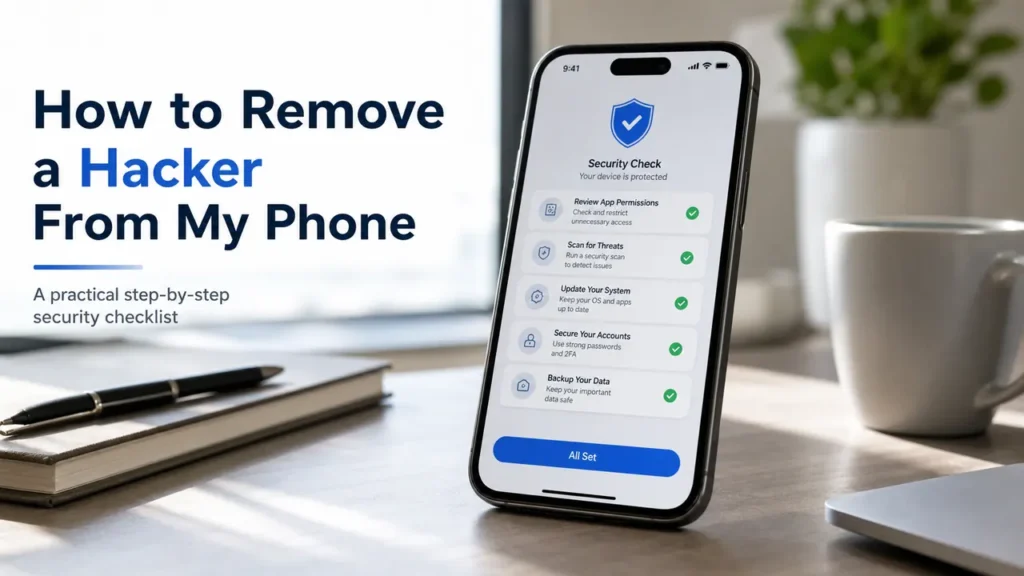
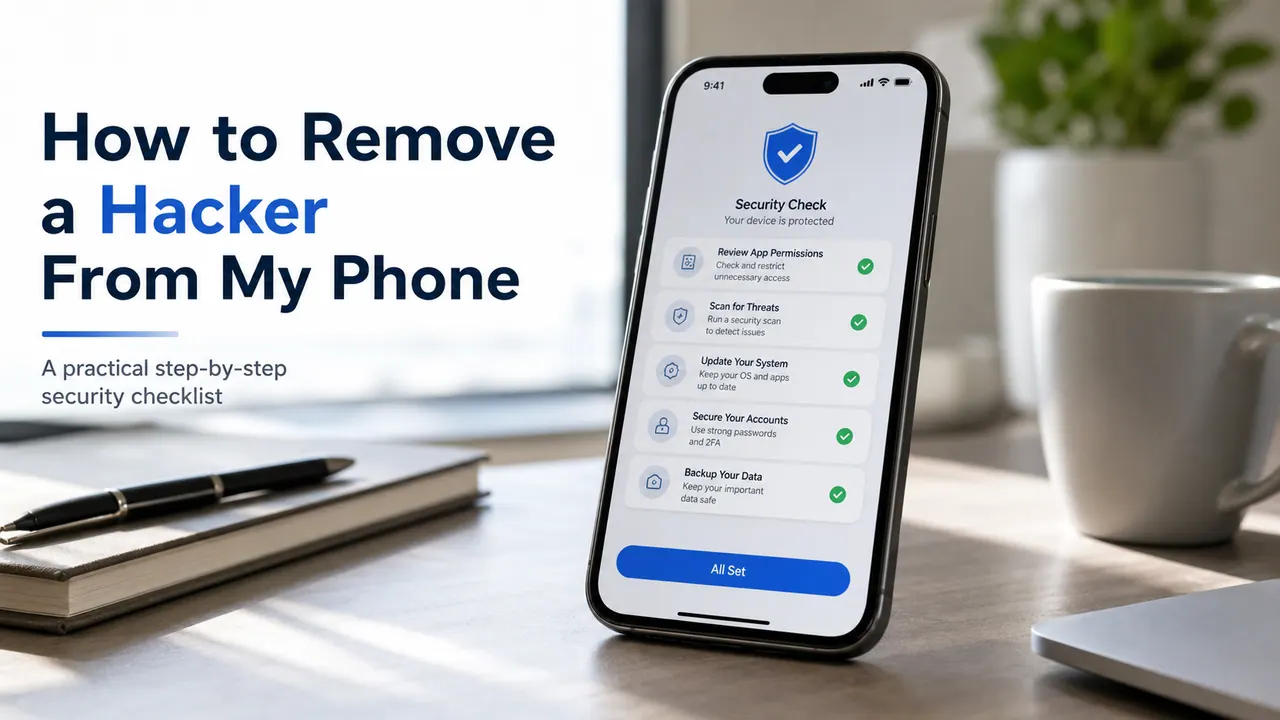
    The companion guide, how to remove a hacker from your phone, covers the cleanup sequence in more detail. You can also run the phone privacy checkup after regaining control.

    Personal-safety warning:Removing monitoring software or cutting off sharing can alert an abusive person. The FTC advises planning for safety first and using another device to contact a domestic-violence advocate when needed.

    Monitoring your family device is different from hacking

    Some visitors are not responding to a security incident. They are comparing parental controls for an iPhone they own or are authorized to manage. That is a separate use case. Legitimate tools require account access, device setup, consent, or family-management permissions. They do not remotely break into an arbitrary iPhone.

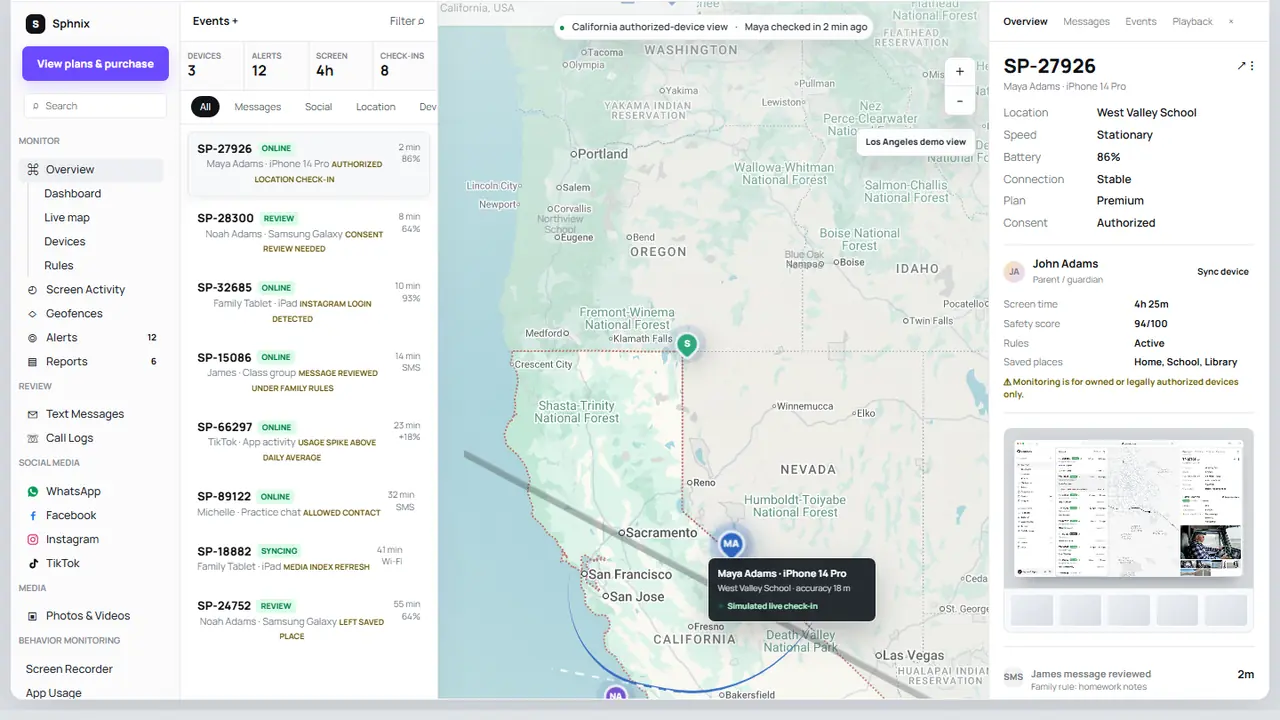
    Sphnix authorized iPhone monitoring dashboard with activity and device review panels
    The Sphnix demo lets buyers inspect the dashboard workflow before choosing a plan.

    See Sphnix before you buy

    Sphnix is an authorized monitoring dashboard, not an iPhone malware scanner. Use the live demo to inspect its messages, calls, location, app activity, and reporting interface. Then review the plans only if the setup fits a device you are permitted to manage.

    Open the Sphnix demo
    See Sphnix plans

    Paid parental-monitoring options to compare

    Affiliate disclosure: Spy Wizards may earn a commission from some product links below, at no extra cost to you. Compare current compatibility, setup requirements, renewal terms, and refund rules before purchasing.

    mSpy

    A broad parental-monitoring option to compare when you have the required device or account access.

    Check current mSpy compatibility

    Eyezy

    A family-dashboard alternative. Confirm which iPhone features apply to the plan and setup method.

    Review Eyezy for iPhone

    Parentaler

    A parent-focused option for an authorized child device. Review installation and subscription details first.

    Review Parentaler

    Apple Screen Time

    The built-in starting point for many families. It supports app limits and family controls without a separate monitoring subscription.

    Read Appleโ€™s Screen Time guide

    For a buying-focused comparison, see the parental control apps for iPhoneguide.

    How to lower the risk of an iPhone compromise

    • Use a unique Apple Account password and two-factor authentication.
    • Install iOS and app updates promptly.
    • Turn on Stolen Device Protection where available.
    • Never share a verification code or approve a sign-in you did not start.
    • Review the Apple Account device list and Safety Check periodically.
    • Type important addresses yourself instead of following urgent message links.
    • Use a strong device passcode and do not disclose it casually.

    If an email address or password may already be exposed, use the guide to check for a data breach.

    Frequently asked questions

    Can someone hack my iPhone by calling me?

    A normal call does not give the caller control of your iPhone. The realistic danger is social engineering: the caller convinces you to share credentials, read out a code, install an app, or send money.

    Can someone hack my iPhone through a text?

    Receiving an ordinary text usually is not enough. Tapping a phishing link, entering credentials, or installing an unknown profile creates risk. Rare zero-click exploits exist, but they are not the typical explanation for everyday phone problems.

    Can someone hack my iPhone with just my phone number?

    No. A phone number alone is not a login credential and does not reveal live GPS or private messages. It can be used to target you with phishing or to attempt a SIM-swap or carrier-account scam.

    Can someone hack my iPhone camera remotely?

    Camera access requires a compromised app, granted permission, device access, or a serious software exploit. Review camera permissions under Settings > Privacy & Security > Camera and remove access you do not recognize.

    Does resetting an iPhone remove a hacker?

    A factory reset can remove many device-level changes, but it will not secure a compromised Apple Account by itself. Change the account password, remove unknown devices, update recovery details, and check the carrier and financial accounts before treating the incident as resolved.

    Bottom line

    Someone can compromise an iPhone or the account connected to it, but everyday cases usually leave account or settings evidence. Start with Apple Account alerts, trusted devices, sharing, profiles, and iOS updates. Do not pay a stranger who claims they can diagnose or clean the phone through a text message.

  • How to See Someoneโ€™s Activity on TikTok: What You Can See Legally

    You can see some TikTok activity, but not a private, complete activity log. This guide explains Activity Status, profile views, public likes, comments, Family Pairing, and the privacy limits that matter.

    Updated May 14, 2026

    This guide is for parents, guardians, account owners, and users checking visible public activity. It does not recommend spying, account access without permission, or bypassing TikTok privacy settings.

    Smartphone showing privacy controls and activity indicators for a short video app

    Quick navigationQuick answer5 methodsActivity StatusWhat you can seeFamily PairingMonitoring toolsFAQs

    Quick Answer

    You can see someoneโ€™s activity on TikTok only when TikTok makes that activity visible. That may include their Activity Status, public posts, public liked videos, visible comments, follower lists, following lists, and profile view history if both users have the right settings enabled.

    You cannot secretly see another personโ€™s full watch history, private likes, private messages, hidden comments, or private account activity. For teens, the official route is TikTok Family Pairing. For device-level safety, use transparent parental controls or monitoring tools only with the right consent and ownership.

    5 Legal Ways to Check TikTok Activity

    If you need a practical starting point, use these five methods. They cover what TikTok actually makes visible without bypassing privacy settings or using unsafe third-party tricks.

    MethodBest forPrivacy limit
    Check Activity StatusSeeing whether a mutual follower is online or recently activeBoth users must follow each other and both must enable Activity Status.
    Check the Inbox or message threadLooking for a green dot or recent active labelThis does not reveal private watch history or hidden activity.
    Review public posts and repostsUnderstanding visible public profile activityPrivate accounts and deleted posts are not visible.
    Check public liked videos and following listsReviewing public interests and social graph signalsThe account owner can make likes, followers, or following private.
    Use Family Pairing or device-level controlsParent or guardian supervision of a teen accountWorks best when linked transparently and paired with family rules.

    What People Usually Mean by TikTok Activity

    The phrase โ€œhow to see someoneโ€™s activity on TikTokโ€ can mean several different things. Search results often mix them together, which is why the answer feels confusing. Before trying any method, separate the type of activity you want to check.

    Activity typeCan you see it?How it works
    Online or last active statusSometimesUse TikTok Activity Status when both accounts are mutual followers and both have it enabled.
    Public posts and repostsUsuallyOpen the profile and review visible posts, reposts, and public profile activity.
    Liked videosSometimesOnly visible when the account owner has made liked videos public.
    CommentsPartlyYou may see comments under public videos, but TikTok does not provide a full public comment history.
    Watch historyNoWatch history is private to the account owner.
    Direct messagesNoMessages are private unless you are a participant or have authorized account/device access.
    Teen safety settingsYes, for parentsUse TikTok Family Pairing, iOS Screen Time, Android Digital Wellbeing, or consent-based parental controls.

    How to See If Someone Is Active on TikTok

    TikTokโ€™s Activity Status feature can show whether a person is currently active or was recently active. When someone is online, TikTok may show a green dot on their profile picture. When they were recently active, TikTok may show a last active label.

    Activity Status is not a public tracker. TikTok limits it heavily. According to TikTokโ€™s official support information, Activity Status is available only when both users follow each other, both users have the setting turned on, and the users meet TikTokโ€™s eligibility rules.

    Where Activity Status can appear

    • The TikTok Inbox
    • Direct message threads
    • A mutual followerโ€™s profile
    • User lists when sharing or tagging
    • Profile pictures that show the green dot indicator

    How to check Activity Status

    1. Open TikTok.
    2. Tapย Inbox.
    3. Open the message thread or profile for a mutual follower.
    4. Look for a green dot or last active label.
    5. If nothing appears, check whether your own Activity Status is enabled underย Settings and privacy, thenย Privacy, thenย Activity Status.

    Why Activity Status is not showing

    If TikTok Activity Status is not showing, it usually means one of the basic requirements is missing. You may not be mutual followers. One of you may have Activity Status turned off. The other person may be under TikTokโ€™s age requirement for the feature. They may not have been active recently, or TikTok may not show the feature for that account.

    How to See Public TikTok Activity

    Public activity is the safest and most reliable place to start. TikTok profiles can reveal a lot when the account owner has chosen public visibility. You do not need any special app to check public content.

    Check the profile

    Open the personโ€™s TikTok profile and review visible posts, reposts, bio links, playlists, tagged content, and pinned videos. Public profiles usually show more than private accounts. Private accounts limit what non-approved viewers can see.

    Check liked videos

    Some accounts make their liked videos public. If likes are visible, open the profile and tap the liked videos tab. If the tab is locked or empty, the person has likely set liked videos to private.

    Check followers and following

    Depending on privacy settings, you may be able to see who the person follows and who follows them. This can help parents understand a teenโ€™s public social graph, but it is not the same as seeing private activity.

    Check comments carefully

    TikTok does not give you a complete public comment log for another person. You may find comments under videos you both watch or under videos from creators they interact with. That is partial visibility, not a full history.

    Use Profile View History for your own profile

    TikTokโ€™s Profile View History can show accounts that viewed your profile during a recent window, but only when the required settings are enabled. It is reciprocal: if you use the feature, others may also see that you viewed their profile when they have it enabled.

    How Parents Can Monitor TikTok Activity Safely

    For parents and guardians, TikTok Family Pairing is the most important official feature. It links a parentโ€™s TikTok account with a teenโ€™s account so the parent can manage safety settings. This is not the same as secretly reading every private message or viewing every watched video, but it gives parents real controls that match TikTokโ€™s rules.

    Family Pairing can help manage

    • Daily screen time
    • Screen time dashboard
    • Scheduled time away
    • Muted notifications
    • Search settings
    • Comment controls
    • Direct message settings
    • Liked video visibility
    • Following, followers, and blocked account visibility where available

    Parents should combine Family Pairing with open conversations. Ask what your child watches, who they follow, who contacts them, and what makes them uncomfortable online. The strongest safety setup is technical control plus trust, not secret surveillance.

    Should You Use a TikTok Monitoring App?

    A monitoring app can be useful when you are a parent managing a minor childโ€™s device, an employer managing a company-owned phone with written policy, or an account owner auditing your own device. It should not be used to secretly watch a partner, adult child, coworker, friend, or private account.

    Recommended consent-based option

    For parents who need broader device visibility beyond TikTok, mSpy is a popular parental monitoring tool. Use it only on devices you own or manage, and only where consent and local law allow it.Check mSpy parental monitoring

    Affiliate disclosure: Spy Wizards may earn a commission if you buy through the mSpy link above. This does not change our recommendation to use monitoring tools only for lawful, consent-based, parent/guardian, or device-owner situations.

    Safe alternatives before using third-party software

    • TikTok Family Pairing:ย Best official TikTok option for parents and guardians.
    • iOS Screen Time:ย Useful for app limits, downtime, content restrictions, and usage reporting on iPhones.
    • Android Digital Wellbeing:ย Useful for app timers, focus mode, bedtime mode, and device usage patterns.
    • Router or DNS filters:ย Helpful for household-level content filtering, though not a complete TikTok activity log.
    • Direct account review:ย Best when the account owner participates and shows settings, messages, and watch history voluntarily.

    Red flags to avoid

    Avoid any website or app promising to reveal private TikTok watch history, hidden likes, direct messages, deleted comments, or private account activity without permission. Those claims are often scams, malware traps, or privacy violations.

    Related Spy Wizards Resources

    If your concern is broader than TikTok, these guides explain safer ways to review phone activity, compare parental control options, and understand the legal boundaries around monitoring.

    FAQs About Seeing Someoneโ€™s Activity on TikTok

    Can you see if someone is active on TikTok?

    Yes, but only in limited cases. You must be mutual followers, both accounts must have Activity Status enabled, and both accounts must meet TikTokโ€™s eligibility rules.

    Can you see someoneโ€™s last active time on TikTok?

    Sometimes. TikTok may show a recent active label, but it does not show unlimited history. If the person has Activity Status turned off or you are not mutual followers, you usually will not see it.

    Can you see someoneโ€™s TikTok watch history?

    No. TikTok watch history is private to the account owner. You can see your own watch history, but you cannot open another personโ€™s private watch history from your account.

    Can you see what someone likes on TikTok?

    Only if that person has made liked videos public. Many users keep liked videos private, so the liked videos tab may be locked or unavailable.

    Can you see someoneโ€™s comments on TikTok?

    Only comments that are visible under public videos. TikTok does not provide a complete searchable comment history for another user.

    Can parents see TikTok activity?

    Parents can use TikTok Family Pairing to manage screen time and safety settings. For broader device-level visibility, parents can use iOS Screen Time, Android Digital Wellbeing, or a lawful parental control app.

    Can you monitor a private TikTok account?

    You can only see what the private account owner allows you to see. Do not use tools that claim to bypass private account settings or reveal private activity without permission.

    Is it legal to use a TikTok monitoring app?

    It depends on ownership, consent, age, and local law. Parent/guardian monitoring of a minor childโ€™s device is different from secretly monitoring an adult. When in doubt, get written consent and legal advice.

    Final Takeaway

    The honest answer is simple: you can see some TikTok activity, but you cannot see everything. TikTok may show Activity Status for mutual followers, public posts, public likes, profile views, followers, following lists, and comments that are visible under public videos. It does not give you secret access to another personโ€™s private watch history, direct messages, hidden likes, or private account behavior.

    For parents, start with TikTok Family Pairing and device-level safety controls. For broader monitoring, use a consent-based parental tool only when you have the right to manage the device. The safest page to publish on this topic is clear, practical, and privacy-aware.

  • How to Remove a Hacker From My Phone: 9 Steps (2026)

    If you searched how to remove a hacker from my phone, start with containment before deleting random apps. Turn on airplane mode, change your Apple Account or Google Account password from a trusted device, remove unknown apps and profiles, update the phone, and review active sessions on email, banking, and social accounts. If the phone still behaves strangely after cleanup, back up only essential files and consider a factory reset.

    Updated September 3, 2026

    How to remove a hacker from my phone security checklist on a smartphone
    A calm cleanup plan works better than panic: secure accounts first, then remove suspicious apps, profiles, and permissions.

    Quick answer: Most phone hacks are not movie-style remote control. They usually come from stolen passwords, malicious apps, unsafe profiles, SIM swaps, phishing links, or someone who had physical access to your phone. The fix is a layered cleanup: isolate the device, secure accounts, remove suspicious control points, update software, scan where possible, then reset if symptoms continue.

    • Fastest first step:ย use another trusted device to change your email, Apple Account, or Google Account password.
    • Most important Android check:ย unknown apps, Device Admin apps, Accessibility access, VPNs, and Play Protect warnings.
    • Most important iPhone check:ย Apple Account trusted devices, VPN and Device Management profiles, unknown apps, and iOS updates.
    • Last resort:ย factory reset, then set up as new instead of restoring suspicious app data.

    Table of Contents

    Before You Start: Is Your Phone Actually Hacked?

    One odd symptom does not prove a hacker is inside your phone. Battery drain, overheating, and pop-ups can come from old software, a bad app, browser spam, or failing hardware. Treat the situation seriously if you see several warning signs together, especially account alerts or settings changes you did not make.

    If you have not yet confirmed which signals matter, use the phone privacy risk check before moving into removal and reset steps.

    Common signs of a hacked phone

    • New logins, password reset emails, or two-factor authentication prompts you did not request.
    • Unknown apps, device admin tools, accessibility permissions, VPNs, or configuration profiles.
    • Messages, calls, emails, purchases, or social posts you did not create.
    • Sudden data usage, battery drain, heat, pop-ups, redirects, or unknown calendar events.
    • Your Apple Account, Google Account, email, or social accounts show devices you do not recognize.
    • Your SIM stops working, texts stop arriving, or your carrier account changes unexpectedly.

    How to remove a hacker from my phone: emergency checklist

    Do these steps in order. The mistake many people make is deleting apps first while the attacker still controls the email account or recovery phone number. Secure identity and account access first, then clean the device.

    1. Disconnect the phone.ย Turn on airplane mode, then turn Wi-Fi off. If you need internet for updates, reconnect only when you are ready.
    2. Use a trusted device.ย Change passwords from a computer or phone you believe is clean.
    3. Secure your email first.ย Your email controls password resets for Apple, Google, banking, and social accounts.
    4. Change your Apple Account or Google Account password.ย Sign out unknown devices and remove old recovery options.
    5. Turn on two-factor authentication.ย Use an authenticator app or security key where available. Avoid SMS as the only factor if you suspect SIM swap risk.
    6. Remove suspicious apps, profiles, VPNs, and permissions.Focus on control points, not only app icons.
    7. Update the phone.ย Install the latest iOS or Android security update.
    8. Check financial and social accounts.ย Sign out unknown sessions and review forwarding rules, linked devices, and recovery settings.
    9. Factory reset if symptoms continue.ย Set up as new and reinstall apps manually from official stores.

    How to remove a hacker from an Android phone

    Android gives users more flexibility, which also means a malicious app can sometimes hide behind permissions. Work through installed apps, admin rights, accessibility services, notification access, VPNs, sideloading, and Play Protect.

    Android and iPhone phone security cleanup checklist
    Android and iPhone cleanup paths are different, but both start with account security and unknown access points.

    1. Turn on Play Protect and scan

    Open Google Play, tap your profile icon, choose Play Protect, and run a scan. Make sure harmful app detection is enabled. If Play Protect flags an app, remove it unless you have a clear business reason and know the source.

    2. Remove unknown apps and APKs

    Go to Settings > Apps and sort by recently installed if your phone allows it. Delete apps you do not recognize, apps with vague names, apps outside the Play Store, old APK installers, โ€œcleanerโ€ apps, fake antivirus apps, and remote support tools you did not request.

    3. Check Device Admin apps

    Some spyware and control apps ask for device administrator rights so they are harder to uninstall. Look for Device Admin apps or Device administratorsin Settings. Turn off admin access for anything unfamiliar, then uninstall the app.

    4. Review Accessibility access

    Accessibility services can read screen content or automate taps when abused. Go to Settings > Accessibilityand turn off services you do not recognize. Be careful with apps that claim to be boosters, cleaners, notification tools, or hidden utilities.

    5. Check notification, SMS, and usage access

    Review apps with notification access, SMS permissions, call log access, usage access, and screen overlay permission. These permissions can expose verification codes, messages, and app activity.

    6. Remove unknown VPNs and certificates

    Open network settings and check VPN profiles, private DNS, and certificates. Remove anything you did not install. A malicious VPN can redirect or inspect traffic, and an unknown certificate can weaken trust decisions.

    7. Boot into Safe Mode if an app resists removal

    Safe Mode starts Android with third-party apps disabled. If the problem stops in Safe Mode, a downloaded app is likely involved. Uninstall suspicious apps before restarting normally.

    8. Update Android and restart

    Install system updates and Google Play system updates. Many mobile attacks depend on old vulnerabilities. A fully updated phone closes common paths used by malicious apps and exploit kits.

    How to remove a hacker from an iPhone

    iPhones are harder to infect with traditional malware, but they can still be compromised through Apple Account theft, phishing, malicious calendar spam, unsafe profiles, unknown VPNs, or someone who previously had your unlocked phone.

    1. Secure your Apple Account

    From a trusted device, change your Apple Account password. Review trusted phone numbers, recovery email, and signed-in devices. Remove anything you do not recognize, then turn on two-factor authentication if it is not already enabled.

    2. Remove unknown profiles and device management

    Go to Settings > General > VPN & Device Management. If you see a configuration profile, MDM profile, or VPN you do not recognize, remove it. Apple states that removing a profile also removes its settings and related information.

    3. Delete suspicious apps

    Open Settings > General > iPhone Storage and review the full app list. Remove apps you do not use or do not remember installing. Reinstall important apps only from the App Store.

    4. Clear browser and calendar spam

    If the โ€œhackโ€ appears as pop-ups, redirects, or fake virus warnings, clear Safari website data and remove suspicious calendar subscriptions. Many fake phone hack alerts are browser or calendar spam, not full device compromise.

    5. Update iOS

    Open Settings > General > Software Update. Install the latest version available for your device. Security updates matter because attackers often rely on older bugs.

    6. Reset if you cannot trust the phone

    If unknown profiles return, apps reappear, your Apple Account keeps showing strange sessions, or the phone still behaves as compromised, back up photos and essential files, then erase the phone. Set it up as new where possible.

    Account Lockdown: The Part Most People Miss

    Phone cleanup is only half the job. If the hacker has your email password or cloud account, they can come back even after you delete apps. Work through this account checklist after device cleanup.

    Account areaWhat to checkWhy it matters
    EmailPassword, forwarding rules, recovery email, logged-in devicesEmail controls password resets for most accounts.
    Apple Account or Google AccountTrusted devices, recovery phone, app passwords, 2FAThis controls backups, app installs, and device services.
    Banking and payment appsRecent transactions, saved devices, alertsFinancial abuse can continue after the phone is cleaned.
    Social and messaging appsLinked devices, active sessions, recovery settingsAttackers often keep access through web sessions.
    Carrier accountSIM changes, port-out lock, account PINSIM swaps let attackers intercept SMS codes.

    Will a Factory Reset Remove a Hacker From My Phone?

    In many common cases, yes. A factory reset removes downloaded apps, resets settings, and clears most consumer spyware. It is the right move when you cannot identify the bad app, when symptoms continue after cleanup, or when someone else had physical access to the device.

    A factory reset is not a magic fix for every scenario. If the real problem is a stolen password, compromised email, SIM swap, or cloud account takeover, the attacker may return after the reset. Secure accounts before and after the reset.

    Before resetting

    • Save evidence: screenshots, alerts, unknown app names, login emails, and transaction records.
    • Back up photos, contacts, and essential documents only.
    • Do not restore unknown apps or suspicious full-device backups.
    • Make sure you know your Apple Account or Google Account password before erasing.

    After resetting

    • Set up the phone as new if you suspect the backup contains the problem.
    • Reinstall apps manually from the App Store or Google Play.
    • Turn on automatic updates.
    • Use unique passwords and an authenticator app.
    • Check sessions again after 24 to 48 hours.

    When to Get Professional Help

    Use a professional device security review if you are dealing with stalking, financial fraud, repeated account takeover, a workplace device, legal evidence, or a phone used by an executive or public figure. A good review should be consent-based, documented, and focused on recovery and prevention. Avoid anyone who offers to hack another personโ€™s phone, bypass passwords, or spy without permission.

    When This Becomes Urgent

    Some phone incidents need faster action than a normal cleanup. If money, safety, or identity access is involved, preserve evidence and contact the right provider before you wipe the phone.

    • Banking fraud:ย call your bank, freeze cards if needed, and review payment apps before resetting the device.
    • SIM swap signs:ย contact your carrier immediately, ask for a port-out lock, and add a carrier account PIN.
    • Stalking or domestic abuse concerns:ย use a trusted device to seek help, preserve screenshots, and avoid alerting the other person before you have a safety plan.
    • Extortion or threats:ย do not pay, do not engage further, and save messages, account alerts, phone numbers, and payment demands.
    • Work or school phone:ย contact the IT administrator because managed devices may have profiles you cannot remove yourself.

    Need a human review? Spy Wizards can help with lawful mobile security triage, account risk review, and device hardening for phones you own or are authorized to manage.

    Request a device security reviewor read our cell phone security and recovery service page.

    Looking for authorized family monitoring instead?

    Sphnix does not remove malware or recover a compromised account. It is a monitoring dashboard for a phone you own or are authorized to manage. Inspect the interface first, then compare plans only if that is your actual use case.

    Open the Sphnix demo
    See Sphnix plans

    How Hackers Usually Keep Access

    Phone attackers usually keep access through accounts, permissions, or carrier weaknesses rather than a single obvious โ€œhacker app.โ€ Check these control points before you assume the phone is clean.

    Common phone hacker access points including cloud accounts apps VPN SIM card and passwords
    Attackers often return through cloud accounts, permissions, profiles, SIM access, or reused passwords.
    • Cloud accounts:ย Apple Account, Google Account, email, and backup access can restore an attacker after device cleanup.
    • Risky permissions:ย Accessibility services, Device Admin apps, notification access, SMS access, and VPN settings can expose activity.
    • Management profiles:ย unknown configuration profiles or MDM entries can control settings on iPhone and some work-managed devices.
    • SIM swap and carrier access:ย a weak carrier account can let someone intercept SMS codes or move your number.
    • Phishing and password reuse:stolen passwords let attackers return even after you uninstall suspicious apps.

    For platform-specific guidance, review Appleโ€™s instructions for securing a compromised Apple Account, Googleโ€™s Android help on removing malware or unsafe software, and the FTCโ€™s advice on using two-factor authentication.

    Prevention: Keep the Hacker From Coming Back

    • Use a password manager and unique passwords for email, Apple, Google, banking, and social accounts.
    • Use two-factor authentication, preferably an authenticator app or hardware security key.
    • Keep iOS, Android, and apps updated.
    • Install apps only from the App Store or Google Play.
    • Avoid unknown links, fake virus warnings, and random support calls.
    • Lock your SIM with a carrier PIN or port-out protection.
    • Review app permissions, logged-in devices, and recovery settings every month.
  • The Ultimate Guide to the Benefits of Ethical Hacking (and When to Hire a Hacker)

    The Ultimate Guide to the Benefits of Ethical Hacking (and When to Hire a Hacker)

    Why does an organization hire hackers to try to infiltrate its systems? Despite the risks involved, an increasing number of organizations have turned to professional ethical hackers to test their vulnerability to cyberattacks. 

    Provided an organization understands the risks and works with verifiable experts, the benefits of ethical hacking far outweigh any hesitations. Ethical hackers provide expert insight into how an organization can effectively enhance the protection of its networks and systems.

    If you are looking for professional hackers for hire, this guide will walk you through the types of hackers, the benefits they bring to your organization, and the steps you need to take to safely find an ethical hacker for hire.

    The Hacker Hierarchy: Understanding the 5 Types of Hackers

    When considering whether you need to hire a hacker, it’s critical to understand that not all hackers are created equal. Hackers are generally classified into five categories based on their intent, authorization, and methods.

    1. White-Hat Hackers (Ethical Hackers)

    White-hat hackers are cybersecurity professionals who use their technical skills to identify and fix security vulnerabilities with explicit permission from system owners. They operate within legal boundaries to protect organizations. When you “hire ethical hackers,” these are the professionals you are looking for. For a deeper dive into how they operate, read our complete guide on White Hat vs. Black Hat Hackers.

    2. Black-Hat Hackers

    Black-hat hackers exploit computer systems and networks without authorization for personal gain or malice. Their activities are illegal and can result in severe criminal penalties. Engaging with them is extremely dangerous and illegal.

    3. Gray-Hat Hackers

    Gray-hat hackers occupy a legally questionable space. They may discover vulnerabilities without permission but don’t exploit them maliciously. While they often have good intentions, their unauthorized access still violates laws like the Computer Fraud and Abuse Act (CFAA). 

    4. Script Kiddies

    Among the lowest levels of the hacker hierarchy, script kiddies are usually novice individuals who use existing scripts and tools to exploit vulnerabilities, often just to test their capabilities rather than perform targeted attacks for financial gain.

    5. Suicide Hackers (Hacktivists)

    These hackers are often associated with political or vigilante groups. They assume an anti-establishment stance and execute disruptive security breaches without concern for the personal legal consequences they might face.

    The Core Benefits of Ethical Hacking

    Hiring a professional ethical hacker provides organizations with a significant competitive advantage. Here are the primary benefits of ethical hacking:

    1. Identifying Vulnerabilities Before Criminals Do

    The most significant benefit of ethical hacking is proactive defense. An ethical hacker mimics the techniques of a black-hat hacker to find the weak points in your application, network, or physical security. By finding these vulnerabilities first, you have the opportunity to patch them before they are exploited.

    2. Regulatory Compliance

    Organizations handling sensitive data (like healthcare or financial institutions) are required to maintain strict security standards such as HIPAA, PCI-DSS, or GDPR. Ethical hackers conduct penetration tests that validate these security controls and ensure ongoing compliance, saving organizations from massive regulatory fines.

    3. Protecting Your Reputation and Customer Trust

    A data breach can destroy an organization’s reputation overnight. By proactively employing ethical hackers to harden your systems, you demonstrate to your customers and stakeholders that you take their data privacy seriously.

    4. Training and Readiness

    Ethical hackers don’t just test systems; they test people. Through simulated phishing campaigns and social engineering tests, they evaluate your employees’ cyber readiness and help IT departments refine their incident responseprocedures.

    Is Hiring an Ethical Hacker Necessary?

    Organizational leaders place a lot of trust and confidence in their IT departments, so why bring in an outside party? 

    While IT professionals are highly skilled at designing and implementing security measures, hackers possess the ability to think outside the box and bypass those measures. The methods they use may not be on the radar of formally trained IT staff who are focused on network uptime and daily operations.

    Hiring ethical hackers provides an independent, adversarial perspective. It is not a test of the IT department’s capabilities, but rather an additional, specialized security layer to help build the most robust infrastructure possible.

    How to Safely Hire a Professional Hacker

    If you have decided that you need a hacker to test your defenses, the next step is vetting and hiring. This process must be handled with extreme care, as you will be granting someone access to your most sensitive systems.

    1. Establish Your Goals

    Consider the end goals of hiring a hacking service. Are you looking to test web application vulnerabilities, assess employee cyber readiness, or verify the capabilities of your organizational network? Clearly stating these goals will guide the scope of work.

    2. Verify Credentials and References

    You must thoroughly background-check any hacker you hire. Ensure they hold recognized certifications like CEH (Certified Ethical Hacker) or OSCP (Offensive Security Certified Professional). For a step-by-step process on validating these experts, see our guide on How to Verify Hacker Credentials in 2025.

    3. Ask the Right Questions

    During the interview process, you need to ask specific questions about their methodology, reporting, and secure data handling. We’ve compiled the Essential Questions to Ask Before Hiring a Hacker to help you navigate this phase.

    4. Understand the Legal Framework

    Personnel performing the ethical hacking process are agents of your corporation. You remain responsible for their actions. It is crucial to involve your legal team to draft strict Rules of Engagement (RoE) and Non-Disclosure Agreements (NDAs). To understand your liabilities and stay protected, read Is Hiring a Hacker Legal?.

    For a complete overview of the entire hiring process, including red flags to avoid, check out our comprehensive guide on How to Hire a Hacker Safely.

    Getting Started with Ethical Hacking

    The benefits of ethical hacking are clear: proactive vulnerability discovery, stronger compliance, and enhanced organizational resilience. If you are searching for “professional hackers for hire”, “ethical hacker for hire”, or “i need a hacker” to secure your business, the key is doing it legally and transparently.

    At Cyberlord Secure Services, we provide elite, certified ethical hacking and penetration testingtailored to your organization’s specific needs. Protect your digital assets before a malicious actor compromises them.

    [Contact our security experts today to schedule an assessment.]


    Frequently Asked Questions

    Why should a company hire an ethical hacker?Organizations hire ethical hackers to proactively find and fix security vulnerabilities before malicious hackers can exploit them. They provide an independent assessment of an organization’s cyber defenses, ensure regulatory compliance, and help train internal IT staff against real-world attack vectors.

    What is the difference between an ethical hacker and a penetration tester? While often used interchangeably, penetration testing is a specific methodology focused on finding vulnerabilities in a targeted system within a defined timeframe. Ethical hacking is a broader term that encompasses penetration testing, but also includes other defensive strategies like red teaming, social engineering, and continuous vulnerability assessment.

    How do I find a professional ethical hacker for hire? Finding a legitimate professional requires vetting through reputable cybersecurity firms, bug bounty platforms (like HackerOne), or freelance platforms verified by industry certifications (CEH, OSCP, CISSP). Avoid anonymous forums or individuals who refuse to sign NDAs or provide legal documentation.