Category: Uncategorized

  • Track Someone by Phone Number: What Actually Works

    To track someone by phone number, the number is normally used to send an invitation or location request. It is not a GPS beacon. Accurate live location requires the phone ownerโ€™s sharing permission, access to your own signed-in device, a parent-managed child account, a company-owned device program, or emergency access by authorized services. This guide shows which options work, what setup each one needs, and how to avoid fake number-tracker sites.

    Quick answer: You cannot normally enter a phone number into a public website and reveal a personโ€™s precise live location. You can locate your own lost phone, view a family member who shares location, send a consent-based location request, or use an authorized family or workplace monitoring product. Carrier location data is not a public lookup service.

    Table of Contents

    Want a dashboard for a phone you manage?

    Tour Sphnix before choosing a plan. The demo lets you inspect the location, device, alert, and reporting interface without relying on a โ€œtype any numberโ€ promise.

    Open the Sphnix demoSee Sphnix plans

    Track someone by phone number: what actually works?

    Real location tools use the phone number as an identifier or delivery address. The location still comes from a device, account, GPS permission, Wi-Fi signals, or a cellular network. That distinction explains why legitimate tools require setup and why instant anonymous trackers are unreliable.

    SituationWorking methodWhat it requiresWhat the number does
    Your own missing iPhoneApple Find MyFind My enabled before the loss and access to the Apple AccountIt may help identify the account, but does not create location access
    Your own missing Android phoneGoogle Find HubThe signed-in Google Account and device-location settingsIt is not the tracking credential
    Friend or adult family memberGoogle Maps, Apple Find My, or message-based sharingThe person chooses to shareIt can receive the invitation
    Minor childโ€™s managed phoneApple Family Sharing, Google family tools, or a parental-control productParent-managed setup on the childโ€™s account or deviceIt helps link or verify the family account
    Company-owned phoneDisclosed mobile-device management or workforce location policyWritten policy, authorized enrollment, and applicable employee noticeIt is only one device identifier
    Immediate dangerEmergency servicesA genuine emergency and lawful emergency processCarriers may support emergency response; consumers cannot query carrier location directly

    Why a phone number alone cannot reveal live GPS

    A phone number routes calls and messages. GPS coordinates are generated by the device and protected by operating-system permissions and account controls. Cellular providers also hold network-location data, but they do not expose it through a normal public search box.

    A reverse-phone lookup may return a possible name, carrier, broad region, or public-record match. That is not the phoneโ€™s current position. A website that shows a pulsing map before you provide any permission is often displaying an animation, an IP-based guess, or a fabricated result.

    Do not confuse identity with location.A number can help identify a caller or send a sharing request. It does not bypass Location Services, account access, or the phone ownerโ€™s choices. For the privacy side of this question, read whether someone can track you with your number.

    Four lawful ways to share or locate a phone

    1. Use Apple Find My and Family Sharing

    Apple allows family members to share location through Find My, Messages, and Maps. Family members can choose whether to share, and sharing can be stopped. A family can also help locate a missing device when Find My was configured. If you are focused on iPhone setup, see our guide to iPhone location-sharing requirements.

    2. Use Google Maps or Find Hub

    Google Maps shows a personโ€™s location when that person shares it with you. Find Hub helps locate devices associated with your Google Account and supports location sharing between people. Google states that you must use a mobile device to start real-time sharing, although the sharing settings can later be managed from a computer.

    3. Send a location request

    Some services use SMS to invite the numberโ€™s owner to share a location. The link should clearly explain what will be shared. The result depends on the recipient opening the request and granting location access; it is not silent carrier tracking. This can be useful when meeting someone, arranging pickup, or helping a relative who understands the request.

    4. Enroll an authorized family or company device

    A parental-control or device-management product can provide ongoing information after the phone or account is enrolled. Expect iPhone and Android to work differently. Before buying, confirm whether physical access is needed, whether the relevant account must be authorized, which location features work on that operating system, and how the phone owner is notified.
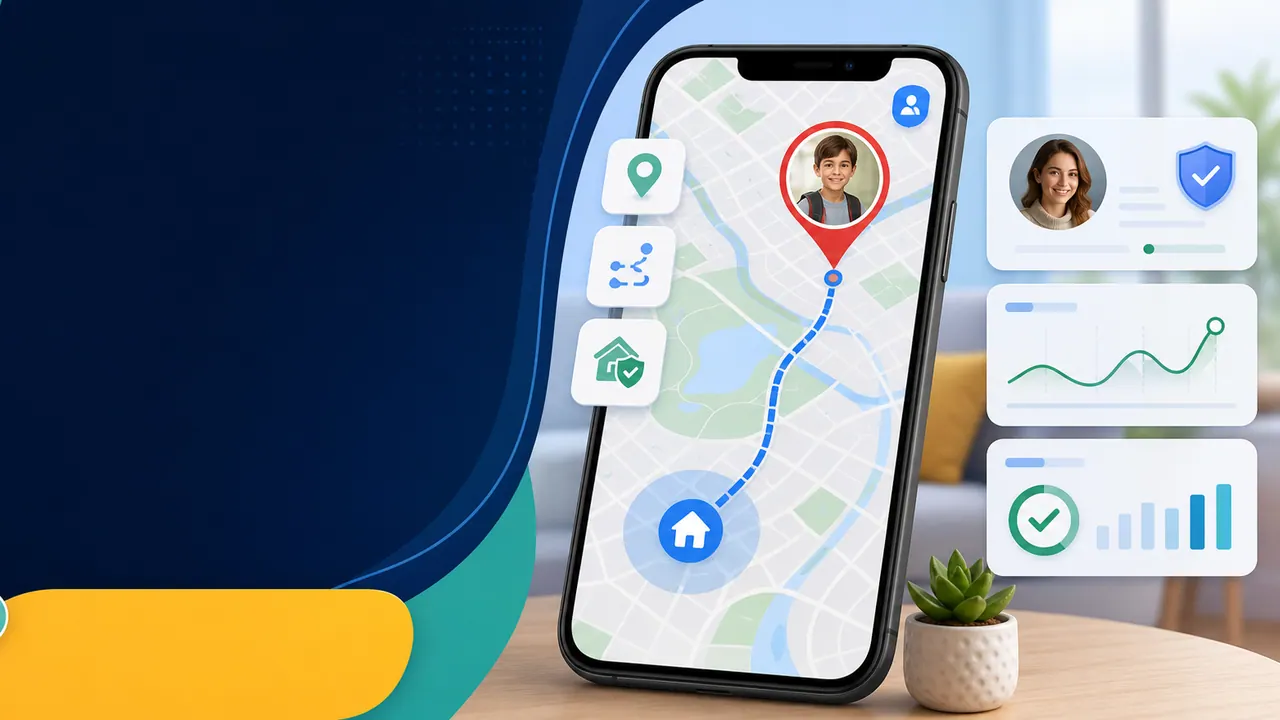
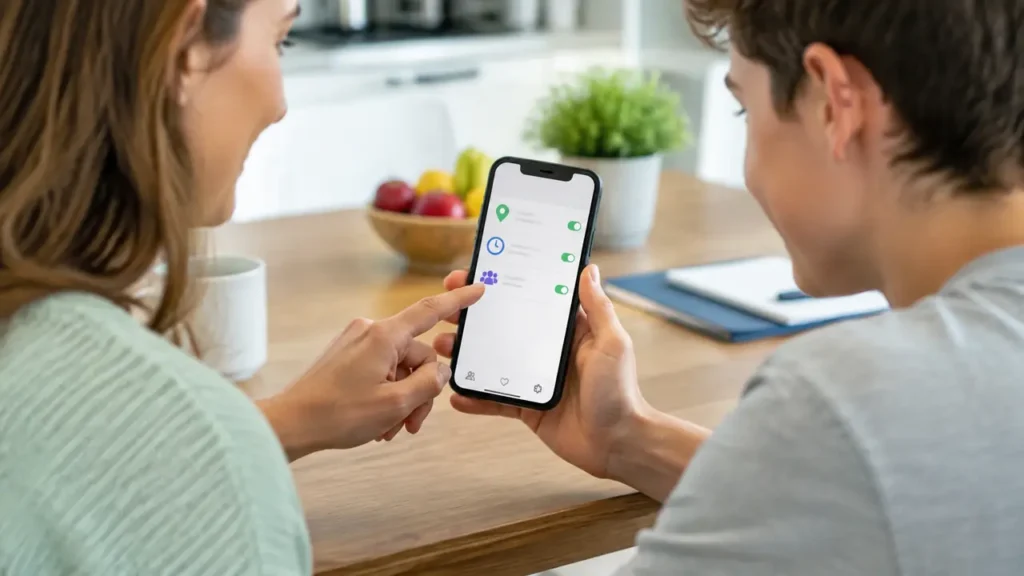
    Family reviewing consent-based phone location and parental control options together
    Choose a shared-location or managed-device workflow that matches the relationship and permission available.

    Which location option should you buy?

    Buy based on the setup you can legitimately complete, not the longest feature list. If you only need a one-time location request, an ongoing monitoring subscription may be unnecessary. If you manage a childโ€™s phone and need recurring alerts or broader device supervision, compare the dashboard, operating-system limits, support, cancellation terms, and data handling.
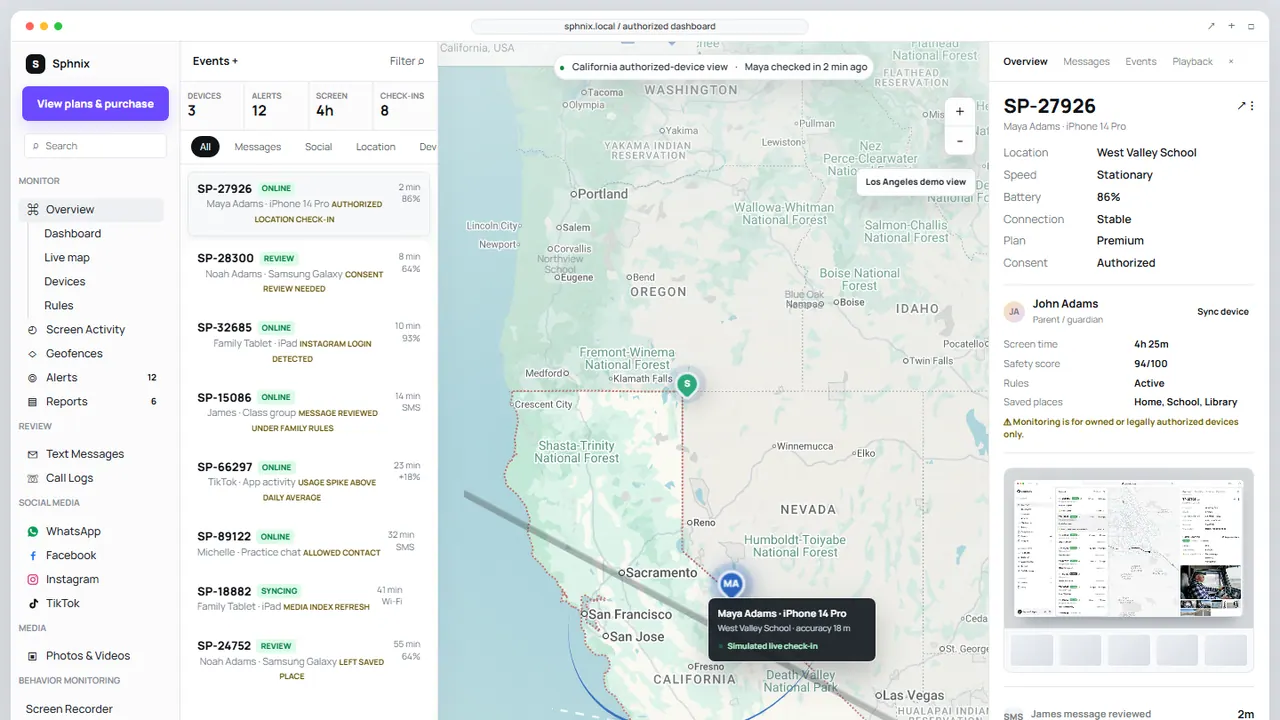
    Sphnix location dashboard demo with device list, map pin, check-in details and reporting controls
    The Sphnix demo shows the monitoring interface before purchase; verify the setup and plan for the device you manage.
    Product pathConsider it whenVerify firstLink
    SphnixYou want to inspect the Spy Wizards dashboard and purchase pathCurrent plan, device setup, and supported location workflowTour Sphnix
    Apple Find MyYou need to locate your own Apple device or use location sharing with permissionThe correct Apple Account, device settings, and the other personโ€™s consentRead Appleโ€™s setup guide
    mSpyYou need an ongoing parental-monitoring comparisonPhysical/account access, current iOS or Android compatibility, and included featuresCheck mSpy
    EyezyYou want to compare family alerts and dashboard controlsWhich functions apply to the target device and planCheck Eyezy
    ParentalerYour use case is parent-managed child-device supervisionInstallation, cancellation, privacy, and operating-system limitsCheck Parentaler

    Disclosure: Some product links are affiliate links. Spy Wizards may earn a commission without increasing your price. Verify current compatibility, setup requirements, and billing on the providerโ€™s page.

  • Will Recovery Preserve Your Data?

    The previous-passcode feature may preserve data because it restores access rather than erasing the phone. A full restore does not. If no usable backup exists, the encrypted data protected by the forgotten passcode may be unrecoverable. Be cautious with businesses promising to preserve every photo and message. Ask for the exact supported model, iOS version, data-loss policy, refund terms, and whether the service still requires your Apple Account.

    Activation Lock remains after an ordinary restore. That design prevents a stolen phone from becoming usable simply because someone erased it. A receipt or other ownership evidence may help in Appleโ€™s support process, but it does not guarantee account recovery.

    Passcode Services and Tools to Avoid

    • Sites claiming they can unlock any iPhone from an IMEI or phone number.
    • People asking for your Apple Account password or verification code over chat.
    • Downloads that require disabling antivirus protection before they explain compatibility.
    • Services promising access to another personโ€™s messages after payment.
    • Old โ€œemergency callโ€ or Siri tricks presented as current solutions.

    A phone number, serial number, or IMEI identifies a device or account record. None acts as the encryption key for stored iPhone data.

    After You Recover the iPhone

    Create a passcode you can remember without reusing banking or email credentials. Confirm that two-factor authentication is active, remove unfamiliar trusted devices, review Find My, and enable automatic backups. For a childโ€™s iPhone, use Family Sharing and a separate Screen Time passcode rather than sharing the device passcode.

    If your aim is family supervision rather than passcode recovery, read our guide to authorized iPhone monitoring and compare the best parental-control apps for iPhone. Monitoring software cannot unlock a phone or defeat Activation Lock.

    Recovered the Phone and Need Family Controls?

    Preview the Sphnix dashboard before buying. It is designed for devices you own or are authorized to manage, after normal device access and setup are complete.

    Open the Sphnix DemoCompare Sphnix Plans

    Frequently Asked Questions

    Can you bypass an iPhone passcode without erasing data?

    Possibly, if the supported previous-passcode option is still available. Otherwise, Appleโ€™s standard recovery process normally erases the device. A backup is then required to restore personal data.

    Can Apple unlock an iPhone without the passcode?

    Apple can explain recovery and ownership procedures, but it does not provide a universal method to decrypt personal data without the passcode. Activation Lock also requires the linked account or accepted ownership evidence.

    Can Sphnix bypass an iPhone passcode?

    No. Sphnix is a monitoring dashboard for an authorized and compatible setup. It is not a passcode-removal or Activation Lock tool.

    Does a factory reset remove Activation Lock?

    No. Erasing an iPhone does not automatically remove its association with the Apple Account that enabled Find My.

    Related Spy Wizards Resources

  • Why Forgot Passcode May Not Work

    • Wrong Apple Account:ย Screen Time recovery may use a different account from the one currently shown at the top of Settings.
    • Family role mismatch:ย a child cannot reset a restriction controlled by the family organizer.
    • Outdated software:ย update every device in the Family Sharing group before changing synchronized settings.
    • Managed device:ย a school or employer policy can override ordinary Screen Time controls.
    • Sync delay:ย changes may need time and a stable internet connection to reach every family device.

    Avoid repeated guessing. Guessing does not provide a reliable bypass and can create longer delays. Confirm the recovery account and family role first.

    How to Handle Downtime Without the Passcode

    If you manage the device, reset the passcode and then adjust the Downtime schedule normally. If a child needs temporary access, the organizer can approve a request for more time rather than revealing the code. For a school or employer device, contact the administrator. Changing the date, opening unsupported browsers, or exploiting a temporary software bug is unreliable and weakens the protection the administrator intended.

    Parents should also review whether the schedule still fits school, homework, travel, and emergency needs. A control that blocks legitimate tasks too often encourages arguments and workarounds. Use different limits for entertainment, communication, and school apps where the platform permits it.

    Screen Time Passcode Recovery Checklist

    1. Write down whether the restriction affects one device or every device in the family.
    2. Confirm the child and organizer accounts shown in Family Sharing.
    3. Update the organizerโ€™s device and the restricted device to the latest compatible software.
    4. Try the official Forgot Passcode route with the account used during recovery setup.
    5. Check whether the device belongs to a school or employer before erasing or removing profiles.
    6. After resetting the code, test one App Limit and one Downtime period before rebuilding every rule.

    This sequence helps separate an account problem from a synchronization problem. If one device accepts the new code and another does not, restart both devices, confirm their internet connection, and give the family settings time to synchronize. If every device rejects the recovery account, use Apple Account recovery before considering a device erase.

    Prevent the Same Lockout

    Add Screen Time Passcode Recovery when Apple offers it, store the organizer account in a password manager, and keep the family roles current. Do not use the same code as the childโ€™s device passcode. Review limits together so everyone understands which apps remain available during Downtime and how to request an exception.

    For younger children, block account changes and passcode changes from Content & Privacy Restrictions. For teenagers, explain which controls are safety rules and which are temporary routines. Clear rules reduce attempts to find a Screen Time bypass and make it easier to identify a genuine technical failure.

    When You Need More Than Apple Screen Time

    Screen Time is strongest for Apple-family controls, purchase approval, app limits, and content restrictions. Families that want a shared review dashboard, location check-ins, or structured reports may compare a dedicated parental-control service. Start with our apps to control screen time comparison and the iPhone parental-control guide.

    A third-party app cannot legitimately recover an unknown Screen Time code or override an organizationโ€™s management. Its value begins after the parent or device owner completes the required installation and permissions.

    Compare the Dashboard Before You Buy

    The Sphnix demo shows messages, calls, activity, location check-ins, alerts, and reports in one review interface. Feature availability depends on the device and completed setup.

    Explore the Sphnix DemoSee Sphnix Plans

    Frequently Asked Questions

    Can I bypass Screen Time without the Apple Account?

    There is no supported silent bypass. First determine which Apple Account was used for Screen Time recovery. A Family Sharing organizer can reset a childโ€™s code from the organizerโ€™s device.

    Is the Screen Time passcode the same as the iPhone passcode?

    No. They are separate controls and can use different codes.

    Can a factory reset remove Screen Time?

    Erasing and setting up a device as new can remove local settings, but it also removes data and does not bypass Activation Lock or organization management. Restoring certain backups may restore settings.

    Can Sphnix bypass Screen Time?

    No. Sphnix requires an authorized setup. It does not defeat Apple passcodes, Family Sharing controls, or managed-device policies.

    Related Spy Wizards Resources

  • Fix Common Qustodio Problems

    ProblemLikely checkParent action
    Activity stopped updatingBattery optimization, background permission, or an outdated app.Update Qustodio and allow the required background operation.
    Wrong child is monitoredThe device user is assigned to the wrong profile.Correct the profile assignment from Devices.
    Legitimate site is blockedWeb category, unsupported browser, or custom rule.Review web filtering and browser support.
    Device is locked unexpectedlyDaily time limit, restricted time, or time-zone mismatch.Correct the schedule and verify the device clock.
    Internet fails on iPhoneThe Qustodio VPN may not work with the current network.Use the parent controls to pause protection while troubleshooting.

    Qustodio lists current Android requirements and troubleshooting on its official Android help page. Its iPhone behavior relies partly on a VPN profile, so an incompatible network can require a temporary parent-authorized pause.

    Why Workarounds Are a Weak Fix

    Old posts may suggest changing the time, using an unsupported browser, disabling permissions, creating another user, or interfering with a VPN. These workarounds are unreliable, may expose the device to unsafe sites, and can break reporting without solving the underlying family problem. They can also teach a child to hide activity rather than ask for an exception.

    Parents should protect Android settings, disable unnecessary user profiles, keep the operating system current, and check the dashboard after major device updates. If a rule is too strict, adjust it openly. If Qustodio regularly fails on the familyโ€™s devices, compare another service based on compatibility rather than on marketing claims.

    Audit the Setup After a Suspected Bypass

    A missing hour in the activity timeline does not prove that someone deliberately defeated Qustodio. The device may have been offline, battery optimization may have stopped the service, the child may have used an unsupported browser, or the app may have lost a required permission after an operating-system update.

    1. Compare the last reported time with the deviceโ€™s network and battery history.
    2. Confirm that the correct child profile and device user are still connected.
    3. Review administrator, accessibility, VPN, notification, and background permissions.
    4. Check whether a new browser, user profile, or power-saving mode appeared.
    5. Update the app, restart the device, and run a short supervised test.

    If reporting resumes during the test, document the setting that fixed it. If it does not, contact Qustodio support with the device model, operating-system version, app version, and approximate time the reporting stopped. That information is more useful than reinstalling repeatedly.

    Set Rules That Are Easier to Enforce

    Use schedules that match the childโ€™s actual school and sleep routine. Keep emergency calling and essential communication available. Explain the process for requesting extra time, and review blocked categories together. A clear rule with a reasonable exception process is more likely to work than a blanket restriction that interrupts homework or family communication.

    Check the activity dashboard weekly at first, then reduce the frequency when the setup is stable. The objective is a dependable safety system, not constant surveillance. Age-appropriate privacy and open expectations matter as much as the software.

    When to Consider a Qustodio Alternative

    Consider changing products when the required device is unsupported, the reporting workflow does not match the familyโ€™s needs, or the same technical failure returns after correct installation. Read our Qustodio review, screen-time app comparison, and iPhone parental-control guide before paying for another subscription.

    See a Different Monitoring Workflow

    Sphnix provides a dashboard for authorized device review. Open the demo first and compare its device, activity, location, alert, and reporting screens with the controls your family actually needs.

    Open the Sphnix DemoCompare Sphnix Plans

    Frequently Asked Questions

    Can a parent temporarily disable Qustodio?

    Yes. The parent can sign in through the Qustodio Kids app or parent controls and choose a temporary disable option.

    Why did Qustodio stop reporting Android activity?

    Battery optimization, missing background permissions, an unsupported browser, an outdated app, or the wrong profile assignment are common causes.

    Can I remove Qustodio without the parent password?

    The supported removal process requires the account ownerโ€™s credentials. If you own the account but forgot the password, recover it through Qustodio instead of trying to defeat device protection.

    Does Sphnix bypass Qustodio?

    No. Sphnix is an alternative authorized monitoring workflow. It does not disable Qustodio or override another administratorโ€™s controls.

    Related Spy Wizards Resources


    Comments

    Leave a Reply 

    Your email address will not be published.Required fields are marked *

    Comment *

    Name *

    Email *

    Website

    Save my name, email, and website in this browser for the next time I comment.

    โ†Previous: How to Bypass Screen Time Passcode: Safe Recovery

    Next: AI Hacker Tools: Capabilities, Limits, and Safe Use (2026)โ†’

    Spy Wizards Blog

    Spy Wizards Blog

    Spy Wizards publishes cybersecurity, account recovery, device safety, and family monitoring guides to help readers make safer digital decisions.

    About

    Privacy

    Social

    Designed with WordPress

  • How to Bypass Qustodio: Parent and Admin Options

    Quick answer: If you are the parent or administrator, the supported answer to how to bypass Qustodio is to sign in, temporarily disable protection, change the rule causing the problem, or remove the app through Qustodioโ€™s documented controls. This article does not provide ways for a child or unauthorized user to defeat parental controls.

    Searches for a Qustodio bypass usually come from two very different situations. A parent may have blocked a childโ€™s entire device by mistake, or a child may be looking for a hidden workaround. The first problem has legitimate fixes. The second is a sign that the family needs better configuration and a conversation about why the rule exists.

    Qustodio runs differently on Android, iPhone, Windows, and Mac. Before changing anything, record the affected device, operating-system version, rule, time of failure, and whether the device still appears online in the parent dashboard.

    Table of Contents

    How to Bypass Qustodio as the Account Owner

    Temporarily disable protection

    On a supported mobile device, open the Qustodio Kids app, choose Manage, and sign in with the parent account. Select Disable Protection, then choose whether to pause it for a fixed period or until you turn it on again. This is useful when a legitimate school, travel, or accessibility need is being blocked.

    Change the rule instead of removing everything

    Open the Parents App or Family Portal and identify the rule producing the block. Check daily limits, restricted times, web filtering, app rules, and the assigned child profile. A narrow correction preserves the rest of the familyโ€™s settings and produces a clearer audit trail than uninstalling the app.

    Remove Qustodio from an owned device

    Qustodioโ€™s official Android process requires the parent account password: open Qustodio Kids, sign in, disable protection, and select Remove Qustodio. Then remove the old device from the parent dashboard so it no longer consumes a device slot. Use Qustodioโ€™s current Android removal instructions because menu names can change.

  • First Signs Your WhatsApp Account Was Hacked

    Most WhatsApp account incidents start with a warning sign. You may be logged out suddenly, contacts may receive messages you did not send, or WhatsApp may show linked devices you do not recognize. Some people notice that friends are asked for money, codes, gift cards, or private information from their account.

    • You cannot access your WhatsApp account.
    • Messages were sent from your number without your permission.
    • You see unknown linked devices.
    • Your mobile service suddenly stops working.
    • You receive verification codes you did not request.
    • Contacts report scam messages from your account.

    Step 1: Re-Register Your Phone Number

    Open WhatsApp on your own phone and register your number again. WhatsApp will send a verification code to your number. Enter the code only in the official WhatsApp app. Do not share that code with anyone in a chat, email, phone call, or support message.

    If someone else registered your number, re-registering it on your phone can remove their access. If you cannot receive the code, contact your mobile carrier and ask whether your number was ported, swapped, or blocked.

    Step 2: Remove Unknown Linked Devices

    After you regain access, open WhatsApp settings and review Linked Devices. Remove every device you do not recognize. This step matters because someone may still have access through a browser or desktop session even after you regain control of the account.

    Step 3: Enable Two-Step Verification

    Two-step verification adds a PIN to your WhatsApp account. It makes future takeover attempts harder because a verification code alone may not be enough. Add a recovery email that you control and protect that email account with a strong password.

    Step 4: Secure the Phone and Mobile Number

    WhatsApp recovery is not complete if the phone or SIM is still at risk. Remove unknown apps, update the phone, check app permissions, and contact your carrier if your SIM stopped working. SIM swap and malicious apps are common reasons WhatsApp accounts keep getting attacked.

    Step 5: Save Scam Evidence Before Deleting Messages

    If your account was used for fraud or impersonation, save evidence before cleaning everything. Screenshots, phone numbers, payment links, wallet addresses, message timestamps, and linked-device details can help you explain what happened to contacts, banks, support teams, or a professional reviewer.

    When Spy Wizards Can Help With WhatsApp Recovery

    Spy Wizards can help with authorized WhatsApp recovery guidance, linked-device review, phone compromise checks, scam evidence organization, and safety recommendations. We do not help with unauthorized access to someone elseโ€™s WhatsApp messages.

    Contact Spy Wizards on WhatsApp here: https://wa.me/573009725681.

    Legal Monitoring After Recovery

    If you are a parent and the hacked account belongs to a childโ€™s phone you manage, legal monitoring apps may help you notice risky contacts, suspicious app activity, or unsafe behavior earlier. Tools such as mSpy, Parentaler, and Eyezy should only be used on devices you own, manage, or have permission to monitor.

    FAQs

    Can I recover a hacked WhatsApp account?

    In many cases, yes. Re-register your number in the official WhatsApp app, remove unknown linked devices, enable two-step verification, and secure your mobile number.

    What if someone changed my WhatsApp verification settings?

    Use the official WhatsApp recovery process and protect the phone number with your mobile carrier. If you suspect SIM swap, contact the carrier immediately.

    Can Spy Wizards recover my WhatsApp?

    Spy Wizards can help with authorized recovery guidance, linked-device review, phone compromise checks, and evidence organization for accounts or devices you own or have permission to review.

    Related WhatsApp Guides

    Use these companion guides to move from general WhatsApp risk research into the right legal next step.

    Sources Used for WhatsApp Safety Guidance

    This supporting guide is written for legal account recovery, device-owner security, parental monitoring, and authorized help only. For official safety steps, compare it with WhatsApp Help Center resources on recovering a compromised account, checking linked devices, two-step verification, and the FTC warning about verification-code scams.

    Related Spy Wizards Resources

  • Recover Hacked WhatsApp Account: Legal Recovery Steps and Safety Help

    Last updated: June 22, 2026. This page was reviewed for legal-use framing, WhatsApp account safety, recovery accuracy, and monitoring intent.Not sure whether the warning signs on your phone matter?Run the free Phone Privacy Checkup to review linked devices, app permissions, login alerts, account recovery settings, and suspicious phone behavior.Run the free phone privacy checkup

    When official recovery steps do not resolve the incident, review the scope of authorized WhatsApp security help for owned accounts and devices.

    If your WhatsApp account was hacked, the safest move is to recover the account through official steps, remove unknown linked devices, and secure the phone number attached to the account. This guide explains what to do first, what evidence to save, and when to contact Spy Wizards for authorized recovery support.

    If you are researching the broader question of how to hack WhatsApp legally and safely, read our main guide for account takeover risks, legal monitoring apps, and safety checks. This page focuses on recovery after a real or suspected compromise.

  • Parentaler is a better fit when your concern includes family safety, shared-device boundaries, or location accountability in a lawful monitoring situation.

    Parentaler is a better fit when your concern includes family safety, shared-device boundaries, or location accountability in a lawful monitoring situation.

    • Strong family-safety angle.
    • Useful for location and device accountability.
    • Use with clear permission and transparent rules.

    Get Parentaler

  • Legal Monitoring Apps for Snapchat-Related Concerns

    When people search for a cheating Snapchat app, they usually want a practical way to understand online behavior. Apps can help only when the monitoring is legal: for example, a device you own, a family phone you manage, or a situation where consent is clear.


  • How to Choose the Right Snapchat Monitoring Option

    Before choosing an app, decide what question you are trying to answer. If the concern is who your child or dependent is contacting, a parental-control app with location and activity features may fit. If the concern is a shared phone or a relationship transparency agreement, choose a monitoring app only after both sides understand what will be checked. If the issue is account recovery, impersonation, harassment, or suspicious login activity, Spy Wizards can help you make a safer plan around authorized account security rather than risky access attempts.

    Look for practical features: clear setup instructions, visible dashboard access, device compatibility, support, and cancellation control. Avoid any service that promises to hack Snapchat, recover private messages from an account you do not control, or access someone elseรขโ‚ฌโ„ขs phone without permission. Those offers often create more risk than clarity. A legal app should help with monitoring on an authorized device, while a professional service should help with account safety, evidence organization, and next steps that stay within the law.

    For conversion, the page should make the choice easy: use mSpy when you need broader phone monitoring, use Parentaler when family safety and location context matter most, use Eyezy when social activity patterns are the main concern, and contact Spy Wizards when you need human guidance before taking action. That structure keeps the page useful for readers and gives search engines a clear reason to rank it for Snapchat cheating intent.