Category: Uncategorized

  • 7 Steps to Take If You Get Hacked โ€“ Protect Your Digital Security Now

    What to do if you get hacked

    Updated February 2026

    Hacking is every Internet userโ€™s worst nightmare. It can cause immense stress and insecurity, both in personal and professional life. So, what should you do if your security is breached?

    Stay calm and act quickly. The quicker you act, the better chance you have of reducing the damage. Firstly, disconnect from the Internet, blocking the hackerโ€™s access to your devices and data.

    Then, consult an IT expert or cybersecurity specialist. They will assess the breach and help you restore your online presence.

    Also, inform all relevant people of the security breach. This includes notifying banks, financial institutions, and other organizations that hold sensitive information. They can help prevent any fraudulent activity.

    To avoid such nightmares, update your antivirus software regularly and protect your devices with strong passwords. Be vigilant when clicking on suspicious emails or links, as they can be a way for hackers to steal your personal info.

    As per NortonLifeLockโ€™s 2021 study, cybercriminals launch an attack every 39 seconds on average globally. This shows how important it is to react immediately if your security is hacked.

    Table of Contents

    Understanding the Signs of Being Hacked

    Watch out for signs of hacking as they can be crucial for taking quick action to protect your online security. Here are key signs to keep an eye on:

    • Unusual Account Activity: Unexplained transactions, emails, or activities on your accounts could be a sign of unauthorized access.
    • Password Difficulties: Trouble logging into your accounts or frequent password resets without cause may indicate someone else is trying to gain access.
    • Unexpected Pop-ups or Redirects: Random pop-up ads and website redirects may mean malware has infected your device.
    • Sudden System Slowdowns: A huge decrease in your computer/mobile device performance could be due to malware or unauthorized activity.

    Also, if friends tell you they received strange messages from you on social media or via email, it could mean your accounts have been breached.

    To secure yourself from potential hacking consequences, do the following: 1. Update all software/apps on your devices for the latest security patches and prevent known vulnerabilities that hackers may exploit.

    In addition, utilize strong and unique passwords for each account. Avoid common words/patterns; opt for a mix of upper/lower case letters, numbers, and special characters.

    Use two-factor authentication (2FA) for an extra layer of security. 2FA requires a second form of verification such as a code sent to your smartphone when logging into an account.

    Be cautious when clicking on links or downloading files from unknown sources. Utilize reliable antivirus software with real-time scanning capabilities to detect malicious files before they can harm your system.

    By remaining aware and taking these preventive steps, you can better protect yourself from potential hacking incidents and reduce their impact on your online security.

    Step 1: Stay Calm and Assess the Situation

    When a hack happens, remember to stay calm and assess the situation! Here are some steps to handle it:

    1. Realize the impact: Consider what info or resources could have been taken.
    2. Limit the harm: Disconnect from public networks, power down related devices, or disable relevant accounts.
    3. Let appropriate folks know: Tell your employer, bank, online provider, or social media platforms about the breach.
    4. Document everything: Take screenshots, save emails, and note any suspicious activities.
    5. Get professional help: Ask experts to assess the breach, help restore digital safety, and prevent future attacks.

    Donโ€™t be scared; act fast! The longer you wait, the more info you could lose. Take control of your digital life before itโ€™s gone!

    Step 2: Secure Your Accounts and Change Passwords

    After a cyber attack, securing accounts and changing passwords is vital. To protect your online presence and stop further harm, follow these moves:

    1. Work out the damage from the hack. Figure out which accounts were breached and what sensitive info may have been disclosed.
    2. Start by transforming your passwords for all affected accounts. Make sure to choose robust, distinct passwords that involve a mix of uppercase and lowercase letters, numbers, and symbols.
    3. Activate two-factor authentication when possible. This adds an extra layer of security by requiring a verification code in addition to your password.
    4. Check your accounts consistently for any dubious activity. Report any unapproved transactions or changes right away.
    5. If you used the same password for multiple accounts, renew those too to evade a domino effect if one account gets hacked once more.
    6. Think about using a password manager to securely save and create complicated passwords for all your accounts. This lowers the risk of forgetting or reusing passwords.

    Keep in mind, time is of the essence when facing a hack. Take prompt action to ensure your digital identity.

    Additionally to these steps, itโ€™s extremely important to educate yourself about common hacking techniques like phishing emails or social engineering cons. Stay aware of cybersecurity trends and best practices.

    A friend once became a victim of a clever phishing attack that copied their bankโ€™s website accurately. They unknowingly entered their login credentials, allowing hackers access to their account. Fortunately, they noticed strange transactions just in time and quickly reset their passwords across all platforms. It was an alert for them to be more attentive online.

    Step 3: Scan Your Devices for Malware

    Scanning your devices for malware is key for restoring after a hacking incident. It can help find any malicious software that may have infiltrated your system and let you remove it effectively. Hereโ€™s a 4-step guide for scanning your devices for malware:

    1. Download Antivirus Software: Install a dependable antivirus software on all of your devices, such as computers, smartphones, and tablets. This software will help spot and get rid of any malware on your devices.
    2. Update Software: Make sure the antivirus software and your operating system are current. Regular updates include security patches that can augment the effectiveness of the antivirus program in spotting and eliminating malware.
    3. Do a Full Scan: Launch a full scan of each device using the installed antivirus software. This in-depth scan will examine all files, folders, and programs on your device for any indications of malicious activity.
    4. Remove or Isolate Threats: Once the scan is done, review the results given by the antivirus software. If any threats are detected, take immediate action to remove or isolate them according to the software. Erasing or separating these threats will stop more harm to your devices.

    Remember that constantly scanning your devices for malware is necessary for keeping their security. With these steps, you can reduce risks and guarantee a safer online experience.

    In addition, itโ€™s wise to practice safe browsing habits, like staying clear of shady websites and not clicking on unfamiliar links or attachments in emails. These preventive measures can significantly lower the chances of getting hacked in the first place.

    Scanning your devices for malware is a proactive way to protect your digital assets against cyber threats.

    Step 4: Update Your Software and Operating Systems

    Itโ€™s essential to update your software and operating systems after a hack. Not doing so can leave your system open to further attacks. Follow these three steps to aid you in keeping your tech secure:

    1. Pinpoint the affected programs: See which software and operating systems were compromised. It could be your antivirus, web browsers, or other applications.
    2. Look for updates: Go to the official sites or use their built-in update features to search for new versions. Download and install the most recent ones, as they generally have security patches to tackle hacked-in vulnerabilities.
    3. Activate automated updates: To make sure youโ€™re guarded against future threats, enable automated updates for all pertinent software and operating systems. This way, cyber safety providers can offer vital updates straight to your device without needing your help.

    Plus, remember to be aware of specific info not yet mentioned. Keep safe by regularly checking for updates even after resolving a hacking incident.

    The majority of cyberattacks are due to unpatched vulnerabilities (Source: National Institute of Standards and Technology). Taking proactive steps to keep your software and operating systems updated drastically lowers the risk of future breaches.

    Step 5: Enable Two-Factor Authentication

    Two-Factor Authentication is key to safeguarding your accounts. Follow these steps to activate it:

    StepAction
    1Go to account settings.
    2Look in the security or privacy area.
    3Locate the Two-Factor Authentication option and switch it on.
    4Choose a method, like text message codes or an authenticator app.

    Two-Factor Authentication provides an extra layer of defense. It means even if your password is exposed, hackers canโ€™t enter your account without the added confirmation step.

    Interestingly, Verizonโ€™s Data Breach Investigations Report showed that 80% of hacking-related breaches can be avoided by using Two-Factor Authentication.

    Step 6: Monitor Your Accounts for Suspicious Activity

    Stay vigilant to protect yourself from a hack. Here are some steps you can take:

    • Check accounts for unfamiliar activity.
    • Enable notifications and alerts for real-time updates.
    • Change passwords regularly and make them strong and unique.
    • Monitor credit reports for fraudulent activities.
    • Consider identity theft protection services.
    • Report any unusual activities promptly to authorities and institutions like banks, credit card companies, or social media platforms.
    • Monitoring accounts allows you to take action against threats and also prevents future attacks by keeping a watchful eye on your online presence and finances.

    Step 7: Report the Incident and Seek Professional Help

    In the digital age, it is key to get help from experts and report any hacking incident. This helps to minimize more damage and stop future attacks. But, it can be too much to handle.

    For you to manage the situation, here are 4 steps.

    1. Find out the effect:First, discover how bad the incident is and identify what has been affected. Doing this will help you understand how serious the attack is and give experts the info to help you.
    2. Contact authorities:Reach out to your local law enforcement or cybercrime reporting centre. Reporting the hack is very important as it helps police find the hackers and stop other attacks.
    3. Tell people:Immediately inform all relevant people or organizations about the hack. This includes customers, suppliers, partners, or any stakeholders that could be affected.
    4. Use cybersecurity pros:Get help from cybersecurity pros who have experience in handling incident response. They have knowledge and resources to investigate, close security gaps, restore systems, and guide you in preventing future breaches.

    It is important to get advice from experts that know about cyber threats in your area or company.

    When dealing with a hacking incident, make sure to keep in touch with everyone involved for a fast solution.

    Conclusion

    The value of a strong ending to a hacking incident cannot be overstated. To handle it well, you must act fast and put in place the necessary measures to reduce harm.

    Data protection is key. Make sure to backup important files and store them securely. That way, a breach will have less effect and you can restore the affected information quickly.

    Also, switch all passwords for your online accounts ASAP. This will stop hackers from accessing more and will help to keep them away in the future.

    Furthermore, stay aware of the latest cyber threats. Keep up-to-date with security practices and make sure your software is always current โ€“ this will help protect you against potential vulnerabilities.

    A great example of the importance of these steps is a multinational company that was hit by a complex hacking attack. They lost sensitive data, plus money and their good name. But, by setting up robust security quickly, they got back in control and restored their customersโ€™ faith.

    Frequently Asked Questions

    FAQs: What to do if you get hacked

    1. How do I know if Iโ€™ve been hacked?

    If you notice any suspicious activity on your online accounts, such as unfamiliar transactions, password changes you didnโ€™t make, or emails you didnโ€™t send, itโ€™s possible that youโ€™ve been hacked. Other signs include slow device performance, unwanted pop-ups, or missing files.

    2. What should I do first if I suspect Iโ€™ve been hacked?

    The first step is to secure your accounts by changing all passwords immediately. Enable two-factor authentication whenever possible. Notify your bank and credit card companies about potential fraudulent transactions. Run a comprehensive virus scan on all your devices and update your software to the latest version.

    3. Should I report the hacking incident to the authorities?

    Yes, you should report the hacking incident to your local law enforcement agency. They may not be able to recover your data or reverse any damages, but filing a police report creates an official record that can be helpful later on for insurance claims or legal action.

    4. How can I protect myself from future hacking attempts?

    Itโ€™s important to maintain strong and unique passwords for each of your accounts. Regularly update your software and operating systems to address security vulnerabilities. Be cautious while clicking on suspicious links or downloading attachments from unfamiliar sources. Consider using a reliable antivirus software and a firewall.

    5. What if I canโ€™t regain control of my hacked accounts?

    If youโ€™re unable to regain control of your hacked accounts, reach out to the respective service providers for assistance. Most platforms have dedicated support teams that can guide you through the account recovery process. Provide them with all the relevant information and any evidence of unauthorized access.

    6. How can I minimize the impact of a hacking incident?

    Regularly back up your important files and data to an external storage device or a cloud service. This way, even if you get hacked, youโ€™ll still have access to your important information. Itโ€™s also advisable to review your financial statements regularly to detect any fraudulent activities at the earliest.

    Related Security Guides

    Next, read how to check whether your data was breached, how to remove spyware from your phone, and our Facebook recovery guide.

  • Step-by-Step Guide: How to Report Hacking Incidents

    How do i report hacking

    Updated February 2026

    Hacking incidents are now commonplace. Reporting them is very important. Letโ€™s look at the steps and why.

    1. Gather all evidence. This could be emails, messages, system logs. This is needed for law enforcement to build a case.
    2. Decide who to report it to. This could be local police, cybersecurity firms, or government bodies. Doing this quickly will mean actions against the hackers are taken quickly.

    As an example, in 2016 a company detected a hacking attack. They informed both local police and cybersecurity experts. As a result, the hackers were identified and punished.

    Reporting hacks is not just for those affected. It can help everyone. We can create awareness of cybercrime. The reports to law enforcement can help identify patterns and stop future hacking incidents.

    Table of Contents

    Understanding hacking

    Hacking is an art, mastered by some. It is the technique of breaching security systems and getting unauthorized access to data or computer networks.

    Motives: Financial gain, political activism, or simply the desire for challenge and recognition drive hackers to use their skills to infiltrate systems and exploit weaknesses.

    Techniques: From brute force strikes to social engineering tactics, hackers employ various techniques like phishing emails and malicious software injection to take advantage of human vulnerabilities and get confidential information.

    Consequences: Stolen personal info resulting in identity theft, and compromised national security, are just a few of the dire consequences of hacking.

    White hat hackers are ethical hackers who do the same activities, but with permission and to identify system weaknesses.

    To protect ourselves from hacking, we must stay informed on cybersecurity practices, and report any suspicious activity immediately. Knowledge is power when it comes to defending against this threat.

    Letโ€™s take action today. Stay cautious about your online security, educate yourself via reliable sources, and promptly report any signs of hacking. Donโ€™t let the fear of missing out on protective measures stop you from securing your digital life.

    Importance of reporting hacking incidents

    In the digital age, reporting hacking incidents is essential. It prevents further damage and keeps sensitive info safe. When a hacking incident happens, it can have serious consequences for individuals and businesses. By reporting it, steps can be taken to investigate and stop future attacks.

    A unique detail is the role of cybersecurity agencies. They work with people and companies to analyze the breach and give advice to fix it. Following this advice helps with recovery and makes security better.

    To improve the reporting process, here are some tips:

    1. Contact the police. Tell them details like time, date, and any suspicious activities you saw.
    2. Alert your service providers if you think the attack was related to them. They can investigate and prevent others from getting attacked.
    3. Gather evidence like screenshots of error messages or strange activities on your devices or networks. This helps with the investigation.

    By following these tips, you help make cyberspace safer. Remember that quick reporting protects you and others from harm caused by hackers.

    Steps to report hacking

    Itโ€™s vital to report any hacking incidents. This helps you and everyone else stay secure in the cyber space. Hereโ€™s a 3-step guide on how to do it:

    1. Act fast:
      • When you spot something out of the ordinary, like strange account activity or unapproved access, donโ€™t wait.
      • Disconnect from the net and use top-notch antivirus software for a thorough scan.
      • Collect proof of the hacking incident, like screenshots or log files.
    2. Contact the right people:
      • Tell your local law enforcement agency or cyber crime unit, giving them all the details and evidence.
      • Let your internet service provider (ISP) know ASAP. They may be able to help investigate and stop the hacking.
      • Alert the websites or organizations that were hacked. This way, they can safeguard their systems and other users.
    3. Reach out to cybersecurity bodies:
      • Contact cybersecurity agencies like CERT or NCSC in your country.
      • Send them a detailed incident report with information about the type of attack.
      • Follow their advice on resolving the issue.

    Remember: Report hacking incidents as soon as you can and go through the right channels. This way, youโ€™re helping fight cybercrime and ensure online safety.

    Pro Tip: Make sure to update your passwords often and use two-factor authentication if itโ€™s available. This strengthens security against hacking.

    Additional tips for staying safe from hacking

    Technology is advancing, so itโ€™s essential to be vigilant against hacker threats. Here are 3 tips for staying safe:

    • Regularly update software. Get the latest security patches & protection with up-to-date operating systems, antivirus, & apps.
    • Create strong, unique passwords. Use a mix of upper/lowercase letters, numbers, & special characters. A password manager can help.
    • Beware of phishing. Donโ€™t click suspicious links in emails, messages, or calls, and verify sources before sharing info.

    But, remember โ€“ you need more than just these guidelines. Hackers develop new tactics, so stay informed & protect your information. Take charge & take action! Donโ€™t let fear stop you from reducing the risk of falling victim to hacking incidents.

    Conclusion

    Hacking can be serious, but reporting it the right way can make a difference! Detailed info helps authorities investigate and prevent further incidents. Reporting is not only responsible, itโ€™s a powerful means of protecting yourself and others.

    When reporting, get as much evidence as you can. Take screenshots, record activities/communications, and keep a log of any incidents. This documentation will help your report and aid law enforcement.

    Choose the right platform to report. Many countries have cybercrime portals or hotlines designed for handling such cases. Research the channels in your jurisdiction and familiarize yourself with their procedures.

    Provide accurate and concise info when making your report. Describe the incident, the devices involved, any IP/usernames related to the attacker, and other relevant info. The more specific you are, the better authorities will be able to respond.

    Not every report leads to immediate action or resolution. Investigations can be complex/time-consuming due to international jurisdictions and tech challenges. Patience is key during this process.

    Reporting hacking helps create awareness about cyber threats and enables law enforcement to track down perpetrators. Your contribution is vital in safeguarding digital spaces.

    Since COVID-19 lockdown, cybercrime reports have increased by 400% (source: TechRadar). This surge emphasizes the importance of proactive steps against hacking.

    Frequently Asked Questions

    1. How do I report hacking?

    To report hacking, you should contact your local law enforcement authorities or cybercrime unit. Provide them with all the relevant information and evidence you have regarding the hacking incident.

    2. What information should I include when reporting hacking?

    When reporting hacking, make sure to include details such as the date and time of the incident, the type of hacking (e.g., phishing, malware, unauthorized access), any suspicious emails or messages received, and any unusual activities observed on your accounts.

    3. Should I also report hacking to the website or service that was hacked?

    Yes, it is advisable to report the hacking incident to the website or service that was hacked. They may have specific procedures in place to handle such incidents and can take necessary actions to protect their users.

    4. Can I report hacking anonymously?

    In most cases, you can report hacking anonymously if you wish to remain unidentified. However, providing your contact information may help authorities in case they need further details or updates regarding the hacking incident.

    5. Is it necessary to change my passwords after reporting hacking?

    Yes, it is strongly recommended to change your passwords after reporting a hacking incident. This ensures that your accounts are secure and prevents any further unauthorized access.

    6. Where can I find additional resources and assistance regarding hacking?

    You can find additional resources and assistance regarding hacking from organizations such as the Federal Bureau of Investigation (FBI), local cybersecurity agencies, and online platforms dedicated to cybersecurity awareness. They provide guidance and support in dealing with hacking incidents.

  • Email Hacked? How to Find Out and Lock It Down Fast

    If you think your email was hacked, the first job is confirmation and containment, not retaliation. Searchers click when the page gives a clear incident-response sequence instead of vague fear language.

    Updated March 2026

    Table of Contents

    How to check quickly

    1. Review recent logins, recovery settings, filters, and forwarding rules.
    2. Change the password from a clean device.
    3. Turn on multifactor authentication.
    4. Secure linked accounts that depend on that inbox.

    When to escalate

    If payments, business systems, or legal evidence are involved, preserve logs and contact the right provider or incident-response support quickly.

    Related Security Guides

    Next, read how to check if your data has been breached, our personal cybersecurity checklist, and our Facebook account recovery guide.

    Frequently Asked Questions

    How do I know if my email was hacked?
    Unexpected forwarding, unknown devices, changed recovery settings, and unexplained reset emails are strong warning signs.

    Related Spy Wizards Resources

    Safety and Authorization Note

    Use cybersecurity guidance only on accounts, devices, and networks you own or are clearly authorized to review. If you are dealing with account recovery, suspicious logins, device privacy concerns, or business security checks, document what happened, preserve alerts or recovery emails, and avoid sharing passwords, one-time codes, private keys, or financial details. Spy Wizards focuses on lawful support, ethical security review, privacy protection, and practical recovery steps that reduce risk without crossing consent boundaries.

  • Network Hacking: Easy Steps to Access Someoneโ€™s Computer on Your Network

    How to hack into someones computer on your network

    Updated February 2026

    It is essential to protect our personal info from threats in todayโ€™s connected world. To do this, we must understand how hackers work. This article will explain the hacking of someoneโ€™s computer on your network.

    It is illegal and unethical to hack into someoneโ€™s computer without their permission. The goal here is to educate people, so they can secure their own systems.

    Hacking a computer on your network needs knowledge of various vulnerabilities and exploit techniques. Weak passwords, outdated software, and social engineering tactics can all be used.

    We should also be aware of the consequences of unauthorized access. Cybercriminals can be tracked and prosecuted. So, itโ€™s important to use what we know responsibly and ethically.

    An example of why we should secure our systems is the 2017 data breach of a large company. An employee was tricked by a phishing email. This shows we need a combination of tech solutions and user awareness training.

    Table of Contents

    Understanding the Basics of Computer Hacking

    Computer hacking is a complex realm. To understand it, we need to look into its details. Essential coding languages are Python and Java. Network protocols like TCP/IP help with finding weaknesses. Knowledge of operating systems like Windows and Linux helps in exploiting them. Password cracking techniques like brute-forcing and dictionary attacks are regularly used by hackers. Social engineering tricks people into revealing confidential data. Knowing encryption algorithms makes it easier to bypass security. Ethical hacking is a great way of making defences.

    According to the Cybersecurity Ventures report โ€œHackerpocalypse,โ€ global spending on cybersecurity products and services was over $114 billion in 2020. Itโ€™s important to understand the basics of hacking โ€“ whether itโ€™s to protect or explore.

    The Importance of Network Security

    Network security is a must for protecting sensitive info from unauthorized access. Organizations should prioritize setting up firewalls, intrusion detection systems, and encryption protocols to prevent data breaches. Moreover, staff should be educated in security best practices to raise awareness of phishing attacks, social engineering, and malware. Additionally, software and operating systems need to be frequently updated in order to patch any existing vulnerabilities. The recent rise in cyberattacks worldwide indicates the importance of network security. Not only does it benefit businesses but also individuals by protecting their personal info stored on connected networks. Therefore, network security is crucial in todayโ€™s interconnected world.

    Legal and Ethical Considerations

    It is essential to understand and follow legal and ethical considerations when hacking into someoneโ€™s computer.

    Legal considerations include:

    • Hacking is illegal and can result in fines and imprisonment.
    • Violating the Computer Fraud and Abuse Act (CFAA) can lead to severe penalties.
    • It is necessary to get explicit consent from individuals before any security-related testing or accessing their devices.

    Ethical considerations include:

    • Respect for othersโ€™ privacy is essential, as unauthorized access to personal data breaches trust and violates ethical standards.
    • Responsible disclosure requires security vulnerabilities found during testing to be reported to the concerned party without exploiting them.
    • Social engineering tactics should be avoided to prevent manipulating or deceiving individuals for personal gain or malicious purposes.

    These considerations not only apply to hacking but also to any cyber activities. They help maintain a safe digital landscape and foster trust among individuals. Marcus Hutchinsโ€™ case in 2018 is an example of why it is important to recognize the difference between lawful security research and illicit activities.

    By following legal regulations such as CFAA and conducting ethical conduct with regards to privacy rights, cybersecurity professionals can create a secure online environment.

    Steps to Hack into Someoneโ€™s Computer on Your Network

    In the digital world of today, hacking into someone elseโ€™s computer on your network has become a popular topic. It is important to understand how hackers work to protect ourselves, but it is essential to realize that accessing someone elseโ€™s computer without permission is both illegal and wrong. This article is written to shed light on the subject for educational purposes and does not condone or encourage hacking activities.

    If you think someone is accessing your networkโ€™s computer without permission, these steps should be followed cautiously:

    1. Find the Vulnerability: The starting point is to identify the vulnerability that allows a hacker to gain unauthorized access. This could be weak passwords, outdated software, or unsecured networks.
    2. Secure the Network: Once you have discovered the vulnerability, take action quickly to make your network safe. This includes updating passwords with strong combinations of upper/lowercase letters, numbers, and symbols. Additionally, connect all devices through encrypted networks (e.g. WPA2) and check that software is up-to-date.
    3. Monitor Network Activity: Keep an eye on network activity using trustworthy security tools that detect any strange behavior or unusual patterns of traffic. Look at logs often for any signs of attempts to break in.

    Also, understanding how hackers work lets us recognize hidden risks that we may not have seen. Hackers take advantage of human mistakes, so it is very important to make sure users are aware of safe internet practices and the need for strong passwords. Prevention is always better than cure.

    As part of the networked society, we all have to take precautions to protect ourselves and others from dangers. Here are some suggestions:

    1. Keep Software Up-to-Date: Make sure all devices and systems are updated with the most current versions of software and firmware patches. These updates usually contain security fixes to address known vulnerabilities.
    2. Install Antivirus and Firewall Protection: Put reliable antivirus software on your devices and enable firewalls to add an additional layer of protection from malicious software and attempts to access without permission.
    3. Teach Network Users: Hold training sessions to teach users about safe internet practices, such as not clicking on emails or links from unknown sources, avoiding any attachments from unknown senders, and being careful when sharing personal information online.

    By following these recommendations, you can greatly reduce the risk of being a victim of a hacking attempt. Additionally, by making sure everyone follows them, you contribute to making the digital environment safer for everyone. Always keep yourself informed of the latest security methods and be proactive in protecting your network.

    Mitigating the Risks and Protecting Your Network

    To understand this process, letโ€™s look at a table of key actions you can take to reduce risks.

    ActionDescription
    Use strong and unique passwordsCreate passwords with a mix of letters, numbers, and special symbols.
    Enable two-factor authentication (2FA)Require users to give two forms of identification for extra security.
    Install and regularly update firewallPut a barrier between your network and online threats with a firewall.
    Conduct regular vulnerability assessmentsCheck weak points in your network infrastructure through scans.

    Itโ€™s also important to keep software up-to-date with patches and updates. Monitor your network for any suspicious activity or access.

    For more protection, consider IDPS (intrusion detection and prevention systems). These systems detect and stop potential cyber threats.

    Pro Tip: Learn about phishing scams and social engineering techniques used by hackers. An informed user is less likely to be tricked.

    By taking a proactive approach to network security, you can reduce risks and keep sensitive data safe. Stay alert and maintain strong defenses against cyber threats.

    Conclusion

    Hacking into someoneโ€™s computer on your network carries immense risks and legal consequences. Privacy, security, and ethical responsibility should be a priority. Nonetheless, unauthorized access is strongly discouraged and can result in major penalties.

    It is vital to respect boundaries and not misuse vulnerabilities for personal benefit or malicious acts. Doing so breaches trust and violates privacy. Plus, it can cause damages to personal relationships and professional reputations, as well as possible legal action.

    It is essential to be aware of laws and regulations surrounding computer usage. The United States CFAA, for instance, prohibits unauthorized access to computers and networks โ€“ punishment includes fines and jail time, based on the offense.

    Remember, cybercrime leaves a digital trace that can be tracked to the perpetrator. Authorities have hi-tech tools to investigate these crimes, so think twice before engaging in unlawful activities.

    Frequently Asked Questions

    FAQ: How to Hack into Someoneโ€™s Computer on Your Network

    Q1: Is it legal to hack into someoneโ€™s computer?

    A1: No, hacking into someoneโ€™s computer without their permission is illegal and considered a criminal offense in most countries.

    Q2: What are the consequences of hacking into someoneโ€™s computer?

    A2: The consequences of hacking into someoneโ€™s computer can include criminal charges, fines, imprisonment, and damage to personal and professional reputation.

    Q3: Can I hack into someoneโ€™s computer on my own network legally?

    A3: No, hacking into any computer without explicit permission is illegal, even if it is on your own network.

    Q4: How can I protect my computer from being hacked?

    A4: To protect your computer, ensure you have a strong and unique password, keep your software updated, use a reliable firewall, and be cautious about suspicious links or downloads.

    Q5: What should I do if I suspect someone has hacked into my computer?

    A5: If you suspect your computer has been hacked, disconnect it from the network, run a security scan, change your passwords, and consider contacting a cybersecurity professional for assistance.

    Q6: How can I improve the security of my home network?

    A6: You can improve your home networkโ€™s security by using a strong Wi-Fi password, enabling network encryption, regularly updating your routerโ€™s firmware, and disabling remote access features.

  • Unveiling Popular Hacking Software Online โ€“ Explore the Latest Trends and Protect Your Data

    Known hacking software online

    Updated February 2026

    Recognizing hacking software and its occurrence online is essential in todayโ€™s digital world. With progress in technology, hackers have become more advanced, making it important to be aware of the tools they use.

    Hacking software refers to computer programs created to exploit weaknesses in computer systems for illicit access or malicious operations. These tools have turned out to be increasingly common online, as hackers share and sell them on multiple platforms.

    These software programs usually target vulnerabilities in operating systems, software applications, or network infrastructure. They can be employed for a variety of purposes, such as gaining unauthorized access to sensitive information, disrupting services, or spreading malware.

    To defend against hacking software, several actions can be taken. Firstly, keeping all software and operating systems updated is crucial. Developers continuously issue security patches to fix flaws that could be exploited by hackers.

    1. Employing strong and unique passwords for all accounts is a must. Weak passwords make it simpler for hackers to gain unauthorized access to your accounts. It is advised to use a combination of letters (both uppercase and lowercase), numbers, and special characters.

    Additionally, having a trustworthy antivirus program helps detect and remove any possible malware or hacking tools from your system. Antivirus software scans files and websites for known threats and blocks them from causing harm.

    Finally, it is essential to learn about common hacking techniques often. Knowing how hackers work can help spot potential threats and take suitable measures to protect personal information.

    Table of Contents

    The Risks Associated with Known Hacking Software

    Using hacking software can be a huge threat to individuals and organizations. It could harm their data privacy, security, and even their legal standing.

    • Data Breaches: Known hacking software can give intruders access to sensitive information, leading to data breaches.
    • Vulnerability Exploitation: Hackers can use these tools to exploit vulnerabilities and bypass security.
    • Legal Consequences: Using hacking software is illegal, exposing users to legal action.
    • Damage to Reputation: Being connected to hacking software can ruin an individual or organizationโ€™s reputation.

    Hackers keep improving and adding new features to their tools. Cybersecurity experts and hackers are in a continuous battle.

    Itโ€™s important to remember that the consequences of hacking are not only the act itself, but also the unintended ones.

    A report by Cybersecurity Ventures says cybercrime damages could reach $10.5 trillion a year by 2025.

    Examples of Well-Known Hacking Software

    Hacking software is becoming more common online. Examples of such software can be used for bad things, like stealing data or attacking computers. People must be aware of these tools to protect themselves.

    Metasploit is one such example. It is a hacking framework, providing a range of advanced penetration testing tools. Both hackers and cybersecurity pros love it, as it can locate vulnerabilities in networks.

    SQLMap is another tool, which seeks out SQL injection flaws. It lets hackers access databases by altering queries, and thus get to sensitive data.

    Cain & Abel is a third example. It is a password recovery tool, but also used for network analysis and decryption. It was meant to help people, but hackers use it to crack passwords and access secure systems.

    Keep in mind that using hacking software is illegal and unethical in most places. Doing so could result in criminal charges and bad reputations.

    Technology is always changing, and so is hacking software. Everyone must stay on top of the latest trends in cybersecurity.

    Recently, a group of hackers infiltrated government agencies with sophisticated software. They acquired classified documents and personal data of officials. This is a reminder of the need for strong cybersecurity.

    To be safe, people and organizations must invest in security. This includes strong firewalls, updated software, and educating employees about good online practices. By being informed and proactive, we can help keep the digital world a safe place.

    Where to Find Known Hacking Software Online

    The internet is a hub for hacking software. Cybercriminals hide in dark places on the web, offering their services to pay. These criminals exist beyond society, exploiting weaknesses and causing digital chaos.

    Underground forums and markets in the deep web are hotspots for known hacking software. These hidden online groups are a breeding ground for cybercrime, where hackers and criminals trade malicious tools. To access these forums takes specialized knowledge and tools, making it tough for law enforcement.

    Social media platforms are another way for hackers to show their skills and advertise their products. Anonymity on social media allows hackers to work without restriction, and attract potential customers. Itโ€™s important to be careful on social media and not fall into the hands of cybercriminals.

    Ransomware attacks have made the news in recent years, with individuals and organizations losing money and suffering disruption. An example was the 2017 WannaCry attack, which infected thousands of computers across the globe. This was a reminder of the digital dangers.

    Hacking software online is a huge cybersecurity threat. As technology advances itโ€™s vital for people and organizations to stay alert against these bad actors. Security measures, news and knowledge of risks are all key steps to defending against threats.

    Law enforcement is fighting to find those involved in cybercrime. But itโ€™s up to us users to protect ourselves. Staying informed, using correct security and reporting suspicious activity will help create a safer online world. The fight against hacking software continues, and we need to stay ahead.

    The Efforts to Combat Known Hacking Software

    Combatting known hacking software is of utmost importance in todayโ€™s digital world. Cyberattacks and breaches are rampant, thus proactive measures are necessary to protect confidential data and maintain system integrity.

    Organizations are investing in advanced firewalls, intrusion detection systems, and encryption techniques to reinforce their security infrastructure. Furthermore, continuous monitoring of network activities and vulnerability assessments are vital for recognizing potential threats.

    Training programs are implemented to educate employees on cybersecurity awareness, thus equipping them with the knowledge to report suspicious activities and phishing attempts. To share threat intelligence, research emerging hacking techniques, and devise countermeasures, public-private partnerships have been formed.

    Governments have implemented stricter laws and regulations to deter hackers and punish cybercrimes. AI algorithms are being utilized to identify potential vulnerabilities and predict future attack patterns.

    It is essential that businesses and individuals remain vigilant in the face of growing cyber threats. To combat known hacking software, one should always update security protocols, stay informed of emerging threats, and collaborate with cybersecurity experts.

    The New York Times revealed a hidden underground economy where hackers can easily access known hacking software tools.

    The Importance of Safeguarding Against Known Hacking Software

    The world is becoming more interconnected, making it a must to prioritize safety from known hacking software. To defend sensitive info and keep cybersecurity, people and organizations need to be proactive.

    • Enhanced Security: Safeguarding against known hacking software gives extra protection, stopping unauthorized access to networks and systems.
    • Data Protection: By blocking known hacking software, valuable data can stay safe from potential breaches leading to identity theft or money loss.
    • Preserving Reputation: A powerful defense against known hacking software helps preserve the faith and trustworthiness of individuals and businesses, shielding their reputation.
    • Compliance with Regulations: Many industries have regulations that require companies to put measures in place to guard against known hacking software to stay compliant.
    • Preventing Disruption: Cyberattacks can cause major disruptions to operations. By guarding against known hacking software, organizations can reduce downtime and avoid financial losses.
    • Innovation and Growth: Protecting against known hacking software encourages innovation by inspiring confidence in customers and partners, enabling businesses to succeed in the digital landscape.

    Apart from these points, there are more considerations. For example, buying regular security software updates and teaching people about potential threats can further enhance cybersecurity measures.

    A multinational corporation was a victim of a complex cyberattack due to not safeguarding against known hacking software. This breach revealed millions of customer records, causing huge damage to the companyโ€™s reputation and finances. This serves as a reminder of the serious consequences of neglecting the importance of protecting against known hacking software.

    Conclusion: The ongoing battle against known hacking software and the need for increased vigilance.

    The challenge of battling hack software is ongoing. Hackers are coming up with new ways to breach security systems, meaning people and organizations must be one step ahead.

    Cybersecurity measures must be increased. Technology has enabled hackers to use advanced tools and techniques. Therefore, investing in advanced cybersecurity solutions is key to protect against threats.

    Education and awareness play a role too. Human mistakes like phishing scams and weak passwords can lead to successful cyberattacks. Teaching people about hacking and promoting online safety can help them better protect their info.

    Collaboration is also essential for fighting hacking. Sharing knowledge, resources, and intelligence can help discover threats and create countermeasures.

    Last year, a major financial institution was hacked, even though they had strong security in place. This incident showed the need for continual monitoring and updating of cybersecurity infrastructures.

    Frequently Asked Questions

    FAQ 1:

    What is hacking software and why is it a concern?

    Answer: Hacking software refers to tools or programs designed to exploit vulnerabilities in computer systems or networks for unauthorized access or malicious activities. It is a concern because it can lead to data breaches, identity theft, financial losses, and compromise the security and privacy of individuals and organizations.

    FAQ 2:

    Are hacking software tools legal to use?

    Answer: The legality of hacking software tools varies depending on the specific tool and its intended use. While some tools may have legitimate purposes for ethical hacking or network security testing, using hacking software for illegal activities is strictly prohibited and punishable by law in most jurisdictions.

    FAQ 3:

    Where can I find known hacking software online?

    Answer: We strongly discourage engaging in any illegal activities or promoting hacking. It is illegal and unethical. Instead, focus on enhancing your cybersecurity knowledge and practices to protect yourself and your digital assets from hackers.

    FAQ 4:

    How can I protect my computer or network from hacking software?

    Answer: To protect your computer or network, ensure you have up-to-date antivirus and firewall software installed. Regularly update your operating system and software to patch security vulnerabilities. Use strong and unique passwords, enable multi-factor authentication, and be cautious of phishing attempts. Regularly back up your data and educate yourself on safe online practices.

    FAQ 5:

    What are the consequences of using hacking software illegally?

    Answer: The consequences of using hacking software illegally can be severe. They may include criminal charges, imprisonment, hefty fines, and a permanent criminal record. Moreover, participating in illegal activities can damage your reputation, limit future job prospects, and have long-lasting negative effects on your personal and professional life.

    FAQ 6:

    Is it possible to detect hacking software on my computer?

    Answer: Detecting hacking software can be challenging as hackers often use sophisticated techniques to remain undetected. However, using reputable antivirus and anti-malware software can increase the chances of identifying and removing such software. Monitoring for unusual behavior, unexpected network activity, or system slowdowns can also indicate a potential compromise.

  • Can People Hack Your Email? Simple Steps to Protect Your Account

    Can people hack your email

    Updated February 2026

    Worried about the security of your emails? Many ask if their private and confidential data can be hacked. Letโ€™s look into the world of email hacking and learn how to keep your info safe.

    Email hacking is an issue worldwide that affects people and businesses. Cybercriminals use advanced technology and clever techniques to get into emails without permission. This puts personal info, financial accounts, and sensitive docs in danger. Knowing the risks and taking precautions is key.

    For better security, start with a strong password. Donโ€™t use โ€œ123456โ€ or โ€œpasswordโ€. Pick letters, numbers, and symbols for a unique, hard-to-guess combo.

    Enable two-factor authentication (2FA). This extra layer requires you to verify your identity with a 2nd method, like a code via text or a fingerprint scan. Even if someone gets your password, they canโ€™t access your account without the second step.

    Also, keep your software and apps up-to-date. Manufacturers fix security issues with updates, decreasing the chances of being hacked.

    Be careful clicking on links or downloading attachments from unknown emails or sources. Phishing emails look real to get victims to give away information or download malware. Always check who sent it before doing anything.

    These tips can help protect your email account. Strong passwords, 2FA, updates, and caution with emails and links can reduce the risk of email hacking. Stay alert and proactive for online privacy.

    Table of Contents

    What is email hacking?

    Email hacking is when someone gains access to an email account without permission. Hackers exploit weaknesses in security to breach peopleโ€™s or organizationsโ€™ privacy. Ways hackers gain access to email accounts are always changing. They can use phishing, social engineering, password cracking, or exploiting software vulnerabilities.

    Once they gain access, they can do bad things like read messages, send spam, steal data, and even use the account for identity theft. To protect against email hacking, people need to:

    • Use strong passwords
    • Enable two-factor authentication when possible
    • Update software and applications
    • Watch out for suspicious links/attachments in emails
    • Learn about common hacking techniques

    But even with precautions, itโ€™s hard to stay ahead of hackersโ€™ tactics as tech advances. The Verizon Data Breach Investigations Report shows 30% of cyber attacks were phishing in 2019, showing how effective phishing is in email hacking.

    How do people hack email accounts?

    People always face the risk of their email accounts getting hacked. Hackers use a range of approaches to acquire confidential and personal data without permission. Here is a 3-step guide on how hackers can access email accounts:

    1. Phishing: Hackers create false emails that look real to deceive users into giving away their log-in credentials or other confidential details. They usually disguise as trusted organizations, such as banks or famous websites, and ask users to click on malicious links or attachments.
    2. Brute Force Attacks: In this approach, hackers use software to guess numerous combinations of usernames and passwords until they get the right one. This may take time, but it can be effective if the victimโ€™s password is weak.
    3. Social Engineering: Hackers make use of psychological tactics to persuade people into giving their login details willingly. They may pose as acquaintances or customer support representatives to build trust and steal sensitive info.

    It is important to be alert and take preventive measures against email hacking attempts by using a secure password, activating two-factor authentication, and spotting phishing attempts. It is also helpful to upgrade the security software regularly.

    An alarming statistic is that Symantec reported an average of 18 targeted spear-phishing attacks every month in 2020.

    Consequences of email hacking

    Email hacking can cause severe consequences. Once a hacker gains access to an account, they can view personal information, such as financial details or confidential documents, leading to identity theft, fraud, or even blackmail.

    For individuals, consequences can include lost emails, contacts, and conversations. Hackers may also use the account to send malicious emails or spam to contacts, damaging relationships or spreading malware.

    Businesses can suffer too. Their confidential info could be exposed, leading to financial losses or compromising competitive advantages. Plus, hackers could access sensitive employee data.

    Email hacking has become more sophisticated in recent years. Malicious actors use techniques like phishing and malware distribution.

    Symantecโ€™s Threat Intelligence Report 2020 showed over 400 million new malware variants detected in 2020. This shows the extent of the threat and why we must take steps to secure our accounts.

    How to protect your email from hackers?

    Protect your email from hackers! Necessary precautions must be taken. Here are some easy steps to follow:

    1. Make a Strong Password: A unique mix of letters, numbers & symbols for your password. Donโ€™t use obvious details like birthdays or names.
    2. Switch on 2-Factor Authentication (2FA): Get an extra protection layer with 2FA. An extra code or verification process is needed when logging in.
    3. Watch out for Phishing: Be careful when clicking on links or opening attachments in emails. Hackers send deceptive emails that can reveal confidential info or install malware.

    Update your email providerโ€™s software & look out for suspicious activity in your account. By following these measures, your email security is strengthened & the risk of being hacked is reduced.

    Be aware โ€“ your personal info is at stake. Take action now to safeguard your email and protect yourself from cyber threats. Donโ€™t let hackers gain access โ€“ stay alert & stay safe!

    Reporting email hacking incidents

    Provide all data when reporting a hacking incident. Report date and time of breach, suspicious emails or activities, and any damage caused. Help authorities with their investigation by reporting to email service provider and law enforcement agencies.

    In 2014, Russian hackers got access to famous emails. These belonged to government officials and celebs. This showed how vital it is to report hacking incidents quickly.

    Reporting isnโ€™t only for yourself, itโ€™s for others too. Reporting helps create a secure digital environment. If you think there has been unauthorized access to your account, act fast.

    Conclusion

    It is possible for people to hack your email! Cybercriminals may use phishing, malware, and password guessing to gain access. This shows why having strong security is so important.

    Create a strong password with uppercase and lowercase letters, numbers, and symbols. Updating your password adds another layer of safety.

    Enabling two-factor authentication (2FA) is also a must. You will need to provide an extra code or use biometric authentication with your password. This reduces the chances of unauthorized access if someone gets your password.

    Be careful when clicking unknown links or downloading attachments. This could install malware, giving hackers easy access to your email.

    Keep software and applications up-to-date too, as developers often release security patches.

    Monitor your email for any suspicious activity and report it as soon as you see it.

    Frequently Asked Questions

    FAQs โ€“ Can people hack your email?

    1. Can someone hack into my email account?

    Answer: While itโ€™s technically possible for someone to hack into your email account, the likelihood is low if you follow proper security practices such as using a strong password and enabling two-factor authentication. Regularly updating your software and being cautious with suspicious emails or links can also reduce the risk.

    2. How do I know if my email has been hacked?

    Answer: Some signs that your email may have been hacked include receiving unexpected password reset emails, noticing unfamiliar emails in your sent folder, or friends reporting suspicious messages from your account. If you suspect your account has been compromised, change your password immediately and contact your email service provider.

    3. Can hackers read my emails?

    Answer: If hackers gain access to your email account, they can potentially read your emails and gain access to any sensitive information contained within them. This is why itโ€™s important to regularly monitor your account, use secure methods of communication for sensitive information, and take steps to secure your email account.

    4. How can I protect my email from being hacked?

    Answer: To protect your email from being hacked, you should use a strong, unique password and enable two-factor authentication. Be cautious of phishing attempts, avoid clicking on suspicious links or downloading attachments from unknown senders, and keep your software up to date. Regularly monitoring your account for any unusual activity is also essential.

    5. Is it safe to use public Wi-Fi for accessing my email?

    Answer: It is generally not recommended to use public Wi-Fi for accessing your email. Public networks can be vulnerable to hackers and eavesdroppers who may intercept your data. If you must use public Wi-Fi, ensure you are connecting to a secure network using a VPN (Virtual Private Network) and avoid accessing sensitive information or logging into your email account.

    6. What should I do if my email gets hacked?

    Answer: If your email account is hacked, act quickly to prevent further damage. Change your password immediately, enable any additional security measures provided by your email service, and scan your computer for malware. Check your account settings for any unauthorized changes and review your sent folder for suspicious activity. If necessary, inform your contacts about the potential breach.

  • How to Install a Keylogger on Someoneโ€™s Phone: A Professional and Ethical Guide

    The thought of seeing every keystroke from another phoneโ€”every message, search, and loginโ€”is a powerful concept that drives many to search for a way to install a keylogger. reliable phone tracking methodsWith over a decade of experience in cybersecurity and digital forensics, I can tell you that the technical process is only one part of a much larger and more critical picture. This article will provide you with a complete, professional understanding of what it truly means to  how to install a keylogger on someoneโ€™s phone monitoring software, focusing on the stringent legal framework, the precise technical steps for different devices, and the severe ethical implications. 

    Updated February 2026

    A professional Gmail security and monitoring application interface, showing expert insights into ethical account access and protection features.

    My goal is not just to show you how, but to ensure you understand reliable phone tracking methods exactly when and why such a powerful tool shouldโ€”and legally canโ€”be used.

    Table of Contents reliable phone tracking methods

    The Critical First Step: Understanding Law and Consent

    Before you even consider the technical โ€œhow-to,โ€ you must confront the legal โ€œif-you-can.โ€ In virtually all jurisdictions, installing surveillance software like a keylogger on a device you do not own or without the explicit, informed consent of the owner is a serious crime.

    Such an act typically violates multiple laws, including:

    • Computer Fraud and Abuse Act (CFAA):ย For unauthorized access to a protected computer (which includes smartphones).
    • Electronic Communications Privacy Act (ECPA/Wiretap Act):ย For the unlawful interception of electronic communications.
    • State-level cyberstalking and computer intrusion statutes.

    The penalties are not minor; they can include felony charges, significant fines, and civil lawsuits resulting in substantial monetary damages.

    The only universally accepted legal justifications are:

    1. You are a parent or legal guardian installing software on the device of your minor childย for protective oversight.
    2. You are a business owner or IT administrator installing software on a company-owned deviceย issued to an employee, governed by a clear, written acceptable use policy that the employee has acknowledged.

    The question of how to install a keylogger on someoneโ€™s phone is, for anyone outside these specific roles, a question that leads to criminal activity. This guide is written from the perspective of lawful, ethical use within these boundaries.

    How a Keylogger Works: More Than Just an App

    A keylogger is a type of surveillance software designed to record every keystroke made on a device. On a smartphone, this means it captures SMS texts, email drafts, social media messages, search queries, and importantly, passwords as they are typed.

    It functions by integrating at a deep level with the deviceโ€™s operating system, often requiring specific permissions to monitor input across all apps. Once active, it runs as a silent background process, logging all keystrokes and transmitting that encrypted data to a remote server. You then access these logs through a private, password-protected online dashboard. It does not grant remote control of the phone; it is a tool for recording input.

    Preparation: What You Need Before You Begin

    If you are proceeding under a lawful premise, proper preparation is essential.

    1. Choose Your Tool:ย Select a reliable monitoring application designed for your use case (parental control or business device management).
    2. Ensure Physical Access:ย For most installations, especially on Android, you will needย uninterrupted physical access to the target phone for 5-15 minutes. For iPhones, you may need the deviceโ€™s Apple ID and password.
    3. Understand the Target Device:ย Know the phoneโ€™s make, model, and operating system version. An app that works on Android 10 may not function on Android 13 without an update.
    4. Disable Security Warnings (Temporarily):ย On Android, you will need to enable โ€œInstallation from Unknown Sourcesโ€ for the browser or file manager you use. This is a standard but critical step.

    Step-by-Step: Installation Methods for Different Phones

    The process differs significantly between Android and iOS due to their distinct security models.

    For Android Phones: The Direct Installation Method

    Android allows for the installation of applications from outside the official Google Play Store, which is the primary method for monitoring apps.

    General Process:

    1. Purchase & Create Account:ย Subscribe to your chosen service (e.g., mSpy or Parentaler) and set up your online control panel.
    2. Download the Installer:ย On the target Android phone, use the web browser to go to the unique download link provided in your account. Download the APK (application package) file.
    3. Install the App:ย Open the downloaded file. The phone will warn about blocked installations. You must go into Settings > Security (or Apps & Notifications) to allow installations from โ€œChromeโ€ or โ€œYour File Manager.โ€ Return and complete the installation.
    4. Grant Permissions & Hide:ย Open the installed app once. It will guide you through granting extensive permissions, including Accessibility Services, which are crucial for keylogging. Finally, you will be prompted to hide the app icon from the app drawer.
    5. Activate and Monitor:ย The app will begin syncing data. You then log into your web-based dashboard from any computer or browser to view keystroke logs and other activity.

    For iPhones: The iCloud Backup Method

    Appleโ€™s iOS is a โ€œwalled gardenโ€ with strict security. Directly installing a hidden app from the web is impossible without a jailbreak (which compromises security and is easily detected). Therefore, most reputable monitoring services for iOS use a different approach.

    General Process:

    1. Obtain iCloud Credentials:ย You must have the target iPhoneโ€™s Apple ID (iCloud) username and password. Two-factor authentication must be disabled or you must have access to the trusted device that receives the approval code.
    2. Configure via Dashboard:ย In your online control panel for the monitoring service, you enter these iCloud credentials.
    3. Sync via Backup:ย The service will then sync with the iPhoneโ€™s iCloud backups, extracting data including keystrokes from iMessages, emails, and other logged information.ย This is not a real-time keylogger in the traditional sense; it relies on the phoneโ€™s backup schedule, which can mean delays in data.

    Post-Installation: Testing and Ongoing Stealth

    After installation, you must verify itโ€™s working and understand its limitations.

    1. Test the Connection:ย Log into your dashboard. It may take 30 minutes to a few hours for the first data to appear. Make a test entry on the target phone (a note with a unique word) and check if it appears in your logs.
    2. Understand Stealth Limits:ย While these apps hide their icon, they are not completely invisible. A technically savvy user might notice slightly faster battery drain or find the app listed in the deviceโ€™s Application Manager (Android) or see unusual iCloud sync activity (iOS). No stealth is perfect.

    Tool Analysis: mSpy, Parentaler, and Professional Services

    The tools available serve different segments of the legitimate monitoring market.

    mSpy: The Comprehensive Monitoring Powerhouse

    mSpy is a full-featured suite designed for deep oversight. Its keylogger is part of a broader set of tools.

    A professional Gmail security and monitoring application interface, showing expert insights into ethical account access and protection features.

    Key Features:

    • Advanced Keylogging:ย Captures keystrokes across SMS, social apps, browsers, and more.
    • Social Media Monitoring:ย Tracks chats on WhatsApp, Snapchat, Instagram, Facebook Messenger, and others.
    • Location Tracking & Geofencing:ย Provides real-time GPS and location history with boundary alerts.
    • Best For:ย Parents or businesses that need the most detailed possible overview of device activity.

    For comprehensive monitoring where you have lawful access, explore mSpy.

    BUY NOW

    Parentaler: The Family Safety Specialist

    Parentaler focuses more on core safety features for parents rather than deep espionage.

    EN Locations Your Children 300x250 1 x2 retina 6

    Key Features:

    • Call and SMS Monitoring:ย Views text messages and call history.
    • GPS Location Tracking:ย Monitors real-time location.
    • App and Web Filtering:ย Blocks inappropriate content.
    • Best For:ย Parents who prioritize knowing their childโ€™s location and communication contacts over recording every single keystroke.

    For family-focused safety controls, investigate Parentaler.

    TRY NOW

    Professional Services vs. Consumer Apps

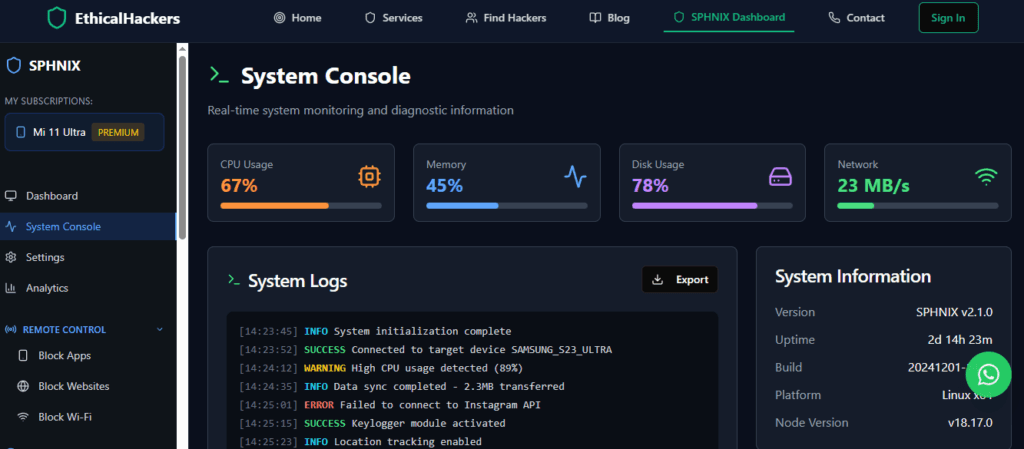
    The โ€œSphnixโ€ link leads to a professional cybersecurity marketplace (Hire-a-Hacker Service). This is a critical distinction.

    A professional Gmail security and monitoring application interface, showing expert insights into ethical account access and protection features.
    • This is not a keylogger vendor.ย It is a platform where businesses hire vettedย ethical hackersย to perform authorized security testing (penetration testing) on theย companyโ€™s own systems.
    • Warning:ย Any service offering to โ€œhackโ€ or install keyloggers on personal phones for private individuals is a scam. Reputable professionals do not engage in illegal activity.

    BUY NOW

    The Ethical Imperative and Healthier Alternatives

    If you are considering a keylogger for any reason outside of parental control or managed business devices, please pause. Using surveillance to address relationship doubts or personal suspicion is destructive and illegal.

    Consider these alternatives:

    1. Open Communication:ย Address concerns directly and honestly. Secrets destroy trust.
    2. Consensual Transparency Tools:ย For couples or families, mutually agree to use location-sharing features or transparent parental controls likeย Google Family Link.
    3. Seek Professional Help:ย A therapist or counselor can provide strategies to rebuild trust without resorting to unethical surveillance.

    Conclusion: Responsibility Over Curiosity

    Understanding how to install a keylogger on someoneโ€™s phone involves mastering a trifecta: the legal framework, the technical process, and the ethical weight. The technology, as seen in tools like mSpy and Parentaler, is powerful and designed for specific, responsible use cases.

    Let this knowledge empower you to act responsibly. Use such powerful tools only within the clear boundaries of the law and with respect for individual privacy. Choosing the ethical path protects not only others but also yourself from severe consequences.

    For professional, legal cybersecurity services to protect your business assets, consult with vetted experts.
    hire a hacker


    Frequently Asked Questions (FAQs)

    1. Can I install a keylogger remotely with just the phone number?
    No, this is a technical impossibility and the hallmark of a scam. Installation requires either physical access to the device or, for iPhones, knowledge of the iCloud account credentials. Any service claiming remote installation via a phone number is fraudulent.

    2. Will the person be notified after I install a keylogger?
    If you use a reputable service and follow its stealth guidelines, the user will not receive a direct notification. However, as mentioned, subtle signs like battery drain may be noticed. On iOS, if you use the iCloud method, they might see a login notification for their iCloud account on a new โ€œdeviceโ€ (the monitoring server), depending on their settings.

    3. What is the difference between a keylogger and parental control app?
    A keylogger is a specific function that records keystrokes. A parental control app is a complete software suite that typically includes a keylogger feature alongside many others like location tracking, app blocking, and web filtering. When people search for a keylogger, they are often looking for a comprehensive monitoring solution.

    Related Spy Wizards Guides

    For cases that need expert help, compare professional hacker services for legal phone security before paying anyone who promises covert access to another personโ€™s device.

    Related Spy Wizards Resources

  • how to know if your phone is hacked

    In todayโ€™s digital age, smartphones have become an essential part of our lives. We rely on them for communication, entertainment, and storing personal information. However, this reliance also makes our phones a prime target for hackers. They are constantly looking for ways to gain unauthorized access to our devices and steal sensitive information. So how can you tell if your phone has been hacked? In this article, we will explore the signs to look out for and provide tips on how to protect your phone from hackers.

    Table of Contents

    Signs Your Phone May Be Hacked

    1. Unusual Battery Drain

    If you notice that your phoneโ€™s battery is draining much faster than usual, it could be a sign that your phone has been hacked. Malware running in the background can consume significant amounts of battery power, causing it to die quickly even when youโ€™re not actively using the phone.

    2. Strange Pop-ups and Ads

    Another sign of a hacked phone is the sudden appearance of strange pop-ups and ads. These can be indicators of adware or malware on your device. If youโ€™re constantly bombarded with unwanted pop-ups, itโ€™s time to investigate further.

    3. Slow Performance and Crashes

    Malware can significantly slow down your phoneโ€™s performance. If you notice that your phone is sluggish, apps are crashing frequently, or it takes longer to complete simple tasks, it could be a sign of a hack. Malicious software running in the background can consume system resources and interfere with normal operations.

    4. Unexplained Data Usage Spikes

    If you notice a sudden increase in data usage on your phone, it could be a sign that malware is running in the background and using your data to transmit information to hackers. Keep an eye on your data usage and investigate any unusual spikes.

    5. Suspicious Outgoing Calls or Messages

    If your friends and family receive calls or messages from you that you didnโ€™t send, itโ€™s a clear indication that your phone has been hacked. Hackers can use your phone to make unauthorized calls or send messages without your knowledge.

    6. Unauthorized Access to Accounts

    If you find that your online accounts have been compromised, it could be a result of a phone hack. Hackers can gain access to your accounts by stealing your login credentials from your phone. Keep an eye out for any suspicious activity or unauthorized changes to your accounts.

    How to Protect Your Phone from Hackers

    Now that you know the signs of a hacked phone, itโ€™s essential to take steps to protect your device from future attacks. Here are some tips to safeguard your phone:

    Before changing settings at random, run the three-minute phone privacy checkup to review linked sessions, permissions, profiles, and account alerts in a consistent order.

    1. Keep Your Software Updated

    Regularly update your phoneโ€™s operating system and apps to ensure that you have the latest security patches. Hackers often exploit vulnerabilities in outdated software to gain access to devices. Enable automatic updates whenever possible.

    2. Be Cautious of Downloads

    Only download apps from trusted sources such as the official app stores. Be wary of third-party app stores or suspicious websites offering free downloads. Always read reviews and check permissions before installing any app on your phone.

    3. Use Strong and Unique Passwords

    Create strong, complex passwords for all your accounts, and avoid reusing passwords across different platforms. Consider using a password manager to securely store and generate unique passwords for each account.

    4. Enable Two-Factor Authentication

    Enable two-factor authentication for your important accounts whenever possible. This adds an extra layer of security by requiring a verification code in addition to your password.

    5. Install Antivirus Software

    Install a reputable antivirus app on your phone to detect and remove malware. Regularly scan your device for threats and keep the antivirus software up to date.

    6. Avoid Public Wi-Fi Networks

    Public Wi-Fi networks are often unsecured, making them prime targets for hackers. Avoid connecting to public Wi-Fi networks whenever possible, especially for sensitive activities such as online banking. If you must use public Wi-Fi, use a virtual private network (VPN) to encrypt your internet connection and protect your data.

    7. Be Mindful of Phishing Attempts

    Be cautious of suspicious emails, text messages, or calls that ask for personal information or contain malicious links. Avoid clicking on unknown links or downloading attachments from untrusted sources. When in doubt, verify the legitimacy of the sender before taking any action.

    8. Protect Your Physical Device

    Keep your phone physically secure by setting a strong passcode or biometric authentication. Avoid leaving your phone unattended in public places, and be cautious of anyone asking to borrow your device.

    9. Regularly Back Up Your Data

    Regularly back up your important data, such as photos, contacts, and documents, to a secure cloud storage service or an external hard drive. In the event of a hack or device loss, you can easily restore your data to a new device.

    10. Educate Yourself on Cybersecurity

    Stay informed about the latest cybersecurity threats and best practices. Keep up with news and resources from reputable sources to stay one step ahead of potential hackers.

    By following these tips and staying vigilant, you can significantly reduce the risk of your phone being hacked. Protecting your personal information and maintaining the security of your device should be a top priority in our increasingly connected world.

    Remember, if you suspect that your phone has been hacked despite taking preventive measures, itโ€™s crucial to take immediate action. Contact your phoneโ€™s manufacturer or a cybersecurity professional for assistance in mitigating the damage and securing your device.

    Conclusion

    Knowing the signs of a hacked phone is essential in todayโ€™s digital landscape. By being aware of unusual battery drain, strange pop-ups, slow performance, data usage spikes, unauthorized calls or messages, and compromised accounts, you can take proactive steps to protect your phone from hackers. Implementing strong security measures such as keeping your software updated, using strong passwords, enabling two-factor authentication, and being cautious of downloads and public Wi-Fi networks can help safeguard your device. Stay informed about the latest cybersecurity threats and regularly back up your data to ensure that you can recover from any potential hacks. With these precautions in place, you can confidently navigate the digital world and keep your phone secure from hackers.

    Remember, itโ€™s always better to be proactive rather than reactive when it comes to cybersecurity. Protect your phone and your personal information to stay one step ahead of hackers.

    For more information on phone security and protecting yourself from hackers, visitSpy Wizards, a leading provider of hacking services and cybersecurity solutions.

  • In todayโ€™s digital age, smartphones have become an essential part of our lives. We rely on them for communication, entertainment, and storing personal information. However, this reliance also makes our phones a prime target for hackers. They are constantly looking for ways to gain unauthorized access to our devices and steal sensitive information. So how can you tell if your phone has been hacked? In this article, we will explore the signs to look out for and provide tips on how to protect your phone from hackers.

    Table of Contents

    Signs Your Phone May Be Hacked

    1. Unusual Battery Drain

    If you notice that your phoneโ€™s battery is draining much faster than usual, it could be a sign that your phone has been hacked. Malware running in the background can consume significant amounts of battery power, causing it to die quickly even when youโ€™re not actively using the phone.

    2. Strange Pop-ups and Ads

    Another sign of a hacked phone is the sudden appearance of strange pop-ups and ads. These can be indicators of adware or malware on your device. If youโ€™re constantly bombarded with unwanted pop-ups, itโ€™s time to investigate further.

    3. Slow Performance and Crashes

    Malware can significantly slow down your phoneโ€™s performance. If you notice that your phone is sluggish, apps are crashing frequently, or it takes longer to complete simple tasks, it could be a sign of a hack. Malicious software running in the background can consume system resources and interfere with normal operations.

    4. Unexplained Data Usage Spikes

    If you notice a sudden increase in data usage on your phone, it could be a sign that malware is running in the background and using your data to transmit information to hackers. Keep an eye on your data usage and investigate any unusual spikes.

    5. Suspicious Outgoing Calls or Messages

    If your friends and family receive calls or messages from you that you didnโ€™t send, itโ€™s a clear indication that your phone has been hacked. Hackers can use your phone to make unauthorized calls or send messages without your knowledge.

    6. Unauthorized Access to Accounts

    If you find that your online accounts have been compromised, it could be a result of a phone hack. Hackers can gain access to your accounts by stealing your login credentials from your phone. Keep an eye out for any suspicious activity or unauthorized changes to your accounts.

    How to Protect Your Phone from Hackers

    Now that you know the signs of a hacked phone, itโ€™s essential to take steps to protect your device from future attacks. Here are some tips to safeguard your phone:

    Before changing settings at random, run the three-minute phone privacy checkup to review linked sessions, permissions, profiles, and account alerts in a consistent order.

    1. Keep Your Software Updated

    Regularly update your phoneโ€™s operating system and apps to ensure that you have the latest security patches. Hackers often exploit vulnerabilities in outdated software to gain access to devices. Enable automatic updates whenever possible.

    2. Be Cautious of Downloads

    Only download apps from trusted sources such as the official app stores. Be wary of third-party app stores or suspicious websites offering free downloads. Always read reviews and check permissions before installing any app on your phone.

    3. Use Strong and Unique Passwords

    Create strong, complex passwords for all your accounts, and avoid reusing passwords across different platforms. Consider using a password manager to securely store and generate unique passwords for each account.

    4. Enable Two-Factor Authentication

    Enable two-factor authentication for your important accounts whenever possible. This adds an extra layer of security by requiring a verification code in addition to your password.

    5. Install Antivirus Software

    Install a reputable antivirus app on your phone to detect and remove malware. Regularly scan your device for threats and keep the antivirus software up to date.

    6. Avoid Public Wi-Fi Networks

    Public Wi-Fi networks are often unsecured, making them prime targets for hackers. Avoid connecting to public Wi-Fi networks whenever possible, especially for sensitive activities such as online banking. If you must use public Wi-Fi, use a virtual private network (VPN) to encrypt your internet connection and protect your data.

    7. Be Mindful of Phishing Attempts

    Be cautious of suspicious emails, text messages, or calls that ask for personal information or contain malicious links. Avoid clicking on unknown links or downloading attachments from untrusted sources. When in doubt, verify the legitimacy of the sender before taking any action.

    8. Protect Your Physical Device

    Keep your phone physically secure by setting a strong passcode or biometric authentication. Avoid leaving your phone unattended in public places, and be cautious of anyone asking to borrow your device.

    9. Regularly Back Up Your Data

    Regularly back up your important data, such as photos, contacts, and documents, to a secure cloud storage service or an external hard drive. In the event of a hack or device loss, you can easily restore your data to a new device.

    10. Educate Yourself on Cybersecurity

    Stay informed about the latest cybersecurity threats and best practices. Keep up with news and resources from reputable sources to stay one step ahead of potential hackers.

    By following these tips and staying vigilant, you can significantly reduce the risk of your phone being hacked. Protecting your personal information and maintaining the security of your device should be a top priority in our increasingly connected world.

    Remember, if you suspect that your phone has been hacked despite taking preventive measures, itโ€™s crucial to take immediate action. Contact your phoneโ€™s manufacturer or a cybersecurity professional for assistance in mitigating the damage and securing your device.

    Conclusion

    Knowing the signs of a hacked phone is essential in todayโ€™s digital landscape. By being aware of unusual battery drain, strange pop-ups, slow performance, data usage spikes, unauthorized calls or messages, and compromised accounts, you can take proactive steps to protect your phone from hackers. Implementing strong security measures such as keeping your software updated, using strong passwords, enabling two-factor authentication, and being cautious of downloads and public Wi-Fi networks can help safeguard your device. Stay informed about the latest cybersecurity threats and regularly back up your data to ensure that you can recover from any potential hacks. With these precautions in place, you can confidently navigate the digital world and keep your phone secure from hackers.

    Remember, itโ€™s always better to be proactive rather than reactive when it comes to cybersecurity. Protect your phone and your personal information to stay one step ahead of hackers.

    For more information on phone security and protecting yourself from hackers, visitSpy Wizards, a leading provider of hacking services and cybersecurity solutions.

  • Find the Hacker? Start With Incident Response, Not Vigilante Hacking

    How to find the person who hacked you

    In this digital age, the worry of being hacked is a real issue for many people and businesses. It can be frightening and irritating to think about someone accessing your confidential info. Thus, what can you do when you find yourself in this unfortunate situation? How can you find out who hacked you?

    It is important to stay calm and collected when taking on this investigation. Doing something too quickly could block you from finding helpful evidence. Start by securing compromised accounts and changing passwords right away. This will keep the hacker from getting your personal info.

    Now you can begin gathering clues to find out who the hacker is. Make a list of any strange activities you noticed before the incident. Examples are: unusual emails, unfamiliar login attempts, or odd system behavior.

    Next, contact your ISP or email provider for help. They know how to trace IP addresses and work out where the attack came from. Tell them all you know about the suspicious activity.

    You may also want to hire a cybersecurity firm or forensic investigator. These specialists have modern tools and techniques to uncover signs left behind by hackers. They can investigate your systems and networks to spot weaknesses the hacker could have used.

    It can be difficult and take a long time to investigate a hacking case. But donโ€™t give up hope. Even though technology gives anonymity, itโ€™s still possible to figure out who did it with the right approach.

    Remember, prevention is key when it comes to cybersecurity. Always update software, use strong passwords, be careful with downloads/links, and stay updated about potential threats.

    Symantec Corporation found that the average time to identify a cyber-attack in 2019 was 5 days. This highlights the importance of taking fast action and asking professionals for advice to speed up the process of finding the hacker.

    Table of Contents

    Understanding the signs of being hacked

    Unusual account activity, slow performance, and unexpected pop-ups can be signs of being hacked. To investigate further, check your computerโ€™s network traffic and log files. Change passwords, enable two-factor authentication, and contact professionals if needed. With these security measures, you create more barriers for hackers. Plus, staying up-to-date with the latest security practices protects you from malicious actors. Knowing the signs of being hacked is the first step in taking back control of your digital life.

    Gathering evidence

    Gathering evidence takes expertise in digital forensics and cybersecurity. Get professionals with the right skills and tools to ensure evidence is obtained legally and ethically. To ensure effective evidence collection:

    โ€“ Secure suspect systems/devices to stop data loss or tampering.
    โ€“ Contact law enforcement agencies that specialize in cybercrime investigations. They have resources to help identify hackers.
    โ€“ Share evidence with trusted partners or industry peers who may have gone through similar attacks. This can help uncover more leads.
    โ€“ Strengthen security by regularly updating software, assessing vulnerabilities, using strong authentication, and training employees on cybersecurity.

    These steps can help identify the person behind a hack. Time is essential โ€“ the sooner you collect evidence, the higher the chance of successful attribution.

    Securing your account

    Secure Your Account:

    As we explore the complex world of online security, itโ€™s essential to protect our personal info. Follow these 6 easy steps to guarantee maximum security for your account:

    1. Fortify Your Password: Generate a unique combo of uppercase & lowercase letters, numbers, & special characters. Steer clear of common phrases and info thatโ€™s easy to guess.
    2. Enable 2-Factor Authentication: Add an extra layer of protection by necessitating a verification code in addition to your password for logging in.
    3. Regularly Update Software: Keep your OS, antivirus programs, & apps current to benefit from improved security features.
    4. Beware of Phishing Attempts: Be wary while opening emails or messages from unknown sources. Donโ€™t click on dubious links or give personal info without verifying the requestโ€™s authenticity.
    5. Monitor Login Activity: Regularly check your recent login history & watch out for any unrecognized devices or locations trying to access your account.
    6. Use Secure Networks: Make sure you connect to trusted & secure Wi-Fi networks when handling sensitive info. Public Wi-Fi networks are often less secure & more prone to hacking attempts.

    Plus, think about introducing measures like biometric authentication or password managers for added convenience & security.

    Remember, securing your account is an ongoing process; it needs constant awareness and proactive measures. Stay informed about the latest online threats and take necessary precautions.

    Pro Tip: Change your passwords regularly every few months to reduce the risk of unauthorized access.

    Reporting the incident

    When a hacking incident occurs, report it fast! Get in touch with the correct people and organizations. Evidence, such as logs and screenshots, should be gathered and shared. Explain what happened, any unusual activities, and weaknesses that were taken advantage of.

    Provide exact details about the incident. Include dates, times, and locations. Also, any info about the hackerโ€™s methods or techniques used in the breach.

    Remain level-headed when dealing with this. Donโ€™t panic or rush into decisions. This will help give clear and direct details in the report. Timely reporting makes it easier to catch the hacker and minimize damage.

    Pro Tip: Ask a cybersecurity expert for assistance with the report. They can tell you what should be included and help guarantee all necessary information is given for a detailed investigation.

    Tracing the hacker

    Gather evidence! Logs, network traffic records, emails, and messages โ€“ collect it all. Keep it safe to maintain its integrity for later.

    Analyze the evidence to spot clues. IP addresses, timestamps, unique characteristics of the attack โ€“ look for them. Get help from cybersecurity experts if you need to.

    Engage law enforcement once you have a lead. Report the incident to your local police or cybercrime unit. Provide evidence and details. They have the power to prosecute the hacker.

    Take preventative measures. Update software, use strong passwords, and educate employees about security best practices.

    Tracing hackers is not easy. Expertise and perseverance are needed. Follow the steps and collaborate with law enforcement to increase your chances of success.

    Act now! Donโ€™t wait until itโ€™s too late. Protect your data and trust with clients and partners. Uncover the identity of the hacker before they strike again!

    Taking legal actions

    To deal with cybercrime, hereโ€™s what to do:

    1. Consult a lawyer โ€“ get guidance from an expert on the legalities.
    2. Gather evidence โ€“ IP addresses, timestamps, and any communication with the hacker.
    3. File a police report โ€“ provide all the evidence.
    4. Pursue legal action โ€“ work with your lawyer to get punishment and compensation.

    While doing this, keep in touch with your lawyer. Theyโ€™ll help you through the legal system and any difficulties.

    These legal actions serve justice and deter others from similar cybercrimes. So, we protect ourselves and make the digital world safer for everyone.

    Preventing future attacks

    For future attack avoidance, use strong and distinct passwords for all online accounts. Combine letters, numbers, and symbolic characters. Wherever possible, switch on two-factor authentication for extra security.

    Always keep software and operating systems up-to-date. Cybercriminals often target vulnerable, out-of-date software. So, stay up-to-date!

    Be wary when clicking on links or downloading attachments from emails or messages. Phishing attacks are becoming more cunning. Before engaging with any uncertain content, check the source.

    In addition, get dependable antivirus software for protection against harmful malware and other threats. These programs prevent potential threats from accessing your system.

    Lastly, educate yourself on current cybersecurity threats and the best practices to prevent them. By keeping informed and using appropriate security measures, the chances of being hacked are greatly reduced.

    In conclusion, prevention is key in cybersecurity. By adhering to these steps, you can build a solid defence against future attacks.

    Conclusion

    Investigating and finding the hacker behind an incident can be tricky. But with the right tools and strategies, their identity can be revealed. We explored methods to aid this process. Analyzing network logs, email headers, and IP addresses can provide evidence of the hacker.

    Social engineering tactics like phishing emails or pretending to be an insider can help to gather info on the attackerโ€™s motives and weaknesses. By luring them to reveal themselves, one can uncover the hacker and bring them to justice.

    Every investigation is different and requires adaption. Even with advanced methods, uncovering a hackerโ€™s identity is difficult. The 2014 Sony Pictures Entertainment cyberattack is an example of this. Initially thought to be vandalism by unknown hackers, further investigation found traces to North Korea.

    The attack caused leaked documents and disrupted operations. It was difficult for cybersecurity experts to discover the perpetrators. Eventually, careful analysis attributed the attack to North Korean state-sponsored hackers known as Lazarus Group.

    Frequently Asked Questions

    1. How can I find the person who hacked me?

    If you suspect that you have been hacked, it is essential to take immediate action to address the issue. However, identifying the person responsible for the attack can be challenging. It is recommended to follow these steps:

    • Change your passwords: Start by changing all your passwords, including your email, social media, and online banking accounts. This will help secure your personal information and prevent further unauthorized access.
    • Check for signs of compromise: Look for any unusual activities on your computer or mobile device, such as unfamiliar programs, messages, or files.
    • Scan for malware: Run a comprehensive antivirus and antimalware scan to detect any malicious software that may have been installed on your system.
    • Keep a record: Document any suspicious activities or evidence related to the hack. This information may be useful for reporting the incident to the authorities or your internet service provider (ISP).
    • Contact the authorities: If you believe your personal information has been compromised or if you are a victim of identity theft, report the incident to your local law enforcement agency.
    • Hire a professional: If you are unable to identify the hacker on your own, consider consulting a cybersecurity expert or forensic investigator who can assist in tracing and attributing the attack.

    2. Can I trace the hackerโ€™s location myself?

    Tracing the location of a hacker without proper knowledge and resources can be extremely difficult. It requires specialized tools and skills typically possessed by law enforcement agencies or cybersecurity experts. It is generally advised to involve the appropriate authorities or professionals to handle the investigation.

    3. Will the police help me find the hacker?

    The police can assist you in finding the hacker, particularly if you have experienced financial loss or other significant damages. However, it is important to note that the nature and extent of their involvement may vary depending on jurisdiction and available resources. It is advisable to report the incident to your local law enforcement agency and provide them with any evidence or information you have gathered.

    4. What information should I gather to report the hack?

    When reporting a hack, gather as much relevant information as possible to provide to the authorities. This may include:

    • Date and time of the hack
    • Description of the incident and any suspicious activities
    • IP addresses or domain names associated with the attacker (if available)
    • Screenshots or copies of any messages related to the hack
    • Any additional evidence or documentation you have collected

    5. Should I confront the hacker directly?

    No, it is not recommended to confront the hacker directly. Confrontation can potentially escalate the situation or expose you to further harm. It is best to involve the appropriate authorities and let them handle the investigation and legal proceedings.

    6. How can I prevent future hacking incidents?

    To reduce the risk of future hacking incidents, follow these preventive measures:

    • Use strong, unique passwords for all your online accounts
    • Enable two-factor authentication whenever possible
    • Regularly update your operating system, software, and antivirus programs
    • Avoid clicking on suspicious links or downloading files from unknown sources
    • Be cautious with sharing personal information online
    • Regularly back up your important files and data